
All apps · 0 apps

Compressatorium
Docker app from pacnpal's Repository
Overview
Readme
View on GitHubCompressatorium
Fork notice: This is a fork of MarcTV's Docker CHD Converter. It adds a Web UI and more conversion tools on top of the original CLI converter. Thanks to MarcTV for the original.
A game image converter that wraps nine tools: CHDMAN (MAME), dolphin-tool (Dolphin Emulator), z3ds_compressor (Nintendo 3DS), nsz (Nintendo Switch), maxcso (PSP/PS2 CSO/ZSO), 7z (handheld ROM archives), makeps3iso (PS3 decrypted folder → ISO), nkit2iso (NKit-shrunk GameCube/Wii image → ISO), and JWUDTool (Wii U WUD ↔ WUX). Pick the tool that matches your files and convert from a browser, or run it headless from the command line.
Features
- Nine tools in one. CHDMAN, Dolphin, 3DS, Switch, CSO/ZSO, handheld ROM (GB/GBC/GBA/DS), PS3 ISO (a decrypted PS3 folder packed to
.iso), NKit (an NKit-shrunk GameCube/Wii image restored to a full.iso), or Wii U (WUD ↔ WUX), chosen per job. - Web UI for browsing files and converting them. The tool picker filters the whole interface down to the tool you chose.
- Nested directories and archives. Browse subfolders and look inside ZIP, 7z, and RAR archives.
- Multiple volume mounts so you can keep separate game libraries separate.
- File detection that works out which files each tool can convert.
- Existing-output detection with skip, rename, or overwrite.
- Delete-on-verify. Optionally remove the source after a conversion verifies. Off by default.
- Progress tracking through a live job queue.
- File info for CHD, Dolphin, 3DS, Switch, CSO, handheld ROM, NKit, and Wii U files.
Supported Conversions
| Tool | Platform / Use | Input Formats | Output Formats | Compression Control | External Keys | Binary |
|---|---|---|---|---|---|---|
| CHDMAN | CD / DVD / HD / LaserDisc discs | .gdi, .cue, .bin, .iso, .chd | .chd, .cue, .bin, .iso, .raw, .avi | Codec list (zstd, zlib, …) | None | mame-tools |
| Dolphin | GameCube / Wii discs | .iso, .wbfs, .rvz, .wia, .gcz | .rvz, .wia, .gcz, .iso | Codec + numeric level | None | dolphin-emu |
| 3DS | Nintendo 3DS ROMs | .cci, .cia, .3ds, .cxi, .3dsx, .zcci, .zcia, .z3ds, .zcxi, .z3dsx | .zcci, .zcia, .z3ds, .zcxi, .z3dsx, .cci, .cia, .3ds, .cxi, .3dsx | None (fixed) | None | z3ds_compressor |
| Switch | Nintendo Switch dumps | .nsp, .xci, .nsz, .xcz | .nsz, .xcz, .nsp, .xci | Layout + level | Yes (prod.keys) |
nsz |
| CSO | PSP / PS2 game images | .iso, .cso, .zso, .dax | .cso, .zso, .dax, .iso, .chd | Effort preset (Fast/Default/Max); the cso_to_chd chain ignores it and uses chdman defaults |
None | maxcso (+ chdman for cso_to_chd) |
| Handheld ROM | Cartridge ROMs (Nintendo, Sega, and other 8/16-bit systems) | .gb, .gbc, .gba, .nds, .nes, .sfc, .smc, .z64, .n64, .v64, .sms, .md, .gen, .smd, .gg, .vb, .ws, .wsc, .ngp, .ngc, .lnx, .d64, .t64, .prg, .a26, .a78, .7z, .zip | .7z, .zip, and the original ROM | Effort preset (Fast/Default/Max) | None | 7z (p7zip-full) |
| PS3 ISO | Decrypted PS3 disc / JB folders | a folder containing PS3_GAME/ (plus PS3_DISC.SFB for disc rips) |
.iso (optional 4 GB FAT32 split) | None (fixed) | None | makeps3iso |
| Wii U | Wii U disc images | .wud, .wux | .wux, .wud | None (fixed); a verify-after-conversion toggle | None | JWUDTool (Java) |
| NKit | NKit-shrunk GameCube / Wii discs | .nkit.iso, .nkit.gcz | .iso, .rvz (via the nkit_to_rvz chain) |
None (fixed) | None | nkit2iso (+ dolphin-tool for nkit_to_rvz) |
Most conversions above are lossless and fully reversible, including 3DS, which
now decompresses back to the original ROM as well. This uses
z3ds_compress (a fork that adds a
decompression mode and .cxi/.3dsx support to the original
energeticokay/z3ds_compress).
The compressed .z3ds can be read directly by Azahar, or restored to
.cci/.cia/.3ds with z3ds_decompress; see
Nintendo 3DS Support.
PS3 ISO is the clearest exception to the round trip. It packs a decrypted PS3
folder into a .iso that RPCS3 mounts directly; there is no reverse mode back to
a folder, and it never deletes the source. See
PlayStation 3 Support.
The CSO tool also has a one-step chain, cso_to_chd, that runs a .cso/.zso/.dax
through maxcso to a temporary .iso and then chdman to a .chd in a single job.
The disc image survives losslessly, but this one changes container: extracting the
resulting .chd gives you an .iso, not the original .cso/.zso/.dax, so
delete-on-verify here trades the compressed source for a CHD. See
PSP / PS2 Support.
NKit is one-directional for the opposite reason: this app never writes NKit,
it only restores it. nkit_restore rebuilds the original .iso — bit-exact and
CRC32-verified, except for a Wii image missing its update partition (see
NKit Support) — which you can then hand to Dolphin or
CHDMAN like any other disc image — or use the
one-step nkit_to_rvz chain, which restores and compresses to RVZ in a single job
so the full-size ISO never lands in your library. See
NKit Support.
Archive inputs: most input formats above can be converted straight from inside a ZIP, 7z, or RAR archive, including 3DS ROMs, Dolphin game images, Switch dumps, and Wii U images. Browse into the archive, pick a member, and convert. This even covers CHDMAN's extract modes pulling a
.chdout of an archive and decompressing it back to a game image. A few exceptions: CHDMAN's copy/recompress mode is not offered from an archive (recompressing an already-finished.chdwould be a pointless round trip); Handheld ROM does not accept loose ROMs from inside an archive — its.7z/.zipare the packed product, so to unpack one select the archive file itself and runromz_extract, rather than browsing into it for a member; and PS3 ISO takes a folder, not a file, so it is never an archive input (a zippedPS3_GAMEtree can't be converted from inside an archive). Each tool's full mode list (e.g. CHDMAN'screatecd/extractcd, CSO'scso2_compress, the ROM packer'sromz_7z/romz_zip/romz_extract, the PS3 packer'sfolder_to_iso, and NKit'snkit_restore/nkit_to_rvz) is in Supported Operations.
Archive inputs: most input formats above can be converted straight from inside a ZIP, 7z, or RAR archive, including 3DS ROMs, Dolphin game images, Switch dumps, and NKit images. Browse into the archive, pick a member, and convert. This even covers CHDMAN's extract modes pulling a
.chdout of an archive and decompressing it back to a game image. A few exceptions: CHDMAN's copy/recompress mode is not offered from an archive (recompressing an already-finished.chdwould be a pointless round trip); Handheld ROM does not accept loose ROMs from inside an archive — its.7z/.zipare the packed product, so to unpack one select the archive file itself and runromz_extract, rather than browsing into it for a member; and PS3 ISO takes a folder, not a file, so it is never an archive input (a zippedPS3_GAMEtree can't be converted from inside an archive).
MAME Redump DAT Integration
Compressatorium can sync MAME Redump DAT files (Logiqx XML) in one click and check your compressed files against known-good Redump hashes. The same hashes let tools like Hasheous and RomM match your library.
- One-click sync: Click "Sync from MAME Redump" in the DAT panel to download all ~69 DATs automatically from GitHub
- Auto-sync: Set
MAMEREDUMP_AUTO_SYNC=trueto sync DATs on container startup when none are loaded - CHD files: Matched via the embedded header / data SHA1 (codec-independent, works with any compression setting on chdman 0.285)
- Dolphin RVZ/WIA/GCZ: Matched via the game image's content SHA1 reconstructed by
dolphin-tool verify— the same hash MAME Redump records for GameCube/Wii discs — so compressed Dolphin outputs match without the container bytes having to be identical - Everything else (3DS/Switch/CSO·ZSO·DAX/
.iso/.bin): Matched via file-level SHA1 - Library scan: The background scan discovers and DAT-matches tool outputs by extension (CHD, Dolphin RVZ/WIA/GCZ, 3DS, Switch, CSO/ZSO,
.iso, and the.bindata track from CHDMAN extract), not just CHDs, so non-CHD libraries get cached match results too. A single PS3-packed.isois matched like any other.iso; a 4 GB split set is not, since its.iso.0/.iso.1parts aren't scanned extensions. Heavy Dolphin disc-hashing during the scan honorsMATCH_MAX_FILE_SIZEand stops promptly if you cancel the scan. - DAT management: Import, list, and delete DATs via the web UI "DAT Files" button
- Match badges: Files matching a DAT entry show a blue "DAT" badge in the file list
- Wider coverage without curating DATs: see Hasheous Integration to fall back on 14 preservation databases for anything your imported DATs don't recognise
Hasheous Integration (optional)
Hasheous is a hosted hash-lookup service run by the Gaseous project. It indexes 14 preservation databases and answers "what game is this hash?" for all of them at once. Turn it on and every hash your imported DATs don't recognise is looked up there, so your library gets identified without you curating DATs for every system you own.
Setup is one click. Open DAT Library in the web UI and press Turn on
in the Hasheous panel. It takes effect immediately — no restart, no editing
docker-compose.yml — and the choice is saved, so it survives restarts. A
Test button next to it confirms the server is reachable and reports the
round-trip time.
No account, no API key, no signup — the hash-lookup endpoint is public.
If you'd rather set it declaratively (a fresh container that should come up with it already on), the environment variable does the same thing — but it has to reach the process, so put it where the process will actually see it.
In docker-compose.yml, add it to the service's environment: list. That list
is enumerated rather than inherited, so a value in your shell or in a .env
file will not reach the container on its own:
    environment:
      - COMPRESSATORIUM_HASHEOUS_ENABLED=true
Running from a checkout, export it (or prefix the command) so the child process inherits it — a bare assignment on its own line sets a shell variable and launches nothing:
COMPRESSATORIUM_HASHEOUS_ENABLED=true ./run_dev.sh
# or, for the whole shell session:
export COMPRESSATORIUM_HASHEOUS_ENABLED=true
The UI toggle wins over the variable when both are set, and the panel tells you when that's the case.
What it covers
Redump · No-Intro · TOSEC · MAMERedump · MAMEArcade · MAMEMess · WHDLoad · RetroAchievements · FBNeo · PureDOSDAT · Pleasuredome · TotalDOSCollection · eXo · ScreenScraper
Because MAMERedump is among them, Hasheous is a strict superset of the DATs the one-click sync pulls — including the CHD header hashes that only MAMERedump records. Nothing you get today is lost by enabling it.
What you get per match
A local DAT hit tells you the game name and the ROM filename. A Hasheous hit carries considerably more. Everything except the link URLs is shown in the file-list badge tooltip; the tooltip names which databases list the game, and the URLs themselves are stored with the match and returned by the API:
| Field | Example |
|---|---|
| Game name | Jumpman Junior |
| ROM name | Jumpman Junior (1983)(Epyx).bin |
| Source DAT | Redump / No-Intro / TOSEC / MAMERedump … — which database actually knew the hash |
| Platform | Commodore 64 |
| Publisher | Epyx |
| Year | 1983 |
| Region | US, EU, … (when the source records it) |
| Metadata links | IGDB, TheGamesDB, RetroAchievements, Wikipedia, LaunchBox, SteamGridDB |
The links are IDs and URLs into those databases, so a match is a jumping-off
point for artwork or achievements even though Compressatorium doesn't fetch
them itself (see What it deliberately does not do).
The file list shows which of those databases list the game; the URLs are in
the match payload from /api/dat/matches/lookup rather than being clickable in
the row, since the badge tooltip is a native one and can't hold anchors.
How a file gets matched
The order is fixed, and local always wins:
- Your imported DATs, using every hash the file can offer. A CHD reports both its header SHA1 and its data SHA1; a Dolphin RVZ/WIA/GCZ reports the reconstructed disc SHA1. All of them are checked locally first.
- Hasheous, only if none of them matched, and only if you enabled it.
So a library your own DATs already cover never makes a single network call, and a file your DATs can identify is never disclosed to a third party. Matching is also deterministic: the same file resolves the same way whether or not the network is healthy.
One exception, if you set MATCH_MAX_FILE_SIZE: a file over that cap is never
read, so its file-level hash cannot be computed or checked locally at all. Such
a file still gets looked up on whatever hashes it can offer for free (a CHD's
header and data SHA1s), because the cap means "don't read this file", not
"don't identify it". Leaving the cap unset restores the ordinary order for
those files — their own SHA1 is computed and checked against your DATs before
anything is sent — but it is not a way to keep large files off the network:
if your DATs don't know the file, its hashes still go to Hasheous like any
other. There is no size-based opt-out; the controls that actually stop a
disclosure are turning the fallback off, or pointing
COMPRESSATORIUM_HASHEOUS_URL at your own instance.
Results are cached in the local database, so a file is looked up once, not once per browse. If you enable Hasheous after files were already recorded as "no match", those old verdicts are automatically re-checked against the new source as you browse those files — the cached verdict records which source produced it, so it stops being accepted the moment a stronger one is available. Re-checking is lazy, not a library-wide sweep: a folder you never open keeps its old verdict until you open it, or until you run a rescan.
Badges
| Badge | Meaning |
|---|---|
| DAT (blue) | Matched one of your imported DATs |
| HASH | Matched via Hasheous — hover for platform, year, region and source DAT |
Privacy
Enabling this sends the SHA1 of your files (and nothing else — no filenames,
no paths, no account identifier) to whatever server COMPRESSATORIUM_HASHEOUS_URL
points at. That is why it ships off, and why nothing is transmitted at all
until you enable it — either with the toggle in the DAT Library or by setting
the variable. Requests are HTTPS-only, and a redirect that would
downgrade to plain HTTP is refused rather than followed.
If you'd rather not talk to a third party at all, Hasheous is open source and self-hostable — point the URL at your own instance and lookups stay on your network.
Behaviour when Hasheous is unreachable
A failed lookup is reported as an error, never recorded as "not in any DAT". A network blip therefore can't permanently mark your library unmatched; the affected files are simply retried next time.
To keep an outage cheap, the client stops calling out for 60 seconds after a failure. Without that, a 1,000-file scan against a dead endpoint would spend over four hours re-learning the same fact once per file.
A metadata scan that ran while Hasheous was unreachable says so on its final
line — … 12 not checked (Hasheous unreachable). The scan itself still
succeeds, because the metadata it collects is unaffected; without that count a
rescan during an outage would finish looking like a clean "nothing matched".
Those files are retried the next time you browse or rescan them.
Configuration
| Variable | Default | Purpose |
|---|---|---|
COMPRESSATORIUM_HASHEOUS_ENABLED |
false |
Starting state of the master switch. The DAT Library toggle overrides it and persists. |
COMPRESSATORIUM_HASHEOUS_URL |
https://hasheous.org |
Point at your own instance. Must be https. |
COMPRESSATORIUM_HASHEOUS_TIMEOUT |
15 |
Whole-request timeout in seconds, from the TCP connect to the last byte: every address the host resolves to (one budget between them, not one each), a proxy CONNECT tunnel, headers and body. Not per socket read, so a server or proxy dripping the response a byte at a time can't stall a scan. Two things sit outside the budget: name resolution — getaddrinfo runs before any socket exists, so a stalled resolver is bounded by /etc/resolv.conf instead — and a dripping TLS handshake, which gets the remaining budget as its socket timeout (a peer that stalls or dies mid-handshake is bounded) but not a per-record deadline, so a peer trickling handshake records can outlast it. Both raise eventually, and the 60s cooldown then opens. This call sits in the file-browse path, so keep it short. |
Legacy short names (HASHEOUS_ENABLED, HASHEOUS_URL, HASHEOUS_TIMEOUT) are
accepted as aliases.
The DAT Library page shows the live state — on or off, which server it is pointed at, whether the setting came from the toggle or the environment, and a Test button that reports reachability and latency.
Changing COMPRESSATORIUM_HASHEOUS_URL re-checks previously-unmatched files
against the new server automatically — cached "no match" verdicts record which
server produced them, so pointing at a different instance doesn't leave you with
stale answers.
Scale
Hasheous has no bulk endpoint — its API accepts several hashes for one file, not a batch of files — so an uncached library costs at least one request per file.
A file that matches on its first candidate costs one request. Anything else costs more, because candidates are tried in order and each one is a request: a CHD offers a header SHA1 and a data SHA1, and since a CHD's own container bytes may also be indexed, a miss on both falls back to a file-level SHA1 — up to three requests, and three hashes disclosed, for one CHD. That ceiling applies whether the CHD ends up matching on a later candidate or not; a match only stops the requests that would have come after it. Formats with a single hash (ISO, 3DS, Switch, CSO) cost one either way. Dolphin RVZ/WIA/GCZ report one exhaustive disc hash, so they cost one and never fall back.
Responses are cached both locally and by Hasheous' CDN, so this is a one-time cost per file rather than a per-browse one. If you have a large uncached library, run the background library scan once and let it prime the cache rather than browsing folder by folder.
Importing a DAT, or syncing MAMERedump, does not re-send anything. The re-match those trigger runs against your local DATs only. A file the new DATs now identify has its badge upgraded from HASH to DAT; a file they still don't cover keeps the badge it already had. Nothing goes back out over the network, so a sync costs zero requests no matter how large your library is.
The one exception is a file that was previously recorded as no match anywhere. Those verdicts are dropped by the import (a new DAT can turn a miss into a hit), so the next time you browse such a file it is re-checked — locally first, then remotely if the local DATs still don't know it. That is one request at the moment you look at the file, not a burst of thousands at sync time.
What it deliberately does not do
- No cover art or descriptions. Hasheous proxies IGDB, TheGamesDB, GiantBomb and ScreenScraper, but those endpoints require a Hasheous client API key. Only the key-free hash lookup is used here. The metadata links above give you the IDs if you want to fetch artwork yourself.
- No submissions. Hasheous accepts hash corrections and dump reports; those endpoints also need an API key, and are not called.
- Nothing is uploaded about your library. Lookups are reads. Your file names, paths, and collection contents are never sent.
Installation
The Docker image is available from two registries:
Docker Hub
docker pull pacnpal/compressatorium
GitHub Container Registry
docker pull ghcr.io/pacnpal/compressatorium
Both registries provide identical images with multi-architecture support (linux/amd64 and linux/arm64).
Note: Use either registry: replace
pacnpal/compressatoriumwithghcr.io/pacnpal/compressatoriumfor the same image.
Available Tags
| Tag | Description |
|---|---|
latest |
Latest stable release |
beta |
Latest pre-release build (see warning below) |
X.Y.Z |
Specific stable version (e.g., 3.7.0) |
X.Y.Z-beta-N |
Specific pre-release build (e.g., 3.7.0-beta-3) |
sha-xxxxxxx |
Specific commit build |
Opting in to beta updates
To track pre-release builds, pull the :beta tag instead of :latest:
docker pull pacnpal/compressatorium:beta
Or pin to a specific pre-release (recommended if you want to control when you upgrade):
docker pull pacnpal/compressatorium:3.7.0-beta-3
Warning: beta builds can cause data loss. Pre-releases may carry unfinished migrations, experimental conversion logic, or breaking changes to the job database. Running a beta against a database that a stable release created can corrupt it or migrate it past the point of return, and downgrading back to
:latestafterwards is not supported. Before you pull:beta:
- Back up your SQLite database (
compressatorium.dbin your data volume) and any in-flight output files.- Prefer a separate data volume for beta testing rather than pointing a beta container at your production volume.
- Do not use beta builds for batches you cannot afford to redo.
Quick Start Guide
1. Select Your Primary Tool
When you open the Web UI, you'll see the tool options at the top:
- CHDMAN - For converting CD/DVD/LaserDisc images to CHD format
- Dolphin - For GameCube/Wii game image conversions
- 3DS - For compressing Nintendo 3DS ROMs
- Switch - For compressing/decompressing Nintendo Switch dumps (needs your own prod.keys)
- CSO - For compressing/decompressing PSP/PS2 ISO images to CSO/ZSO (and a one-step CSO → CHD chain)
- Handheld ROM - For compressing/extracting cartridge ROM dumps to .7z/.zip archives (Game Boy/GBC/GBA/DS, NES, SNES, N64, Master System, Genesis, Game Gear, Virtual Boy, WonderSwan, Neo Geo Pocket, Lynx, C64, Atari 2600/7800)
- PS3 ISO - For packing a decrypted PS3 folder into a
.isoRPCS3 can mount - Wii U - For compressing Wii U disc images to
.wuxand back
Choose the tool that matches your files. The interface then shows only the modes and file types that tool can use.
2. Browse and Select Files
- Navigate through your mounted volumes using the left panel
- Click on folders to browse subdirectories
- Check the boxes next to files you want to convert
- Archives (.zip, .7z, .rar) can be browsed by clicking them
- With the PS3 ISO tool selected, a decrypted PS3 folder is itself selectable as a source (clicking its name still browses into it); the rest of the tools take files
3. Configure and Convert
- Select the appropriate conversion mode from the dropdown
- Adjust compression settings if available (see Compression Settings)
- Click the action button (Create/Convert/Compress depending on mode)
- Monitor progress in the job queue panel
Usage Guide
This is the global guide to the workflow and the features shared by every tool — browsing, modes, compression, verifying/deleting, archives, DAT matching, and troubleshooting. The per-tool sections further down only document what's specific to each tool (its formats, modes, env vars, and quirks). The same material is available in-app under Help.
Browsing and finding files
Your mounted volumes appear in the left panel — click a folder to enter, a
breadcrumb to go back. Search All walks the whole volume and lists every
convertible file at once; the filter dropdown narrows by extension. Both
update automatically as tools are added. System clutter (.DS_Store, AppleDouble
._* files, Thumbs.db, desktop.ini, @eaDir, #recycle, lost+found, …) is
hidden so listings stay clean.
Modes
Create makes a compressed file, extract/decompress gives the original back, copy
recompresses in place. Pick the create mode that matches the media — compressing a
PSP/PS2 image with createcd instead of createdvd won't come out right. The
full mode list per tool is in Supported Operations.
Compression settings
Every tool that compresses (CHD, Dolphin, Switch, CSO) shares one compression picker in the convert panel:
- Controls differ per tool. chdman takes a codec list, Dolphin and Switch take a single codec/layout plus a numeric level, and CSO takes a Fast/Default/Max effort preset (no numeric level). Decompress/extract modes and 3DS have no compression settings, so the picker is hidden for them.
- Your choice is remembered server-side per tool, so it follows you across sessions and browsers.
- Reset to default. A button under the picker restores that tool's codec/layout/level/effort to its default and confirms with a toast. It's disabled when you're already on the defaults.
- Strong defaults where it helps. CSO defaults to the Max preset (smallest
output); the other tools default to broadly-compatible settings (chdman
zlib, Dolphinzstd:19, Switchsolid:18). See also Compression Compatibility Tips.
Output location and duplicates
By default the output lands next to its source; set a custom output directory instead and it's created for you as long as it's inside a mounted volume. If a matching output already exists the app stops and asks rather than clobbering it: skip keeps the existing file, rename writes under a new name, overwrite replaces it.
The job queue
Every conversion and verify runs through one FIFO queue — one job at a time by default, which keeps the host responsive during big batches. Progress streams live, and jobs run on the server, so closing the browser (or rebooting your laptop) doesn't stop them; reopen the page and it reconnects. The queue has active / completed / failed tabs, plus Cancel All and Clear Done (both confirm first).
Verifying and deleting safely
Converting never deletes anything on its own — the safe order is convert, verify,
then delete the source. Verify reads the whole output back and checks it against
the file's own hashes/CRC; with delete-on-verify the source is removed only
after the output passes, and never if it fails. You get a confirmation list of
everything to be deleted first, including the .cue/.gdi track files that ride
with a .bin, and the whole archive if the source came from one. Bulk Verify
checks a whole selection at once across CHD, Dolphin, 3DS, Switch, and CSO;
verification status persists between sessions, and a long verify can be given a
timeout so a stalled one doesn't block the queue.
File info
Click a file to open the inspector — it shows the format/version, compression, size, and hashes, plus the raw tool output. For PS1/PS2/PSP/Dreamcast discs it also digs the game serial out of the sector data and shows a human title when it recognizes one. A background scan caches this so the list badges don't recompute on every folder open.
DAT matching
Sync the MAMERedump DATs from the DAT Library (or import your own .dat/.xml
from No-Intro/Redump) and converted files are checked against known-good hashes —
a blue DAT badge means the file matches. CHDs match on the codec-independent header
SHA1, and Dolphin RVZ/WIA/GCZ match on the game image's content SHA1 reconstructed by
dolphin-tool verify --algorithm sha1 (the same hash Redump records), so any
compression setting still matches for both. A missing badge usually means the DATs
aren't synced, the title isn't in the DAT, or the file is larger than
MATCH_MAX_FILE_SIZE (which skips the expensive full-disc reconstruction) — not that
the file is bad.
RomM integration
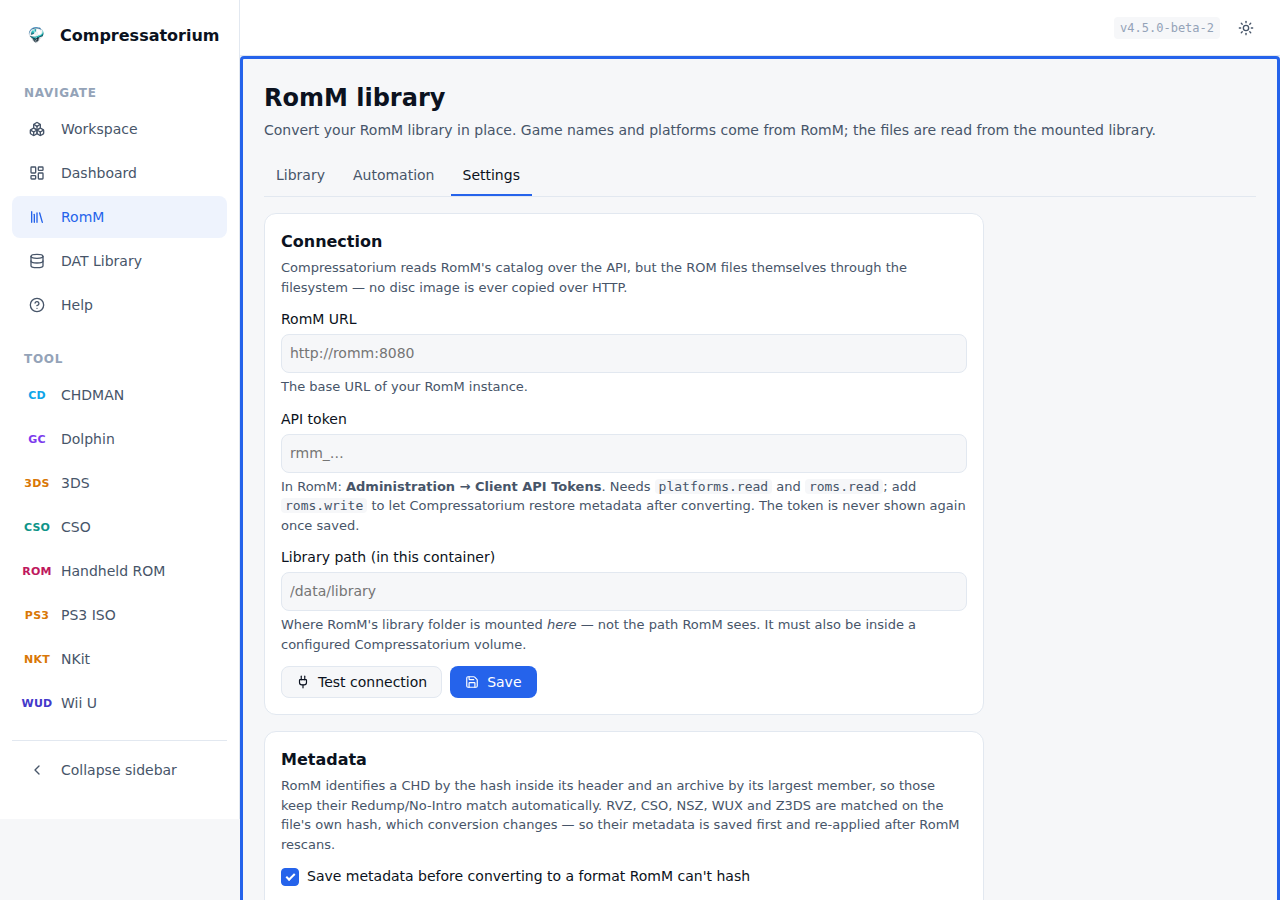
Point Compressatorium at a RomM instance and the RomM view becomes a second workspace: your library, by platform, with real game names instead of filenames — and the ability to convert all of it, by hand or on a schedule.
Everything is configured in the app. Environment variables still work as first-run defaults, but nothing here needs a redeploy to change.
Why the platform matters
The headline feature isn't the pretty names — it's that RomM knows what a file
is. A bare .iso could be a PS2 disc, a GameCube disc, a PSP disc or a Wii
disc, and the extension cannot tell you which; today you resolve that yourself by
picking a tool tab. RomM's platform resolves it:
The same .iso, per RomM's platform |
Tools offered |
|---|---|
| GameCube / Wii | Dolphin (RVZ/WIA/GCZ), NKit |
| PlayStation 2 | CHDMAN (CHD), maxcso (CSO/ZSO/DAX) |
| PSP | CHDMAN, maxcso |
| PlayStation 3 | PS3 ISO |
Narrowing is conservative on purpose: a tool that declares no platforms is never filtered out, and an unrecognised RomM platform falls back to plain extension-matching, so a new console never leaves you with an unconvertible row.
Setting it up
- In RomM, go to Administration → Client API Tokens and create one. Grant
platforms.readandroms.read, plusroms.writeif you want Compressatorium to restore metadata after conversion (recommended — see below). - Mount RomM's library folder into the Compressatorium container, and make sure it's inside a configured Compressatorium volume.
- Open RomM → Settings, paste the URL, token and library path, and press Test connection.
The test reports three things separately, because they fail independently and "it doesn't work" is useless when it could be any of them:
- RomM reachable — the URL is right and the instance is up.
- Token accepted — the token is valid and has the scopes it needs.
- Library folder mounted here — Compressatorium can actually see the files.
The library path is the path inside this container, not the one RomM sees. RomM reports each ROM's location relative to its own library root, and Compressatorium joins that onto your path. Also match the UID/GID the two containers run as, or RomM won't be able to read what Compressatorium writes.
Remote RomM needs no special mode: mount the library over NFS/SMB/rclone and it behaves exactly like a local one. No ROM is ever copied over HTTP — only the catalog travels over the API.
Converting
Pick a platform and you get the ordinary workspace — the same file list, row actions, Verify, convert panel and job queue you use on a volume. Select what you want, choose a format, convert. The header also reports how much of the platform is already converted and roughly how much space converting the rest would save.
Automatic conversion
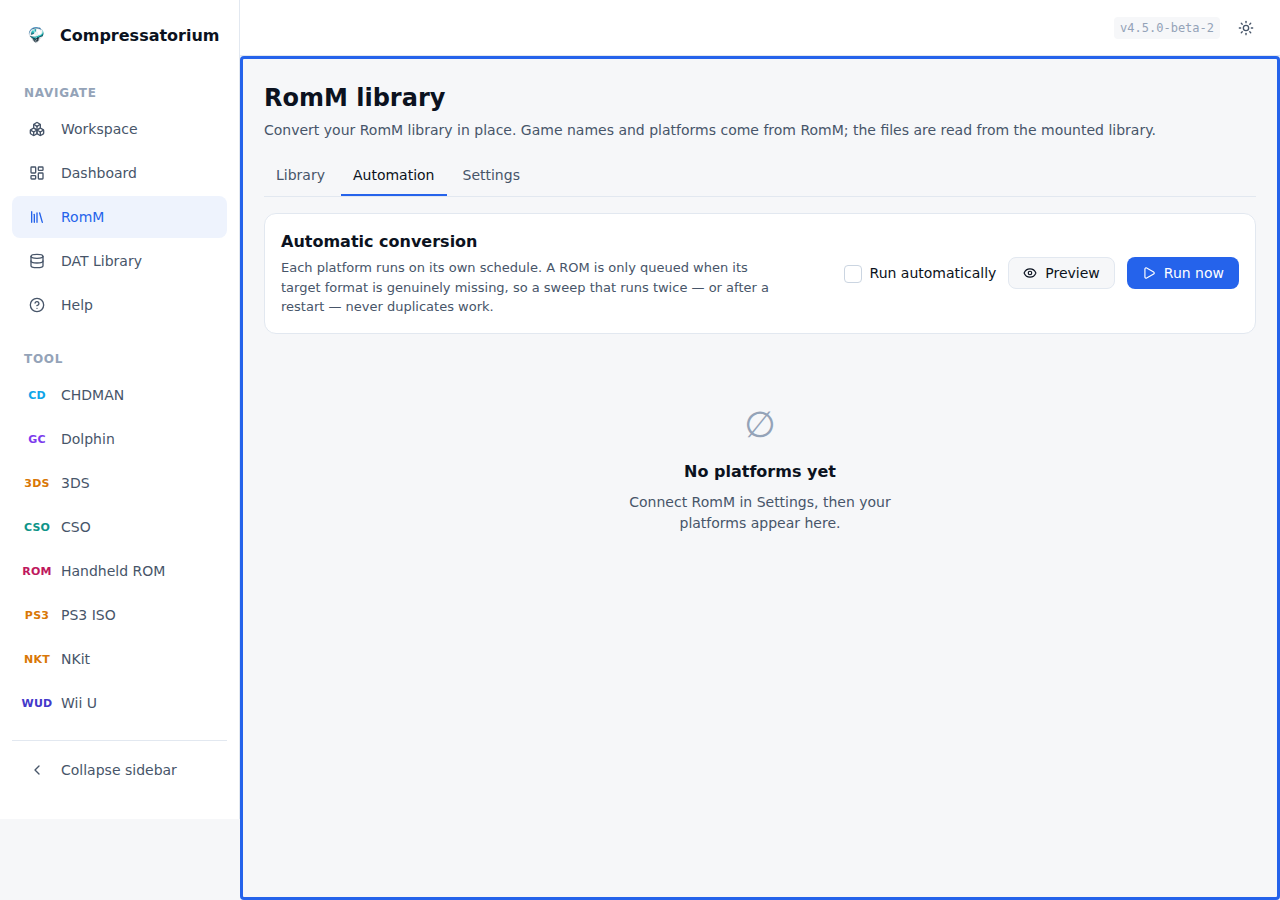
RomM → Automation gives every platform its own rule. A library isn't homogeneous, so one global setting can't describe it: GameCube can convert to RVZ hourly while PS2 converts to CHD overnight, ten at a time, largest first.
| Setting | What it does |
|---|---|
| Convert to | Target format for this platform. Off means "leave it alone". Recompress-in-place targets (CHDMAN's Copy) are not offered here: a rule using one would convert its own output every sweep and never stop. Use it from the Convert panel instead. |
| Enabled | Pause a rule without deleting it. |
| Run every | Minutes between sweeps for this platform (minimum 5). |
| Only between | Time-of-day window. Wraps midnight, so 22:00–04:00 works. |
| On these days | Weekday mask — weekends only, weeknights only, whatever. |
| Max jobs per run | Ceiling per sweep, so one rule can't flood the queue. |
| Priority | Lower runs first when several platforms are due at once. |
| Convert in this order | Name, largest first, smallest first, oldest or newest added. |
| Output folder | Blank writes beside the source. |
| Smallest / largest ROM | Size thresholds in MB. |
| Only names matching / Skip names matching | Regex filters — convert only (USA), skip (Beta). |
| Only identified / unidentified | Restrict to what RomM has (or hasn't) matched. Mutually exclusive. |
| If the output already exists | Skip it, overwrite it, or write Game_1.rvz alongside. Overwrite and write-alongside also remember what the rule has converted, so each ROM is done once instead of every run — see below. |
| Compression / level | The codec and level for modes that take them — the same registry-driven controls the convert panel uses, so chdman offers its codec chips and Dolphin/NSZ/CSO a codec plus level. |
| Split into 4 GB parts | For FAT32 targets, where the mode supports it. |
| Verify each converted file | Check the output; the source is kept. |
| Delete source after verify | Offered only for modes that support it. Verifies first, and is refused outright where the verify is too weak to justify it (a Wii U rule with noverify). |
| Timezone | The window and weekday mask are evaluated here — your browser's zone by default, so 22:00 means 22:00 where you are, and DST is handled. |
A rule Compressatorium cannot honour is paused, not quietly widened: an output folder outside the configured volumes, or a name filter that is not a valid regular expression, stops the rule and explains why in the editor.
Only formats the platform can actually use are offered: a GameCube rule lists dolphin and nkit, a PS2 rule lists chdman and maxcso. That narrowing comes from the same registry the file browser uses, so a rule can never name a tool that is wrong for the system — and it works per format, not just per tool, so the two-step conversions (NKit → RVZ, CSO → CHD) each appear only on the console they belong to.
Preview shows exactly what a sweep would queue, without queueing it — and without moving the schedule clock, so looking never postpones a run. Run now does it for real.
Sweeps are safe to repeat. Under Skip — the default — a ROM is queued only when its target output is genuinely missing, and that comes from the same detector that badges rows in the file list, so the filesystem is the state. Running twice, restarting mid-sweep, or racing a manual conversion all converge instead of duplicating work. Sweeps also stop when the queue is full and resume where they left off.
Overwrite and write alongside are the two policies the filesystem cannot
answer for: an occupied destination is exactly what they are for, so a rule
using them would otherwise rewrite the same images — or write Game_1, Game_2,
Game_3 — every interval, forever. Each rule therefore remembers which ROMs it
has converted, and that memory is kept honest for you:
- It records what was produced, not what was queued. A job you cancel, or one interrupted by a restart, or one the converter fails on, leaves the ROM exactly where it was — the next sweep picks it up again. Nothing to notice, nothing to clear by hand.
- Retargeting a rule clears it. A rule switched from RVZ to GCZ, or pointed at a new output folder, has not produced that file for anything yet.
- Pointing Compressatorium at a different RomM instance or library clears it too. The history is keyed by RomM's own ids, and another RomM database reuses those numbers for entirely different games. Your rules are kept; only what they believe they have produced starts over.
- A Forget history button on the platform clears it on demand — for when you restore from a backup, or move outputs aside by hand, and want the rule to run over them again.
- Preview reads the same history, so what it shows you is what a run would do.
The schedule clock and the conversion history are separate, so forgetting one never disturbs the other.
Your metadata survives conversion
This is the part most conversion workflows get wrong. RomM identifies a CHD by the SHA1 embedded in its header and an archive by its largest member, so converting to CHD, ZIP or 7z keeps the Redump/No-Intro match automatically.
RVZ, CSO, NSZ, WUX and Z3DS are different: RomM matches those on the file's own hash, which conversion necessarily changes, so the ROM would go unidentified and lose its artwork and metadata. Compressatorium handles it — it saves each ROM's metadata before converting and re-applies it afterwards:
- Convert as usual. The view tells you up front which formats need this step.
- Let RomM rescan (its watcher, a scheduled scan, or a manual one).
- Press Re-match in RomM — or leave it to run automatically on page load.
One case cannot work and says so instead of pretending: a PS3 rule that splits its output into 4 GB parts only actually splits past 4 GB, and when it does there is no single file for RomM to hash — that ROM is reported as needing a manual re-match rather than sitting in the queue for a week. Under 4 GB the same rule produces one ISO and re-pins normally.
The match uses the converted file's SHA1, so it's exact and survives you renaming or moving the file in between — once the hash has been taken, where the file sits stops mattering. Re-matching is idempotent: already-restored ROMs are skipped, and anything RomM hasn't scanned yet just waits for the next attempt. A conversion that was planned and then never ran is recognised as such rather than re-pinned onto whatever it was going to overwrite, and its saved metadata is discarded instead of sitting in the pending count. Each pass has a time budget, so an unresponsive share costs one pass rather than a hung page; whatever it did not reach is picked up on the next one.
Settings reference
| Setting | Default | What it does |
|---|---|---|
| RomM URL | (unset) | Base URL of your instance. Unset hides the feature. |
| API token | (unset) | Client API token. Saved in compressatorium.db and never sent back to the browser — treat that file as holding a secret. |
| Library path | (unset) | Where RomM's library is mounted in this container. |
| Give up on a saved snapshot after | 7 days |
How long a saved metadata snapshot waits for RomM to rescan the converted file. Raise it if your conversion queue or RomM scan schedule runs longer than that — retiring one early means that ROM's metadata is gone for good. |
| Run automatically | off | Master switch for scheduled sweeps. |
| Save metadata before converting | on | Snapshot provider IDs for formats RomM can't hash. Off silences both the manual and the automatic path. |
| Re-apply metadata on page load | on | Settle the queue automatically when you open the view. |
ROMM_AUTO_CONVERT_INTERVAL_MINUTES, ROMM_AUTO_CONVERT_MAX_PER_RUN,
ROMM_VERIFY_AFTER_CONVERT and ROMM_DELETE_SOURCE_AFTER_VERIFY seed the
defaults a new platform rule starts from, so a deployment can ship a house
policy without configuring each platform by hand. A rule that sets the field
explicitly keeps its own value.
Clearing the token in Settings clears it for good: a ROMM_TOKEN in the
environment does not silently take over again.
The matching environment variables — ROMM_URL, ROMM_TOKEN,
ROMM_LIBRARY_ROOT, ROMM_AUTO_CONVERT and friends — seed these on first run.
See docs/DOCKER-COMPOSE.md for a full compose example.
Archives
Browse straight into a ZIP, 7z, or RAR and convert a file from inside it — no need
to extract first. The member is unpacked to a temp dir for the conversion and
cleaned up afterwards. Any convertible source works this way (CHD create,
Dolphin, 3DS, Switch, and CSO — Switch still needs your own prod.keys), and
CHDMAN's extract modes can even pull a .chd out of an archive and decompress it
back to a game image. CHDMAN's copy/recompress mode is the exception: it acts on a
finished .chd, and recompressing one straight out of an archive is a pointless
round trip, so it's not offered there. Handheld ROM and PS3 ISO also don't take
archive inputs: the ROM packer's .7z/.zip are its product, and PS3 ISO's
input is a folder, not a file.
Why only certain files show inside an archive
Browsing into an archive does not list everything it contains. It lists the
file types the app knows — every extension that some tool recognizes as a
convertible source (.iso, .cue/.bin, .gdi, .gcz/.wia/.rvz/.wbfs,
.cci/.cia/.3ds/.cxi/.3dsx, .nsp/.xci, .cso/.zso/.dax, the handheld ROMs
.gb/.gbc/.gba/.nds, …) plus a .chd you can decompress in place. Anything
else is hidden, on purpose:
- Unknown files are filtered out. Read-me text,
.nfo/.sfvfiles, box art, manuals, save states — none of it is something the app can convert or verify, so it would only be clutter in the browser. The listing is global, scoped to known extensions: a member shows up if and only if its extension is one the app understands, regardless of which tool you currently have selected. - Nested archives are hidden. A
.zipinside a.zip(or.7z/.rar) is not listed — there's no point browsing an archive within an archive. - OS/NAS clutter is ignored. macOS
__MACOSX/…resource forks,.DS_Store,Thumbs.dband the like never appear, so a ROM zipped on a Mac or Windows box still reads as a clean single-file archive.
Some members that are shown still can't be converted from inside the archive, and the UI badges them non-convertible:
- A handheld ROM packed by this app (
Game.gbainsideGame.gba.7z) is shown so you can see and verify it, but it isn't offered for re-conversion — recompressing an already-archived ROM would just be packing a.7zinto another.7z. To unpack it, select the archive file itself and runromz_extract. - A
.chdinside an archive can be decompressed in place (chdman's extract modes), but it can't be recompressed — it's already a finished CHD, so chdman's copy/recompress mode is deliberately not offered from an archive.
In short: if a file you expect isn't in the list, it's almost always because its extension isn't one of the convertible/verifiable types the app handles. Loose files on disk follow the same rule — the file list filters to the types the selected tool understands.
Troubleshooting
- An emulator won't read the CHD — almost always the codec; recompress with
zlibonly using copy mode (see Compression Compatibility Tips). - "Output already exists" — pick skip / rename / overwrite; nothing is replaced unless you choose overwrite.
- A conversion stalls — big files are slow; an adaptive stall timeout scales with input size, and the queue has a recovery action. Check temp-dir space/speed.
- A file didn't show up — make sure the right tool is selected (the list filters to it); try Search All or clear the extension filter.
- An ISO went to the wrong tool — ISOs can belong to CHDMAN or Dolphin; set the ISO Handling toggle to match the disc.
- The Switch tool is missing or jobs ask for prod.keys — it needs your own keys; see Nintendo Switch Support. Without keys the tool is hidden.
Web UI Mode (Default)
The web interface is the easiest way to run Compressatorium:
docker run -d \
  -p 127.0.0.1:8080:8080 \
  -e PUID=$(id -u) \
  -e PGID=$(id -g) \
  -v /path/to/config:/config \
  -v /path/to/games:/data/games \
  pacnpal/compressatorium
Then open http://localhost:8080 in your browser. The Web UI and API are unauthenticated by default. To require a token, set COMPRESSATORIUM_ENABLE_AUTH=true: the Web UI then prompts for HTTP Basic auth (username defaults to admin), using COMPRESSATORIUM_AUTH_TOKEN for the password or the token generated in /config/auth_token on first startup.
Required: The
/configvolume must be mounted for persistent data storage and the generated auth token.
Volume discovery: IfCOMPRESSATORIUM_VOLUMESis unset, the app scans/data/*at startup and auto-registers mounted game volumes (restart after mount changes).
Ownership (optional): SetPUID/PGIDto match your host user/group (for example Unraid99:100). If unset, defaults remain999:999.
Default temp location:/config/temp. To use a different location, setCHD_TEMP_DIRand mount it.
Multiple Volumes
Mount multiple game directories for better organization:
docker run -d \
  -p 127.0.0.1:8080:8080 \
  -v /path/to/config:/config \
  -v /home/user/dreamcast:/data/dreamcast \
  -v /home/user/psp:/data/psp \
  -v /home/user/ps1:/data/ps1 \
  pacnpal/compressatorium
Custom Output Directory
In the Web UI, you can specify a custom output directory for converted CHD, Dolphin, or 3DS outputs instead of placing them alongside the source files. The directory will be created automatically as long as it is within your configured volumes.
Screenshots
The Web UI ships with light and dark themes and is fully responsive from desktop down to phones. Each surface below is shown as a light / dark pair.
These screenshots are generated automatically. The Take screenshots GitHub Actions workflow builds the UI, runs it against a throwaway fixture library, captures each surface with shot-scraper (definitions in
shots.yml), optimises the PNGs with Oxipng, and commits the results back todocs/screenshots/. To refresh them, trigger that workflow (or run it locally — seedocs/SCREENSHOTS.md).
Workspace
A three-pane layout: navigation and tool picker on the left, the volume and file browser in the middle, and a live convert panel with the job queue on the right. Selecting a tool refilters the file list and the convert options to match.
| Light | Dark |
|---|---|
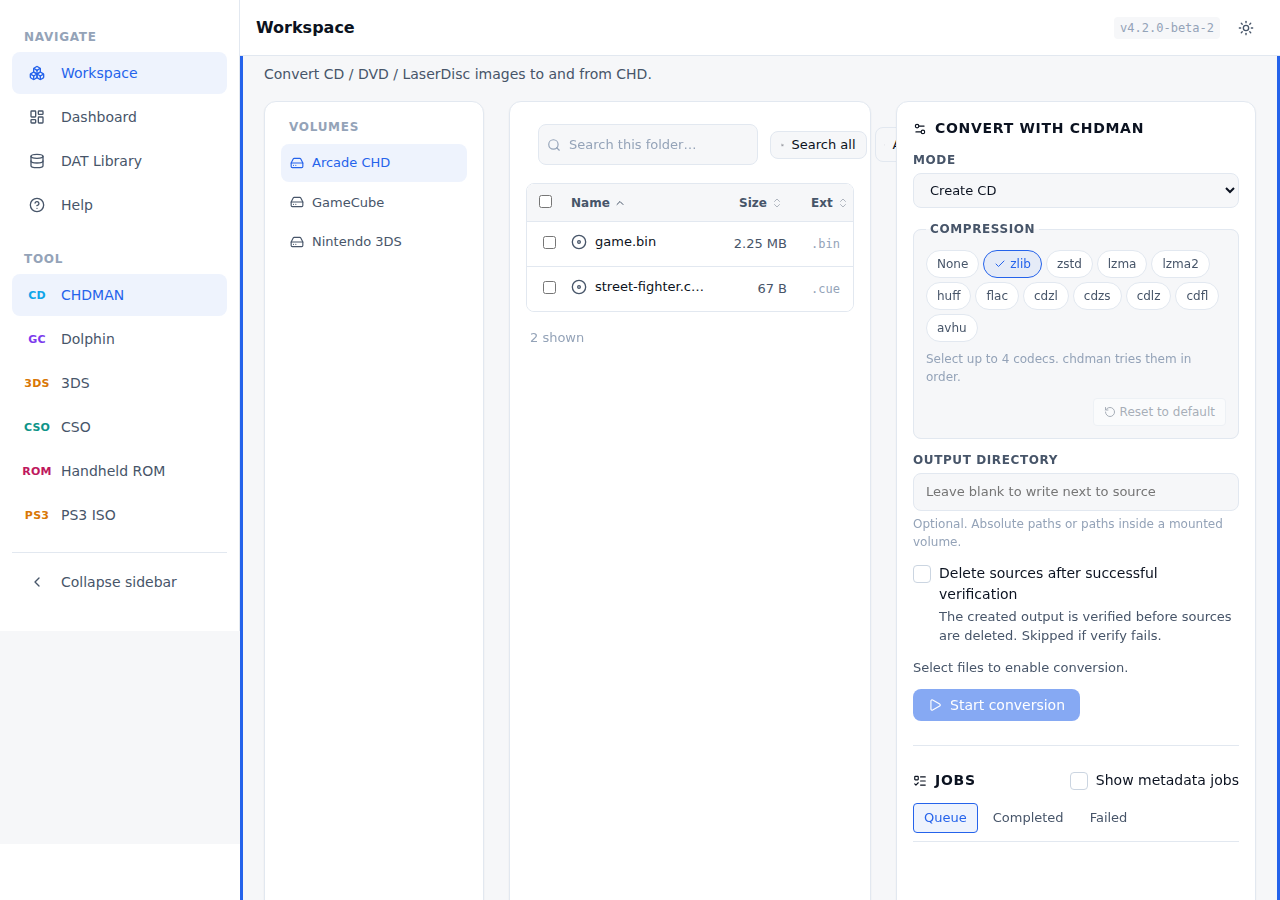 |
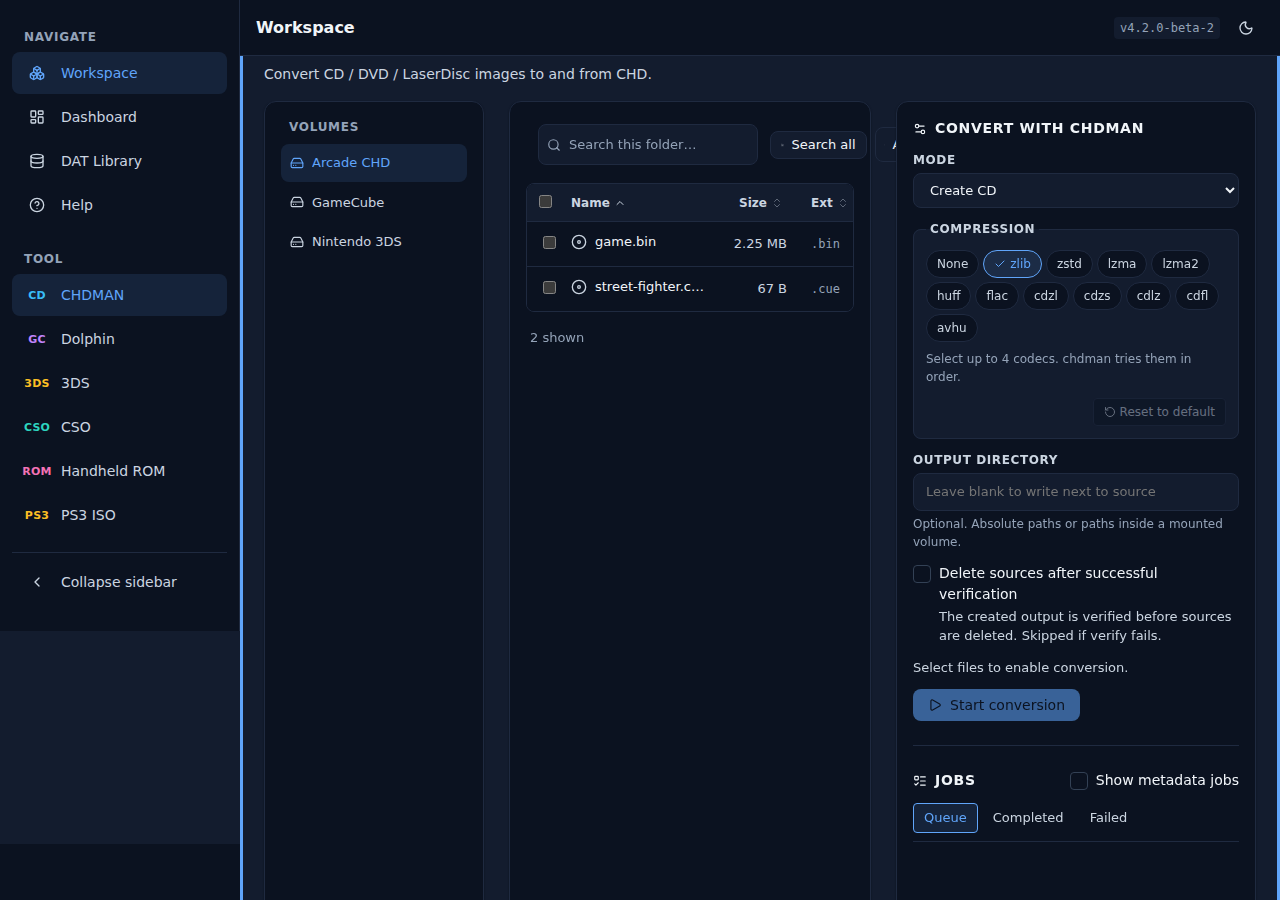 |
Batch selection. Tick multiple files and the convert panel arms itself, showing how many sources are queued and a one-click Start conversion.
| Light | Dark |
|---|---|
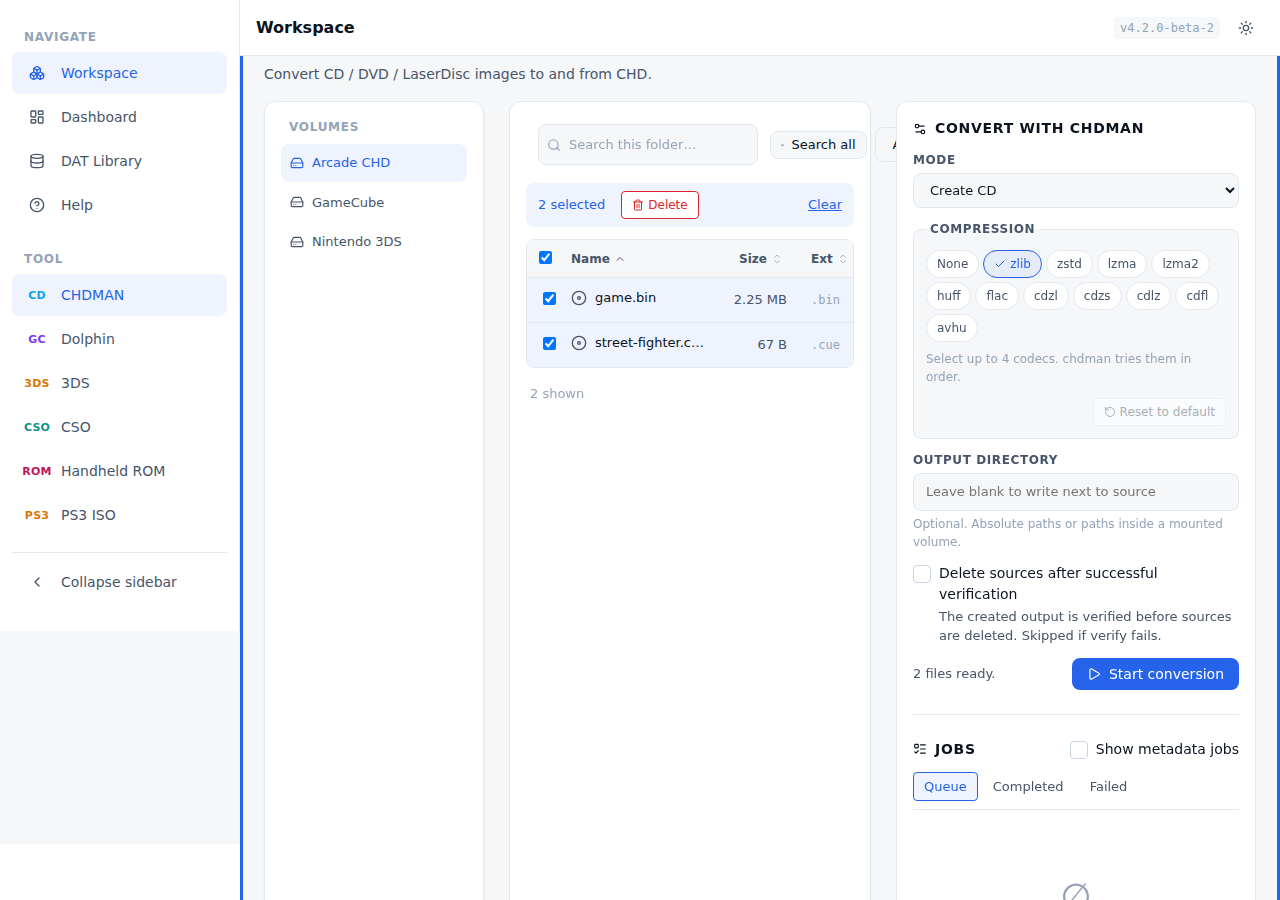 |
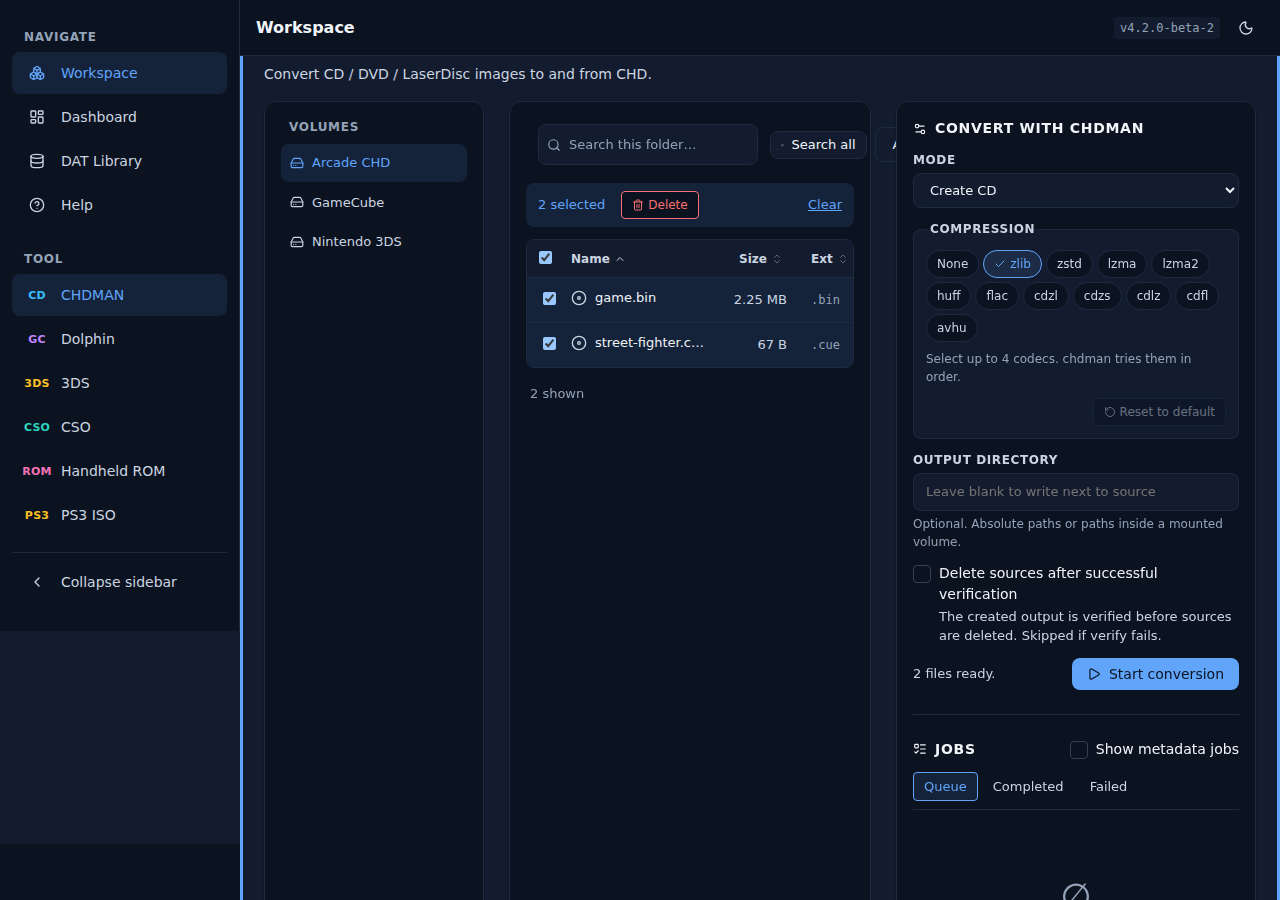 |
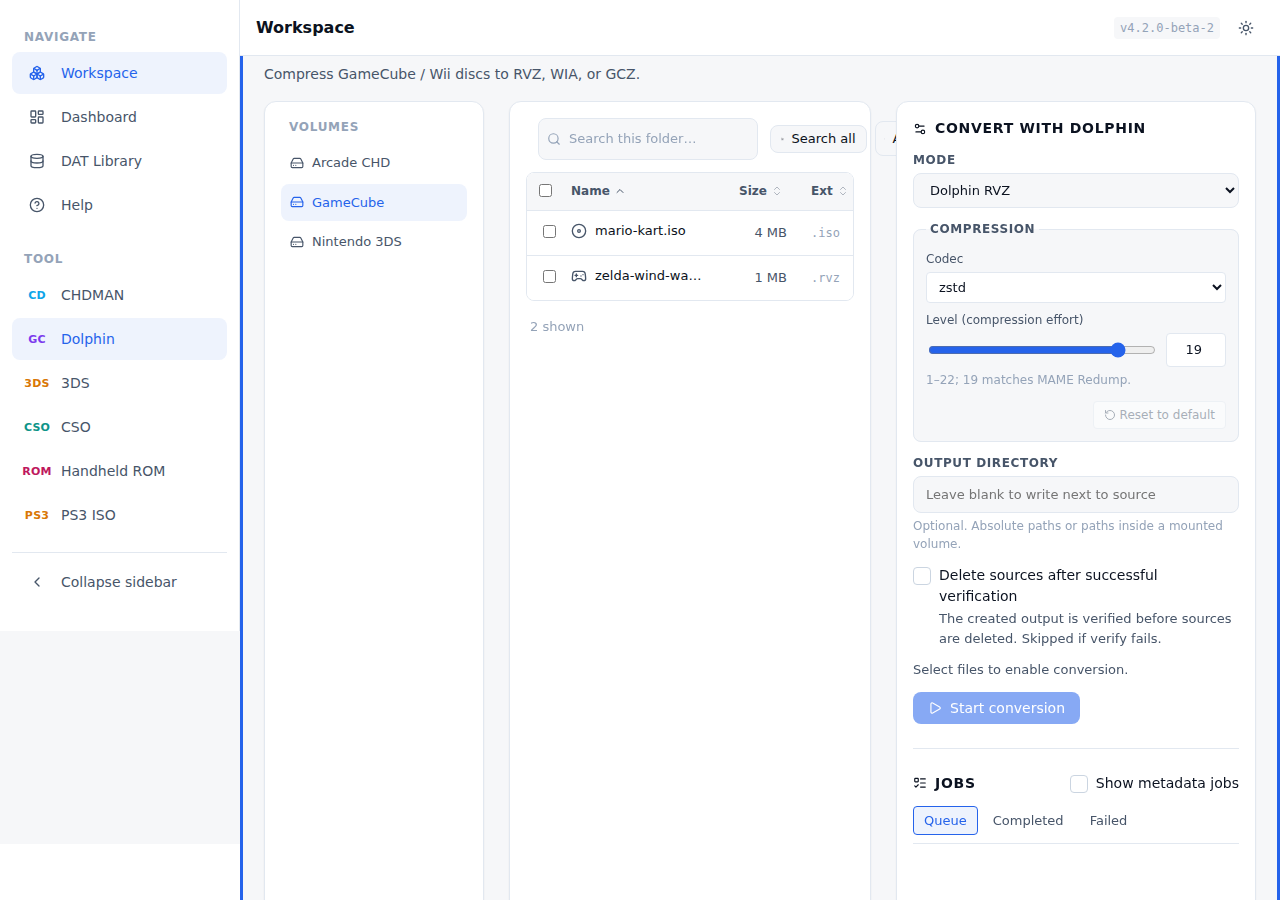
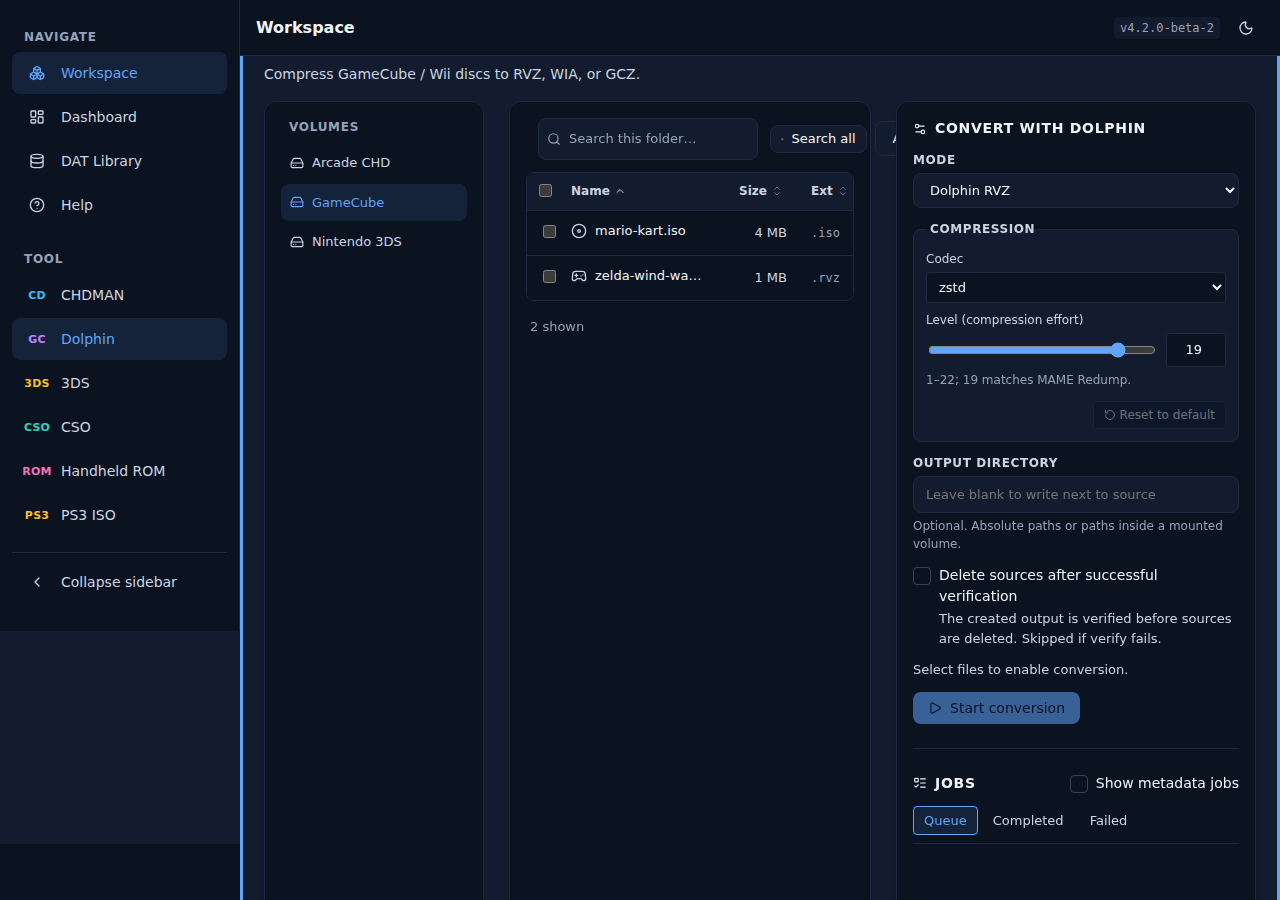
Dolphin (GameCube / Wii). Compress discs to RVZ, WIA, or GCZ, with a codec and compression-level picker.
| Light | Dark |
|---|---|
 |
 |
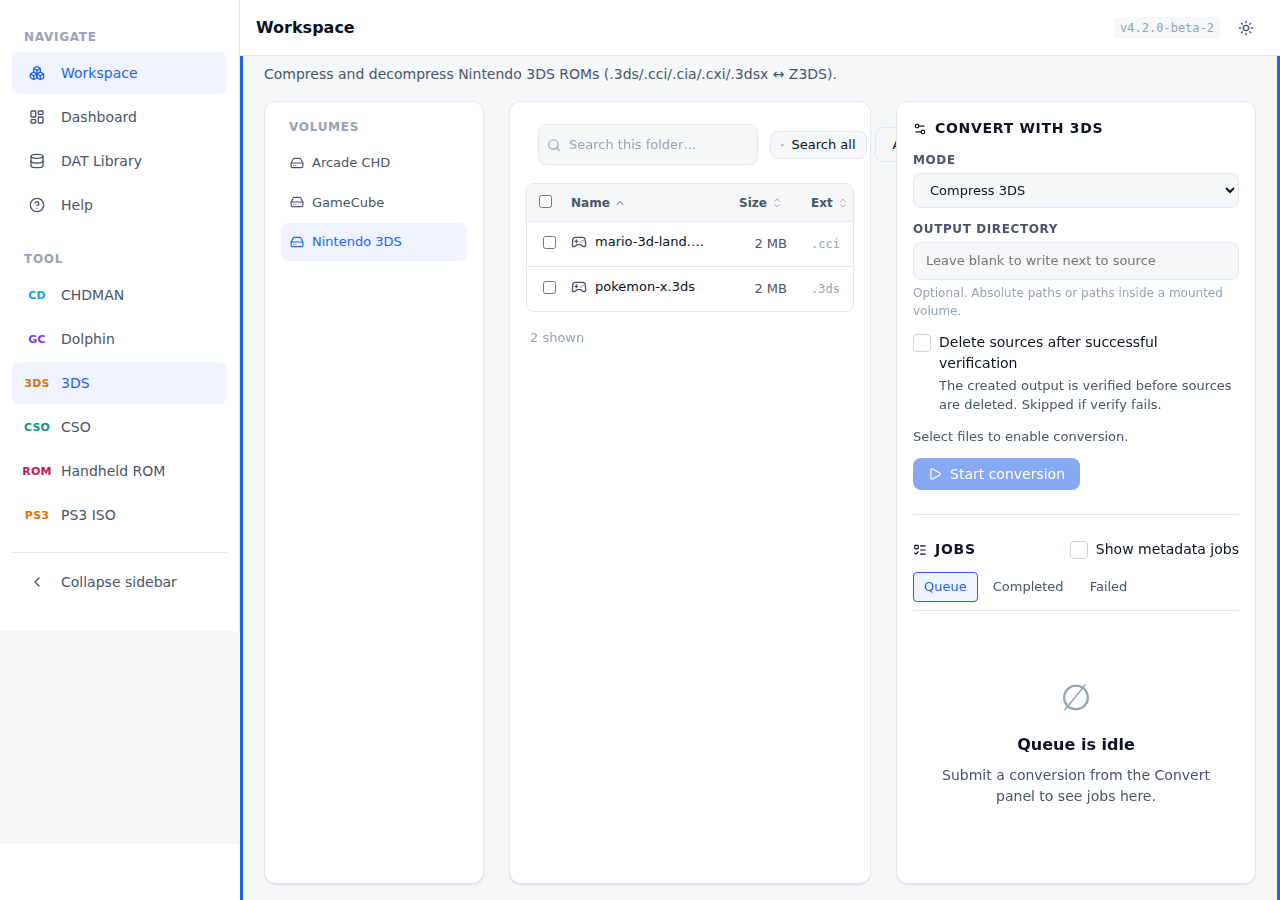
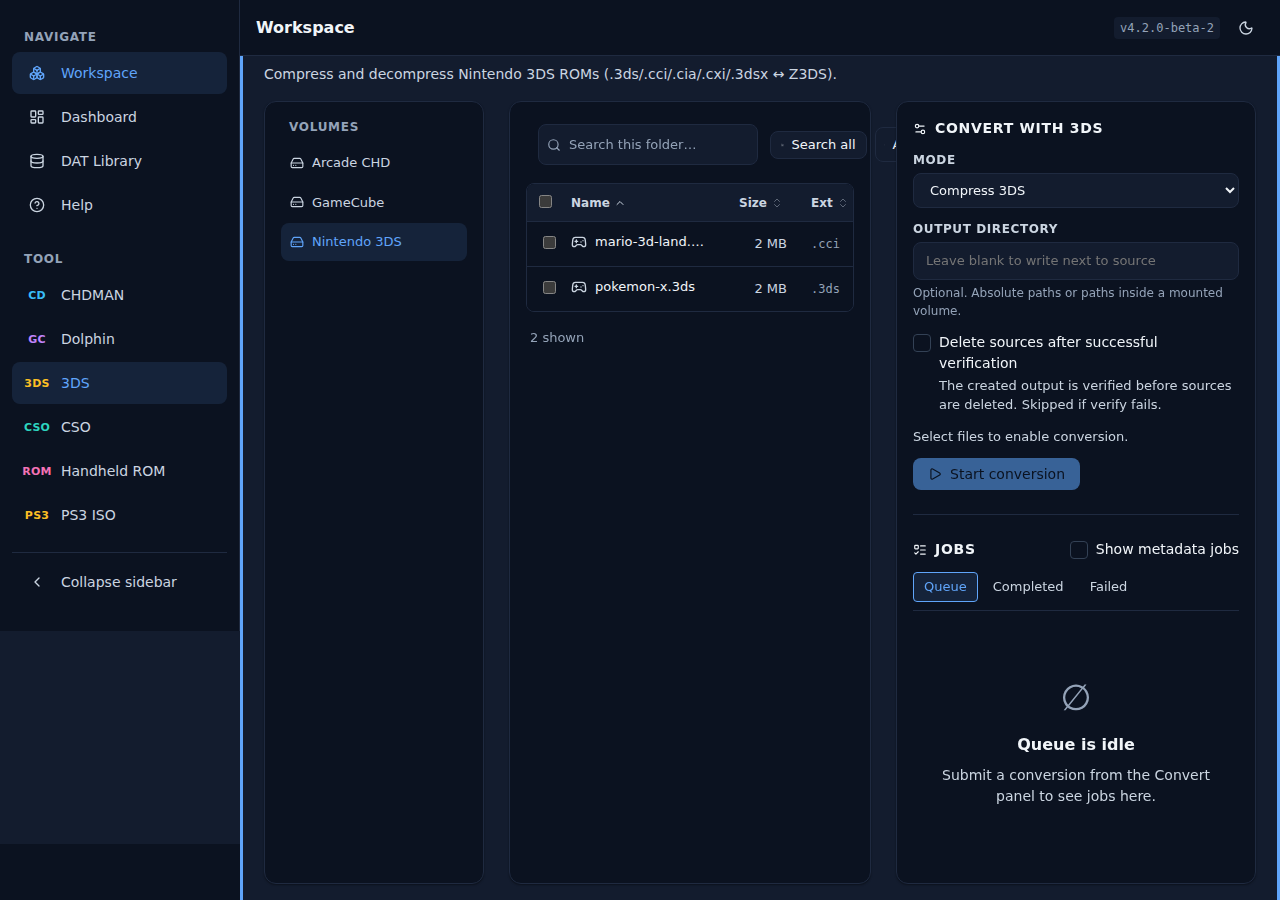
3DS. Compress .cci, .cia, and .3ds ROMs with z3ds_compressor.
| Light | Dark |
|---|---|
 |
 |
Wii U. Compress .wud disc images to .wux with JWUDTool, and back again.
| Light | Dark |
|---|---|
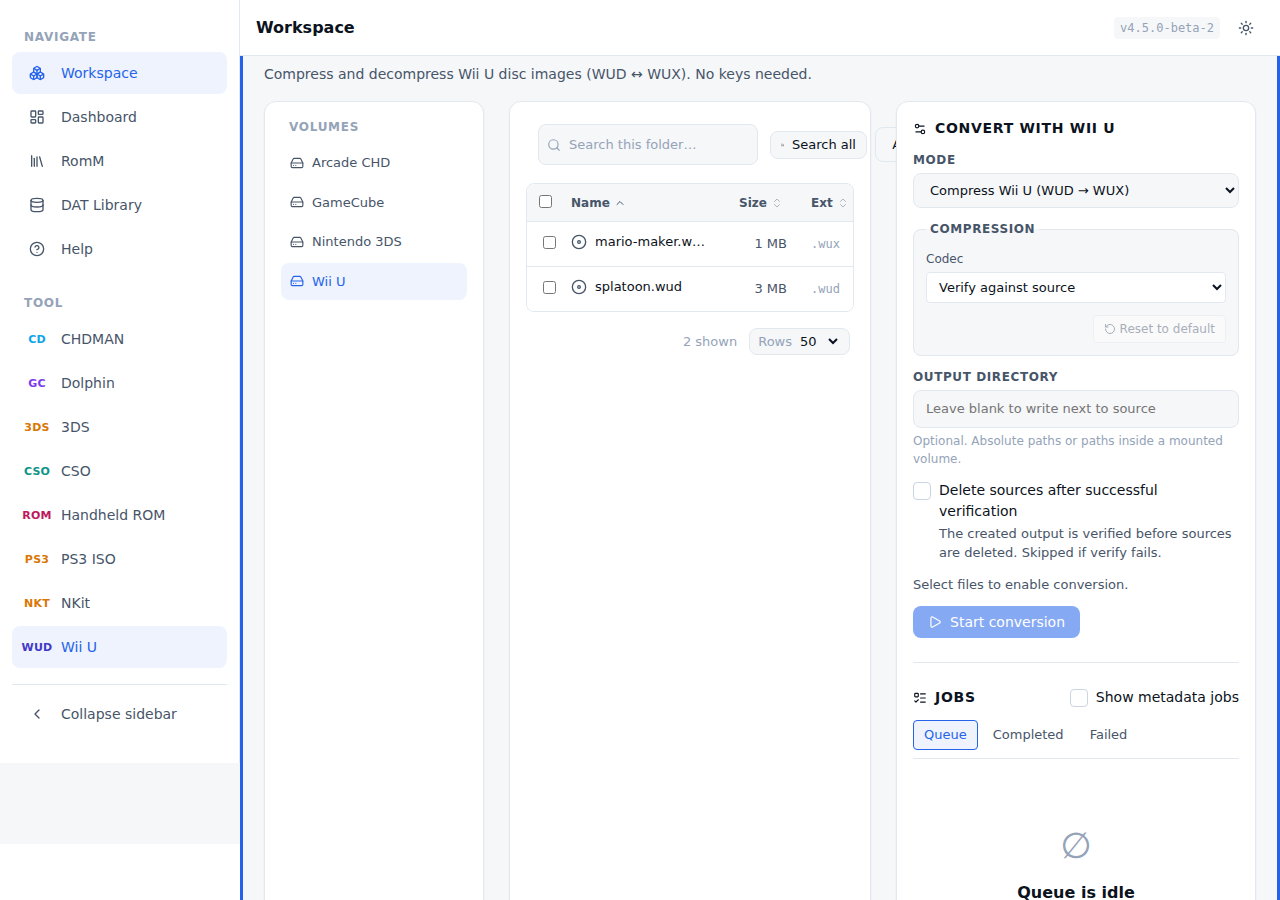 |
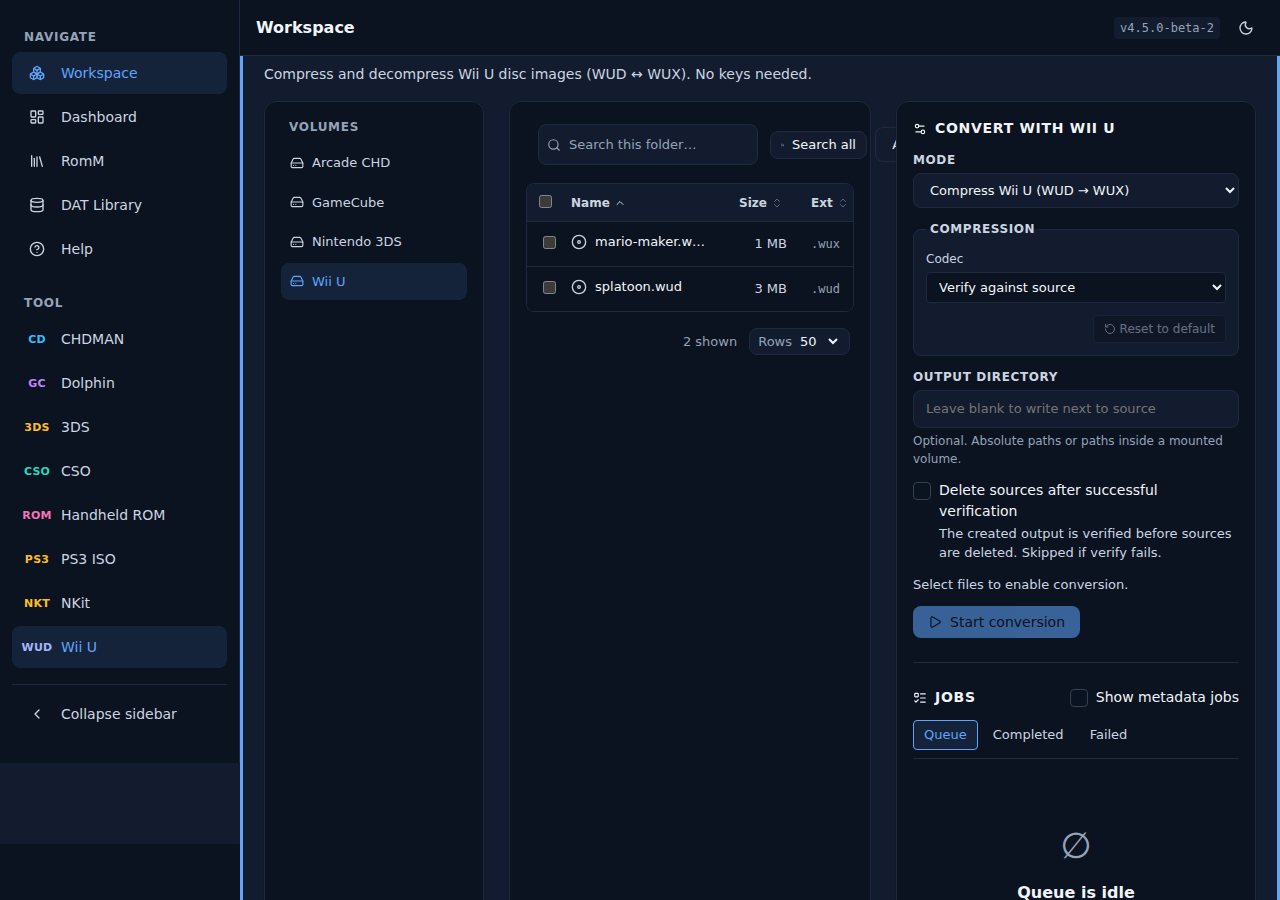 |
Dashboard
An at-a-glance view of the job queue, verification cache, mounted volumes, recent conversions, and quick tool shortcuts.
| Light | Dark |
|---|---|
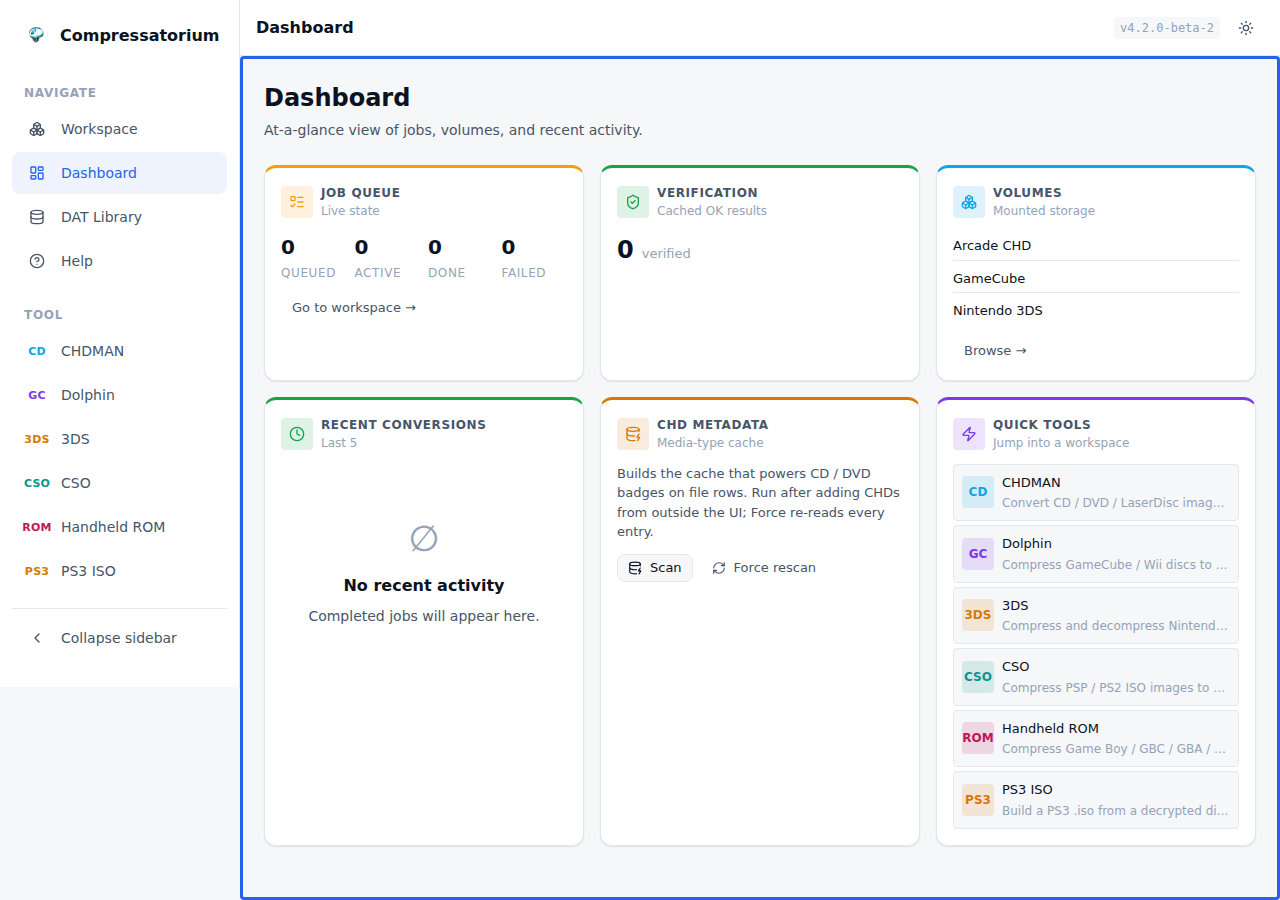 |
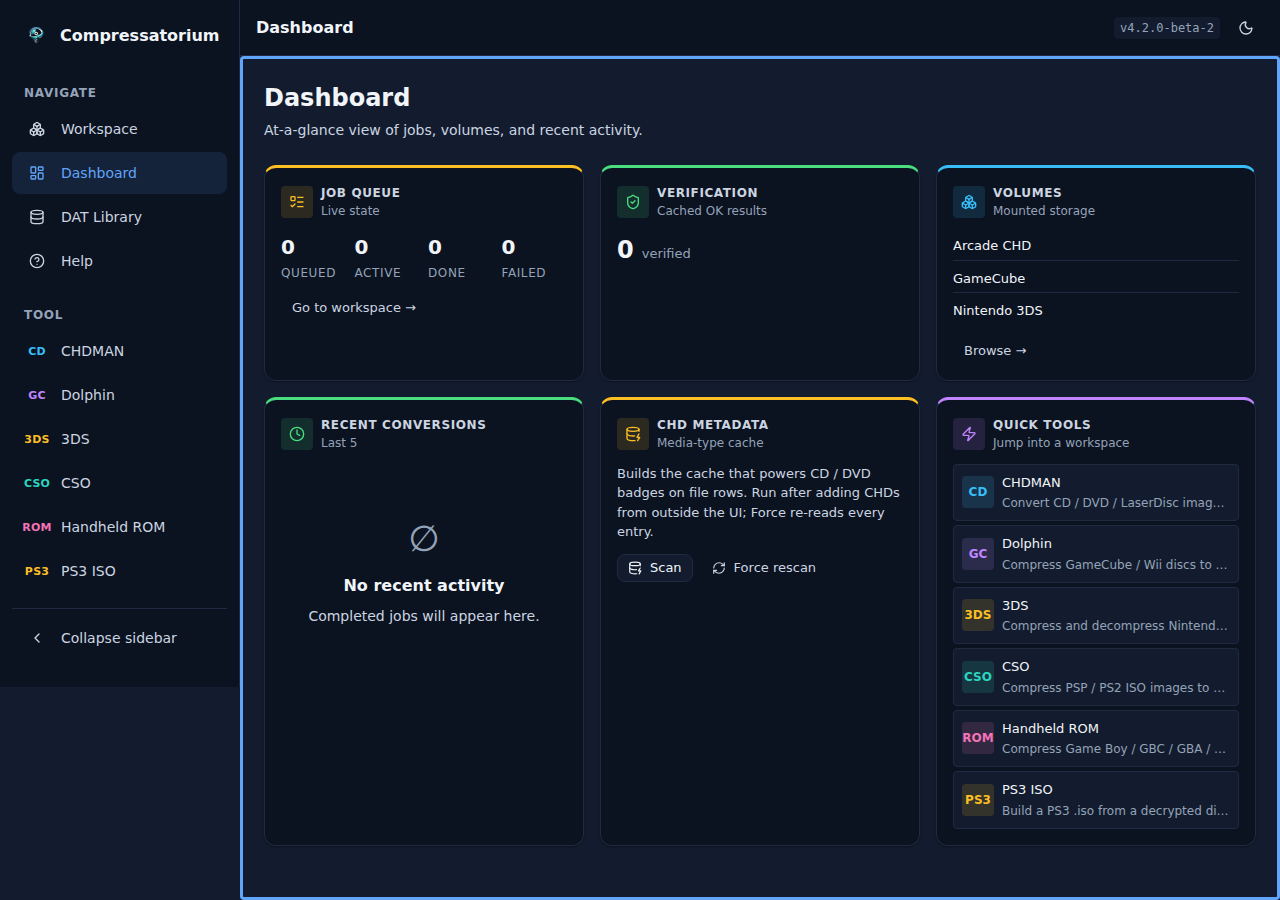 |
RomM library
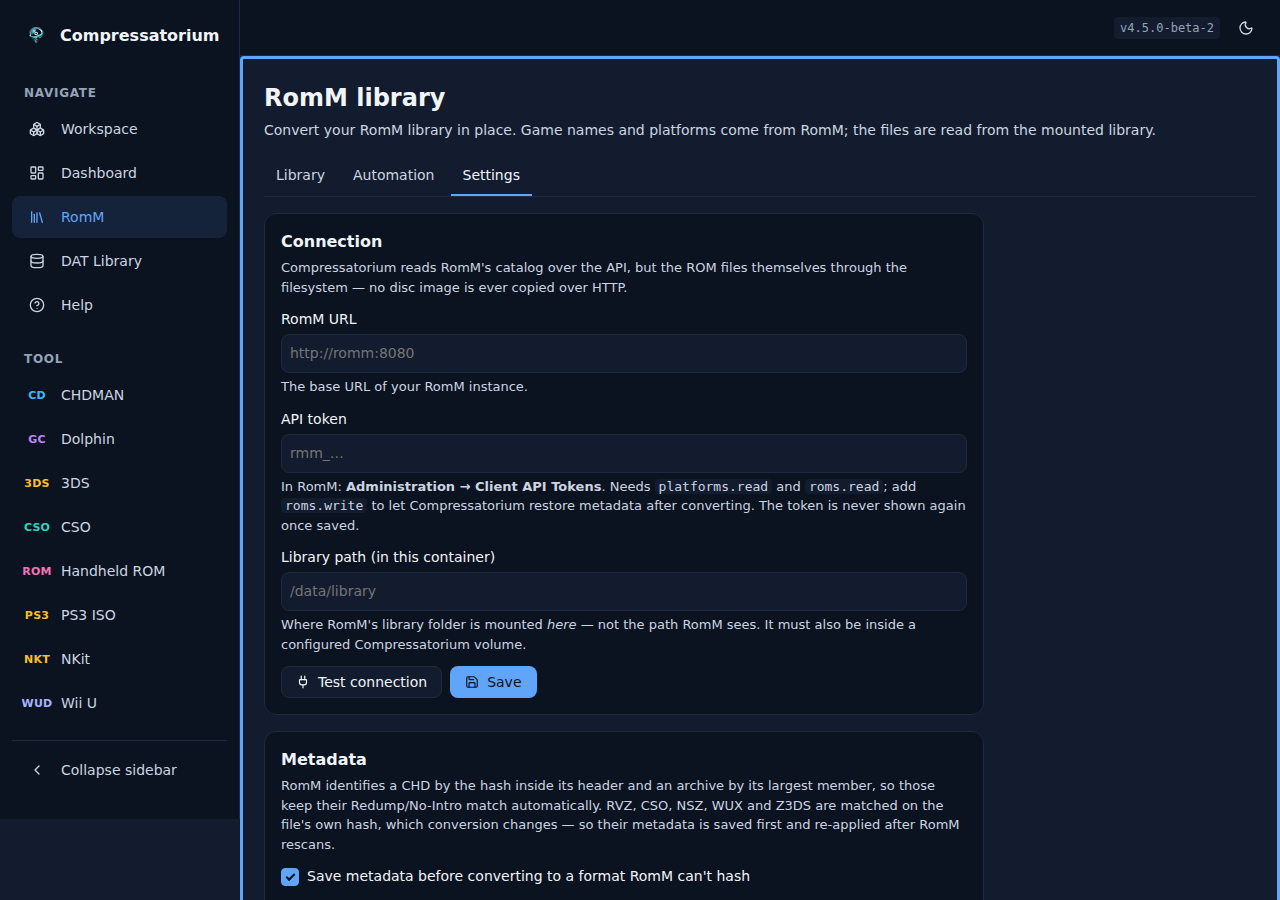
Connect a RomM instance and browse your library by platform — real game names instead of filenames, and the platform tells Compressatorium what a bare .iso actually is. Everything is configured in the app; this is the first-run setup. See RomM integration.
| Light | Dark |
|---|---|
 |
 |
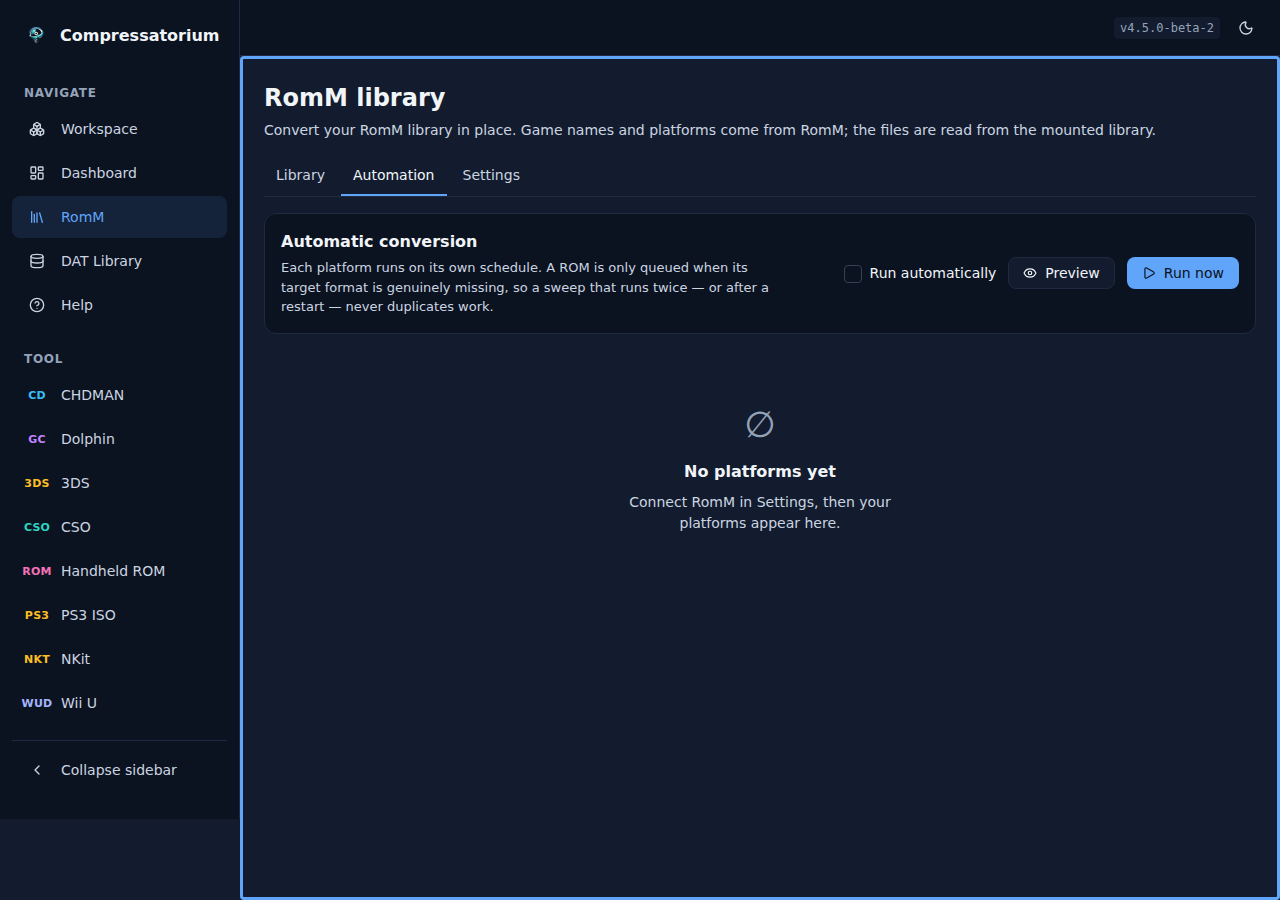
Per-platform automation — target format, schedule, queueing limits and selection filters for each platform independently:
| Light | Dark |
|---|---|
 |
 |
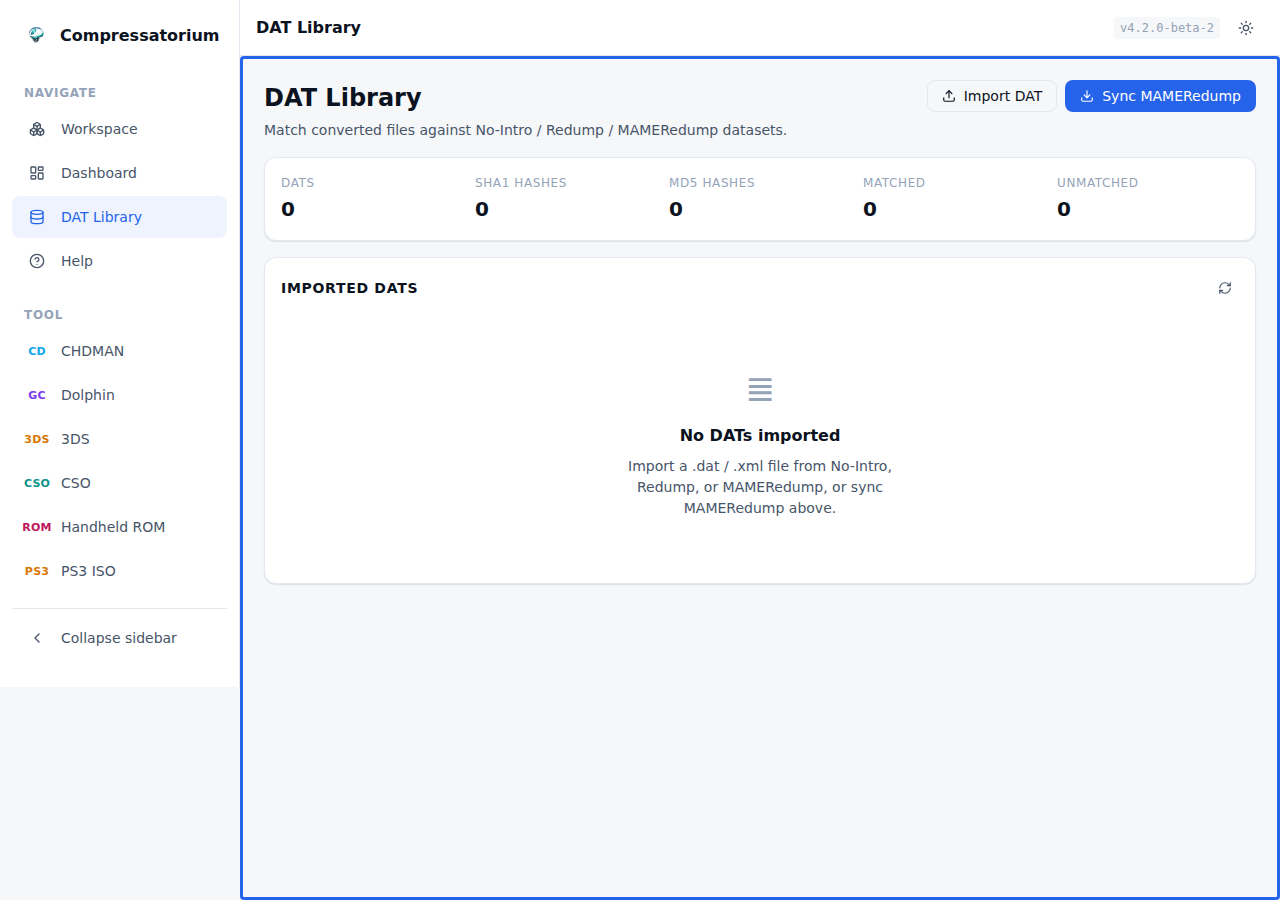
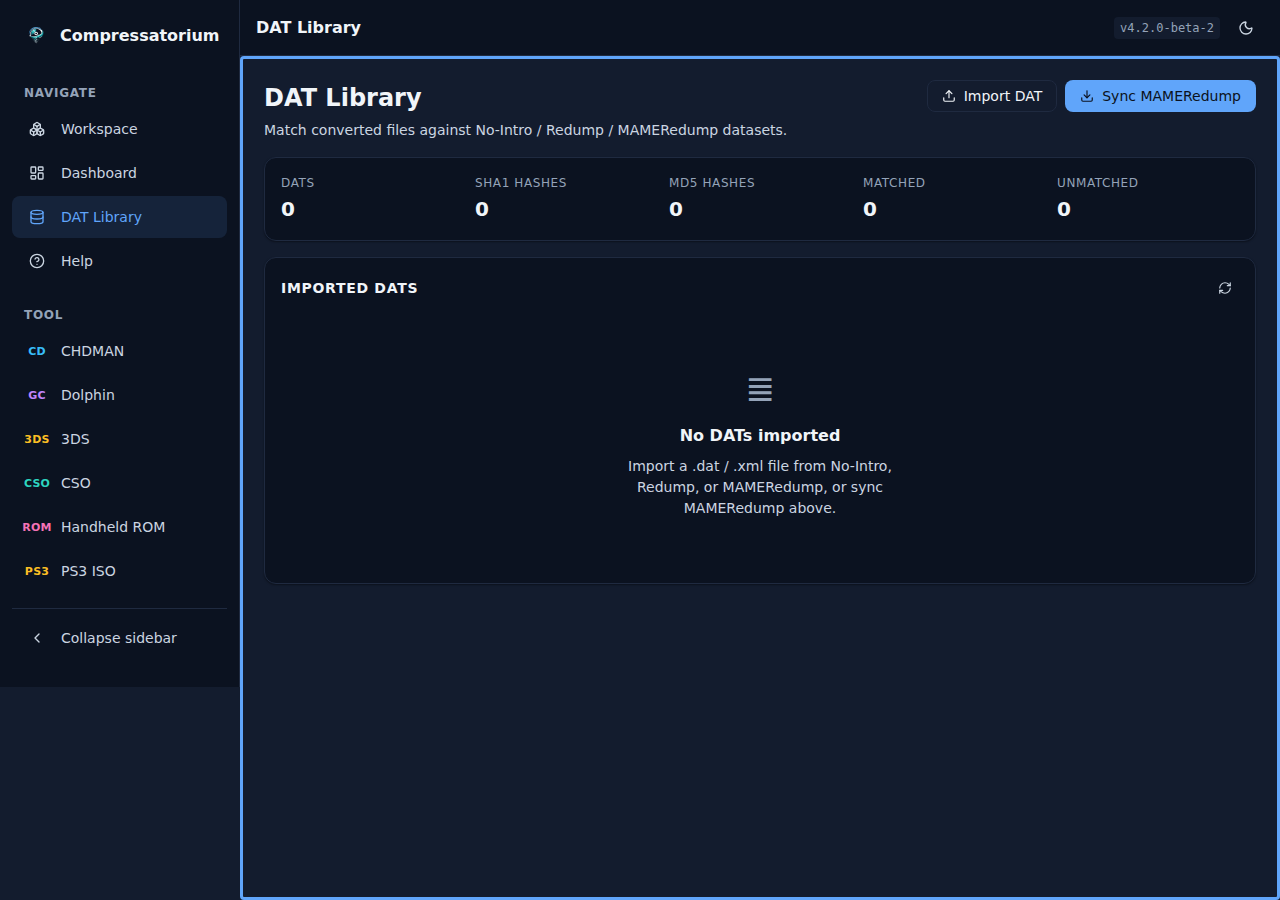
DAT Library
Import or sync No-Intro / Redump / MAMERedump datasets and match converted files against known-good hashes.
| Light | Dark |
|---|---|
 |
 |
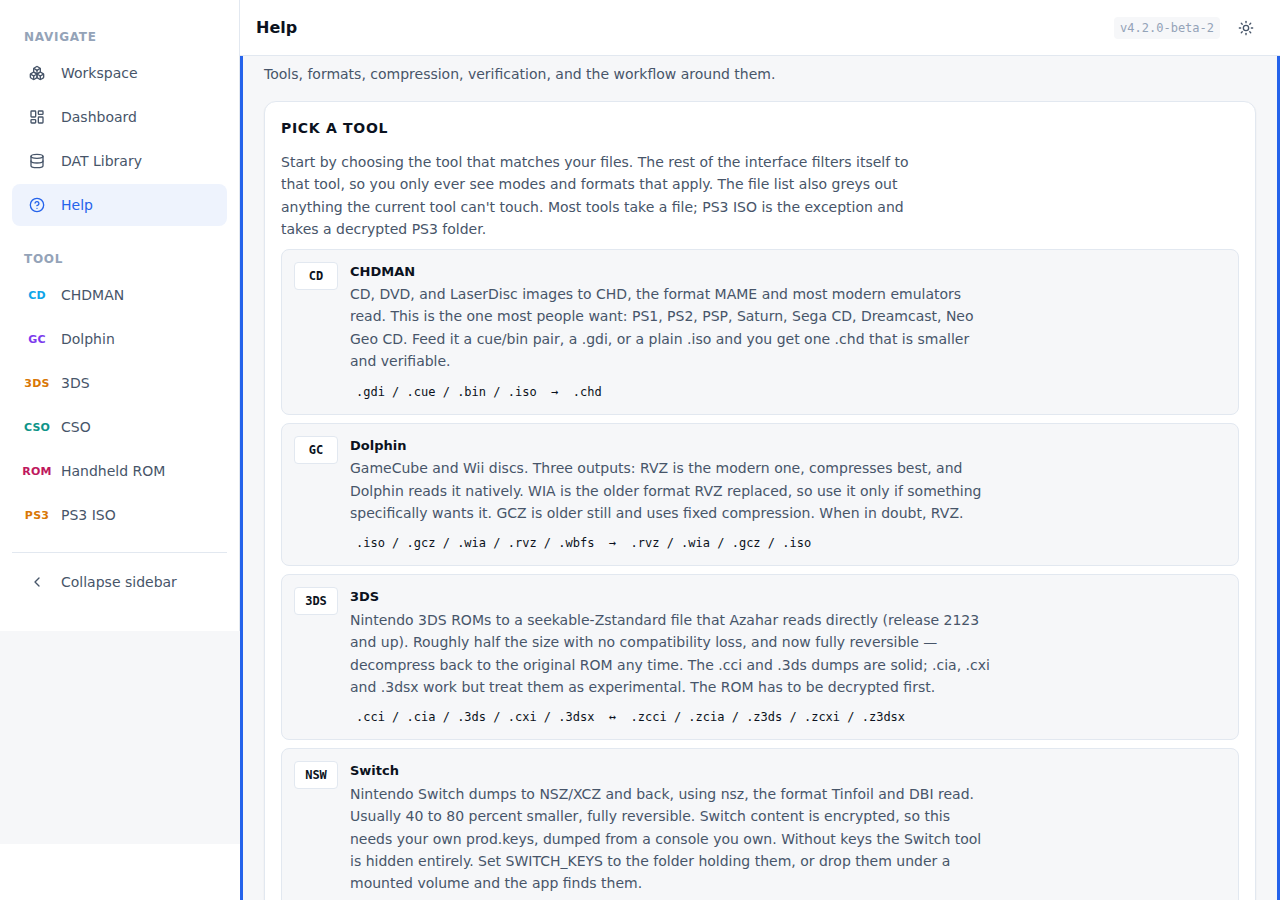
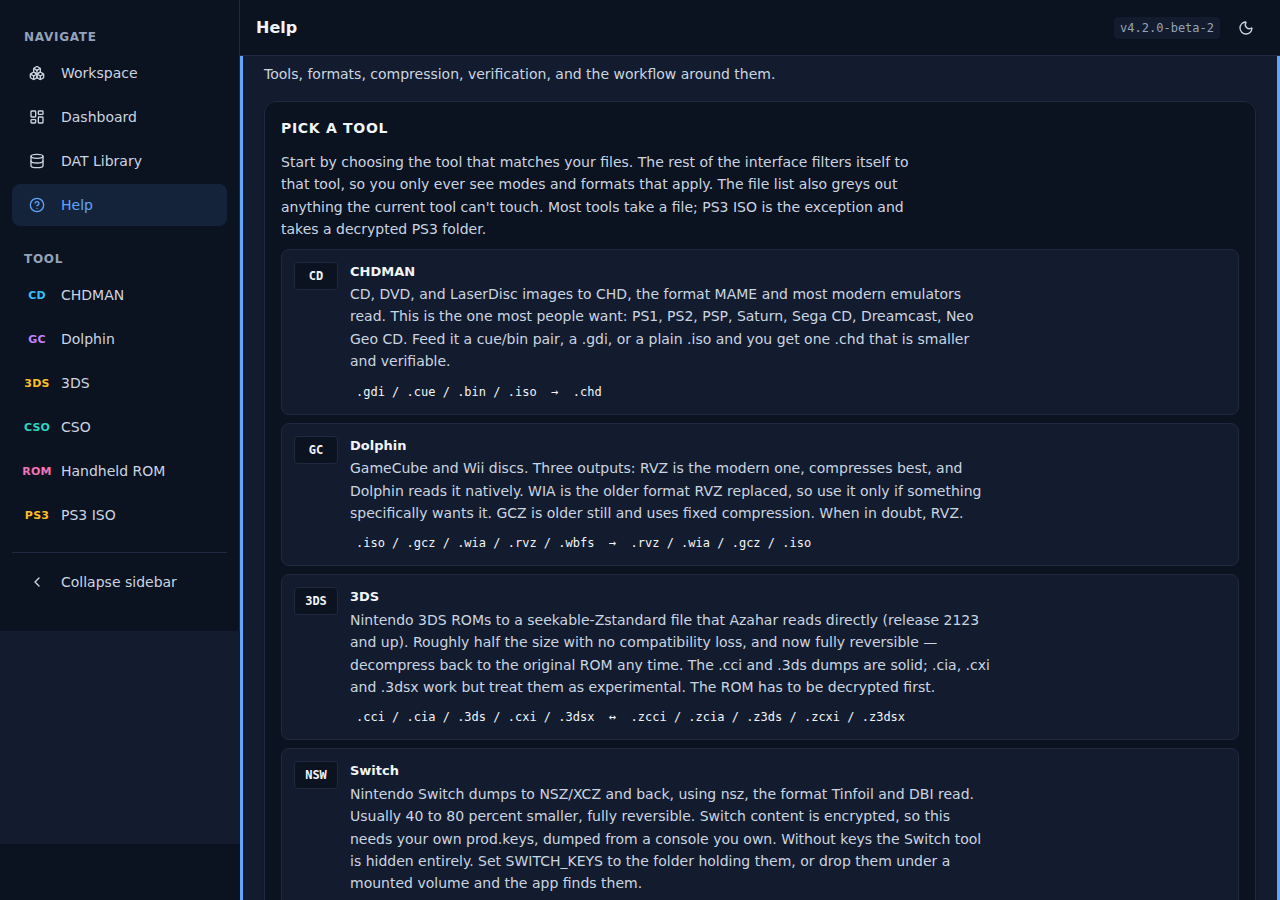
Help
In-app reference for tools, formats, compression, and verification.
| Light | Dark |
|---|---|
 |
 |
Responsive layouts
The interface reflows cleanly across breakpoints:
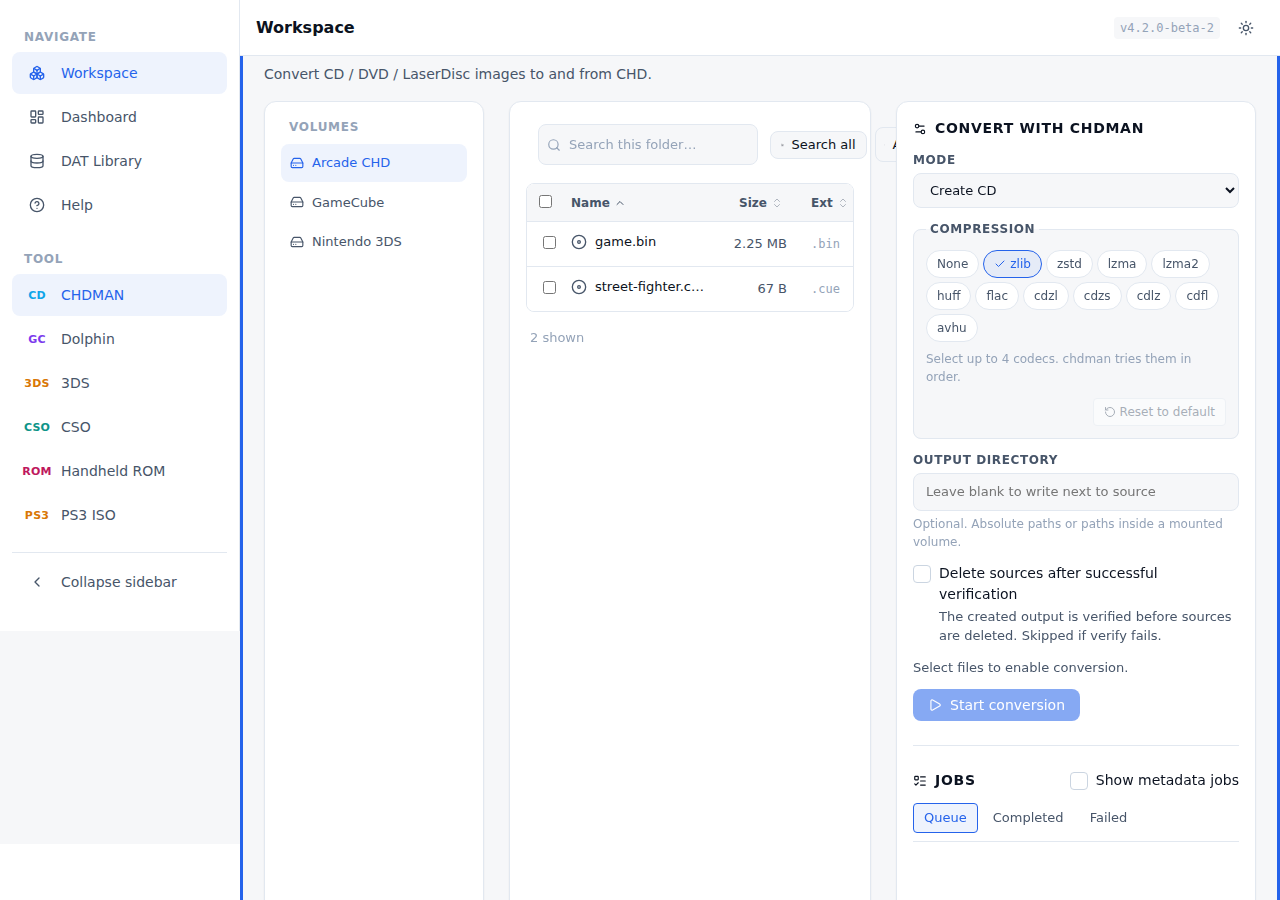
Desktop (1280px)
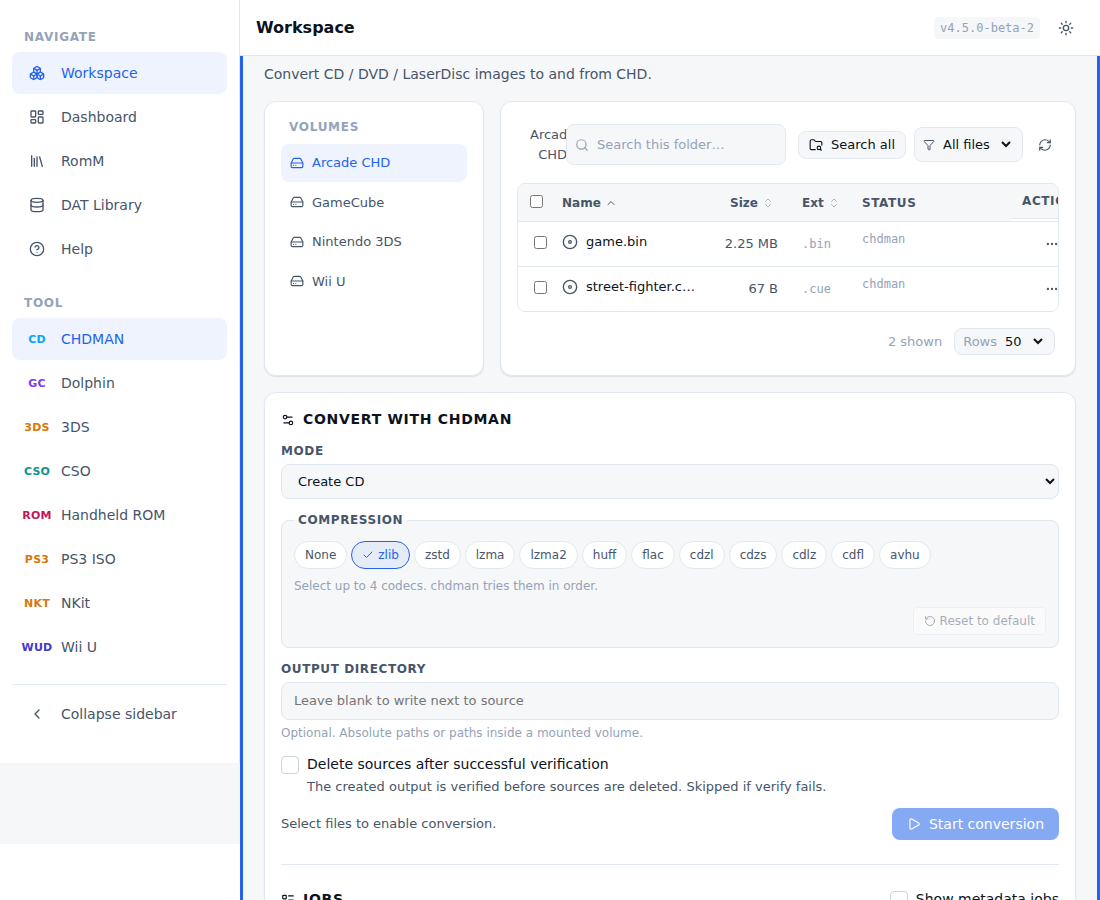
Laptop (1100px)
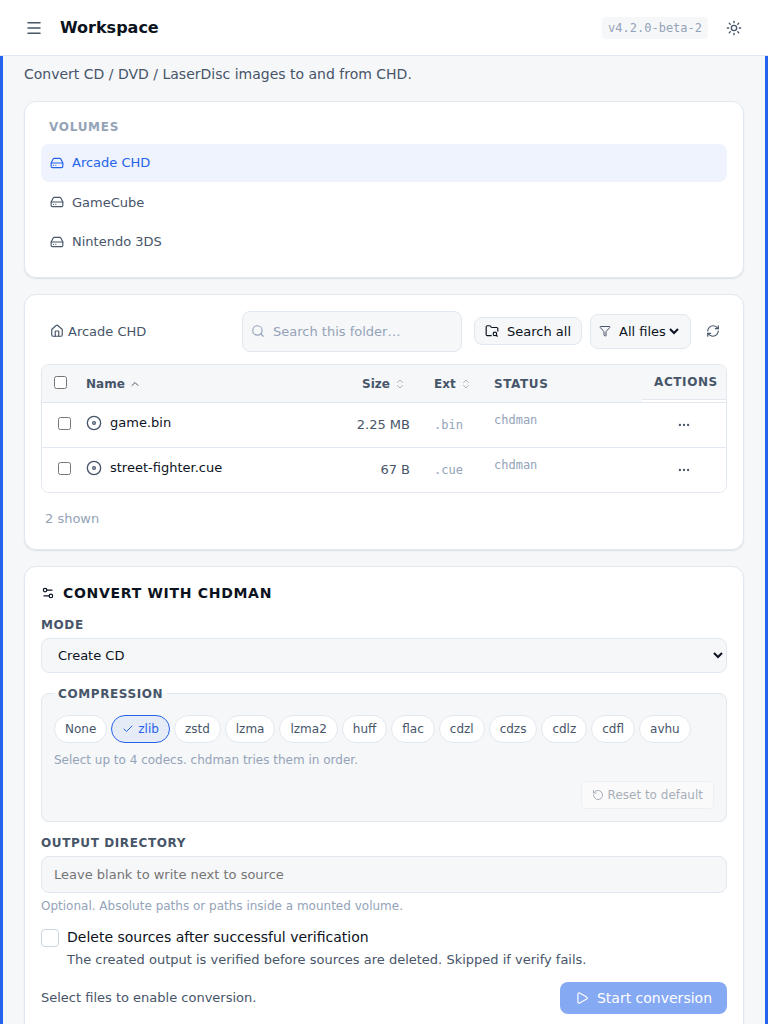
Tablet (768px)
Mobile (375px)
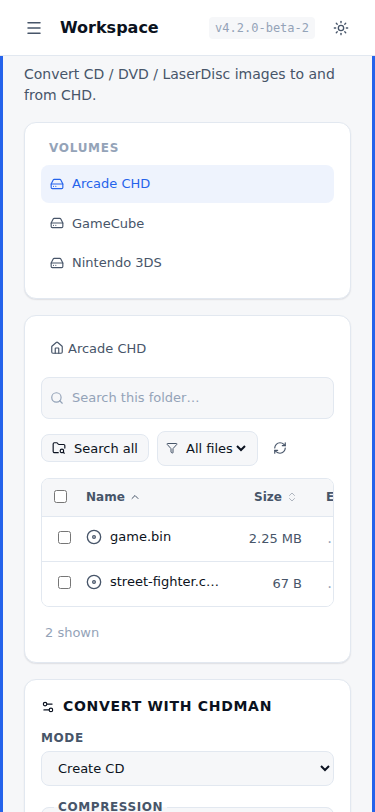
On small screens the file list switches to a card layout. Controls use 44 to 48px touch targets, inputs go full width, and the spacing opens up so it stays usable on a phone.
Features
File Browser
- Navigate through mounted volumes and subdirectories
- View file sizes, types, ISO handling, and CHD status indicators
- Recursive search to find all convertible files across the entire volume
Archive Support
- Browse inside ZIP, 7z, and RAR archives without extraction
- Convert files directly from within archives
- Archives extract temporarily during conversion, then clean up automatically
- When a
.cue/.gdiis present in the same archive folder,.binentries are suppressed and batch jobs are deduplicated by output path to avoid stalled conversions. - Archive listings include safety limits (max entries/size) and expose truncation metadata when limits are hit.
- Browsing is global, scoped to known extensions. When you look inside an archive, the listing shows every member whose extension is one the app understands — every tool's convertible source plus a
.chdyou can decompress — regardless of which tool is currently selected. That covers CHDMAN (.gdi/.iso/.cue/.bin), Dolphin (.iso/.gcz/.wia/.rvz/.wbfs), 3DS (.cci/.cia/.3ds/.cxi/.3dsx), Switch (.nsp/.xci), CSO (.iso/.cso/.zso/.dax), and Handheld ROM (cartridge ROM dumps —.gb/.gba/.nds/.nes/.sfc/.z64/.md/… ). Archive members appear for whichever tool accepts them, exactly like on-disk files. - Why everything else is hidden. Unknown files (text,
.nfo/.sfv, cover art, manuals), nested archives (a.zipinside a.zip), and OS/NAS clutter (__MACOSX/…,.DS_Store,Thumbs.db) are filtered out — they aren't convertible or verifiable, so listing them would only be noise. See Archives → Why only certain files show inside an archive. - Some shown members are view-only. A handheld ROM this app packed (
Game.gbainsideGame.gba.7z) is listed for visibility/verification but not offered for re-conversion (recompressing an archived ROM would be recursive); unpack it by selecting the archive and runningromz_extract. A.chdinside an archive can be decompressed in place but not recompressed (copy/recompress acts on a finished output). Such members are badged non-convertible. - The inputs that can't come from an archive are CHDMAN's copy/recompress mode (recompressing an already-finished
.chdwould be a pointless round trip, though the extract modes can decompress a.chdstraight out of an archive), Handheld ROM compression, whose.7z/.zipare the packed product, and PS3 ISO, whose input is a folder rather than a file (a zippedPS3_GAMEtree can't be selected from inside an archive).
ISO Handling & Dolphin Tools (GameCube/Wii)
- Toggle ISO handling between CHDMAN and Dolphin (controls ISO info/verify and conversions)
- Convert
.iso,.gcz,.wia,.rvz,.wbfswith dolphin-tool (RVZ/WIA/GCZ/ISO output) - Disc info and verification for Dolphin formats (including batch verification)
- Dolphin sources may be converted directly from inside ZIP/7z/RAR archives (extracted to a temp dir for the conversion, then cleaned up)
Batch Conversion
- Select multiple files and convert them all at once
- Queue-based processing (FIFO), defaulting to serial execution (
MAX_CONCURRENT_JOBS=1) - Real-time progress tracking via Server-Sent Events
- Duplicate detection with options to skip, rename, or overwrite
- Optional delete-on-verify with a preflight confirmation list (includes
.cue/.gditrack files) - Archive conversions can delete the entire archive after verify (explicit warning in the delete plan)
- Job manager controls include Cancel All and Clear Done, both guarded by confirmation dialogs
Bulk Operations
- Bulk Delete: Delete multiple selected files at once
- Bulk Verify: Verify integrity of multiple CHD + Dolphin images simultaneously
- Sorts sources by whether they already have a CHD backup
- Warnings for files without verified CHD backups before deletion
Verification
- Verify CHD files using chdman's built-in verification
- Verify GameCube/Wii game images using dolphin-tool (ISO uses Dolphin when ISO handling is set to Dolphin)
- Verification status persisted across sessions (stored in
/config/verified_chds.json) - Integrated verification workflow when deleting source files
- Visual indicators showing verified vs unverified items
- Optional timeouts for long-running verifications and stalled progress
CHD Inspector
- View detailed CHD file information (version, compression, size, hashes)
- SHA1 and Data SHA1 checksums displayed
- Raw chdman output available for advanced inspection
- Dolphin disc info shows game ID, region, format, compression, and raw output
- Game ID and title. PS1, PS2, PSP, and Dreamcast serials are read from CHD sector data (SYSTEM.CNF, PARAM.SFO, IP.BIN) and shown in the info modal, with human-readable titles when available (for example "Patapon", "DEAD OR ALIVE 2")
CHD Metadata Cache
- Background metadata scan with CD/DVD badges
- Retroactive game ID tagging. The scan writes
GAMEandNAMEtags into existing CHDs that lack them. Later scans skip files that are already tagged - "Scan Metadata" and "Force Rescan" actions to refresh cached metadata
- Cache stored in
/config/chd_metadata.json
File Management
- Rename files and directories
- Delete files with safety checks (warns about missing CHD backups)
- Empty directory cleanup
Conversion Modes
- Create CHD: createcd (CD), createdvd (DVD/PSP/PS2), createraw, createhd, createld
- Extract from CHD: extractcd, extractdvd, extractraw, extracthd, extractld
- Copy/Recompress: Recompress existing CHD files with different codecs
- Dolphin (GameCube/Wii): dolphin_rvz, dolphin_wia, dolphin_gcz, dolphin_iso
Compression Options
- Choose from multiple compression codecs: zlib, zstd, lzma, huff, flac, avhu (A/V Huffman)
- CD-specific codecs: cdzl, cdzs, cdlz, cdfl (CD images only)
- No compression option for maximum compatibility (
-c none) - Select up to 4 codecs per conversion (CHD only)
- Dolphin modes accept one codec + optional level (RVZ/WIA), while GCZ/ISO ignore compression
Dolphin Emulator Support (GameCube/Wii)
Dolphin support is available in the Web UI and REST API (CLI mode remains CHDMAN-only).
Supported inputs: .iso, .gcz, .wia, .rvz, .wbfs
Output modes: dolphin_rvz (recommended), dolphin_wia, dolphin_gcz, dolphin_iso
Notes (shared workflow — compression, verify, archives — is in the Usage Guide)
- Requires the Docker image with Dolphin installed (default image includes
dolphin-emu+ wrapper). - Dolphin conversions use
dolphin-tool(configurable viaDOLPHIN_TOOL_PATH). - Compression is a single codec plus an optional level (
zstd:5,bzip2:5,lzma:5,lzma2:5);zstd:19is the default.dolphin_gczuses fixed compression (ignores the codec), anddolphin_isooutputs an uncompressed ISO. - ISO info/verify and conversions follow the ISO Handling toggle in the UI (no default — you must choose, since an ISO can belong to CHDMAN or Dolphin).
Nintendo 3DS Support
3DS ROM compression and decompression are available in the Web UI and REST
API using z3ds_compress — a fork of
the original energeticokay/z3ds_compress
that adds a decompression mode and support for .cxi/.3dsx files.
Select 3DS as the primary tool, pick your files, and choose a mode:
Compress 3DS (z3ds_compress) packs a raw ROM, and Decompress 3DS
(z3ds_decompress) restores the original ROM from a Z3DS file. The general
workflow (queue, verify, delete-on-verify, archives) is in the
Usage Guide; the 3DS-specific bits are below.
Round-trip is lossless. The compressed
.z3ds/.zcci/.zciais a seekable-Zstandard container that Azahar reads directly, and it can be decompressed back to a byte-identical original. Direction is chosen by the mode (we pass the tool's explicit-c/-dflag), so it never depends on guessing from the file contents.
Supported File Formats
Compress inputs (raw ROMs):
.cci- CCI (CTR Card Image) format - Nintendo 3DS cartridge dumps.cia- CIA (CTR Importable Archive) format - Installable packages, updates, DLC.3ds- Alternative extension for cartridge dumps (identical to .cci, can be renamed).cxi- CXI (CTR Executable Image) - experimental.3dsx- 3DSX homebrew executable - experimental
Compressed outputs / decompress inputs (Z3DS containers):
.zcci↔.cci.zcia↔.cia.z3ds↔.3ds.zcxi↔.cxi.z3dsx↔.3dsx
Important Note: The .3ds and .cci formats are functionally identical - they're both cartridge dump formats with different file extensions. You can freely rename between them. The z3ds_compress tool supports both extensions and maintains the naming convention (.3ds → .z3ds, .cci → .zcci, and the reverse on decompress).
Technical Details
Compression method: Seekable ZStandard (256KB frame size)
Size reduction: Typically ~50% without compatibility issues
Compression speed: Fast, single-threaded processing
Compatibility:
- Compressed ROMs are natively supported by Azahar emulator (release 2123+)
.ccifiles: Thoroughly tested and production-ready.ciafiles: Supported but considered experimental.3dsfiles: Same as .cci - fully supported (they're the same format)
3DS-specific notes:
- z3ds_compressor binary ships in the Docker image (
Z3DS_COMPRESSOR_PATH=/usr/local/bin/z3ds_compressor), built from the pacnpal/z3ds_compress fork via CMake. - Compression settings are fixed — 3DS is the one tool with no compression picker.
- ROMs must be decrypted before compression (encrypted ROMs will not work).
- Decompression (
z3ds_decompress) does not offer delete-on-verify: the restored ROM is not itself a verify-class file, so the compressed source can't be confirmed before deletion.
3DS Environment Variables
| Variable | Default | Description |
|---|---|---|
Z3DS_COMPRESSOR_PATH |
/usr/local/bin/z3ds_compressor |
Path to z3ds_compressor binary |
(Global vars — DAT sync, tool paths, priority — are in Environment Variables.)
REST API Endpoints
POST /api/jobsorPOST /api/jobs/batch- Queue 3DS jobs (usemode: "z3ds_compress"ormode: "z3ds_decompress")GET /api/z3ds-info?path=/path/to/rom.cci- Get file information (size, format, compression status)GET /api/z3ds-verify?path=/path/to/rom.zcci- Verify compressed 3DS output integrityGET /api/z3ds-verify/events?path=/path/to/rom.zcci- SSE stream for 3DS verify progressPOST /api/z3ds-verify-batch/events- SSE stream for batch 3DS verification
(DAT sync/import/match endpoints are shared — see API Endpoints.)
Nintendo Switch Support
Switch compression and decompression use nsz,
the homebrew-standard tool. It shrinks .nsp/.xci dumps into .nsz/.xcz
(40-80% smaller) and reverses the process. Compressed output stays installable
in Tinfoil and DBI.
You must provide your own
prod.keys. Switch game content (the NCA files inside an NSP/XCI) is encrypted, and encrypted data does not compress. nsz decrypts the content, compresses it, and stores how to re-encrypt it so decompression rebuilds a byte-identical original. That decrypt step needs your console's keys. This app ships no keys and nsz ships no keys. You supply your own, dumped from a console you own, for games you own. Without keys, the Switch tool is hidden from the UI entirely. See the legal note at the bottom of this section.
How to Use
Provide keys first (see Keys: setup and security) —
the Switch tool only appears once prod.keys are found. Then select Switch,
choose Compress (.nsp/.xci → .nsz/.xcz) or Decompress, and convert. The
general workflow is in the Usage Guide.
Supported File Formats
.nsp- Nintendo Submission Package (eShop-style dump).xci- Cartridge image (game card dump).nsz- Compressed NSP (zstandard over decrypted NCA content).xcz- Compressed XCI
Compress maps .nsp → .nsz and .xci → .xcz; decompress reverses it.
Compression (layout and level)
The Compress mode exposes two controls in the convert panel, per job:
- Layout - Solid (best ratio; must be decompressed to run) or Block (slightly larger, but installable/playable without full decompression).
- Level - the zstandard level, 1-22.
Your choice is remembered server-side (per tool), so it persists across
sessions and browsers. NSZ_COMPRESSION_LEVEL is the fallback default when no
per-job level is set. (See Compression Settings for the
shared picker behavior, including the Reset-to-default button.)
Technical Details
- nsz is installed from pip and runs as a subprocess (no shell). Verify uses
nsz's own
-Vintegrity check on the compressed container. - The compress/decompress round trip is lossless. nsz keeps all protection measures in place (the first 0x4000 bytes of each NCZ stay encrypted, and the NCZ header records how to re-encrypt), so decompression reproduces the original byte-for-byte.
- Archive inputs work, but your own
prod.keysare still required exactly as for on-disk files.
Keys: setup and security
Recommended: mount the directory holding your keys read-only and set
SWITCH_KEYSto it:# docker-compose.yml services: compressatorium: environment: - SWITCH_KEYS=/keys # directory containing prod.keys volumes: - /host/path/to/switch-keys:/keys:roSWITCH_KEYSis the source of truth when set (its directory is checked directly, then searched recursively). When unset, the app best-effort searches the standard locations (~/.switch, the nsz config dirs) and then recursively walks your mounted game volumes for aprod.keys/keys.txt, skipping junk dirs and bounded by a directory cap so a huge library can't stall startup. SetSWITCH_KEYSif your keys live very deep.Keys are never baked into the image and are git-ignored, so a stray copy can't be committed. The file only needs to be readable by uid 999 (
converter).Keys are never logged.
Switch Environment Variables
| Variable | Default | Description |
|---|---|---|
NSZ_PATH |
nsz |
Path to the nsz binary (resolved on PATH by default) |
SWITCH_KEYS |
(unset) | Directory holding your prod.keys. Source of truth when set; otherwise a best-effort search of ~/.switch and your volumes runs at startup. |
NSZ_COMPRESSION_LEVEL |
18 |
Fallback zstandard level (1-22) when no per-job level is set in the UI |
REST API Endpoints
POST /api/jobsorPOST /api/jobs/batch- Queue Switch jobs (usemode: "nsz_compress"or"nsz_decompress"; optionalcompression: "solid:18"/"block:20")GET /api/nsz-info?path=/path/to/game.nsp- Get file information (size, format, compression status)GET /api/nsz-verify?path=/path/to/game.nsz- Verify a compressed Switch outputGET /api/nsz-verify/events?path=/path/to/game.nsz- SSE stream for Switch verify progressPOST /api/nsz-verify-batch/events- SSE stream for batch Switch verification
Legal note
Compress only games you own, using keys you dumped from your own console. You are responsible for how you use this tool. The project distributes no Nintendo keys, firmware, or copyrighted game data.
PSP / PS2 Support (CSO / ZSO / DAX)
CSO/ZSO/DAX compression and decompression use maxcso,
the standard PSP/PS2 ISO compressor. It shrinks .iso game images into .cso,
.zso, or .dax (and reverses the process). PPSSPP (PSP) and PCSX2 (PS2) read these
compressed formats directly, so the compressed file plays without a separate
decompress step. No keys are required.
How to Use
Select CSO as the primary tool and pick a mode (the general workflow is in the Usage Guide):
- Compress ISO → CSO (
.iso→.cso, CSO v1, the universally-supported default, deflate-based) - Compress ISO → CSO v2 (
.iso→.cso, CSO v2, better block alignment; needs a recent PPSSPP/PCSX2) - Compress ISO → ZSO (
.iso→.zso, lz4-based, faster to decode) - Compress ISO → DAX (
.iso→.dax, legacy PSP format) - Decompress CSO/ZSO/DAX → ISO (
.cso/.zso/.dax→.iso) - Convert to CHD (
cso_to_chd:.cso/.zso/.dax→.chdin one step)
CSO → CHD in one step. The cso_to_chd mode runs the whole chain as a single
job: maxcso decompresses the compressed image to a temporary .iso, then chdman
packages that to a .chd (PPSSPP, PCSX2, and RetroArch read the result). The
intermediate .iso lives in a private temp dir and is cleaned up after, so only
the source and the final .chd remain. Delete-on-verify works end to end: the
original .cso is removed only after the final .chd passes chdman verification.
If the .cso came from inside an archive, delete-on-verify removes the whole
archive, not just that member, with a warning in the delete plan, the same as any
archive-sourced conversion. Note this changes container, so it's a one-way trip: extracting the .chd later
(chdman extractdvd) gives back the .iso, not the original .cso/.zso/.dax.
The disc image is preserved, but the compressed source is not reproducible once
deleted. Disc-ID GAME/NAME tags are embedded into the CHD just like a direct
Create DVD. The chain uses chdman's default compression (there is no codec picker
for it yet).
Supported File Formats
.iso- Raw PSP/PS2 game image (compress source).cso- Compressed ISO (CISO, deflate); CSO v1 and v2 share this extension.zso- Compressed ISO (lz4, faster decompression).dax- Legacy compressed ISO (compress target and decompress source)
Technical Details
- maxcso is built from source into the image and runs as a subprocess (no shell).
Compression is lossless and fully reversible; the round trip reproduces the
original
.isobyte-for-byte. Verify runs maxcso's--crcover the compressed container (it decompresses the whole file and checks its CRC32). - The output format is chosen by the mode (CSO v1
--formatdefault, CSO v2--format=cso2, ZSO--format=zso, DAX--format=dax). Compress modes also take an effort preset — there is no numeric level (maxcso has none):- Fast -
--fast(basic zlib/lz4): fastest, largest output. - Default - maxcso's default trials (zlib + 7zdeflate for the deflate-based CSO/CSO2/DAX formats, lz4hc for ZSO).
- Max - smallest output, slowest:
--use-zopfli --use-libdeflatefor CSO/CSO2/DAX,--use-lz4brutefor ZSO. CSO defaults to Max.
- Fast -
- Which format? Use plain CSO (v1) when in doubt — every PPSSPP/PCSX2 reads it. Pick ZSO for fastest decode (lz4), CSO v2 for the best size on recent emulators, and DAX only for legacy tools that require it.
- An
.isorow can be handled by CHDMAN, Dolphin, or CSO; the primary-tool picker decides which one acts on it.
CSO Environment Variables
| Variable | Default | Description |
|---|---|---|
MAXCSO_PATH |
/usr/local/bin/maxcso |
Path to the maxcso binary |
REST API Endpoints
POST /api/jobsorPOST /api/jobs/batch- Queue CSO jobs (usemode: "cso_compress","cso2_compress","zso_compress","dax_compress","cso_decompress", or"cso_to_chd")GET /api/cso-info?path=/path/to/game.cso- Get file information (size, format, compression status)GET /api/cso-verify?path=/path/to/game.cso- Verify a compressed CSO/ZSO/DAX outputGET /api/cso-verify/events?path=/path/to/game.cso- SSE stream for CSO verify progressPOST /api/cso-verify-batch/events- SSE stream for batch CSO verification
PlayStation 3 Support (folder → ISO)
The PS3 ISO tool packs a decrypted PS3 disc or JB folder into a single .iso
that RPCS3 mounts directly, using makeps3iso.
This is the one tool whose input is a folder, not a file, and the one tool with no
reverse mode at all. It repackages a folder you already decrypted. It does not
decrypt anything and needs no keys. (The cso_to_chd chain also changes container,
but a CHD still extracts back to an ISO; PS3 ISO has no way back at all.)
How to Use
Select PS3 ISO as the primary tool. A decrypted PS3 folder then shows up as a
selectable source in the file browser and in Search All (clicking its name still
browses into it). Pick the folder and run the one mode, folder_to_iso. The
output is <folder>.iso next to the source, or in a custom output directory
inside a mounted volume. The general workflow (queue, output handling) is in the
Usage Guide.
A folder qualifies when it has the decrypted PS3 layout: a PS3_GAME/ directory,
plus PS3_DISC.SFB for disc rips. A bare installed-game folder is not accepted.
Optional 4 GB split for FAT32
FAT32 can't hold a single file larger than 4 GB, so most PS3 discs won't fit as
one .iso. The per-job Split into 4 GB parts (FAT32) toggle runs makeps3iso
with -s, so an image over ~4 GB is written as Game.iso.0, Game.iso.1, and so
on (RPCS3 mounts the .0). A title under 4 GB still produces a single Game.iso.
The file browser folds a split set into one entry, showing Game.iso with the
combined size rather than a row per chunk. The toggle is off by
default; ext4, NTFS, and exFAT targets don't need it.
Notes
- makeps3iso has no native verify, so there is no verify or delete-on-verify for
this tool. After a successful build it does a light PARAM.SFO
TITLE_IDreadback from the produced ISO and flags a mismatch in the job message. - While a folder is being packed, its whole subtree is locked. A per-file job
that was already queued and whose input or output lands inside the folder is
deferred, re-queued, and retried once the build finishes (only reachable with
MAX_CONCURRENT_JOBS > 1). A new request whose output lands inside the folder is treated as an output collision and rejected up front, since the subtree reads as locked. That covers skip, overwrite, and rename alike: rename doesn't probe numbered siblings here, because every candidate lives in the same locked subtree, so it's rejected with the same locked-output error instead of looping until the build finishes. - The default output (
<folder>.iso) must land inside a configured volume. If the folder is itself a volume root, so the sibling output would escape every volume, the job is rejected with a message asking for an in-volume output directory. - The makeps3iso binary (GPL-3.0, from
bucanero/ps3iso-utils) is built into the Docker image and builds on bothlinux/amd64andlinux/arm64.
PS3 ISO Environment Variables
| Variable | Default | Description |
|---|---|---|
MAKEPS3ISO_PATH |
/usr/local/bin/makeps3iso |
Path to the makeps3iso binary |
(Global vars, including the tool-neutral priority knobs, are in Environment Variables.)
REST API Endpoints
POST /api/jobsorPOST /api/jobs/batch- Queue a PS3 ISO job. Usemode: "folder_to_iso"with the PS3 folder as the input path (file_pathfor a single job,file_pathsfor a batch), plus an optionalsplit: truefor the 4 GB FAT32 split.
There is no info or verify endpoint for this tool, since makeps3iso has no native verify.
Wii U Support (WUD ↔ WUX)
The Wii U tool converts a disc image between the raw .wud dump and the
compressed .wux container, using JWUDTool
(source). Lossless and fully reversible,
with nothing to configure.
Every Wii U disc image is exactly 25,025,314,816 bytes (about 23 GiB) no matter
how much of the disc the game actually uses, so the padding compresses
dramatically: WUX deduplicates repeated 32 KiB sectors and stores each distinct
one once. Cemu reads a .wux directly, so the compressed file plays without a
separate decompress step.
No keys. This only repacks the image; it never decrypts it. A .wux carries
exactly the same encrypted content as the .wud it came from, so no common key
or title key is involved and none ships with this app. (JWUDTool's decrypt and
extract features do need your own keys — they are out of scope here.)
How to Use
Select Wii U as the primary tool, pick a .wud (or a .wux to go back), and
run jwud_compress / jwud_decompress. The output is <name>.wux / <name>.wud
next to the source, or in a custom output directory. The general workflow (queue,
duplicate handling, delete-on-verify) is in the Usage Guide.
Supported File Formats
| Direction | Input | Output |
|---|---|---|
| Compress | .wud |
.wux |
| Decompress | .wux |
.wud |
Both directions can also read their input straight out of a ZIP, 7z, or RAR archive.
Technical Details
- Every conversion is verified against its source by default. JWUDTool
re-reads both images and compares them byte for byte before the job reports
success, so a compress job takes roughly twice as long as writing the output
alone. A mismatch fails the job rather than leaving a bad image in place. The
tool picker's dropdown trades that guarantee for speed: Skip verification
passes
-noVerifyand roughly halves the runtime. (The dropdown sits where other tools put their codec because WUX has no codec to choose.) It cannot be combined with delete-on-verify: this tool's own verify checks the container's structure, not its contents, so deleting a 25 GB source would rest on nothing having compared the two images. That combination is rejected with a 400. - Progress covers both phases. With verification on, the conversion runs 1–50 % on the bar and the verification 51–99 %; with it off the conversion gets the whole 1–99 %.
- Verify checks the
.wuxcontainer structurally: the header magic and fields, then every sector-index entry against the file's real length. That is what catches a truncated copy or a corrupt index table, and it is as deep as the format allows — WUX stores no content checksums. Only.wuxis verifiable; a raw.wudis 25 GB of bytes with nothing to check against, which is why delete-on-verify is offered on compress but not on decompress. - Info reads the WUX header, so it reports the original image size and the resulting ratio alongside the usual file details.
- Split dumps are supported. wudump writes
game_part1.wud…game_part12.wud(eleven 2 GiB parts plus a smaller twelfth), and JWUDTool joins them when you select part 1. Only part 1 is offered as a source — the other parts stay listed, so you can see and delete them, but they can't be selected or queued (the API rejects them too), since a part is not a disc image — though the row can still be ticked in the file list, so the rejection arrives on submit rather than greying the checkbox out. A stray part with nogame_part1.wudbeside it is left alone and keeps its own name, so it fails with JWUDTool's size complaint rather than planning the whole set's output. While a split conversion is running, the other parts count as in use, so they can't be renamed or deleted out from under it. A complete set's product is named after the disc (game.wux, notgame_part1.wux), and delete-on-verify removes the whole set rather than orphaning the eleven parts it didn't name. "Complete" is measured: the parts must run 1…N with no gap and add up to exactly one disc image, the same thing JWUDTool requires before it will join them. A half-copied dump keeps its part name, so a failed conversion can never cost you an unrelatedgame.wuxthat was already there. The names are matched exactly as JNUSLib defines them, so a renamed set (MyGame_part1.wud) reads as an ordinary image. A split set can't be converted from inside an archive — the sibling parts aren't extracted with the member — so an archived part keeps its own name and fails with JWUDTool's own size complaint, rather than claiming the whole set's output name. - Disk space. Decompressing always writes a full ~23 GiB image, and the conversion runs in a temp directory next to the destination before being moved into place, so the output volume needs room for the finished file.
- JWUDTool is a Java program (GPL-3.0). The image installs a headless JRE and the
pinned upstream release jar, behind a
/usr/local/bin/jwudtoollauncher; it is architecture-independent, so it works on bothlinux/amd64andlinux/arm64.
Wii U Environment Variables
| Variable | Default | Description |
|---|---|---|
JWUDTOOL_PATH |
/usr/local/bin/jwudtool |
Path to the JWUDTool launcher |
NKit Support (.nkit → .iso)
The NKit tool restores an NKit-shrunk GameCube or Wii disc image back to a plain,
full-size .iso, using nkit2iso.
NKit (Nanook's format) shrinks a disc by dropping everything a program can
recreate: the pseudo-random "junk" padding Nintendo writes between and after
files, the inter-file gaps, files whose contents are entirely junk, and — for Wii
— the AES encryption and the H0–H3 hash tree. Restoring means regenerating all of
it and putting the original layout back, then CRC32-checking the result against
the value stored in the NKit header. A successful job is therefore bit-exact,
with one exception: a Wii image whose update partition was removed at shrink time
cannot be, because that data is not in the file. Under the default
NKIT2ISO_RECOVERY=none its region is zero-filled and the CRC32 check is skipped
— the ISO is playable but not redump-verifiable, and the job's final message says
so (details in the notes below).
This is a one-way tool: Compressatorium never writes NKit. Once restored, the
.iso is an ordinary source you can feed to Dolphin (→ .rvz) or CHDMAN.
How to Use
Select NKit as the primary tool and pick a .nkit.iso or .nkit.gcz. There
are two modes:
nkit_restorewrites<name>.isonext to the source (or in a custom output directory).nkit_to_rvzgoes straight to<name>.rvzin one job: nkit2iso restores into a scratch directory and dolphin-tool compresses that to RVZ, so the full-size ISO never lands in your library. This is usually what you want — NKit is a shrink format no emulator reads, and RVZ is both readable by Dolphin and smaller than NKit. The final RVZ uses dolphin's default compression; run the two steps as separate jobs if you want to pick a codec and level.
Members inside a ZIP/7z/RAR work for both modes — browse in and convert the member directly.
A .nkit.gcz is a GCZ-compressed NKit stream; nkit2iso inflates it on the fly, so
both source forms produce the same output.
Info reads the NKit header directly (no subprocess) and reports which console the disc is for, its game ID and title, the size the restored ISO will occupy, and the CRC32 the restore is checked against — worth a look before spending a restore on a multi-gigabyte image.
Notes
- Compound extensions.
.nkit.isoand.nkit.gczare matched on the whole suffix, so a plain.isoor.gczis never offered to this tool, and an NKit image is still visible to CHDMAN/Dolphin/CSO (which own the generic tails) if you deliberately want one of those instead. - No verify. nkit2iso has no verify subcommand: integrity is the header CRC32
it checks inline during the restore, so a completed job is the verification
and there is nothing to re-run afterwards. The tool also deliberately does not
claim
.isoas a verify extension — verify routing picks the first tool matching an extension, so claiming it would hijack the Verify action for every CD/DVD ISO in a library (the same reason Dolphin keeps.isooff its verify list). - No delete-on-verify, for either mode.
nkit_restorehas nothing to verify its output against.nkit_to_rvzproduces a.rvzDolphin can verify, but that check is structural — it confirms the RVZ container, not that the disc inside matches the original. A Wii image restored without its update partition (see below) yields a cleanly verifying RVZ that is nonetheless not bit-exact, and deleting the NKit source on that evidence would destroy the only file a later recovery-enabled restore could use. Delete the source yourself once you're satisfied with the result. - Removed Wii update partitions. Some Wii images were shrunk by dropping the
update (system-menu/IOS) partition, whose data is not in the file and cannot be
regenerated. By default (
NKIT2ISO_RECOVERY=none) that region is zero-filled, exactly as official NKit does without its recovery files: the ISO is playable, the CRC32 check is skipped, and the job's final message says plainly that the result is not redump-verifiable. SetNKIT2ISO_RECOVERY=downloadto have nkit2iso fetch the matching publicly-archived recovery partition and splice it back in for a bit-exact restore. That is the only situation in which the tool touches the network, which is why it is opt-in. The tool's own interactiveaskmode is never used — a job worker has no terminal to answer it on. - The nkit2iso binary (MIT, from
DonMikone/nkit2iso) is a static Go binary built into the Docker image for bothlinux/amd64andlinux/arm64.
NKit Environment Variables
| Variable | Default | Description |
|---|---|---|
NKIT2ISO_PATH |
/usr/local/bin/nkit2iso |
Path to the nkit2iso binary |
NKIT2ISO_RECOVERY |
none |
none (offline, zero-fill a removed Wii update partition) or download (fetch the archived recovery partition for a bit-exact restore) |
(Global vars, including the tool-neutral priority knobs, are in Environment Variables.)
REST API Endpoints
GET /api/jwud-info?path=<path>- Wii U image info (format, size, and for a.wuxits original size and ratio)GET /api/jwud-verify?path=<path>- Verify a.wuxcontainerGET /api/jwud-verify/events?path=<path>- Streaming verification (SSE)POST /api/jwud-verify-batch/events- Batch verification (SSE)POST /api/jobsorPOST /api/jobs/batch- Queue a job withmode: "jwud_compress"or"jwud_decompress"POST /api/jobsorPOST /api/jobs/batch- Queue an NKit job. Usemode: "nkit_restore"(→.iso) ormode: "nkit_to_rvz"(→.rvz) with the.nkit.iso/.nkit.gczas the input path (file_pathfor a single job,file_pathsfor a batch).GET /api/nkit-info?path=<file>- NKit header details: platform, game ID, title, disc number/version, restored size, stored CRC32, and the shrunk-to-original ratio.
There is no verify endpoint for this tool, for the reason in the notes above.
CLI Mode (Batch Processing)
For automated/headless conversion, use CLI mode. CLI mode runs CHDMAN only and processes
files in the top level of each mounted volume (no recursive scanning, no archives). See
DOCKER-COMPOSE.md for CLI behavior details.
CD Conversion (Default)
docker run --rm \
  -e CHD_MODE=cli \
  -v "$(pwd)/isofiles:/data/games:rw" \
  pacnpal/compressatorium
DVD Conversion (PSP, PS2)
docker run --rm \
  -e CHD_MODE=cli \
  -e CHDMAN_MODE=createdvd \
  -v "$(pwd)/isofiles:/data/games:rw" \
  pacnpal/compressatorium
Multiple Volumes in CLI Mode
docker run --rm \
  -e CHD_MODE=cli \
  -e CHDMAN_MODE=createdvd \
  -v /home/user/psp:/data/psp:rw \
  -v /home/user/ps2:/data/ps2:rw \
  pacnpal/compressatorium
Check Existing CHD Files
Using the chdman info command directly:
docker run --rm \
  -v "/path/to/games:/data/games:ro" \
  --entrypoint chdman \
  pacnpal/compressatorium \
  info -i "/data/games/game.chd"
Or use the Web UI's CHD Inspector feature by clicking on any .chd file.
Compression Compatibility Tips
Some emulators (notably NetherSX2/AetherSX2) only support zlib-compressed CHDs. If you see errors like “Failed to initialize cdvd,” re-convert with zlib only.
- zlib: best compatibility across emulators
- zstd: fast + small, but older software may not support it
- lzma: highest compression, slowest
- No compression: uses
-c nonefor uncompressed output - CD-specific codecs: use cdzl/cdzs/cdlz/cdfl for CD images only
For Dolphin formats, choose a single codec (zstd/bzip2/lzma/lzma2) and an optional level.
Use chdman help createcd or chdman help createdvd for codec details.
Supported Operations
All actions are queued and processed by the job queue (FIFO). The queue is the only execution path.
Create CHD
createraw,createhd,createcd,createdvd,createld
Extract from CHD
extractraw,extracthd,extractcd,extractdvd,extractld
Copy / Recompress
copy(CHD → CHD, optionally with new compression)
Dolphin (GameCube/Wii)
dolphin_rvz,dolphin_wia,dolphin_gcz,dolphin_iso
Nintendo 3DS
z3ds_compress(.cci → .zcci, .cia → .zcia, .3ds → .z3ds, .cxi → .zcxi, .3dsx → .z3dsx)z3ds_decompress(.zcci → .cci, .zcia → .cia, .z3ds → .3ds, .zcxi → .cxi, .z3dsx → .3dsx)
PSP / PS2 (CSO)
cso_compress(.iso → .cso, CSO v1),cso2_compress(.iso → .cso, CSO v2),zso_compress(.iso → .zso),dax_compress(.iso → .dax),cso_decompress(.cso/.zso/.dax → .iso),cso_to_chd(.cso/.zso/.dax → .chd, one-step chain through maxcso + chdman)
Handheld ROM (GB/GBC/GBA/NDS)
romz_7z(.gb/.gbc/.gba/.nds → .7z),romz_zip(.gb/.gbc/.gba/.nds → .zip),romz_extract(.7z/.zip → original ROM)
PS3 ISO (decrypted folder)
folder_to_iso(a folder containingPS3_GAME/→<folder>.iso, with an optional-s4 GB FAT32 split)
Wii U
jwud_compress(.wud → .wux),jwud_decompress(.wux → .wud) NKit (GameCube/Wii)nkit_restore(.nkit.iso / .nkit.gcz → the original full-size.iso)nkit_to_rvz(.nkit.iso / .nkit.gcz → .rvz, one-step chain through nkit2iso + dolphin-tool)
Notes:
- Compression settings apply to CHD create/copy, Dolphin RVZ/WIA, Switch (
nsz_compress), the CSO/CSO v2/ZSO/DAX compress modes, and the handheld ROM compress modes (romz_7z/romz_zip) — the last two take an effort preset. Other modes ignore them. - Extract/decompress operations ignore compression settings.
extractcdproduces both.cueand.binoutputs.- Dolphin GCZ/ISO outputs ignore compression selection.
- 3DS and Wii U compression use fixed settings (no user configuration needed).
- Archive inputs are supported for the file-based convertible sources (CHD create, Dolphin, 3DS, Switch, CSO, and Wii U), plus CHDMAN's extract modes decompressing a
.chdpulled out of an archive. Exceptions: CHDMAN's copy/recompress mode (it would just re-compress an already-finished.chd), Handheld ROM compression (its.7z/.zipare the product), and PS3 ISO (its input is a folder, not a file). - 3DS compression uses fixed settings (no user configuration needed).
- Archive inputs are supported for the file-based convertible sources (CHD create, Dolphin, 3DS, Switch, CSO, and NKit), plus CHDMAN's extract modes decompressing a
.chdpulled out of an archive. Exceptions: CHDMAN's copy/recompress mode (it would just re-compress an already-finished.chd), Handheld ROM compression (its.7z/.zipare the product), and PS3 ISO (its input is a folder, not a file).
API Endpoints
The Web UI communicates with a REST API that can also be used directly. Interactive API documentation is available at /docs when running the container.
File Operations
| Method | Endpoint | Description |
|---|---|---|
| GET | /api/volumes |
List configured volume mount points |
| GET | /api/files |
List files in a directory |
| GET | /api/files/search |
Recursively search for convertible files |
| GET | /api/files/archive |
List contents of an archive file |
| POST | /api/files/rename |
Rename a file or directory |
| DELETE | /api/files/delete |
Delete a single file or empty directory |
| POST | /api/files/delete-batch |
Delete multiple files at once |
Destructive file actions require explicit confirmation headers:
POST /api/files/renamerequiresX-CHD-Action-Confirm: rename-fileDELETE /api/files/deleterequiresX-CHD-Action-Confirm: delete-file(orrecursive-deletefor a non-empty directory)POST /api/files/delete-batchrequiresX-CHD-Action-Confirm: delete-file
Conversion Jobs
| Method | Endpoint | Description |
|---|---|---|
| POST | /api/jobs |
Create a single conversion job |
| POST | /api/jobs/batch |
Create multiple conversion jobs |
| POST | /api/jobs/check-duplicates |
Check for existing output files |
| POST | /api/jobs/delete-plan |
Build delete-on-verify confirmation list |
| GET | /api/jobs |
List all jobs |
| GET | /api/jobs/{id} |
Get a specific job |
| DELETE | /api/jobs/{id} |
Cancel a job |
| DELETE | /api/jobs/completed |
Clear completed/failed/cancelled jobs |
| POST | /api/jobs/cancel-all |
Cancel all queued and processing jobs |
| GET | /api/jobs/events |
SSE stream for job progress updates |
| GET | /api/jobs/{id}/events |
SSE stream for a single job's progress |
| GET | /api/jobs/stuck-status |
Check if job queue is in a stuck state |
| GET | /api/jobs/history-overflow |
Counts of finished jobs already evicted by MAX_JOB_HISTORY |
| POST | /api/jobs/recover |
Manually trigger recovery from stuck job queue |
Destructive jobs actions require explicit confirmation headers:
DELETE /api/jobs/completedrequiresX-CHD-Action-Confirm: clear-completed-jobsPOST /api/jobs/cancel-allrequiresX-CHD-Action-Confirm: cancel-all-jobs
CHD Information & Verification
| Method | Endpoint | Description |
|---|---|---|
| GET | /api/info |
Get CHD file metadata |
| GET | /api/verify |
Verify a CHD file's integrity |
| GET | /api/verify/events |
SSE stream for verification progress |
| POST | /api/verify-batch/events |
SSE stream for batch verification |
| GET | /api/verified |
List all verified CHD paths |
CHD Metadata & Version
| Method | Endpoint | Description |
|---|---|---|
| GET | /api/version |
Get app version |
| POST | /api/chd-metadata |
Fetch cached CHD metadata for multiple files |
| POST | /api/chd-metadata/scan |
Trigger background metadata scan |
| GET | /api/chd-metadata/scan/status |
Check metadata scan status |
Dolphin Disc Info & Verification
| Method | Endpoint | Description |
|---|---|---|
| GET | /api/dolphin-info |
Get Dolphin disc metadata |
| GET | /api/dolphin-verify |
Verify a game image's integrity |
| GET | /api/dolphin-verify/events |
SSE stream for Dolphin verification progress |
| POST | /api/dolphin-verify-batch/events |
SSE stream for batch Dolphin verification |
3DS Info & Verification
| Method | Endpoint | Description |
|---|---|---|
| GET | /api/z3ds-info |
Get 3DS ROM metadata |
| GET | /api/z3ds-verify |
Verify a compressed 3DS file's integrity |
| GET | /api/z3ds-verify/events |
SSE stream for 3DS verification progress |
| POST | /api/z3ds-verify-batch/events |
SSE stream for batch 3DS verification |
Switch Info & Verification
| Method | Endpoint | Description |
|---|---|---|
| GET | /api/nsz-info |
Get Switch file metadata |
| GET | /api/nsz-verify |
Verify a compressed Switch file's integrity |
| GET | /api/nsz-verify/events |
SSE stream for Switch verification progress |
| POST | /api/nsz-verify-batch/events |
SSE stream for batch Switch verification |
CSO Info & Verification
| Method | Endpoint | Description |
|---|---|---|
| GET | /api/cso-info |
Get CSO/ISO file metadata |
| GET | /api/cso-verify |
Verify a compressed CSO/ZSO/DAX file's integrity |
| GET | /api/cso-verify/events |
SSE stream for CSO verification progress |
| POST | /api/cso-verify-batch/events |
SSE stream for batch CSO verification |
Wii U Info & Verification
| Method | Endpoint | Description |
|---|---|---|
| GET | /api/jwud-info |
Get Wii U .wud/.wux metadata (plus the WUX ratio) |
| GET | /api/jwud-verify |
Verify a .wux container's integrity |
| GET | /api/jwud-verify/events |
SSE stream for Wii U verification progress |
| POST | /api/jwud-verify-batch/events |
SSE stream for batch Wii U verification |
Environment Variables
| Variable | Default | Description |
|---|---|---|
CHD_MODE |
webui |
Mode: webui (web interface) or cli (batch processing) |
COMPRESSATORIUM_MOUNT_ROOT |
/data |
Startup scan root. When no explicit volumes are set, directories under this path (/data/*) are auto-registered |
COMPRESSATORIUM_VOLUMES |
(unset) | Explicit comma-separated volume paths. When set, startup scan is skipped |
CHD_MOUNT_ROOT |
/data |
Legacy alias for COMPRESSATORIUM_MOUNT_ROOT |
CHD_VOLUMES |
(unset) | Legacy alias for COMPRESSATORIUM_VOLUMES |
PUID |
999 |
Optional runtime UID remap for converter before app startup (useful on Unraid/home servers) |
PGID |
999 |
Optional runtime GID remap for converter; if that GID already exists, converter is reassigned to the existing group |
CHD_DATA_DIR |
/config |
Directory for persistent application data |
COMPRESSATORIUM_ENABLE_AUTH |
false |
Enable token authentication for the Web UI and /api routes. Off by default; set to true to require a token. |
COMPRESSATORIUM_AUTH_TOKEN / CHD_AUTH_TOKEN |
generated in /config/auth_token |
Web UI/API password (used only when auth is enabled). Send as HTTP Basic password for user admin, as Authorization: Bearer, or as X-Compressatorium-Token. |
COMPRESSATORIUM_AUTH_USERNAME |
admin |
HTTP Basic username for the Web UI (used only when auth is enabled). |
COMPRESSATORIUM_SEARCH_AUTO_RETURN_TO_FILE_LIST |
true |
Web UI: when true, Search All conversions return to the previous file-list view after queueing |
CHD_SEARCH_AUTO_RETURN_TO_FILE_LIST |
true |
Legacy alias for COMPRESSATORIUM_SEARCH_AUTO_RETURN_TO_FILE_LIST |
CHD_TEMP_DIR |
/config/temp |
Temporary working directory for archive extraction (auto-created) |
CHD_CONCURRENCY_LOCK_DIR |
/tmp/chd-locks |
Directory for job lock files (ephemeral, auto-cleaned on container restart) |
COMPRESSATORIUM_DB_PATH |
/config/compressatorium.db |
Unified SQLite database for DATs, match cache, CHD metadata, verification state, and DAT-sync state |
CHD_METADATA_STORE |
(deprecated) | Legacy JSON path. Ignored at runtime; auto-migrated into the SQLite DB on first startup (custom path honored if set) and renamed to chd_metadata.json.migrated.bak |
CHD_VERIFICATION_STORE |
(deprecated) | Legacy JSON path. Ignored at runtime; auto-migrated into the SQLite DB on first startup (custom path honored if set) and renamed to verified_chds.json.migrated.bak |
CHDMAN_MODE |
createcd |
Conversion mode: createcd or createdvd (CLI mode only) |
CHDMAN_PATH |
/usr/bin/chdman |
Path to chdman binary (for custom builds) |
DOLPHIN_TOOL_PATH |
/usr/local/bin/dolphin-tool |
Path to dolphin-tool binary |
Z3DS_COMPRESSOR_PATH |
/usr/local/bin/z3ds_compressor |
Path to z3ds_compressor binary |
MAXCSO_PATH |
/usr/local/bin/maxcso |
Path to maxcso binary (PSP/PS2 CSO/CSO v2/ZSO/DAX) |
MAKEPS3ISO_PATH |
/usr/local/bin/makeps3iso |
Path to the makeps3iso binary (PS3 folder → ISO) |
NKIT2ISO_PATH |
/usr/local/bin/nkit2iso |
Path to the nkit2iso binary (NKit → ISO) |
NKIT2ISO_RECOVERY |
none |
What nkit2iso does with a Wii image whose update partition was removed: none zero-fills it (offline; playable but not redump-verifiable), download fetches the archived recovery partition for a bit-exact restore. download is the only path on which the tool uses the network. |
NSZ_PATH |
nsz |
Path to the nsz binary (Nintendo Switch); resolved on PATH by default |
SEVENZIP_PATH |
7z |
Path to the 7z binary (handheld ROM archives); resolved on PATH by default (set an absolute path or 7zz if your distro ships the newer 7zip package) |
JWUDTOOL_PATH |
/usr/local/bin/jwudtool |
Path to the JWUDTool launcher (Wii U WUD ↔ WUX); the image ships a launcher that execs the bundled jar with a headless JRE |
MAX_CONCURRENT_JOBS |
1 |
Maximum parallel conversion jobs (1 = serial queue processing) |
MAX_QUEUE_DEPTH |
0 |
Max queued+processing conversion jobs before create endpoints return 429 (0 disables) |
COMPRESSATORIUM_CHAIN_DISK_MARGIN_MB |
512 |
Free-space margin in MB the cso_to_chd chain keeps beyond the room needed for the temporary .iso plus the final .chd. A job is rejected when free space is below required + margin, so a bigger margin is stricter. If a valid chain job is wrongly rejected for headroom, lower this or free up space (or point CHD_TEMP_DIR / the output at a roomier volume). |
MAX_VERIFY_CONCURRENCY |
1 |
Maximum concurrent verify workloads across CHD/Dolphin/3DS verify endpoints |
MAX_METADATA_SCAN_CONCURRENCY |
1 |
Maximum concurrent metadata scan tasks |
MAX_MATCH_CONCURRENCY |
1 |
Maximum concurrent DAT hash-matching operations. Raise only if your storage can handle parallel full-file reads (matching a raw Wii ISO is a full-file SHA1). |
MATCH_MAX_FILE_SIZE |
0 |
Skip DAT hash-matching for files larger than this many bytes (0 disables the cap). Set e.g. 2147483648 on slow storage to keep 8 GB ISOs from blocking the browse-triggered matcher. |
COMPRESSATORIUM_HASHEOUS_ENABLED |
false |
Look hashes up at Hasheous when the imported DATs don't recognise them. Off by default: enabling it sends the SHA1 of your files to a third-party service. Local DATs are always tried first, so a covered library makes no network calls. Legacy alias: HASHEOUS_ENABLED. |
COMPRESSATORIUM_HASHEOUS_URL |
https://hasheous.org |
Base URL of the Hasheous server. Hasheous is open source and self-hostable — point this at your own instance to keep lookups on your network. Must be https. Legacy alias: HASHEOUS_URL. |
COMPRESSATORIUM_HASHEOUS_TIMEOUT |
15 |
Request timeout in seconds for Hasheous lookups, covering connect, headers and body — but not name resolution or a peer trickling TLS handshake records, both of which sit outside the budget. See Hasheous Integration for what each exception is bounded by instead. This call sits in the file-browse path, so keep it short. Legacy alias: HASHEOUS_TIMEOUT. |
MAX_JOB_HISTORY |
500 |
Maximum finished jobs (completed + failed + cancelled) to retain in history. Past the cap the oldest are dropped, but the Jobs tab badges still report the true total — the panel says how many of them are still listed. |
COMPRESSATORIUM_TOOL_NICE |
10 |
Nice level for every conversion tool (0-19, higher = lower priority). Legacy alias: CHD_CHDMAN_NICE. |
COMPRESSATORIUM_TOOL_IOPRIO_CLASS |
2 |
I/O priority class for every tool (1 realtime, 2 best-effort, 3 idle). Legacy alias: CHD_CHDMAN_IOPRIO_CLASS. |
COMPRESSATORIUM_TOOL_IOPRIO_LEVEL |
6 |
I/O priority level for every tool (0 highest, 7 lowest). Legacy alias: CHD_CHDMAN_IOPRIO_LEVEL. |
COMPRESSATORIUM_TOOL_INFO_TIMEOUT |
60 |
Timeout in seconds for info/header subprocesses, used by chdman and Dolphin (nsz/3DS read info from the filesystem, so it doesn't apply to them). 0 disables. Legacy alias: CHD_INFO_TIMEOUT. |
COMPRESSATORIUM_TOOL_VERIFY_TIMEOUT |
1800 |
Baseline timeout in seconds for verify runs across all tools. The effective bound is this plus COMPRESSATORIUM_TOOL_VERIFY_TIMEOUT_PER_GIB per GiB of the file being verified, capped by COMPRESSATORIUM_TOOL_VERIFY_TIMEOUT_CAP — verify reads the whole file, so its runtime scales with size. Set to 0 to disable this bound (the no-output stall bound below is a separate knob and stays on; zero both for no bound at all). Legacy alias: CHD_VERIFY_TIMEOUT. |
COMPRESSATORIUM_TOOL_VERIFY_TIMEOUT_PER_GIB |
600 |
Extra verify allowance in seconds per GiB of the verified file (0 makes the bound flat). |
COMPRESSATORIUM_TOOL_VERIFY_TIMEOUT_CAP |
86400 |
Upper bound in seconds on the size-scaled verify timeout (0 uncapped). |
COMPRESSATORIUM_TOOL_VERIFY_PROGRESS_TIMEOUT |
600 |
Timeout in seconds without any verify output, for the verifiers that stream progress (chdman, dolphin-tool); catches a wedged verify long before the overall bound. Independent of COMPRESSATORIUM_TOOL_VERIFY_TIMEOUT — it still applies when that is 0. 0 disables. Legacy alias: CHD_VERIFY_PROGRESS_TIMEOUT. |
COMPRESSATORIUM_<TOOL>_NICE / _IOPRIO_CLASS / _IOPRIO_LEVEL / _VERIFY_TIMEOUT |
(shared default) | Optional per-tool overrides that fall back to the shared COMPRESSATORIUM_TOOL_* values. <TOOL> is CHDMAN, DOLPHIN_TOOL, NSZ, Z3DS, MAXCSO, ROMZ (handheld ROM), MAKEPS3ISO, NKIT2ISO, or JWUD (Wii U) (e.g. COMPRESSATORIUM_DOLPHIN_TOOL_NICE=15, COMPRESSATORIUM_NSZ_VERIFY_TIMEOUT=300, COMPRESSATORIUM_MAXCSO_VERIFY_TIMEOUT=300). NKIT2ISO and MAKEPS3ISO take the _NICE/_IOPRIO_* knobs but no _VERIFY_TIMEOUT: nkit2iso has no verify step, and makeps3iso's has no reachable entry point (no verify route, no delete-on-verify; its post-build PARAM.SFO readback belongs to the conversion). JWUD verifies without a subprocess (a WUX container walk), so its _VERIFY_TIMEOUT bounds the verify call itself rather than a child process. |
COMPRESSATORIUM_<TOOL>_INFO_TIMEOUT |
(shared default) | Optional per-tool info-timeout override, only for <TOOL> = CHDMAN or DOLPHIN_TOOL (the only tools whose info runs a subprocess); falls back to the shared COMPRESSATORIUM_TOOL_INFO_TIMEOUT. |
CHD_ARCHIVE_MAX_ENTRIES |
5000 |
Max archive members to list (0 disables limit) |
CHD_ARCHIVE_MAX_MEMBER_SIZE |
0 |
Max size in bytes per archive member (0 disables limit) |
CHD_ARCHIVE_MAX_TOTAL_SIZE |
0 |
Max total size in bytes for archive listings/extractions (0 disables limit) |
LOGLEVEL |
INFO |
Log verbosity level (DEBUG, INFO, WARNING, ERROR, CRITICAL) |
LOG_PATH |
(none) | Path to log file (logs to stdout only if unset) |
LOG_COLOR |
always |
ANSI-color stdout logs by level. Values: always (default, colored docker logs out of the box), auto (TTY and no NO_COLOR), never. File logs are never colored. |
CHD_DEBUG_HEARTBEAT |
30 |
Maintenance loop interval in seconds |
CHD_DEBUG_PROGRESS_INTERVAL |
30 |
Debug progress log interval in seconds |
CHD_DEBUG_PROGRESS_TIMEOUT |
300 |
Debug progress timeout in seconds |
CHD_PROGRESS_TIMEOUT |
600 |
Fail a conversion if progress and output size do not advance for this many seconds (0 disables) |
CHD_PROGRESS_TIMEOUT_PER_GIB |
120 |
Additional stall timeout seconds per GiB of input size |
CHD_PROGRESS_TIMEOUT_CAP |
7200 |
Upper bound for adaptive conversion stall timeout (0 disables cap) |
STATIC_DIR |
/static |
Path to static web assets |
Defaults are intentionally conservative to reduce host impact during conversion. Increase MAX_CONCURRENT_JOBS or adjust COMPRESSATORIUM_TOOL_* only if your host has ample CPU/RAM and fast storage. By default temp files go to /config/temp; set CHD_TEMP_DIR to use a faster disk and mount it into the container.
Persistent Data
The /config volume is required and must be mounted for the application to store persistent data.
-v /path/to/config:/config
Data Files
| File | Location | Description |
|---|---|---|
compressatorium.db |
/config/ |
SQLite database holding DAT index, hash match cache, CHD metadata cache, verification records, and DAT-sync state. Override path with COMPRESSATORIUM_DB_PATH. |
*.json.migrated.bak |
/config/ |
Legacy JSON stores, preserved as read-only backups after the one-time SQLite migration on first upgrade. Safe to delete once you've confirmed the app is working. |
First-run migration from JSON
On the first startup after upgrading from a JSON-backed install, the app imports dat_store.json, verified_chds.json, chd_metadata.json, and dat_sync.json into the new SQLite database. The originals are renamed to <name>.migrated.bak and never deleted, so you can always roll back. Migration is transactional, idempotent, and checks row counts. A failed or corrupt file is quarantined with a .corrupt suffix and the other stores still migrate.
Schema changes (for developers)
Schema is managed by Alembic. On every startup:
- If the DB already has an
alembic_versionrow, Alembic runsupgrade head. - If the DB has the baseline tables but no
alembic_version(pre-Alembic install), Alembic stamps the baseline revision (0001) and then runsupgrade headif later migrations are present. Alembic will create thealembic_versiontable as part of this process. - If the DB is empty, Alembic initializes it by applying the migration chain up to
head.
To evolve the schema:
scripts/new_migration.sh "add foo column to dats"
# review migrations/versions/NNNN_*.py
# commit the new migration alongside your ORM changes
The test test_no_model_drift_after_upgrade fails if Base.metadata drifts from the migration chain. It runs on every test run and catches forgotten migrations.
Ephemeral Runtime Data
The application also uses a non-persistent directory for runtime lock files:
| File / Directory | Location | Description |
|---|---|---|
locks/ |
/tmp/chd-locks |
Job lock files (ephemeral, stored outside /config and automatically cleaned on container restart) |
Docker Compose
The repository includes ready-to-use Docker Compose configurations:
docker-compose.yml- Single volume setup with subdirectory supportdocker-compose.multi-volume.yml- Multiple separate volume mountsdocker-compose.cli.yml- CLI/batch processing mode
Quick Start
- Single Volume Setup (recommended for most users):
- Mount a top-level directory containing your games in subdirectories
- The Web UI will recursively browse all subdirectories
docker-compose up -d
The default compose files include conservative CPU/memory limits to help avoid host lockups during large conversions. Adjust those limits to match your system.
Tuning and Host Recommendations
How to change settings
- Docker Compose: edit
docker-compose.yml(ordocker-compose.multi-volume.yml) and updateMAX_CONCURRENT_JOBS,COMPRESSATORIUM_TOOL_*(priority/timeout), and thedeploy.resourceslimits. - Docker run / Unraid: set environment variables in the container template and apply CPU/memory limits there.
Recommended starting points
- Low/medium hosts (≤16 GB RAM, HDD or parity-backed arrays): keep
MAX_CONCURRENT_JOBS=1,COMPRESSATORIUM_TOOL_NICE=10,COMPRESSATORIUM_TOOL_IOPRIO_CLASS=2,COMPRESSATORIUM_TOOL_IOPRIO_LEVEL=6. Set a container memory limit (8–12 GB). - Faster hosts (32+ GB RAM, SSD cache): try
MAX_CONCURRENT_JOBS=2and a higher memory limit (16–24 GB). Raise I/O priority only if the host remains responsive. - If the host becomes sluggish: lower
MAX_CONCURRENT_JOBS, increaseCOMPRESSATORIUM_TOOL_NICE, or setCOMPRESSATORIUM_TOOL_IOPRIO_CLASS=3(idle) withCOMPRESSATORIUM_TOOL_IOPRIO_LEVEL=7.
Docker host tips
- Prefer SSD/cache for
CHD_TEMP_DIRand CHD output to reduce array contention. - Avoid running other heavy services during conversion.
- Always set container CPU/memory limits on shared hosts.
- Synology DSM: DSM's Docker/Container Manager doesn't support CPU CFS
bandwidth control, so the default
cpus:limit fails the container at startup withNanoCPUs can not be set, as your kernel does not support CPU CFS scheduler or the cgroup is not mounted. Remove/comment out thecpus:lines (keepmemory:) or switch tocpuset: "0-1"core pinning instead — see docs/DOCKER-COMPOSE.md#synology-dsm-and-other-cfs-less-kernels.
- Multiple Volumes:
docker-compose -f docker-compose.multi-volume.yml up -d
- CLI Batch Processing:
docker-compose -f docker-compose.cli.yml up
Example Configuration
version: '3.8'

services:
  compressatorium:
    image: pacnpal/compressatorium
    ports:
      - "127.0.0.1:8080:8080"
    environment:
      - COMPRESSATORIUM_MOUNT_ROOT=/data
      - PUID=99
      - PGID=100
      - MAX_CONCURRENT_JOBS=1
      - COMPRESSATORIUM_TOOL_NICE=10
      - COMPRESSATORIUM_TOOL_IOPRIO_CLASS=2
      - COMPRESSATORIUM_TOOL_IOPRIO_LEVEL=6
    volumes:
      - /home/user/compressatorium-config:/config
      - /home/user/games/dreamcast:/data/dreamcast
      - /home/user/games/psp:/data/psp
      - /home/user/games/ps1:/data/ps1
    restart: unless-stopped
For production deployment guidance, see DEPLOYMENT.md.
Supported File Types
Input formats:
.gdi- GD-ROM (Dreamcast).iso- ISO 9660 game images (CHD or Dolphin based on ISO handling).cue/.bin- CD images with cue sheets.gcz,.wia,.rvz,.wbfs- GameCube/Wii game images (Dolphin).cci,.cia,.3ds,.cxi,.3dsx- Nintendo 3DS ROM images (3DS compression).zcci,.zcia,.z3ds,.zcxi,.z3dsx- compressed 3DS ROMs (3DS decompression).cso,.zso,.dax- PSP/PS2 compressed ISO images (CSO decompression, orcso_to_chdto a.chd).gb,.gbc,.gba,.nds- Game Boy / GBC / GBA / DS ROMs (handheld ROM compression).wud- Wii U disc images (Wii U compression).wux- compressed Wii U disc images (Wii U decompression)- A decrypted PS3 folder (one containing a
PS3_GAME/directory) - packed to.iso(PS3 ISO tool; the input is a folder, not a file) .nkit.iso,.nkit.gcz- NKit-shrunk GameCube/Wii disc images (NKit restore). These are matched on the whole compound extension, so a plain.iso/.gczis never mistaken for one
Archive formats (Web UI):
.zip- ZIP archives.7z- 7-Zip archives.rar- RAR archives
Output formats:
.chd- Compressed Hunks of Data (MAME/CHDMAN).rvz,.wia,.gcz,.iso- Dolphin output formats.zcci,.zcia,.z3ds,.zcxi,.z3dsx- Compressed Nintendo 3DS ROMs (z3ds_decompress restores the original ROM).cso,.zso,.dax- Compressed PSP/PS2 ISO images (maxcso;.csocovers CSO v1 and v2).7z,.zip- Handheld ROM archives (7z;romz_extractrestores the original.gb/.gbc/.gba/.nds).iso(and a split.iso.0/.iso.1/… set on FAT32) - PS3 ISO packed from a decrypted folder (makeps3iso).wux- Compressed Wii U disc images (JWUDTool;jwud_decompressrestores the original.wud).iso- the full-size GameCube/Wii disc image restored from an NKit source (nkit2iso).rvz- a GameCube/Wii disc restored from NKit and compressed in one job (thenkit_to_rvzchain)
Frontend Development
The Web UI is a Svelte 5 + Vite single-page app. Source lives under src/, the build emits index.html plus hashed assets into static/, and FastAPI serves the result through the /static mount and a root FileResponse. The code follows the architecture in DESIGN_tool_plugin_architecture.md §3.7. A declarative tool registry (src/lib/tools/registry.js) drives every tool-specific decision, so adding a converter is one entry in TOOLS with no if (tool === ...) branches anywhere.
Quick start
# Install JS deps (one-time)
npm install

# In one shell: start the FastAPI backend
./run_dev.sh                          # or: uvicorn app.main:app --port 8080

# In a second shell: start Vite with HMR
npm run dev                           # → http://localhost:5173
Vite proxies /api and /health to http://localhost:8080, so the dev server runs the SPA against the live backend with hot reload.
Build & lint
npm run build       # Vite production build → static/index.html + static/assets/*
npm run preview     # Serve the built bundle locally on :4173
npm run lint        # ESLint (JS + .svelte), flat config in eslint.config.js
Architecture at a glance
src/App.svelte: the root shell. Sidebar, topbar, routed view, error boundary, focus management on route change, skip-to-content link, and the<ModeWatcher />(theme) and<Toaster />(notifications) mounts.src/lib/stores/*.svelte.js: class-singleton stores with Svelte 5$statefields, one per feature domain (jobs / fileBrowser / conversion / verification / datMatching / chdMetadata / ui).src/lib/api/: REST client, auto-reconnecting EventSource (sse.js), and a POST-body SSE stream parser for batch verify (sseFetch.js). Backend snapshot-on-connect (/api/jobs/events) hydrates the full job state, so there's no separate REST round-trip.src/lib/tools/registry.js: every tool fact (id, label, hint, verify URL segment, source/verify exts, modes, groups, default mode, glyph, accent, compression codecs / style / level range, API bindings). Adding another tool is one new entry plus the backend plugin. Helpers likeregistry.allFilterableExts()keep UI surfaces (file-list filter dropdown, conversion mode dropdown, compression picker, and so on) extended automatically.src/lib/components/panels/:VolumeList,Breadcrumb,FileList,FileRow,RowActionsMenu(file browser);ModeSelect,CompressionPicker,ConvertPanel(conversion config);JobRow,JobsPanel(queue / completed / failed tabs with global Cancel-all / Clear / stuck-state recovery).src/lib/components/modals/:BaseModal(bits-ui Dialog wrapper),ConfirmModal(canonical confirm/cancel), thenBulkVerifyModal,DuplicateModal,DeleteModal,BulkDeleteModal,RenameModal,FileInfoModal,CancelAllJobsModal,ClearDoneModal. Each mounts inApp.svelteand self-renders against auistore target.src/lib/components/dashboard/:StatCardwrapper plusQueueSummaryCard,VolumeOverviewCard,RecentConversionsCard,VerificationStatusCard,QuickToolsCard. QuickToolsCard iteratesregistry.all(), so adding a tool auto-adds a tile.src/styles/tokens.css: semantic design tokens keyed by:root(light defaults) and:root.dark(dark overrides). No hex colors live outside this file.
Runtime dependencies
@lucide/svelte: the official Lucide icon library for Svelte 5 runes, tree-shakeable per icon.bits-ui: headless accessibility primitives (Dialog, DropdownMenu, ContextMenu, Tooltip, and so on). Pulled in per component as panels need them, which keeps the bundle small.svelte-sonner: toast notifications. Calltoast.success(...)/toast.error(...)/toast.promise(...)from anywhere. The<Toaster />inApp.svelteis the surface.mode-watcher: light/dark/system mode with localStorage persistence, system-preference tracking, and cross-tab sync. It adds the.darkclass to<html>, and a matching inline script inindex.htmlprevents a flash of the wrong theme on first paint.
Docker / CI
The multi-stage Dockerfile has a dedicated frontend-builder stage that runs npm ci && npm run build inside node:lts-slim, then copies the output into the Python runtime image. The runtime image has no Node; node:lts-slim ships linux/amd64 + linux/arm64 so the existing multi-arch buildx pipeline keeps working unchanged.
Adding a conversion tool or platform
docs/ADDING_PLATFORMS_AND_TOOLS.md is the full developer guide: the vertical slice from the binary in the Docker image, through the service and tool plugin, the job pipeline and FastAPI routes, up to the Svelte registry entry — plus an exhaustive file inventory, a copy/paste checklist, and a table of which existing tool to copy for each shape of tool. docs/DESIGN_tool_plugin_architecture.md covers why the contract looks the way it does.
Acknowledgments
This project is a fork of the original Docker CHD Converter project by MarcTV. The original project provides a simple CLI-based batch converter, and this fork extends it with a Web UI and additional features.
Original Project:
- Author: MarcTV
Additional Tools:
- z3ds_compress (fork with decompression +
.cxi/.3dsxsupport), based on the original z3ds_compress by energeticokay - Nintendo 3DS ROM compression / decompression - maxcso by unknownbrackets - PSP/PS2 CSO/ZSO/DAX compression
- nsz by nicoboss - Nintendo Switch NSP/XCI compression
- ps3iso-utils (makeps3iso) by bucanero - PS3 decrypted folder → ISO (GPL-3.0)
- nkit2iso by DonMikone - NKit-shrunk GameCube/Wii image → ISO (MIT), a clean-room Go reimplementation of the NKit algorithms created by Nanook
Thanks to everyone who built and shared these tools.
Categories
Download Statistics
Total Downloads Over Time
Related apps
Explore more like this
Explore allDetails
pacnpal/compressatorium:latestRuntime arguments
- Web UI
http://[IP]:[PORT:8080]/- Network
bridge- Shell
bash- Privileged
- false
- Extra Params
--cap-add SYS_NICE
Template configuration
Port for the web interface
- Target
- 8080
- Default
- 8090
- Value
- 8090
Persistent application data (verified files DB, metadata cache)
- Target
- /config
- Default
- /mnt/user/appdata/compressatorium
- Value
- /mnt/user/appdata/compressatorium
Primary game library. Add additional volumes under /data/ for separate libraries. All directories under /data in the container will be automatically mounted, and you can browse and use subdirectories.
- Target
- /data/games
Optional: Additional game library
- Target
- /data/games2
Logs to be shown in the docker logs
- Target
- LOGLEVEL
- Default
- INFO
- Value
- INFO
Number of parallel conversion jobs
- Target
- MAX_CONCURRENT_JOBS
- Default
- 1
- Value
- 1