
All apps · 0 apps

ColleXions
Docker app from thatja's Repository
Overview
Readme
View on GitHubARCHIVED
ColleXions has been merged with my other project - with even more features and support, Server Manager Portal. You can find this here; https://github.com/jl94x4/Server-Manager-Portal
🎬 ColleXions
The Ultimate Plex Collection Manager & Automation Tool



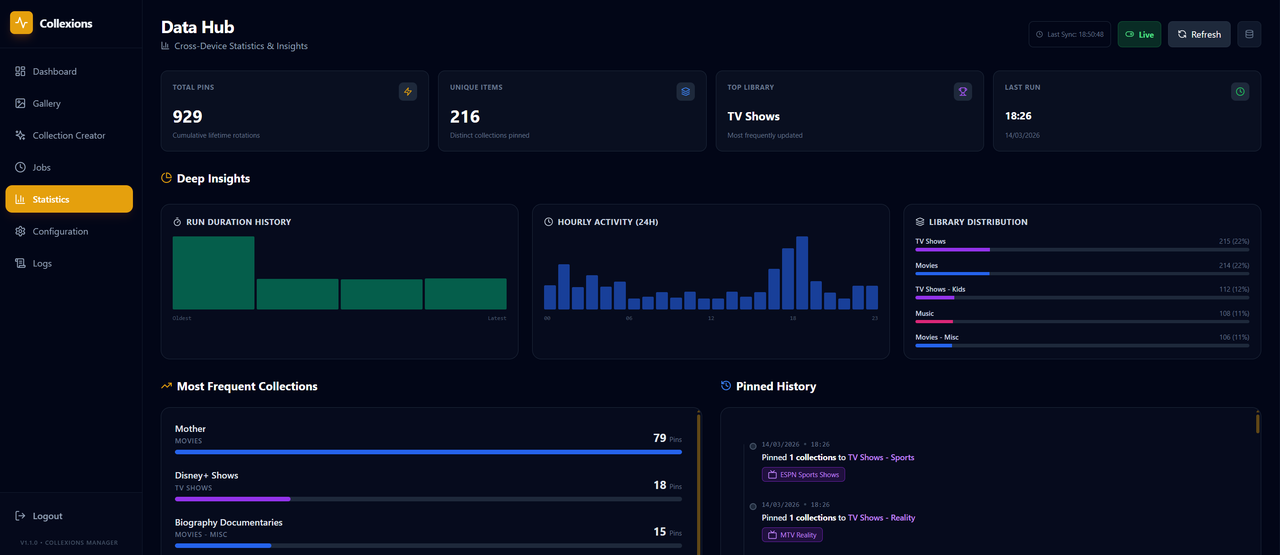
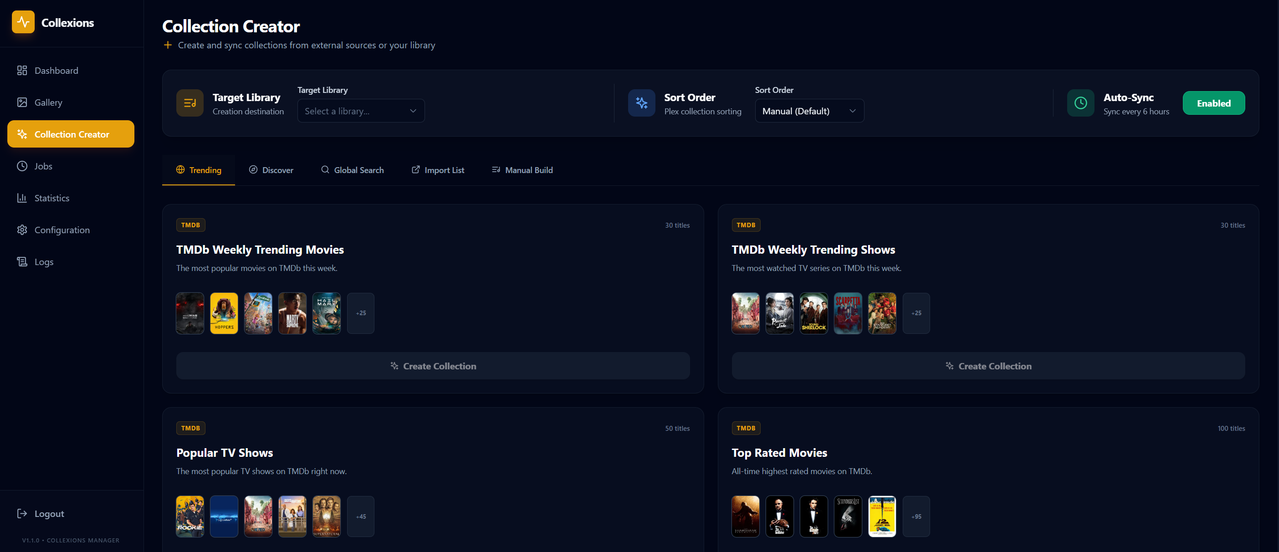
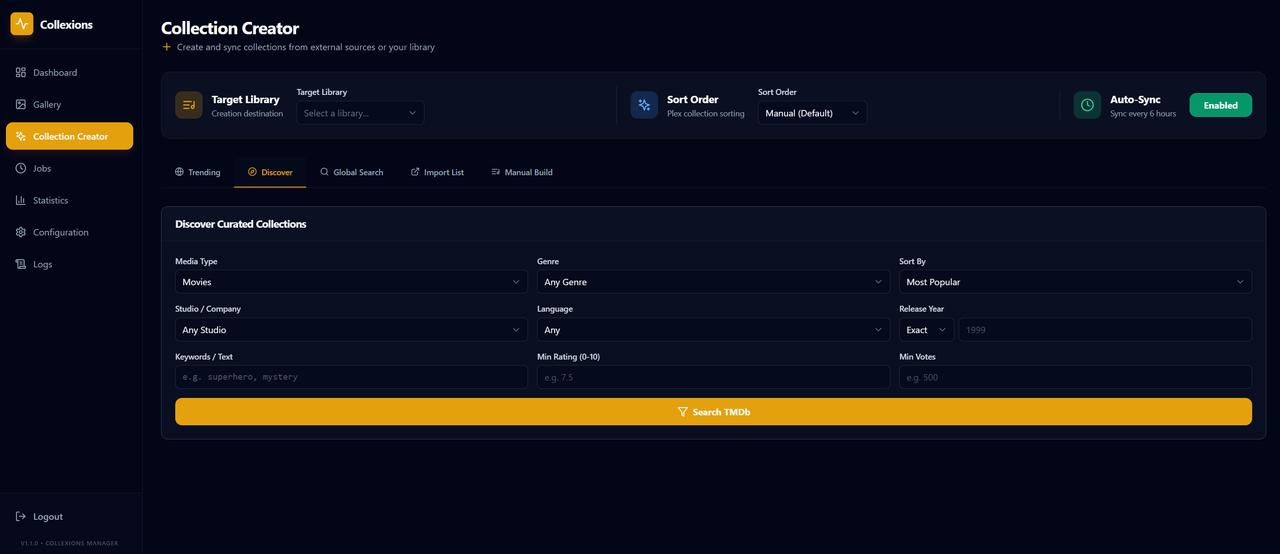
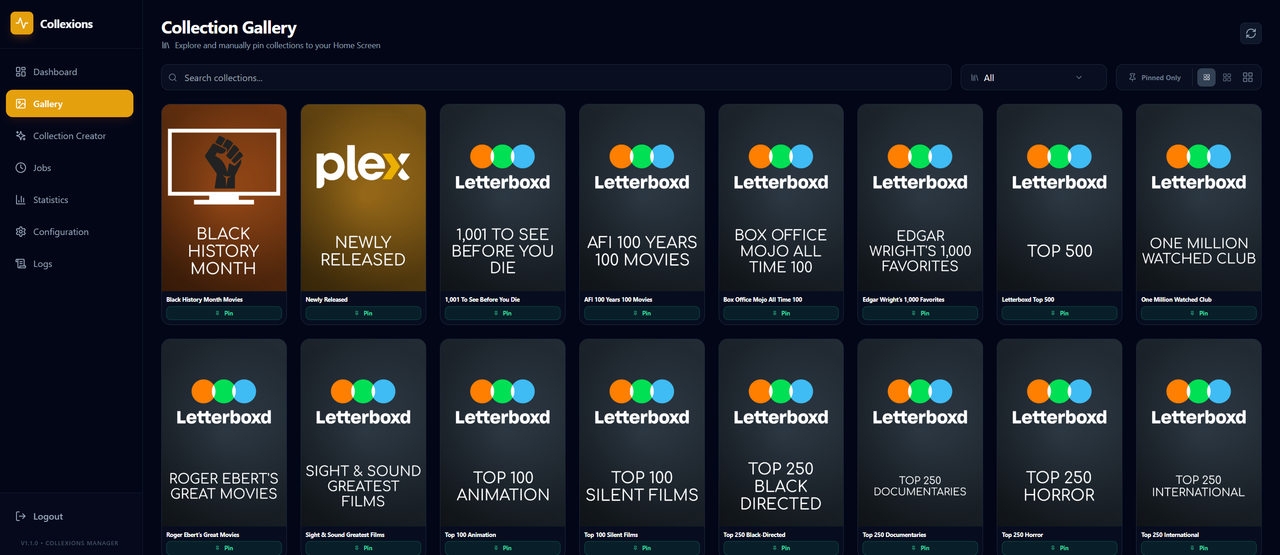
🌟 Overview
ColleXions is a powerful, modern web interface designed to give you total control over your Plex Library collections. It combines intelligent automation with a beautiful management dashboard to ensure your Plex Home screen is always fresh, relevant, and stunning.
Whether you want to rotate trending movies, automatically pin seasonal collections, or sync discovery lists from TMDB, Trakt, and MdbList
Create collections with our bespoke Collections Creator tool, instantly import Trakt lists + create them inside Plex and utilise our Sync tool to keep them up dated!
✨ Key Features
- 🎡 Automated Home Pinning: Automatically rotate which collections are pinned to your Plex Home screen based on intervals you define.
- ✨ Advanced Collection Creator: Easily build new collections by searching and importing directly from TMDb, Trakt, and more—complete with item filtering and smart collection support.
- 🔄 Multi-Source Auto-Sync: Sync your Plex collections directly with dynamic lists from:
- TMDb (Trending, Top Rated, Genre-based)
- Trakt.tv (Trending, Anticipated, Personal Lists)
- MdbList (Custom community lists)
- 📅 Seasonal Specials: Set-and-forget seasonal pinning (e.g., automatically pin "Halloween Horror" every October).
- 🛠️ Visual Collection Builder: A robust UI to search, filter, and create new collections across all your libraries.
- 📊 Insightful Dashboard: track pinning history, view unique item stats, and monitor background sync jobs.
- 🛡️ Admin Security: JWT-based authentication to keep your settings and Plex tokens secure.
- 🐳 Docker Ready: Deploy in seconds using Docker Compose.
✨ Some Things ColleXions Can Do
Randomized Pinning: ColleXions randomly selects collections to pin each cycle, ensuring that your home screen remains fresh and engaging. This randomness prevents the monotony of static collections, allowing users to discover new content easily.
Special Occasion Collections: Automatically prioritizes collections linked to specific dates, making sure seasonal themes are highlighted when appropriate.
Exclusion List: Users can specify collections to exclude from pinning, ensuring that collections you don't want to see on the home screen are never selected. This is also useful if you manually pin items to your homescreen and do not want this tool to interfere with those.
Regex Filtered Exclusion: Uses regex to filter out keywords that are specified in the config file, ColleXions will automatically exclude any collection that have the specific keyword listed in the title.
Inclusion List: Users can specify collections to include from pinning, ensuring full control over the collections you see on your home screen.
Label Support: Collexions will add a label (user defined in config) to each collection that is pinned, and will remove the collection when unpinned. This is great for Kometa support with labels.
Customizable Settings: Users can easily adjust library names, pinning intervals, and the number of collections to pin, tailoring the experience to their preferences.
Categorize Collections: Users can put collections into categories to ensure a variety of collection are chosen if some are too similar
Collection History: Collections are remembered so they don't get chosen too often
Item Collection Limits: Use
"min_items_for_pinning": 10,to make any collections with a lower amount of items in the collection be automatically excluded from selection for pinning.
Category Processing:
If
always_callis set totrue, the script will attempt to pin one collection from each category at all times, as long as there are available slots.If
always_callis set tofalse, the script randomly decides for each category whether to pin a collection from the category. If it chooses to pin, it will only pick one collection per category.
[!TIP] If you have more than 20 collections per category it is recommended to use
true
Regex Keyword Filtering
- Regex Filter: Collexions now includes an option inside the config to filter out key words for collections to be excluded from being selected for being pinned. An example of this would be a Movie collection, such as "The Fast & The Furious Collection, The Mean Girls Collection and "The Matrix Collection" - by using the word "Collection" as a regex filter it would make all collections using this word be excluded from being able to be selected for pinning. Please see updated Config file new section!
Include & Exclude Collections
Exclude Collections: The exclusion list allows you to specify collections that should never be pinned or unpinned by ColleXions. These collections are "blacklisted," meaning that even if they are randomly selected or included in the special collections, they will be skipped, any collections you have manually pinned that are in this list will not be unpinned either. This is especially useful if you have "Trending" collections that you wish to be pinned to your home screen at all times.
Include Collections: The inclusion list is the opposite of the exclusion list. It allows you to specify exactly which collections should be considered for pinning. This gives you control over which collections can be pinned, filtering the selection to only a few curated options. Make sure
"use_inclusion_list": false,is set appropriately for your use case.
How Include & Exclude Work Together
If the inclusion list is enabled (i.e., use_inclusion_list is set to True), ColleXions will only pick collections from the inclusion list. Special collections are added if they are active during the date range.
If no inclusion list is provided, ColleXions will attempt to pick collections randomly from the entire library while respecting the exclusion list. The exclusion list is always active and prevents specific collections from being pinned.
If the inclusion list is turned off or not defined (use_inclusion_list is set to False or missing), the exclusion list will still be honored, ensuring that any collections in the exclusion list are never pinned.
Collection Priority Enforcement
The ColleXions tool organizes pinned collections based on a defined priority system to ensure important or seasonal collections are featured prominently:
Special Collections First: Collections marked as special (e.g., seasonal or themed collections) are prioritized and pinned first, these typically are collections that have a start and an end date.
Category-Based Collections: After special collections are pinned, ColleXions will then fill any remaining slots with collections from specified categories, if defined in the config.
Random Selections: If there are still available slots after both special and category-based collections have been selected, random collections from each library are pinned to fill the remaining spaces.
If no special collections or categories are defined, ColleXions will automatically fill all slots with random collections, ensuring your library's home screen remains populated with the amounts specified in your config.
Selected Collections
A file titled selected_collections.json is created on first run and updated each run afterwards and keeps track of what's been selected to ensure collections don't get picked repeatedly leaving other collections not being pinned as much. This can be configured in the config under "repeat_block_hours": 12, - this is the amount of time between the first pin, and the amount of hours until the pinned collection can be selected again. Setting this to a high value may mean that you run out of collections to pin.
🚀 Getting Started
🐳 Option 1: Docker Compose (Recommended)
Clone the repository:
git clone https://github.com/jl94x4/ColleXions-WebUI.git
cd ColleXions-WebUI
Prepare your config:
cp config/config.example.json config/config.jsonLaunch with Docker Compose:
docker compose up -dThe app will be available at
http://localhost:5000(or your mapped port).The included compose file sets
COLLEXIONS_AUTOSTART=true, so once your Plex config has been saved, the background automation service starts again whenever Docker starts or restarts the container. Set it tofalseor remove the variable if you prefer to start the service manually from the Dashboard.
🐳 Option 2: Docker Run
If you prefer not to use compose, you can run the container directly:
docker run -d \
  --name collexions \
  -p 5000:5000 \
  -v /path/to/your/config:/app/config \
  -v /path/to/your/logs:/app/logs \
  -e COLLEXIONS_SECRET_KEY=your_random_secret_key_here \
  -e COLLEXIONS_AUTOSTART=true \
  --restart unless-stopped \
  jl94x4/collexionsui:latest
The app will be available at http://localhost:5000.
⚙️ Configuration
ColleXions uses a config.json file located in the config/ directory.
[!TIP] Use the Onboarding flow in the Web UI to set up your Plex URL, Token, and API keys visually!
Supported API Integrations
- Plex: Required for all core functionality.
- TMDb: For trending collections and poster lookups.
- Trakt.tv: For anticipated and trending syncs.
- MdbList: For advanced community list syncing.
- Discord: Optional webhooks for pinning notifications.
🛠️ Tech Stack
- Frontend: React 18, Vite, TypeScript, Tailwind CSS, Lucide Icons.
- Backend: Python (Flask), PlexAPI, JWT for Auth.
- Deployment: Docker, Docker Compose.
🤝 Contributing
Contributions are welcome! Feel free to open issues or submit pull requests to help improve ColleXions.
📜 License
This project is licensed under the MIT License - see the LICENSE file for details.
Categories
Download Statistics
Related apps
Explore more like this
Explore allDetails
jl94x4/collexionsui:latestRuntime arguments
- Web UI
http://[IP]:[PORT:5000]- Network
bridge- Shell
bash- Privileged
- false
Template configuration
The port for the ColleXions Web interface.
- Target
- 5000
- Default
- 5000
- Value
- 5000
Path to store configuration files.
- Target
- /app/config
- Default
- /mnt/user/appdata/collexions/config
- Value
- /mnt/user/appdata/collexions/config
Path to store application logs.
- Target
- /app/logs
- Default
- /mnt/user/appdata/collexions/logs
- Value
- /mnt/user/appdata/collexions/logs
A secret key used for security and JWT tokens.
- Target
- COLLEXIONS_SECRET_KEY
- Default
- change_this_to_something_random
- Value
- change_this_to_something_random