
cncjs
OfficialDocker app from Alphacosmos' Repository
A full-featured web interface for CNC controllers running Grbl, Marlin, Smoothieware, or TinyG.
Overview
Readme
View on GitHubCNCjs Backers on Open Collective Sponsors on Open Collective Travis CI Build Status AppVeyor Build status Coverage Status
CNCjs is a full-featured web-based interface for CNC controllers running Grbl, Marlin, Smoothieware, or TinyG.
For a more complete introduction, see the Introduction section of the wiki page.
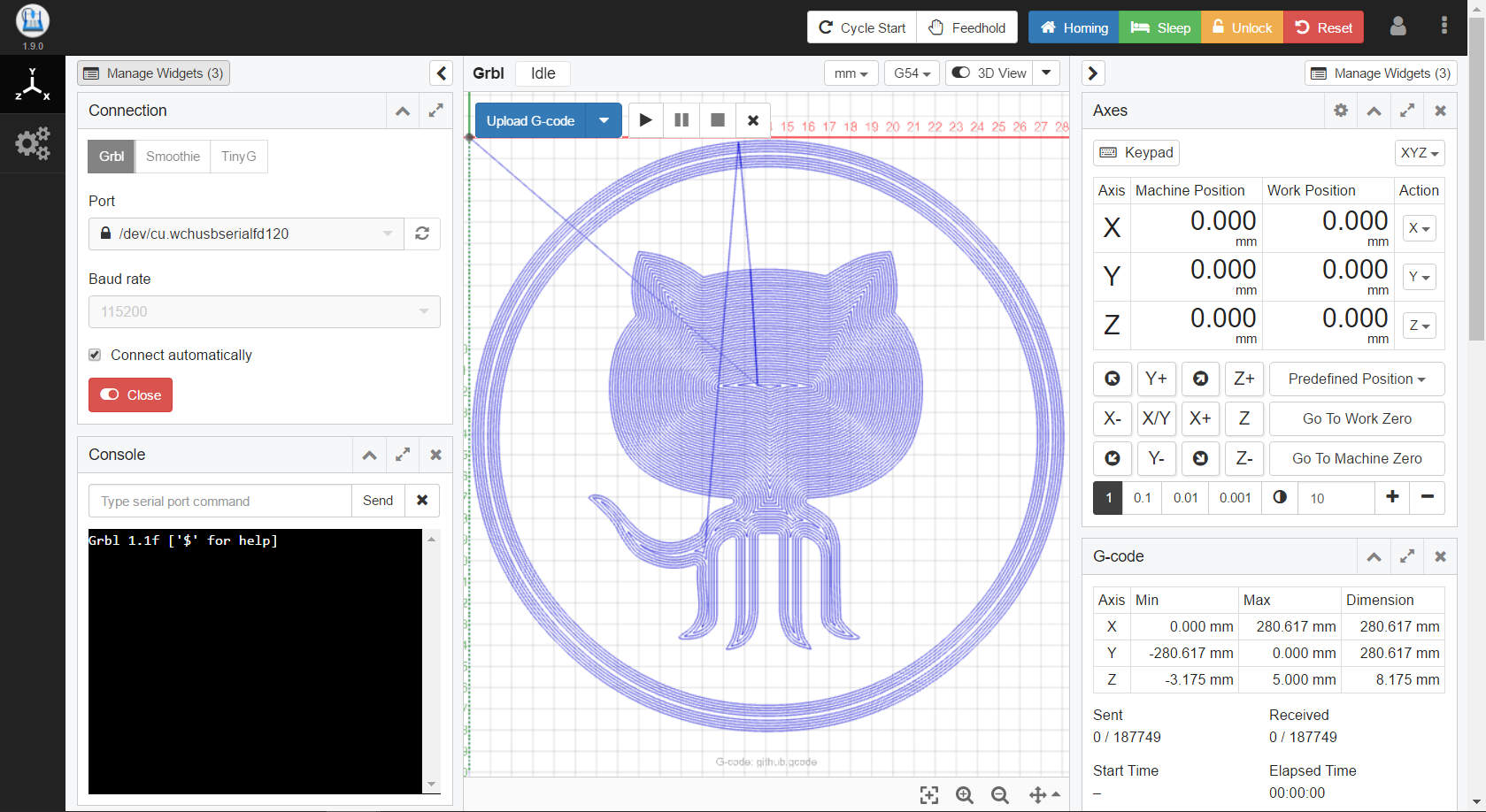
Features
- Supported controllers
- Desktop App for Linux, Mac OS X, and Windows
- 6-axis digital readout (DRO)
- Tool path 3D visualization
- Simultaneously communicate with multiple clients
- Responsive view for small screen display with device width less than 720px
- Customizable workspace
- Custom widget (since 1.9.10)
- Custom MDI (Multiple Document Interface) command buttons (since 1.9.13)
- My Account
- Commands
- Events
- Keyboard Shortcuts
- Contour ShuttleXpress
- Multi-Language Support
- Watch Directory
- Tool Change (since 1.9.11)
- Z-Probe
Custom Widgets
- cncjs-widget-boilerplate - Creating custom widgets for CNCjs.
Pendants
Boilerplate Code
- cncjs-pendant-boilerplate - A bare minimum example to develop a cncjs pendant.
Existing Pendants
- cncjs-pendant-keyboard - A simple pendant (using wireless keyboard or usb) to CNCJS.
- cncjs-pendant-numpad - A simple pendant (using wireless numpad or usb) to CNCJS.
- cncjs-pendant-lcd - CNCjs Web Kiosk for Raspberry Pi Touch Displays.
- cncjs-pendant-ps3 - Dual Shock / PS3 Bluetooth Remote Pendant for CNCjs.
- cncjs-pendant-raspi-gpio - Simple Raspberry Pi GPIO Pendant control for CNCjs.
- cncjs-pendant-whb04b-6 - A WebHID custom widget for the WHB04B-6 wireless pendant with Grbl, using Chrome or Edge.
- cncjs-pendant-alexa - Voice jog control via a custom Alexa skill ("Alexa, ask mill x plus 20"), with per-axis travel limits and state-gated jogging.
Tablet UI
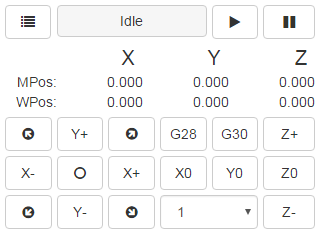
- cncjs-pendant-tinyweb - A tiny web console for small 320x240 LCD display.
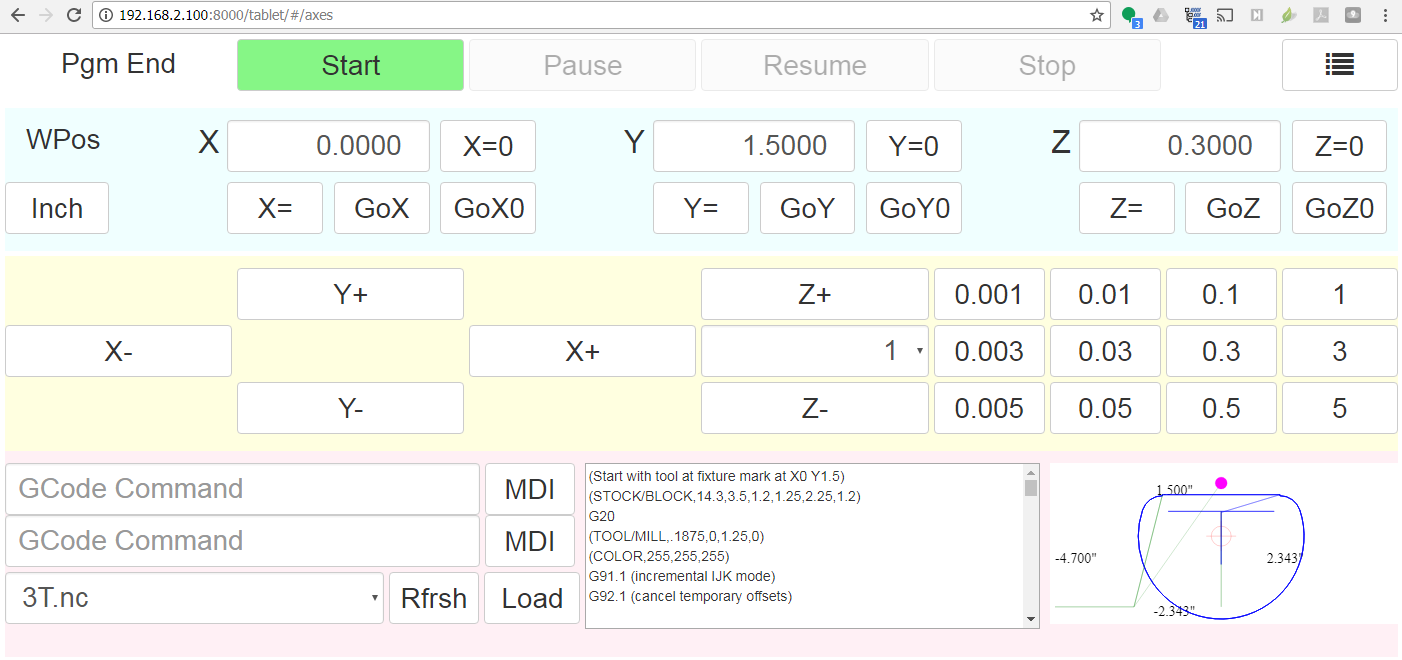
- cncjs-shopfloor-tablet - A simplified UI for cncjs optimized for tablet computers in a production (shop floor) environment.
Desktop App Architectures
| Platform | Architectures |
|---|---|
| Linux | x64, ARM64 |
| macOS | x64, ARM64 |
| Windows | x64 |
For new ARM installations, use ARM64 hardware and a 64-bit operating system.
A 64-bit CPU running a 32-bit operating system cannot run the ARM64 desktop app.
On Debian-based systems, check that dpkg --print-architecture reports arm64
and getconf LONG_BIT reports 64 before installing the ARM64 package.
Linux armv7l (32-bit ARM) desktop packages are no longer built. Node.js 24 and 26
publish no armv7l binaries, so a 24 or 26 runtime has no 32-bit ARM build. The
Docker image cncjs/cncjs is published for linux/amd64 and linux/arm64.
Browser Support
| Chrome Chrome |
Edge Edge |
Firefox Firefox |
IE IE |
Opera Opera |
Safari Safari |
|---|---|---|---|---|---|
| Yes | Yes | Yes | Not supported | Yes | Yes |
Supported Node.js Versions
The minimum versions below are the first releases of each line with the fix for CVE-2026-111497 (Node2Shell, an out-of-bounds write in the bundled Brotli decoder that can permit remote code execution). Node.js 20 reached end-of-life on 2026-04-30 and does not receive that fix.
| Version | Supported Level |
|---|---|
| < 24 | Not supported |
| 24.22.1 or higher | Recommended |
| 26.12.1 or higher | Supported |
Only the 24 and 26 lines are supported, and CI builds and tests the 24 line.
20 reached end-of-life before the fix was published; 22 is no longer a supported
line. Each supported line keeps receiving fixes in patch releases, so
24.22.1 or higher includes 24.22.2 and every later 24.x. Install the newest
patch release.
The desktop app bundles its own Node.js runtime. The versions above do not apply to it.
Getting Started
Node.js Installation
Node.js 24.22.1 or higher is recommended. You can install Node Version Manager to manage multiple Node.js versions. If you have git installed, just clone the nvm repo, and check out the latest version:
git clone https://github.com/creationix/nvm.git ~/.nvm
cd ~/.nvm
git checkout `git describe --abbrev=0 --tags`
cd ..
. ~/.nvm/nvm.sh
Add these lines to your ~/.bash_profile, ~/.bashrc, or ~/.profile file to have it automatically sourced upon login:
export NVM_DIR="$HOME/.nvm"
[ -s "$NVM_DIR/nvm.sh" ] && . "$NVM_DIR/nvm.sh" # This loads nvm
Once installed, you can select Node.js versions with:
nvm install 24
nvm use 24
It's also recommended that you upgrade npm to the latest version. To upgrade, run:
npm install npm@latest -g
Installation
Install cncjs as a non-root user, or the serialport module may not install correctly on some platforms like Raspberry Pi.
npm install -g cncjs
If you're going to use sudo or root to install cncjs, you need to specify the --unsafe-perm option to run npm as the root account.
sudo npm install --unsafe-perm -g cncjs
Check out https://github.com/cncjs/cncjs/wiki/Installation for other installation methods.
Upgrade
Run npm install -g cncjs@latest to install the latest version. To determine the version, use cncjs --version.
Usage
Run cncjs to start the server, and visit http://yourhostname:8000/ to view the web interface. Pass --help to cncjs for more options.
pi@rpi3$ cncjs -h

  Usage: cncjs [options]


  Options:

    --version                       output the version number
    -p, --port <port>                   Set listen port (default: 8000)
    -H, --host <host>                   Set listen address or hostname (default: 0.0.0.0)
    -b, --backlog <backlog>             Set listen backlog (default: 511)
    -c, --config <filename>             Set config file (default: ~/.cncrc)
    -v, --verbose                       Increase the verbosity level (-v, -vv, -vvv)
    -m, --mount <route-path>:<target>   Add a mount point for serving static files
    -w, --watch-directory <path>        Watch a directory for changes
    --access-token-lifetime <lifetime>  Access token lifetime in seconds or a time span string (default: 30d)
    --allow-remote-access               Allow remote access to the server (default: false)
    --controller <type>                 Specify CNC controller: Grbl|Marlin|Smoothie|TinyG|g2core (default: '')
    -h, --help                          output usage information

  Examples:

    $ cncjs -vv
    $ cncjs --mount /pendant:/home/pi/tinyweb
    $ cncjs --mount /widget:~+/widget --mount /pendant:~/pendant
    $ cncjs --mount /widget:https://cncjs.github.io/cncjs-widget-boilerplate/v1/
    $ cncjs --watch-directory /home/pi/watch
    $ cncjs --access-token-lifetime 60d  # e.g. 3600, 30m, 12h, 30d
    $ cncjs --allow-remote-access
    $ cncjs --controller Grbl
Instead of passing command line options for --watch-directory, --access-token-lifetime, --allow-remote-access, and --controller, you can create a ~/.cncrc file that contains the following configuration in JSON format:
{
    "mountPoints": [
        {
            "route": "/pendant",
            "target": "/home/pi/tinyweb"
        },
        {
            "route": "/widget",
            "target": "https://cncjs.github.io/cncjs-widget-boilerplate/v1/"
        }
    ],
    "watchDirectory": "/path/to/dir",
    "accessTokenLifetime": "30d",
    "allowRemoteAccess": false,
    "controller": ""
}
To troubleshoot issues, run:
cncjs -vvv
Configuration File
The configuration file .cncrc contains settings that are equivalent to the cncjs command-line options. The configuration file is stored in user's home directory. To find out the actual location of the home directory, do the following:
Linux/Mac
echo $HOMEWindows
echo %USERPROFILE%
Check out an example configuration file here.
File Format
See https://github.com/cncjs/cncjs/issues/242#issuecomment-352294549 for a detailed explanation.
{
  "ports": [
     {
       "path": "/dev/ttyAMA0",
       "manufacturer": ""
     }
  ],
  "baudrates": [115200, 250000],
  "mountPoints": [
    {
      "route": "/widget",
      "target": "https://cncjs.github.io/cncjs-widget-boilerplate/v1/"
    }
  ],
  "watchDirectory": "/path/to/dir",
  "accessTokenLifetime": "30d",
  "allowRemoteAccess": false,
  "controller": "",
  "state": {
    "checkForUpdates": true,
    "controller": {
      "exception": {
        "ignoreErrors": false
      }
    }
  },
  "commands": [
    {
      "title": "Update (root user)",
      "commands": "sudo npm install -g cncjs@latest --unsafe-perm; pkill -f cncjs"
    },
    {
      "title": "Update (non-root user)",
      "commands": "npm install -g cncjs@latest; pkill -f cncjs"
    },
    {
      "title": "Reboot",
      "commands": "sudo /sbin/reboot"
    },
    {
      "title": "Shutdown",
      "commands": "sudo /sbin/shutdown"
    }
  ],
  "events": [],
  "macros": [],
  "users": []
}
Documentation
Examples
There are several *.gcode files in the examples directory. You can use the GCode widget to load a GCode file and make a trial run.
If you don't have a CAM software, try using jscut to create G-Code from *.svg. It's a simple CAM package that runs in the browser.
Check out a live demo at http://jscut.org/jscut.html.
Contributions
Use GitHub issues for requests.
Pull requests welcome! Learn how to contribute.
Localization
You can help translate resource files in both of app and server directories from English to other languages. Check out Localization guide to learn how to get started. If you are not familiar with GitHub development, you can open an issue or send your translations to cheton@gmail.com.
| Locale | Language | Status | Contributors |
|---|---|---|---|
| cs | Čeština (Czech) | ✔ | Miroslav Zuzelka |
| de | Deutsch (German) | ✔ | Thorsten Godau, Max B. |
| es | Español (Spanish) | ✔ | Juan Biondi, hasecilu |
| fr | Français (French) | ✔ | Simon Maillard, CorentinBrulé |
| hu | Magyar (Hungarian) | ✔ | Sipos Péter |
| it | Italiano (Italian) | ✔ | vince87 |
| ja | 日本語 (Japanese) | ✔ | Naoki Okamoto |
| nb | Norsk (Norwegian) | ✔ | Stian Kristensen |
| nl | Nederlands (Netherlands) | ✔ | dutchpatriot |
| pt | Português (Portugal) | ✔ | Cheton Wu |
| pt-br | Português (Brasil) | ✔ | cmsteinBR |
| ru | Ру́сский (Russian) | ✔ | Denis Yusupov |
| uk | українська (Ukrainian) | ✔ | khvalera |
| tr | Türkçe (Turkish) | ✔ | Ali GÜNDOĞDU |
| zh-cn | 简体中文 (Simplified Chinese) | ✔ | Mandy Chien, Terry Lee |
| zh-tw | 繁體中文 (Traditional Chinese) | ✔ | Cheton Wu |
Donate
If you would like to support this project, you can make a donation using PayPal. Thank you!
Contributors
This project exists thanks to all the people who contribute. [Contribute]. External image (view source)
Backers
Thank you to all our backers! 🙏 [Become a backer]
Sponsors
Support this project by becoming a sponsor. Your logo will show up here with a link to your website. [Become a sponsor]
External image (view source) External image (view source) External image (view source) External image (view source) External image (view source) External image (view source) External image (view source) External image (view source) External image (view source) External image (view source)
License
Licensed under the MIT License.
Categories
Download Statistics
Total Downloads Over Time
Related apps
Explore more like this
Explore allLinks
Details
cncjs/cncjs:latestRuntime arguments
- Web UI
http://[IP]:[PORT:8000]- Network
bridge- Shell
sh- Privileged
- true
Template configuration
Container Path: /opt/cncjs
- Target
- /cncjs/
- Value
- /mnt/user/appdata/cncjs
Container Port: 8000
- Target
- 8000
- Value
- 8000
Container Device:
- Value
- /dev/
Container Device:
- Value
- /dev/