
CLU-Comic-Library-Utilities
Docker app from AllAboutDuncan's Repository
Digital comic curation app to read, manage, edit, and update libraries of any size.
Overview
Digital comic curation app to read, manage, edit, and update libraries of any size.
Features:
- Manage Comic Library
- Folder Monitoring
- Bulk Metadata Editing
Readme
View on GitHubComic Library Utilities (CLU)
A self-hosted comic library manager for Docker — bulk CBR to CBZ conversion, a full CBZ editor, ComicInfo.xml metadata from Metron and ComicVine, a built-in web reader, and download automation.
Docker Pulls GitHub Release GitHub commits since latest release License
Comic Library Utilities (CLU) is a self-hosted web app for organizing, repairing and reading a digital comic collection. It runs in Docker, points at the folders your comics already live in, and gives you the bulk tools you would otherwise write scripts for: convert CBR to CBZ across an entire library, convert PDF to CBZ, rename thousands of files to a consistent pattern, edit the pages inside a CBZ from the browser, write ComicInfo.xml metadata from Metron, ComicVine, GCD, AniList or MangaDex, and track weekly comic releases with a pull list. Everything happens through the web UI, so you can maintain a remote comic book collection without shell access to the server.
Documentation · Full feature list · FAQ · Discord · Docker Hub
Why CLU Exists
This started as a set of utilities built while moving a 70,000+ issue comic library to Komga. It has since grown into a stand-alone comic library manager: run it alongside Komga or Kavita as the maintenance and metadata layer, or run it on its own and read in the browser.
What CLU Does
- Convert CBR to CBZ in bulk — convert a folder, or an entire library, from RAR-based CBR to CBZ. Also converts PDF to CBZ with a JPEG or WebP output choice.
- Edit CBZ files in the browser — a full GUI editor: rename and drag-reorder pages, add or delete images, crop covers, split a multi-issue CBZ into single issues, combine files, enhance image contrast and brightness.
- Clean up and rename files — bulk rename with custom patterns, remove text from filenames, zero-pad issue numbers, strip junk files and
__MACOSXfolders, and run a missing-issue check against a series. - Comic metadata editing — read and write ComicInfo.xml using Metron, ComicVine, Grand Comics Database, AniList, MangaDex, MangaUpdates and Bedetheque. Bulk tag a whole directory, review changes before they apply, and revert them from a history log.
- Source Wall — a spreadsheet-style view for reviewing and correcting metadata across many issues at once.
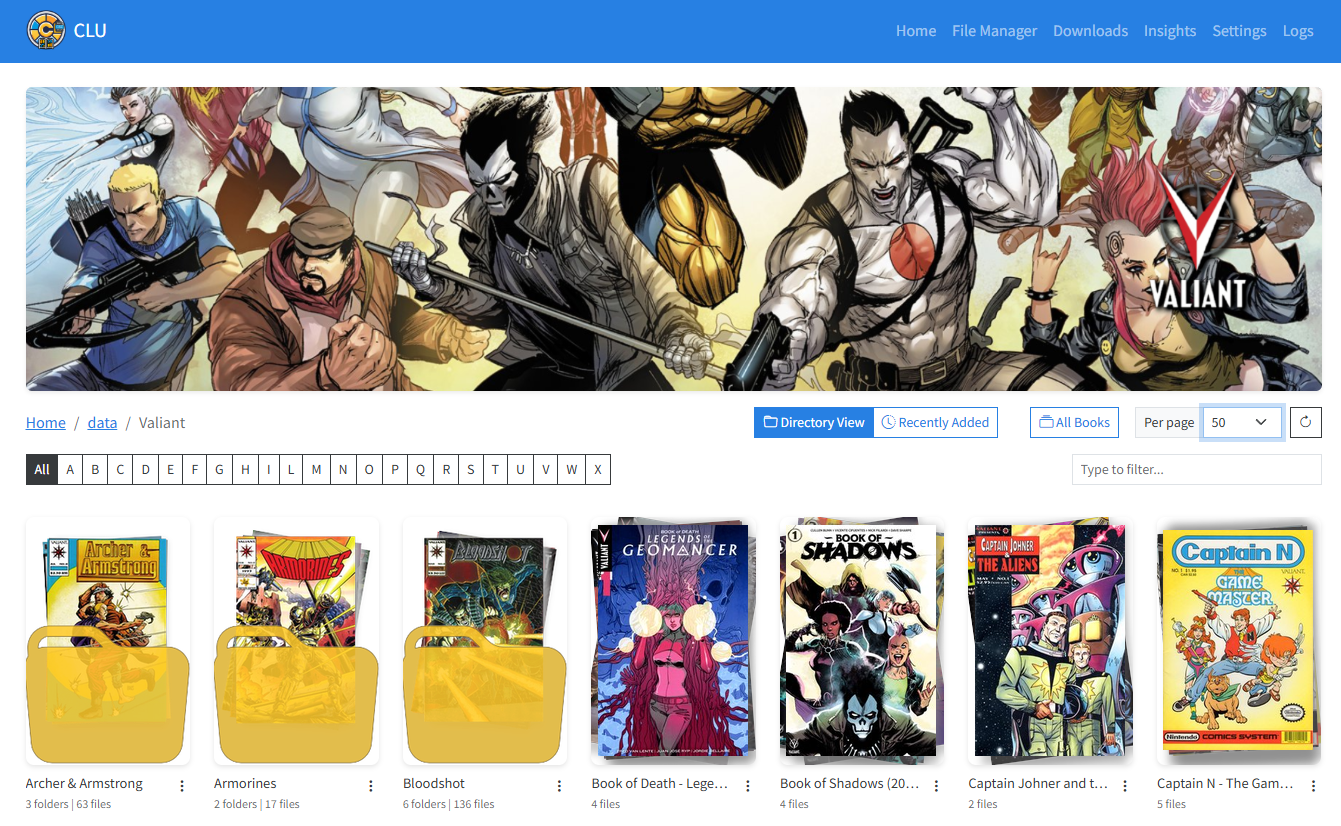
- Browse and read your collection — paginated library browsing, per-series pages, folder thumbnails, favorites, and a built-in page-by-page reader that remembers where you left off.
- Reading lists — import CBL files or story arcs from Metron and ComicVine, map entries to files you already own, and see what is missing.
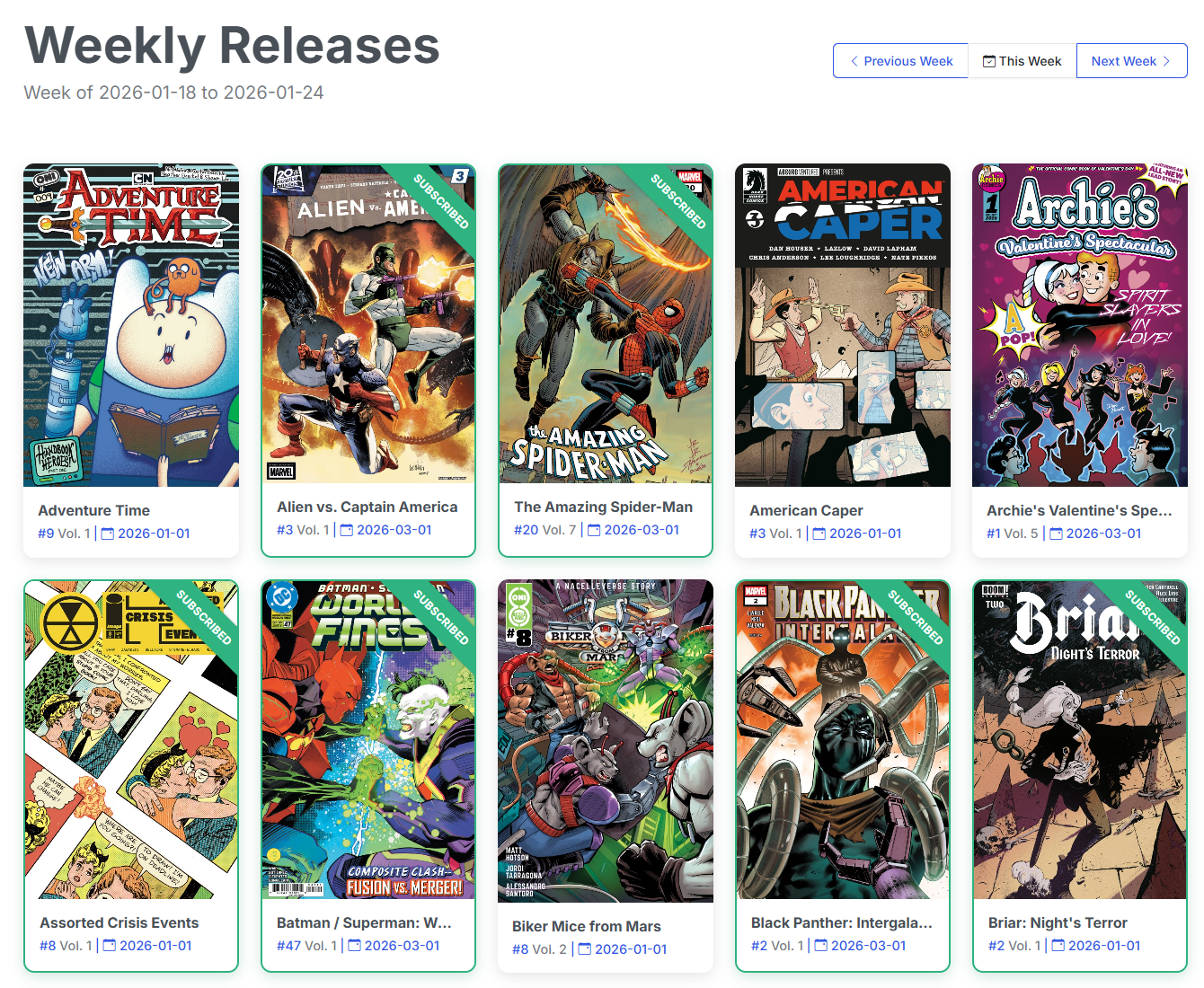
- Pull list and weekly comic releases — subscribe to series, track new weekly releases, and keep a Wanted list of issues you do not have yet.
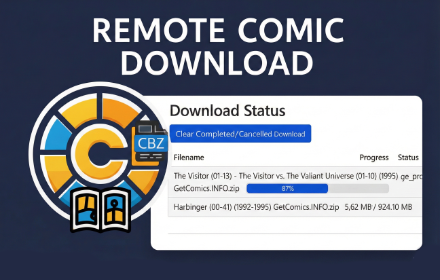
- Comic downloads — search and download from Direct Download Source, Usenet via Newznab indexers with SABnzbd or NZBGet, and DC++/AirDC++, with configurable source priority and a browser extension for one-click sends.
- Folder monitoring — watch a downloads folder and automatically unpack, convert to CBZ, rename and file new comics into your library.
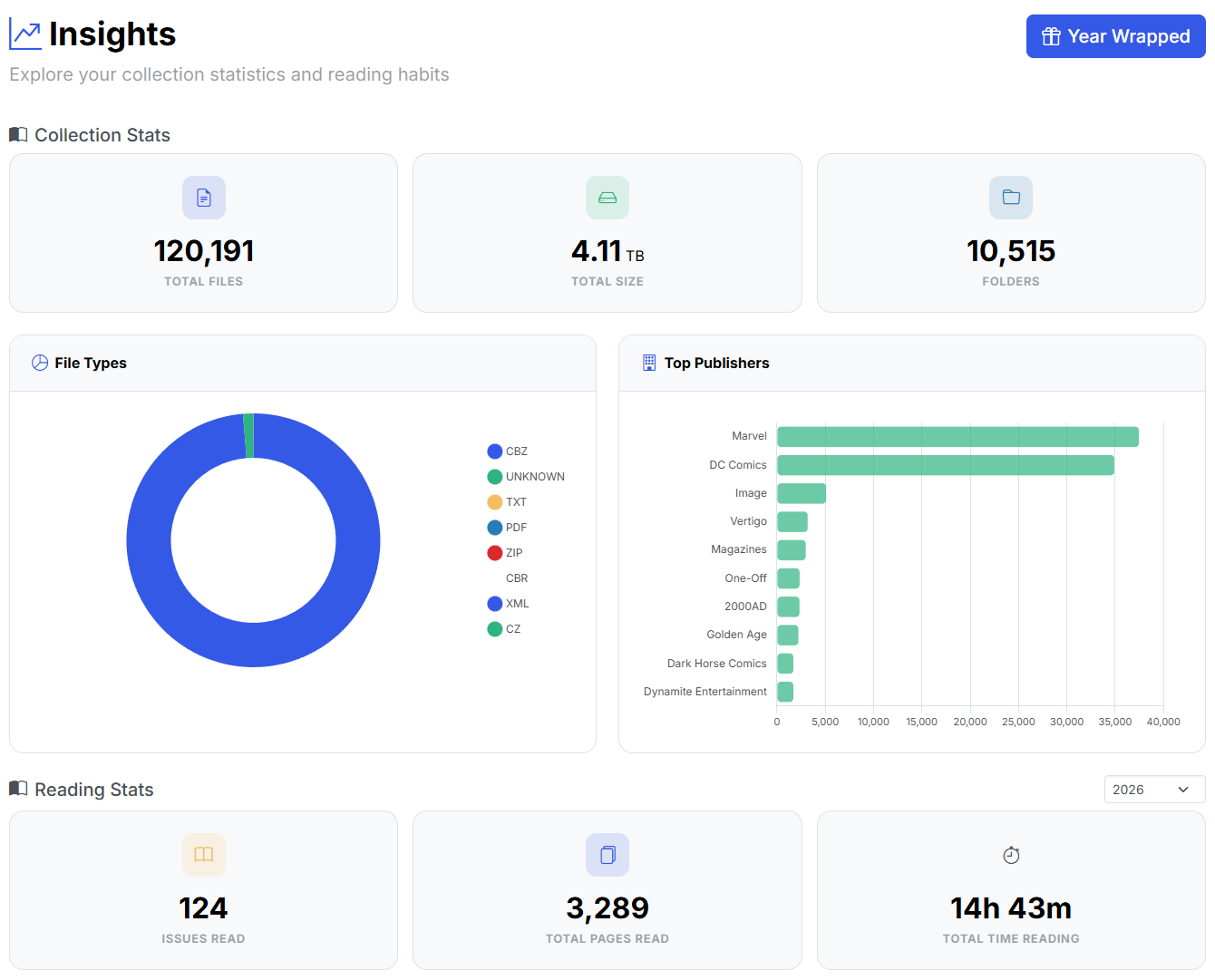
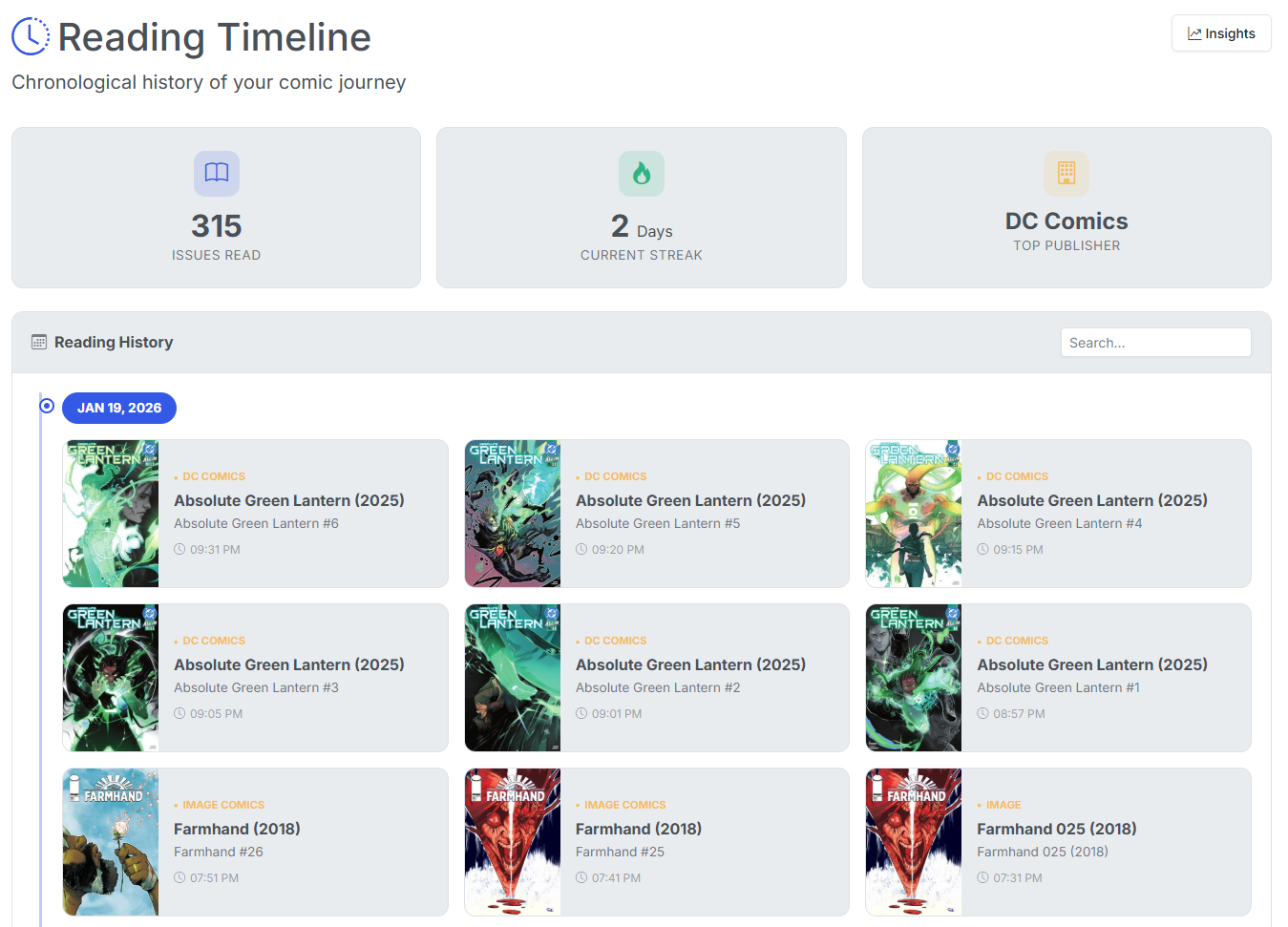
- Insights, Timeline and CLU Wrapped — collection size and reading stats, a full timeline of what you have read, and shareable year-in-review images.
- Multi-user with per-folder permissions — Reader, Clerk and Store Owner roles, per-library and per-folder access grants, and per-user reading history. A single-user install with no password needs no login; once you set an owner password, CLU asks for it.
- API and OPDS — a token-authenticated
/api/v1for companion apps, self-documenting at/api/v1/docs, plus OPDS feeds for comic reader apps and optional Komga reading sync.
See FEATURES.md for the complete breakdown.
Installation
CLU is distributed as a Docker image: allaboutduncan/comic-utils-web.
Quick start
docker run -d \
  --name clu \
  -p 5577:5577 \
  -v clu-config:/config \
  -v /path/to/cache:/cache \
  -v /path/to/comics:/data \
  allaboutduncan/comic-utils-web:latest
Then open http://localhost:5577.
Docker Compose (recommended)
Copy the following and edit the environment variables and volume paths.
services:
    comic-utils:
        image: allaboutduncan/comic-utils-web:latest

        container_name: clu
        logging:
            driver: "json-file"
            options:
                max-size: '20m'  # Reduce log size to 20MB
                max-file: '3'     # Keep only 3 rotated files
        restart: always
        ports:
            - '5577:5577'
        volumes:
            - 'config-volume:/config' # Maps to a Docker Volume for Database Storage and Backups
            - "/path/to/local/cache:/cache" # Maps to local folder for thumbnail cache
            ## update the line below to map to your library.
            ## Map your first/main library to /data
            - "/e/Comics:/data"
            ## Map additional libraries and add them in the settings of the app
            - "/e/Manga:/manga"
            - "/f/Magazines:/magazines"
            ## Additional folder if you want to use Folder Monitoring.
            - "/f/Downloads:/downloads"
        environment:
            - FLASK_ENV=production
            ## Set the User ID (PUID) and Group ID (PGID) for the container.
            ## This is often needed to resolve permission issues, especially on systems like Unraid
            ## where a specific user/group owns the files.
            ## For Unraid, PUID is typically 99 (user 'nobody') and PGID is typically 100 (group 'users').
            ## For Windows/WSL, set these to match your Windows user ID (see docs/WINDOWS_WSL_SETUP.md)
            - PUID=99
            - PGID=100
            ## File creation mask. 000 -> world-writable folders (drwxrwsrwx) and files
            ## (-rw-rw-rw-). Use 002 for group-writable (775/664) or 022 for owner-only writes.
            - UMASK=000
            ## Only if a reverse proxy rewrites the Host header and changes in the UI fail
            ## with "Cross-site request refused" (see "Running behind a reverse proxy").
            # - CLU_TRUSTED_ORIGINS=https://comics.example.com
            ## Only if another service on this container's network already uses
            ## 127.0.0.1:18191 (see "Built-in FlareSolverr").
            # - FLARESOLVERR_PORT=18191
volumes:
  config-volume: # Now required for Database Storage and Backups
Update your Docker Compose: Mapping the /config directory is required to ensure config settings and the database persist across updates.
First install: visit the config page and confirm everything is set up the way you want it, then:
- Save your Config settings
- Click the Restart App button
Windows and WSL users hitting file permission errors should read docs/WINDOWS_WSL_SETUP.md.
Mapping your library volumes
Map your main library to /data, the default library path on a new install. Any other path works too (for example /comics): map it, then add it or point the default library at it under Settings → Libraries. Additional libraries are mapped and added the same way. Full install walkthrough: clucomics.org quickstart.
Running behind a reverse proxy
CLU honours X-Forwarded-For, X-Forwarded-Proto, X-Forwarded-Host and X-Forwarded-Prefix (one proxy hop), so it works on its own hostname or on a subpath such as https://example.com/clu/.
To protect against cross-site request forgery, CLU refuses any POST, PUT, PATCH or DELETE that a browser reports as coming from another site. It accepts a request when the browser says it is same-origin, or when the Origin (or Referer) host matches the Host header or an X-Forwarded-Host value. Clients that send none of these headers (scripts, curl, OPDS readers, API tokens) are not affected. Most proxies (Nginx Proxy Manager, Traefik, Caddy, SWAG, and Nginx with proxy_set_header Host $host;) need nothing extra.
If a proxy rewrites Host to the container's address and sends no X-Forwarded-Host, saving or changing anything in the UI fails with "Cross-site request refused". Fix the proxy to pass the original host, or list your public address in CLU_TRUSTED_ORIGINS (comma-separated origins or host:port) and restart the container:
        environment:
            - CLU_TRUSTED_ORIGINS=https://comics.example.com
Built-in FlareSolverr
Some GetComics mirrors answer with a Cloudflare "Just a moment…" check that a normal download cannot pass. The Docker image ships its own FlareSolverr (a headless Chromium) for that, so there is no second container to install.
- It starts on the first challenge and stops after 10 idle minutes. While it is up it uses a few hundred MB of memory.
- It only fetches the clearance cookies; CLU then downloads the file itself. A check it cannot pass still ends as a manual-download link.
- Turn it off, or test it, under Settings → Download and API → Pass Cloudflare challenges (FlareSolverr).
- It listens on
127.0.0.1:18191inside the container and is never published. The port is deliberately not FlareSolverr's usual8191.
| Environment variable | Default | What it does |
|---|---|---|
FLARESOLVERR_PORT |
18191 |
Loopback port of the built-in solver |
FLARESOLVERR_LOG_LEVEL |
info |
Log level of the solver process |
Sharing a network with other containers. With network_mode: service:<vpn> (gluetun and similar), every container behind the VPN shares one 127.0.0.1, so two services cannot use the same port. CLU up to 7.2.1 used 8191, which clashed with a standalone FlareSolverr run for Prowlarr in the same namespace: whichever started second failed with Address already in use. Later versions use 18191, so the two run side by side. If something else already holds 18191, the app log says so; set FLARESOLVERR_PORT to a free port and restart the container.
To have CLU use a standalone FlareSolverr in the same network namespace instead of starting its own, set FLARESOLVERR_PORT to that solver's port (8191). CLU reuses a FlareSolverr that is already answering on its port. This needs the two to share a network namespace, and the solver must leave through the same public IP as CLU, because Cloudflare ties the clearance to the address that earned it.
Integrations
| Integration | What it is used for |
|---|---|
| Metron | Comic metadata, series, story arcs, weekly releases |
| ComicVine | Comic metadata via API, or a local offline database |
| Grand Comics Database | Optional local SQLite metadata database |
| INDUCKS | Optional local SQLite database of Disney comics worldwide |
| AniList / MangaDex / MangaUpdates | Manga metadata |
| Bedetheque | Bandes dessinées (European comics) metadata |
| Komga | Optional reading-history sync |
| Direct Download Source | Comic download search and grabbing |
| SABnzbd / NZBGet | Usenet download clients |
| Newznab indexers | Usenet search |
| AirDC++ | DC++ download source |
| MEGA / Pixeldrain | Supported download mirrors |
| OpenAI / Anthropic / Gemini | Optional AI-powered reading recommendations |
| OPDS | Feeds for third-party comic reader apps |
How CLU Compares
CLU is not a replacement for a comic server — it is the layer underneath one.
| Tool | What it is for | With CLU |
|---|---|---|
| Komga / Kavita | Serving and reading your library | CLU maintains the files and metadata they read; CLU can also sync reading history from Komga |
| Mylar3 | Comic downloading and series tracking | Overlapping — CLU covers pull list, wanted issues and downloads, plus file and metadata tools Mylar does not have |
| ComicTagger | Tagging individual comic files | CLU does bulk tagging across a whole library, with review and revert |
| CLU | Bulk file operations, CBZ editing, metadata, downloads, browsing and reading | — |
Plenty of people run CLU and Komga against the same folders. That is the intended setup.
Frequently Asked Questions
How do I convert CBR to CBZ in bulk?
Point CLU at a directory and run Convert Directory, or run Convert Entire Library to CBZ to process everything at once. Conversion uses unar, so it handles RAR-based CBR files that many tools choke on. See Convert Directory.
Can I convert PDF to CBZ?
Yes. CLU converts PDF comics to CBZ and lets you choose JPEG or WebP for the extracted pages. See Convert PDF to CBZ.
Can CLU catch a wrong metadata match?
Optionally, yes. The metadata date check compares the matched issue's date against the year in the filename and flags a match that disagrees wildly — the case where the series matched is the wrong one and the issue number resolved anyway. Off by default, with a log-only mode so you can see what it would do before it does anything.
How do I find damaged comics?
The Library Health page collects every file an operation could not read —
a truncated download, a bad checksum, a RAR wearing a .cbz name — with the cause in plain
English and the action most likely to help. It does not scan your library; a file appears because
something tried to open it and failed. You can search your download sources for a replacement from
the row, and CLU files it straight onto the damaged file, keeping the old copy in the Trash.
Does CLU edit ComicInfo.xml?
Yes — CLU is a full comic metadata editor. It reads and writes ComicInfo.xml, creates it when missing, and can bulk-update fields across an entire directory. Metadata can be pulled from Metron, ComicVine, GCD, AniList, MangaDex, MangaUpdates or Bedetheque, reviewed before it is applied, and reverted afterwards from the metadata history.
Does CLU work with Komga or Kavita?
Yes. CLU operates directly on the files on disk, so anything you fix or tag in CLU shows up in Komga or Kavita after a scan. CLU can also sync reading history from Komga.
Can multiple people use one CLU install?
Yes. CLU supports multiple accounts across three roles — Reader, Clerk and Store Owner — with per-library and per-folder access grants. Reading history, favorites and reading lists are kept separate per user. A single-user install where no password has been set requires no login, and anyone who can reach it is the owner.
A password means login. If you set an owner password, CLU asks for it, even when yours is the only account. OPDS reading apps then need your username and password, and /api/v1 clients need an API token (My Account → API Tokens). Forgot the owner password? See Multi-User Accounts & Permissions for the recovery steps.
Is there a mobile app or OPDS support?
CLU serves OPDS feeds that work with standard comic reader apps, and exposes a token-authenticated /api/v1 for companion apps, documented in-app at /api/v1/docs.
Can I read comics directly in CLU?
Yes. CLU has a built-in browser-based reader with page-by-page navigation that remembers your position, plus Continue Reading and On the Stack views.
Does CLU need an internet connection?
Only for metadata lookups, downloads and recommendations. All file operations — conversion, renaming, CBZ editing, browsing and reading — work entirely offline. GCD and ComicVine can also run from local databases.
Do I need shell access to my server to use CLU?
No — that is the point. Every operation runs through the web UI, so you can maintain a remote comic collection without SSH.
What file formats does CLU support?
CBZ, CBR, PDF, and the plain ZIP and RAR archives that comics are often distributed in. CBZ is the working format everything converts to.
My log says "the inotify queue overflowed". What should I do?
Usually nothing. It means files changed in your library faster than Linux could report them — a large import or an rsync, typically. CLU logs it once and runs a file index sync about a minute later to pick up whatever was missed.
If it happens often on a very large library, raise the kernel's queue size on the host (it is not a container setting) and restart the CLU container, because the value is read when the watcher starts:
sudo sysctl fs.inotify.max_queued_events=262144
Add fs.inotify.max_queued_events=262144 to /etc/sysctl.conf (or a file in /etc/sysctl.d/) to keep it across reboots.
Where is the full documentation?
At clucomics.org, including a setup walkthrough and a page for every feature.
Screenshots
Community & Contributing
- Discord — questions, support and feature discussion
- Documentation — full install and feature docs
- CONTRIBUTING.md — how to contribute code, including adding new metadata providers
- SECURITY.md — reporting a security issue
- CODE_OF_CONDUCT.md — community expectations
- Issues — bug reports and enhancement requests
License
Licensed under the GNU General Public License v3.0.
Say Thanks
If you enjoyed this, want to say thanks or want to encourage updates and enhancements, feel free to "Buy Me A Coffee"
Media gallery
1 / 2Categories
Download Statistics
Total Downloads Over Time
Related apps
Explore more like this
Explore allLinks
Details
allaboutduncan/comic-utils-web:latestRuntime arguments
- Web UI
http://[IP]:[PORT:5577]/- Network
bridge- Shell
sh- Privileged
- false
- Extra Params
--log-opt max-size=20m --log-opt max-file=3
Template configuration
Main Web Interface
- Target
- 5577
- Default
- 5577
- Value
- 5577
Map this to your main Comics library
- Target
- /data
- Value
- /mnt/user/media/
Optional: Map if you use folder monitoring.
- Target
- /downloads
- Default
- /mnt/user/Downloads
Flask Environment
- Target
- FLASK_ENV
- Default
- development
- Value
- development
- Default
- 99
- Value
- 99
Group ID
- Default
- 100
- Value
- 100
File creation mask. 000 -> world-writable folders (drwxrwsrwx) and files (rw-rw-rw-). Use 002 for group-writable or 022 for owner-only.
- Default
- 000
- Value
- 000
Database, backups and logs.
- Target
- /config
- Value
- /mnt/user/appdata/comic-library-utilities/config
Thumbnail cache and trash. The database lives in Config.
- Target
- /cache
- Value
- /mnt/user/appdata/comic-library-utilities/cache