
All apps · 0 apps

Christmas-Community
Docker app from grtgbln's Repository
Overview
Readme
View on GitHubChristmas Community





Web app for your family's Christmas shopping
Purpose
To create a simple place for your entire family to use to find gifts that people want, and to avoid double-gifting.
Discord Server
To discuss the use and development of Christmas Community, you can join the Discord server at discord.gg/Dxjh68gFzV. This is also a good place to get announcements of new updates.
Screenshots
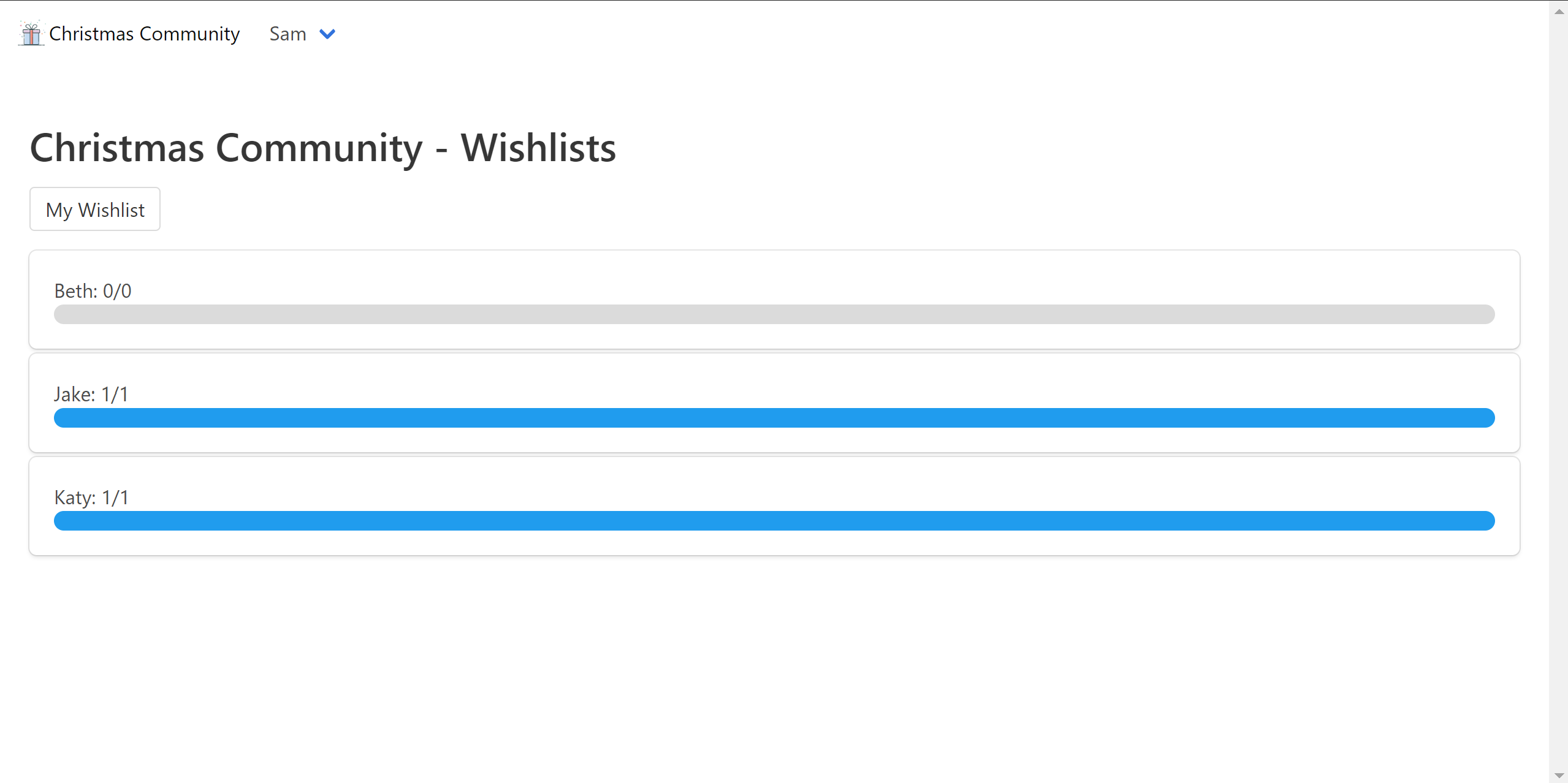
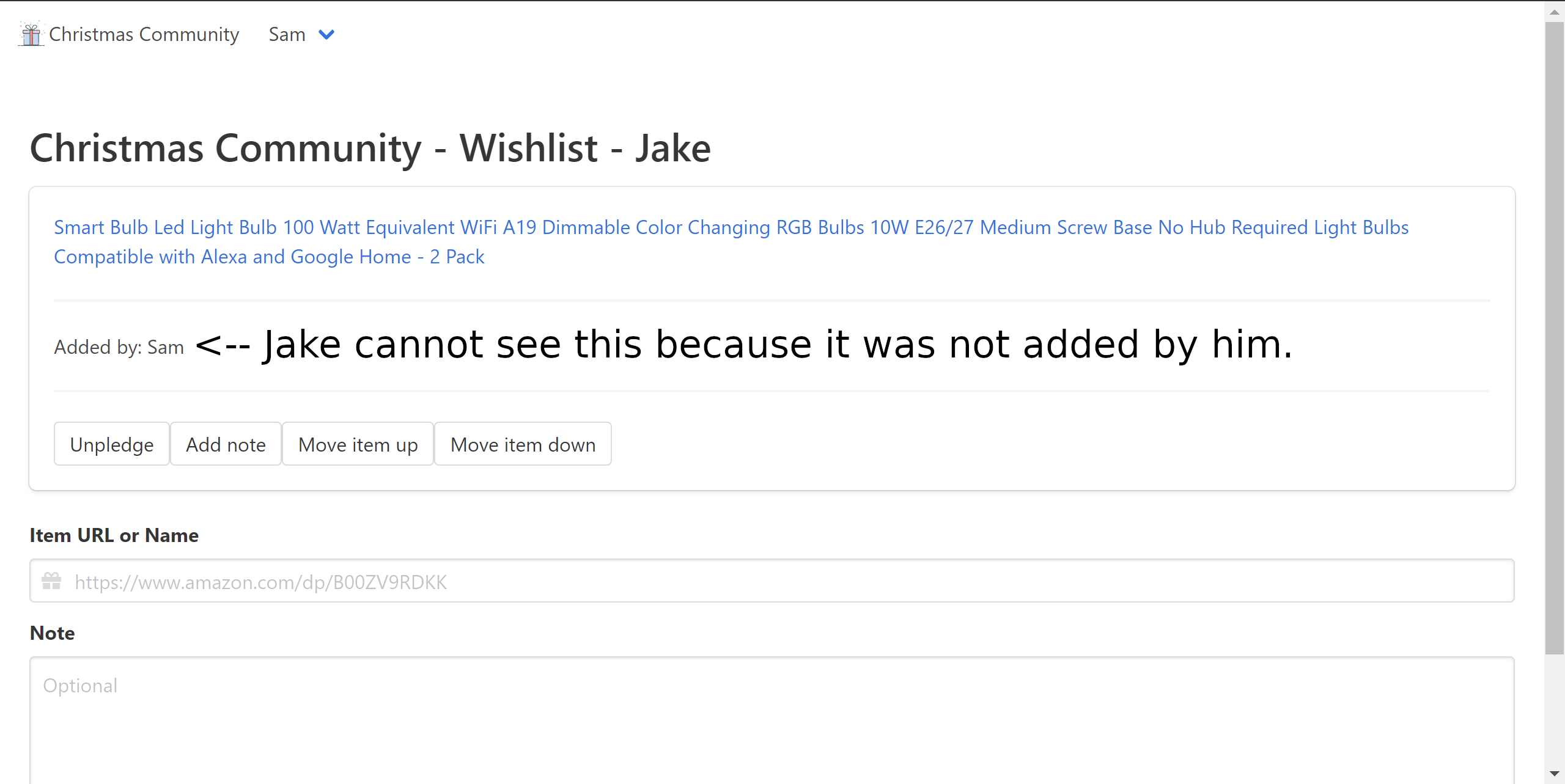
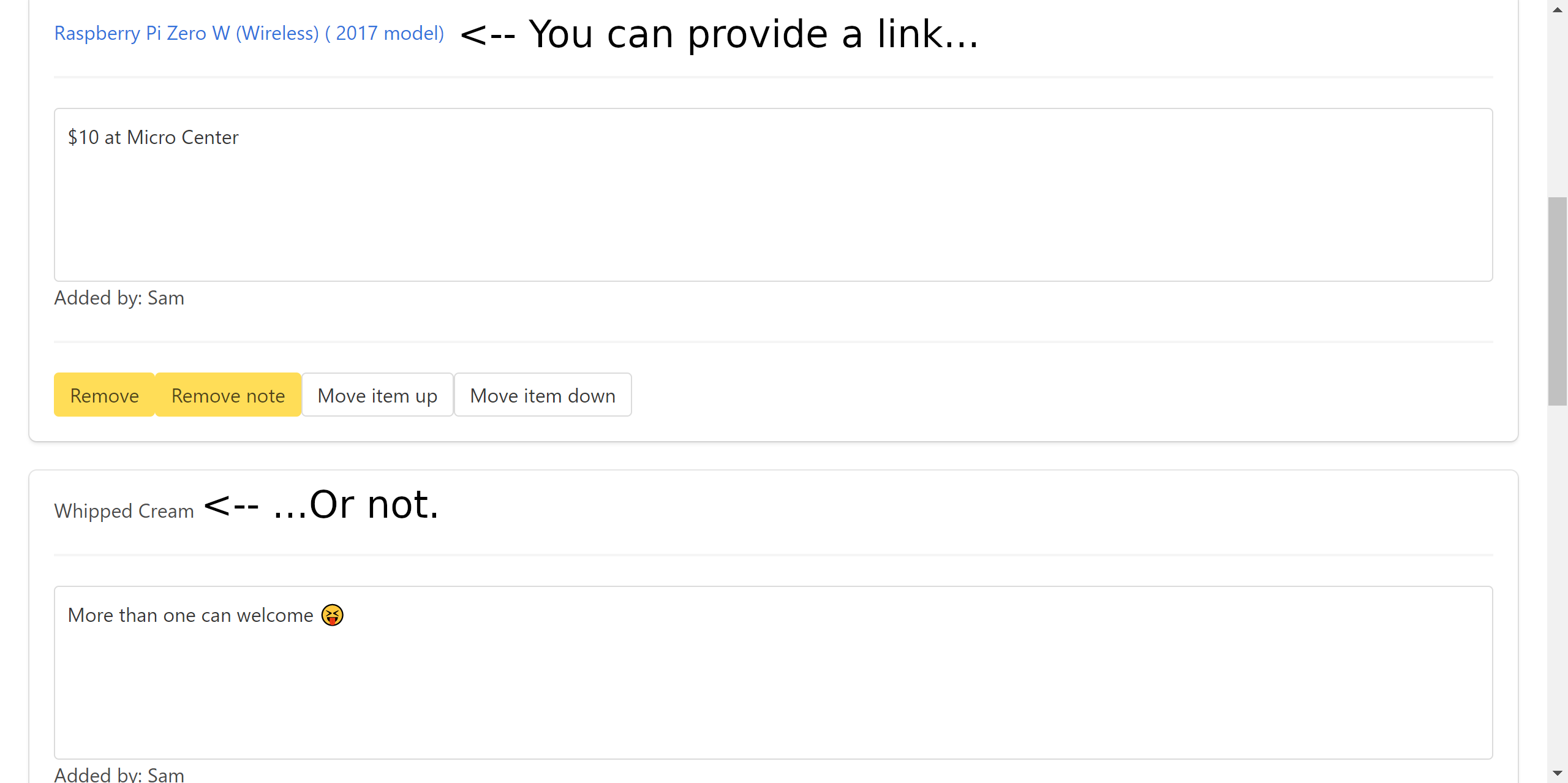
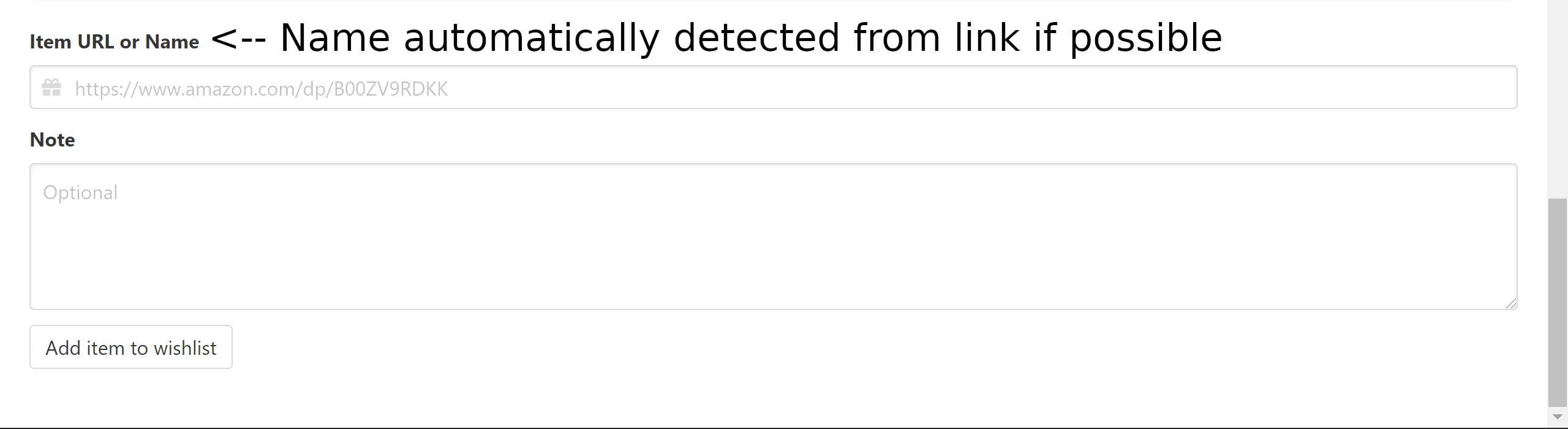
AI
I consider myself an "agentic engineer". However, some of my projects have no LLM involvement to keep my pure software skills sharp. This project was built without AI and is maintained using only human-written code. Please do not submit LLM-generated pull requests.
One exception: you may use LLMs/other ML tools to generate translations into your own language, provided you understand the results and have verified they are correct from the language perspective. No need to worry too much about the code syntax, I'll fix any JS problems once you post your translation PR.
Aside from PRs, if English isn't your native language, you may translate issue descriptions with AI translation tools.
Root URL
If you want put Christmas Community on a subdirectory, such as /christmas-community, set ROOT_URL to that path. For legacy reasons, ROOT_PATH also does this. ROOT_URL takes precedence over ROOT_PATH.
Docker
docker run --detach --name christmas-community -p 80:80 --restart always wingysam/christmas-community
Docker Compose
---
version: '3'
services:
  christmas-community:
    image: wingysam/christmas-community
    volumes:
      - ./data:/data
    ports:
      # If you want to go to localhost:8080 to access Christmas Community,
      # use - 8080:80 instead of
      - 80:80
    environment:
      # Table mode, set to 'false' to revert to box mode
      TABLE: 'true'
      # Single list mode
      # (for weddings, birthdays, etc. only the admin account's list is accessible)
      # Set to 'true' to enable
      SINGLE_LIST: 'false'
      # Some websites (like walmart) send headers that are larger than 8MB in
      # length. If issues are encountered, set the node.js limit to a higher
      # number than 8192
      #NODE_OPTIONS: "--max-http-header-size=32768"
    restart: always
Unraid
Unraid users can install Christmas Community by searching for "Christmas Community" in the Community Apps store and installing it from grtgbln's repository. Note that this is an unofficial distribution not controlled by the maintainer of Christmas Community.
Install
git clone https://github.com/wingysam/Christmas-Community
cd Christmas-Community
npm install
Configuration
Add environment variables with a .env. Example:
## Core Settings
# Where to store databases, can be a CouchDB compatible server or directory.
DB_PREFIX=dbs/
# Location of DB log file (if needed for debugging).
DB_LOG_FILE=/dev/null
# Where to send someone if they need to log in
DEFAULT_FAILURE_REDIRECT=/login
# Port to listen on
PORT=80
# Expose the internal PouchDB with CouchDB API and Fauxton browser. Mostly used for debugging. Leave empty to disable.
DB_EXPOSE_PORT=
# Proxy to send item data requests to. Leave empty to disable.
PROXY_SERVER=
# Secret string to store session cookies with. Automatically generated if not provided.
SECRET=
# How long a user is logged in (milliseconds). Defaults to one week.
SESSION_MAX_AGE=604800000
# The name of the site in the <title> and navigation bar
SITE_TITLE=Christmas Community
# Used when shared to home screen
SHORT_TITLE=Christmas
# The root URL for forms, CSS, and a small amount of JS. Useful when proxying or using SSO.
# If not using SSO, this can be a relative path.
ROOT_URL=/
# Where to trust the X-Forwarded-For header from. Defaults to "loopback". Useful for proxying to docker.
TRUST_PROXY=loopback
# Any theme from https://jenil.github.io/bulmaswatch
BULMASWATCH=default
# Set to false to disable update notices
UPDATE_CHECK=true
# Set to false to disable the profile pictures feature
PFP=true
# Language of the interface, options listed in `languages` directory
LANGUAGE=en-US
# Password to enter guest mode,
# e.g. https://wishes.example.com?pw=ReplaceWithYourGuestPassword
# GUEST_PASSWORD=ReplaceWithYourGuestPassword

## Wishlist Settings
# Set to true to not allow users to have their own lists. You may want this for a birthday or wedding.
SINGLE_LIST=false
# Set to false to allow viewing wishlists without logging in
LISTS_PUBLIC=false
# Defaults to true. Set to false for legacy cards view.
TABLE=true
# Allow Markdown in item notes. Does not work with TABLE=false. Defaults to false.
MARKDOWN=false

## Custom HTML Snippets
# These are inserted into specific locations in the relevant page
# HTML is not escaped. Don't put untrusted data here.
# CUSTOM_HTML_LOGIN=<p style="margin-top: 1em;">Some custom text for the Login page</p>
# CUSTOM_HTML_WISHLISTS=

# Custom CSS stylesheet
# If you wish to include a custom stylesheet you can add the filename in the variable here.
# Remember to add the stylesheet to the filesystem at `static/css/custom.css`. In docker, mount `/usr/src/app/src/static/css/custom.css`.
# CUSTOM_CSS=custom.css

## Google Client Details
# You can configure single sign-on to your Christmas Community instance using Google accounts. Read this guide for details of what to configure on the Google side: https://developers.google.com/identity/openid-connect/openid-connect
# Once you've created a client ID and secret in your Google project use the below environment variables to enable SSO

# GOOGLE_CLIENT_ID=
# GOOGLE_CLIENT_SECRET=

## OIDC Provider Details
# You can configure single sign-on to your Christmas Community instance using any OIDC provider.
# Once you've created a client ID and secret in your authentication provider use the below environment variables to enable single sign on.
# The values specified below are the defaults
# OIDC_CLIENT_ID=
# OIDC_CLIENT_SECRET=
# OIDC_AUTHORIZATION_URL=https://accounts.google.com/o/oauth2/auth
# OIDC_TOKEN_URL=https://oauth2.googleapis.com/token
# OIDC_ISSUER=https://accounts.google.com
# OIDC_PROVIDER_NAME=Google
# OIDC_AUTO_CREATE_USER=false


# Profile picture upload max size in MB
UPLOAD_PFP_MAX_SIZE=5
Default Profile Pictures
To replace the default snowman profile pictures, replace the files in static/img/default-pfps. In docker, mount /usr/src/app/src/static/img/default-pfps.
Startup
npm start
Setup
Visit / on the HTTP server to add an admin account.
Adding Sites
Christmas Community gets data about products automatically with Wingysam/get-product-data. Please submit pull requests for new sites or fixes for changes to existing sites!
Groups
Christmas Community does not yet support having multiple families in one instance. This is a planned feature that will, for example, allow you to have one group for your mom's side of the family and one group for your dad's side of the family, where both groups can access your wishlist but not each others' wishlists. A fork of Christmas Community that has this feature does exist, but most likely will not receive all new features added to the main project. It was not merged into this project because the architecture of Christmas Community prevented implementing it in a maintainable way before some refactoring is done.
About Developer
Hi, I'm Wingy. I made this app. My website is samwing.dev. Please hire me.

Collaborators

Wingysam |
Contributors


Categories
Download Statistics
Total Downloads Over Time
Related apps
Explore more like this
Explore allDetails
wingysam/christmas-community:latestRuntime arguments
- Web UI
http://[IP]:[PORT:80]/- Network
bridge- Privileged
- false
Template configuration
Container Port: 80
- Target
- 80
- Default
- 8080
- Value
- 8080
Allow viewing wishlists without logging in
- Target
- LISTS_PUBLIC
- Default
- false|true
Limit to only one list (only the admin account's list). Useful for weddings, birthdays, etc.
- Target
- SINGLE_LIST
- Default
- false|true
true - Use table layout, false - use legacy card layout
- Target
- TABLE
- Default
- true|false
Title of the site, displayed on page and navigation bar
- Target
- SITE_TITLE
- Default
- Christmas Community
- Value
- Christmas Community
Short title of the site, used when shared to home screen
- Target
- SHORT_TITLE
- Default
- Christmas
- Value
- Christmas
Allow markdown in notes. Does not work when Table Mode is disabled.
- Target
- MARKDOWN
- Default
- true|false
Check for updates and show a notice if an update is available.
- Target
- UPDATE_CHECK
- Default
- true|false
Enable profile pictures.
- Target
- PFP
- Default
- true|false
Bulmaswatch theme to use: https://jenil.github.io/bulmaswatch.
- Target
- BULMASWATCH
- Default
- default
- Value
- default
- Target
- /data
- Default
- /mnt/user/appdata/christmas_community/data
- Value
- /mnt/user/appdata/christmas_community/data
Internal (in container) database location
- Target
- DB_PREFIX
- Default
- /data/dbs
- Value
- /data/dbs
Port to run the web server on. Not recommended to change.
- Target
- PORT
- Default
- 80
- Value
- 80
Expose internal PouchDB port. Mostly for debugging. Leave empty to disable.
- Target
- DB_EXPOSE_PORT
Proxy server to use for requests. Leave empty to disable.
- Target
- PROXY_SERVER
Secret to use for session cookies. Leave empty to generate a random secret.
- Target
- SECRET
Max age of session cookies in milliseconds.
- Target
- MAX_AGE
- Default
- 604800000
- Value
- 604800000
Root path to serve the site from. Useful for proxying.
- Target
- ROOT_PATH
- Default
- /
- Value
- /
Redirect to this page after a login failure.
- Target
- DEFAULT_FAILURE_REDIRECT
Trust the X-Forwarded-For header from this source. Set to 'loopback' to trust all.
- Target
- TRUST_PROXY
- Default
- loopback
- Value
- loopback
Amazon Smile has been discontinued, set this to false to avoid potential issues.
- Target
- SMILE
- Default
- false|true
Language to use.
- Target
- LANGUAGE
- Default
- en-US
- Value
- en-US