

Carvey
Docker app from Larv's Repository
Carvey is a self-hosted, local-first car maintenance tracker for managing vehicles, repairs, maintenance, MOTs, reminders and costs.
Overview
Readme
View on GitHub

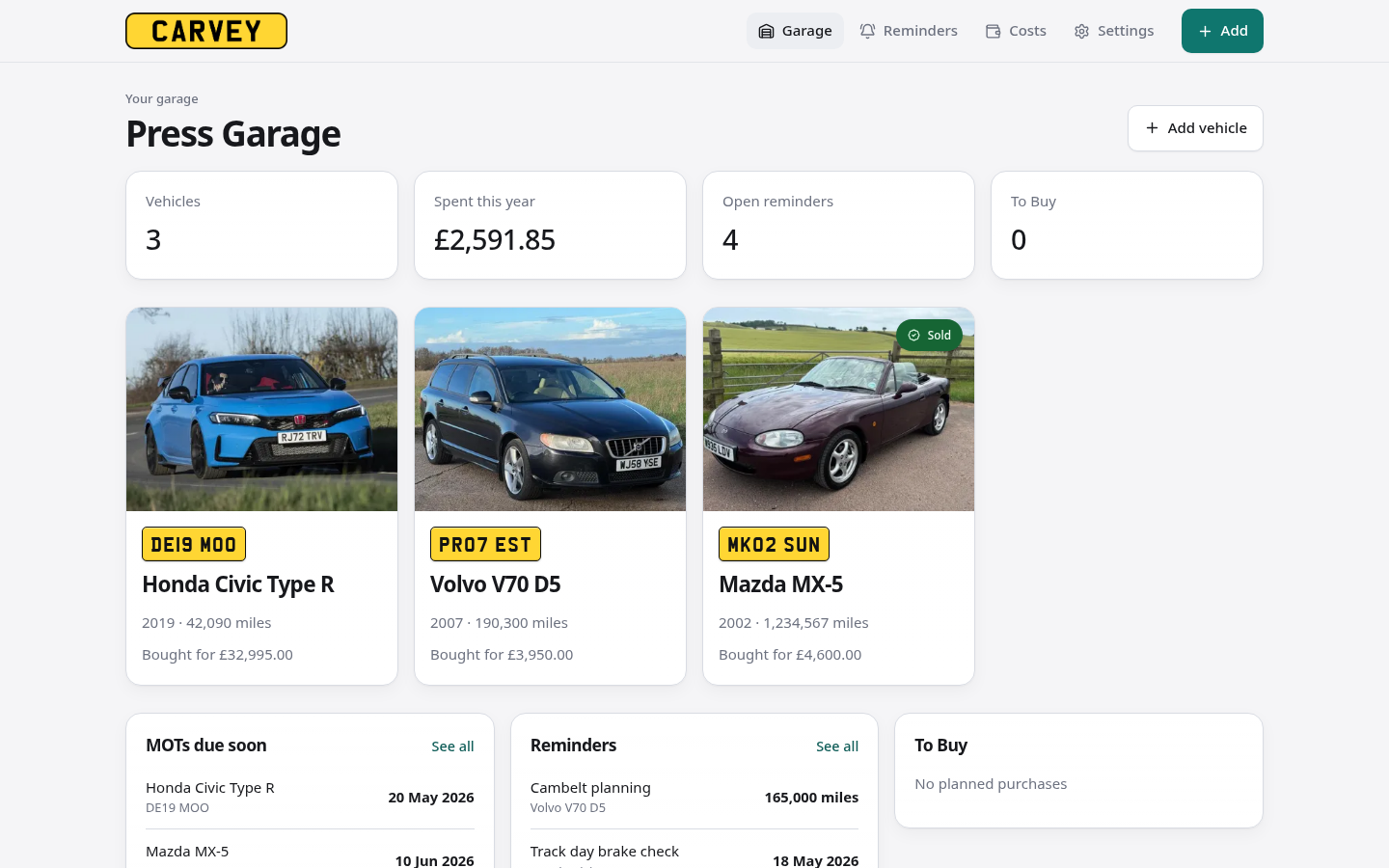
Carvey is a self-hosted car maintenance tracker. It keeps the service history, MOTs, reminders, receipts and running costs for every car you own in one place. No accounts, no cloud: one SQLite database and an uploads folder.
Screenshots
Desktop
Mobile
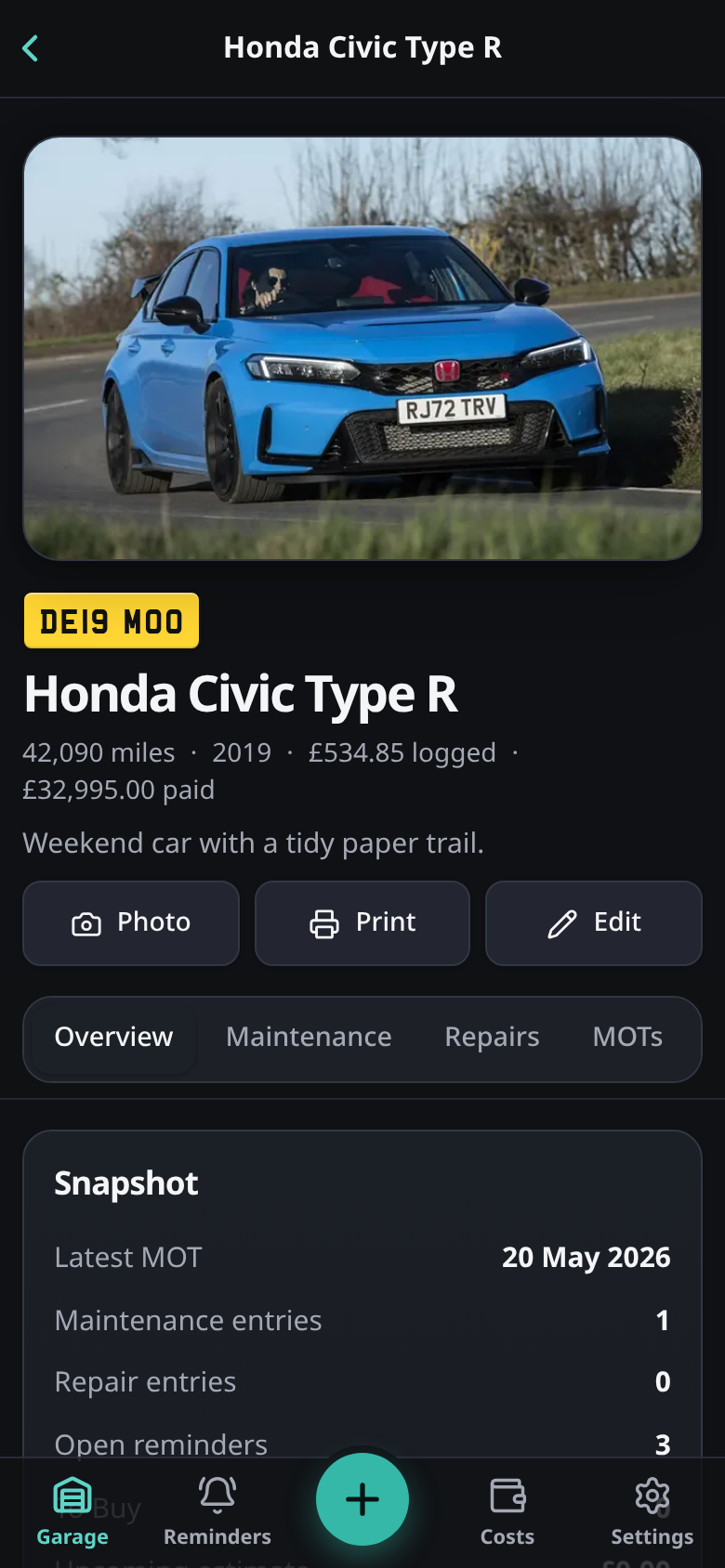
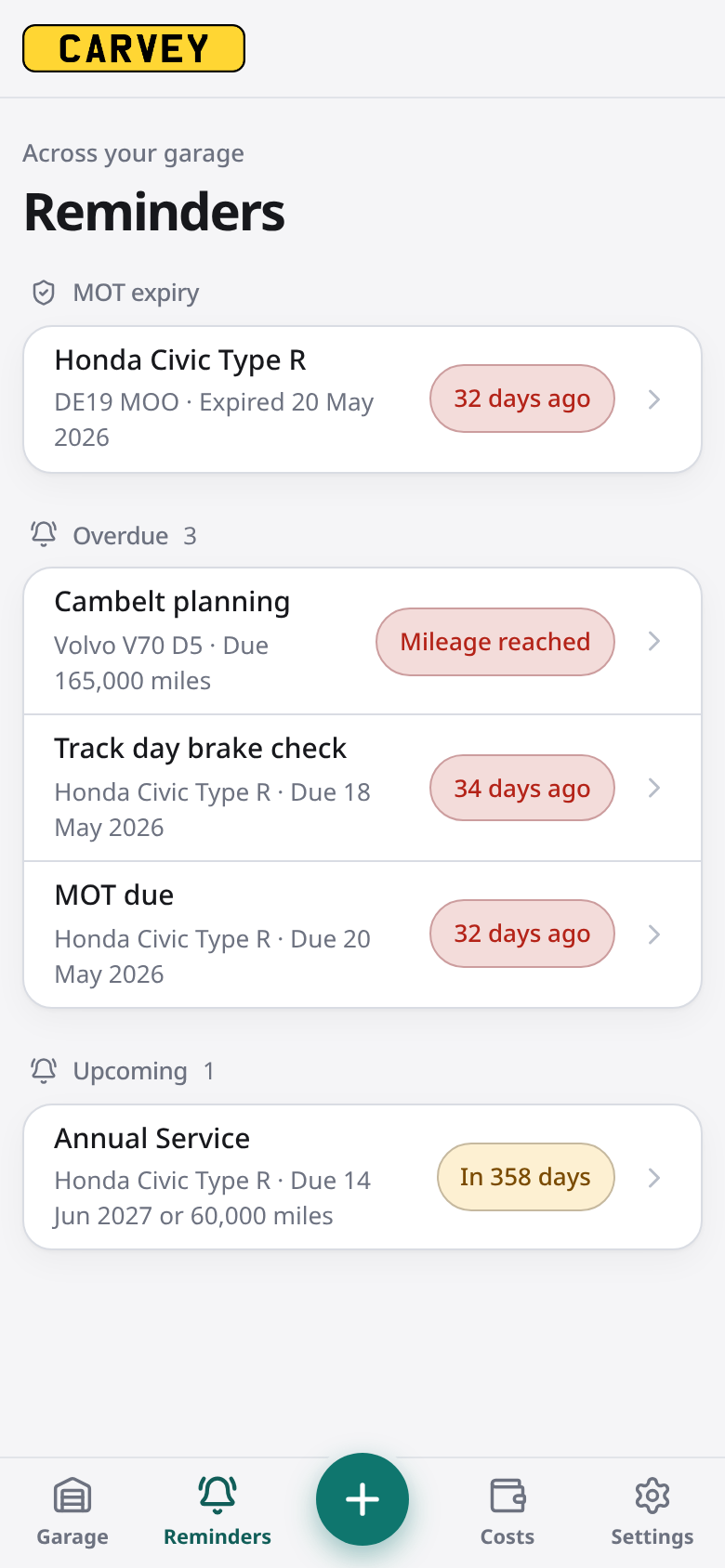
Features
Garage
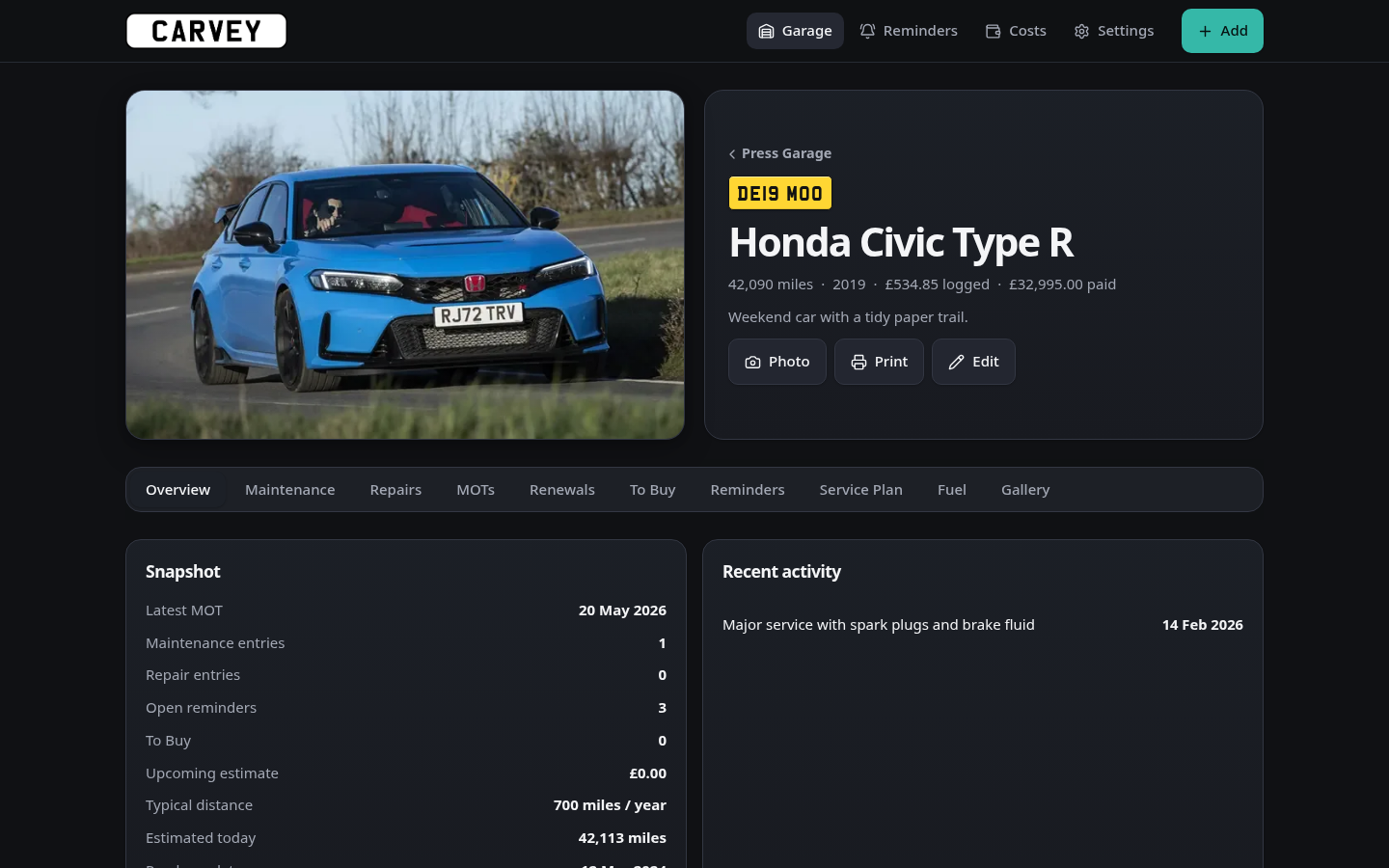
- Any number of vehicles, each with a photo, plate, mileage, purchase details and notes
- Garage overview: spend this year, open reminders, MOTs due soon and items to buy
- Mark vehicles as sold
Per vehicle
- Maintenance and Repairs: date, mileage, cost, category, garage/workshop and notes
- MOTs: result, expiry and cost. Logging an MOT resets the MOT reminder
- Renewals: insurance, road tax, warranty and breakdown cover, with provider, policy number, dates, cost and documents. Each type keeps a reminder on its renewal date
- Fuel: fill-ups with volume, cost and odometer
- Reminders: by date, mileage or both, with optional repeats. Mileage-only reminders get an estimated due date from how far the car is driven
- Service Plan: reusable intervals (e.g. oil every 12 months / 6,000 miles) linked to reminders
- To Buy: planned parts, which convert into a maintenance or repair entry when bought
- Gallery and attachments: receipts, invoices and photos (PDF or image) on any record
- Printable full service history
Across the garage
- Reminders page: MOT expiry, renewals and every open reminder, grouped by overdue and upcoming
- Notifications: a daily summary of what's coming up or due, sent to ntfy, Gotify, Apprise (email, Telegram, Slack and more), Discord or any webhook
- Calendar feed: subscribe from Google, Apple or Outlook calendars to see reminders as all-day events
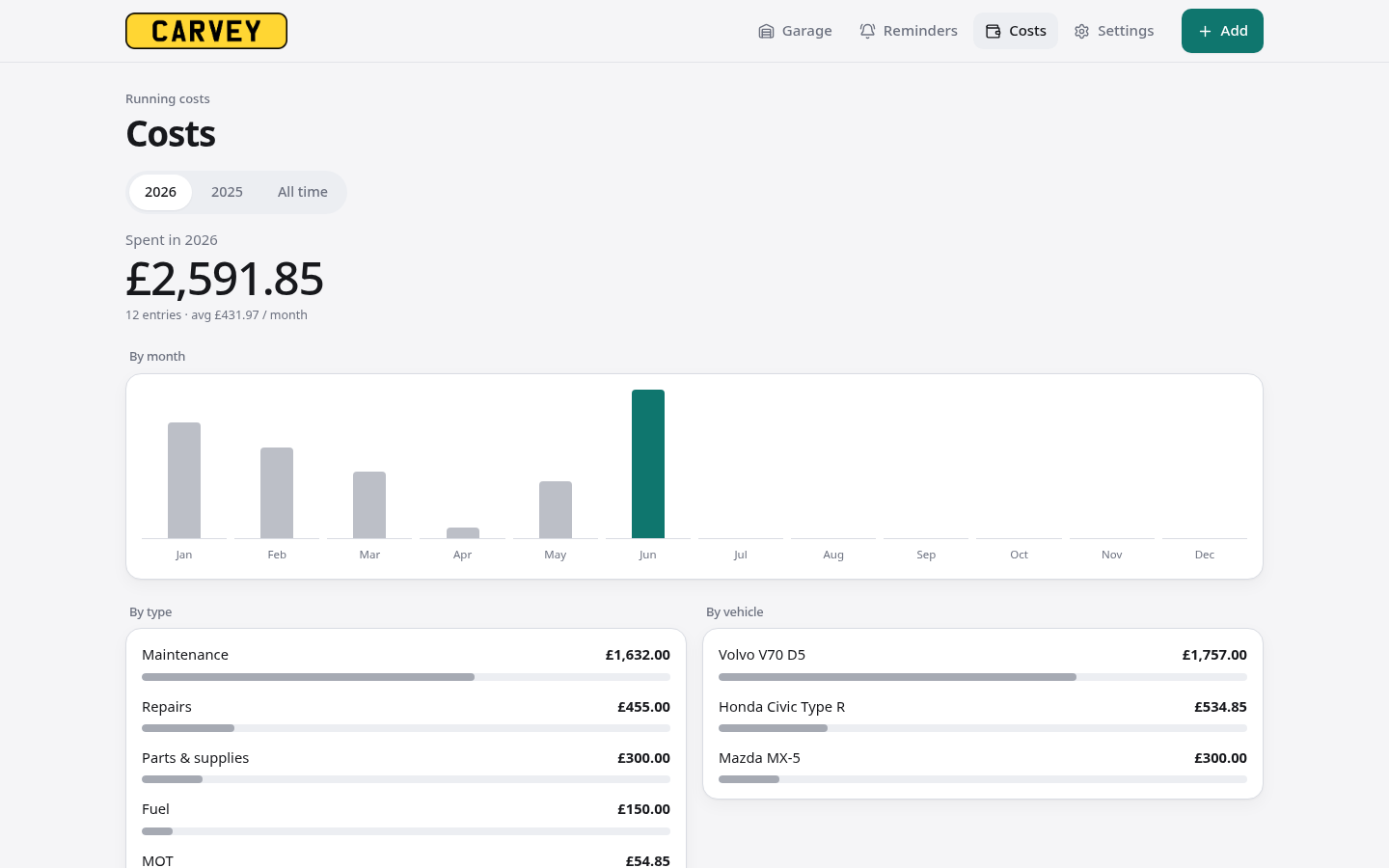
- Costs page: spend by month, type and vehicle, per year or all time
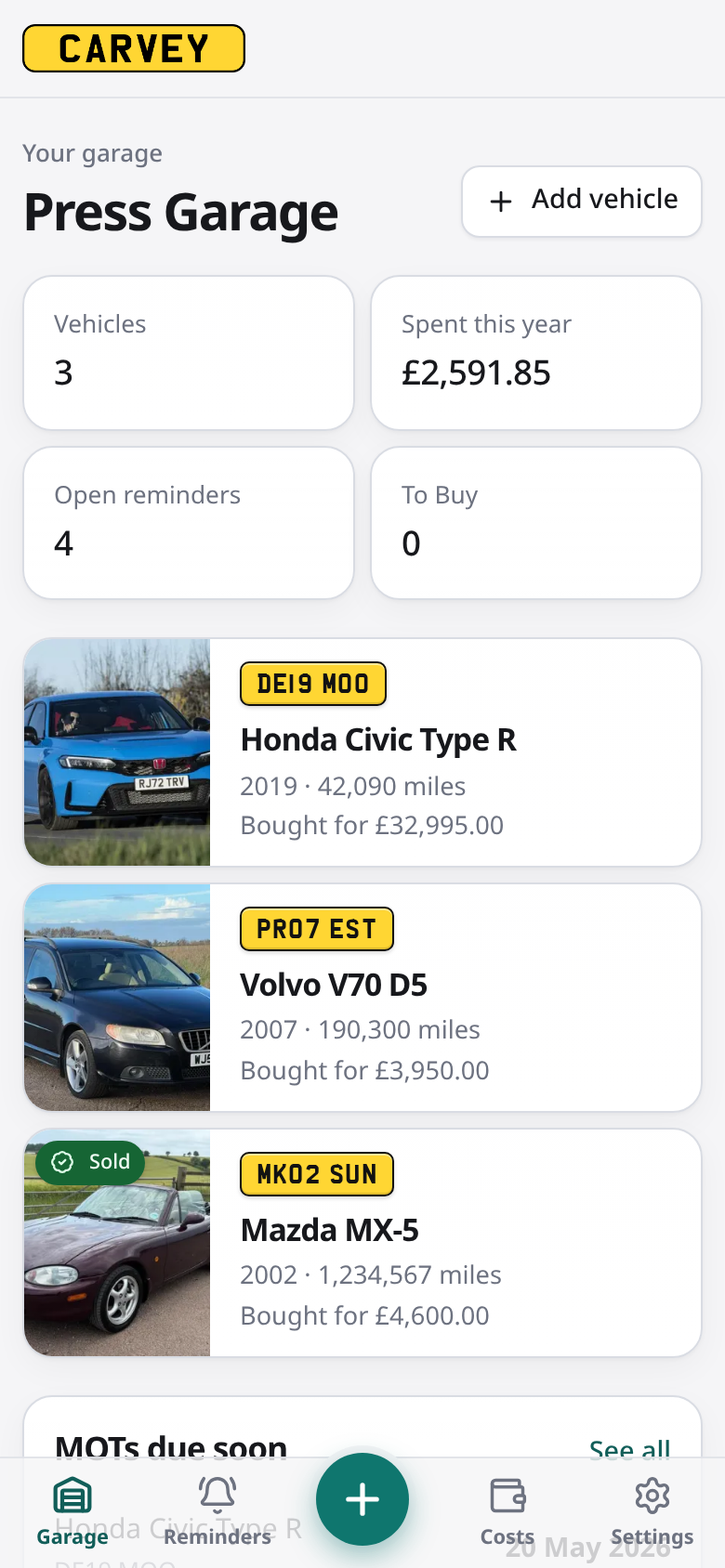
- Quick add: log anything for any vehicle from the bottom bar (mobile) or Add button (desktop)
App
- Installable as a PWA, with mobile tab navigation and bottom-sheet forms
- Light and dark mode, ten colour palettes, rounded or boxy shapes
- One-click backup and restore (database and uploads in one zip, with a preview before restore)
- Automatic nightly backups to
data/backups/(keeps the newest 3 by default) - CSV export (per record type or everything as a zip) and CSV import with column matching, duplicate detection and a preview before saving
- Sign-in with optional two-factor authentication (authenticator app + recovery codes), a signed-in devices list, and a reverse-proxy mode for Authelia, Authentik and similar
Regional settings
Settings → Regional. Defaults are UK.
| Setting | Options |
|---|---|
| Currency | Any ISO 4217 currency |
| Distance | Miles · Kilometres |
| Fuel volume | Litres · Gallons |
| Date format | DD Mon YYYY · ISO 8601 |
| Plate colour | Yellow (rear) · White (front) |
| Annual test | MOT · Inspection · Custom name · Disabled |
Quick start
Docker Compose
docker compose up -d
Open http://localhost:3000 and create your admin account. Data is stored in ./data.
Local development (Node 24+)
npm install
CARVEY_DATA_DIR=./data npm run dev
To open the dev server from another device (a phone on your LAN), list its address: CARVEY_DEV_ORIGINS=192.168.1.20 npm run dev.
Environment variables
| Variable | Purpose |
|---|---|
CARVEY_DATA_DIR |
Where the database and uploads are stored (/app/data in Docker) |
TZ |
Time zone, e.g. Europe/London |
CARVEY_RESET_PASSWORD |
Resets the admin password on startup (see below) |
CARVEY_AUTH_MODE |
password (default), proxy or none. Overrides the sign-in toggle in Settings (see Sign-in and reverse proxies) |
CARVEY_PROXY_SECRET |
Shared secret your proxy sends in proxy mode (16+ characters) |
CARVEY_PROXY_SECRET_HEADER |
Header carrying the secret. Default X-Carvey-Proxy-Secret |
CARVEY_PROXY_USER_HEADER |
Optional. Header with the signed-in user from your proxy, e.g. Remote-User. When set, requests without it are refused |
CARVEY_ALLOWED_ORIGINS |
Extra origins allowed to post to Carvey, comma-separated. Only needed if your proxy rewrites the Host header without setting X-Forwarded-Host |
CARVEY_TRUSTED_PROXY_HOPS |
How many proxies sit in front of Carvey (default 1). Used to read the real client address from X-Forwarded-For for sign-in rate limits. 0 ignores the header (no proxy) |
CARVEY_SECURE_COOKIES |
true or false to force the session cookie's Secure flag. Default: on when the request arrived over HTTPS |
CARVEY_RESET_2FA |
Set to true to turn off two-factor on startup (see below) |
CARVEY_MAX_RESTORE_MB |
Largest backup file you can restore from the browser, in MB (default 256). The file is held in memory while it uploads, so leave headroom in the container's memory limit |
CARVEY_DISABLE_SCHEDULER |
Set to true to stop the built-in scheduler: the daily notification check, nightly backups and data-folder clean-up (for example, when running several replicas) |
Notifications and calendar
Settings → Notifications. Pick a service, paste its URL, then press Send test. Once a day, after the hour you choose (in the container's TZ), Carvey sends one summary of reminders that are due or coming up within your warning window. Each reminder is announced once when it's coming up and once when it falls due.
| Service | URL to enter |
|---|---|
| ntfy | The full topic URL, e.g. https://ntfy.sh/my-private-topic. Add a token for protected topics |
| Gotify | The server URL. Put the application token in Token |
| Apprise API | The notify endpoint, e.g. http://apprise:8000/notify/carvey. Covers email, Telegram, Slack, Pushover and more |
| Discord | The channel webhook URL |
| Webhook | Any URL. Carvey POSTs JSON with title, body and an items array |
Calendar feed: select Create calendar link and subscribe to it from your calendar app. The link works without a login, so treat it like a password; Reset link invalidates the old one.
Backups
Settings → Backup & Restore. Download backup gives you a zip of the database and every photo and document. Every night after 03:00 Carvey also saves one to the backups folder in its data directory and keeps the newest 3 (change it, or turn it off, on the same page). Those files sit on the same disk as the data, so copy the folder elsewhere with your usual backup tool. Any of them can be restored from the same page.
Carvey also tidies its data folder daily: unfinished restore previews and imports older than a day are removed, and only the 3 most recent pre-restore snapshots (restore-rollback/) are kept.
Importing from CSV
Settings → Import & Export. Choose what the file contains (maintenance, repairs, MOTs, fuel or renewals) and which vehicle it's for, or match rows by a registration column. Headers are matched by name, and common alternatives such as mileage, price or litres work. Dates can be ISO, day-first or month-first. A preview shows the columns used, the rows that will be skipped and why, and any rows already in Carvey, before anything is saved. Files exported from Carvey import back unchanged.
Sign-in and reverse proxies
Password (default). Sign in with your username and password. Turn on two-factor in Settings → Admin: scan the QR code with any authenticator app, then save the 10 recovery codes it gives you. Each recovery code works once.
Failed sign-ins are rate limited (5 per 15 minutes from one client, 25 per 15 minutes for the account). Browsers you've signed in from before are remembered for a year and keep their own limit, so someone guessing your password can't lock you out of your own devices. Re-entering your password or code in Settings → Admin is limited to 5 wrong tries per 15 minutes. Sessions last 30 days. Settings → Admin lists signed-in devices and can sign them out. Changing your password, or turning two-factor on or off, signs out every other device.
Behind a reverse proxy that handles sign-in (Authelia, Authentik, Cloudflare Access, oauth2-proxy, ...). Set:
environment:
  CARVEY_AUTH_MODE: proxy
  CARVEY_PROXY_SECRET: "<long random string, e.g. from: openssl rand -hex 32>"
  CARVEY_PROXY_USER_HEADER: Remote-User   # optional: require the user header your auth provider sets
Then have the proxy add the secret to every request it forwards to Carvey:
| Proxy | Config |
|---|---|
| Traefik | headers middleware: customRequestHeaders: { X-Carvey-Proxy-Secret: "<secret>" } |
| Caddy | reverse_proxy carvey:3000 { header_up X-Carvey-Proxy-Secret "<secret>" } |
| nginx | proxy_set_header X-Carvey-Proxy-Secret "<secret>"; |
| Others | Add a custom request header with the same name and value, if your proxy supports it |
Requests through the proxy are trusted. Requests without the secret, such as someone reaching the container port directly, still get the normal password and two-factor sign-in, so a published port is no longer an open door. Keep the secret out of anything the browser can see. If you set CARVEY_PROXY_USER_HEADER, make sure your proxy overwrites that header rather than passing a client's own value through.
No sign-in (CARVEY_AUTH_MODE=none, or the old Turn sign-in off option in Settings). Anyone who can reach Carvey has full access. Existing installs that used the toggle keep working, but turning it on now needs your password (and two-factor code), and restoring a backup never changes it. Prefer proxy mode.
Password and two-factor reset
From inside the container, with no restart:
docker exec -it <container-name> node scripts/reset-password.mjs                # new password
docker exec -it <container-name> node scripts/reset-password.mjs --disable-2fa  # turn off two-factor
Or set CARVEY_RESET_PASSWORD=newpassword and/or CARVEY_RESET_2FA=true, restart, log in, then remove the variables and restart again. Every reset signs out all existing sessions.
Tech stack
Next.js · React · TypeScript · SQLite (better-sqlite3) · Sharp · Vitest
Issues and feedback
Report bugs and feature requests here.
Categories
Related apps
Explore more like this
Explore allLinks
Details
ghcr.io/revise0592/carvey:latestRuntime arguments
- Web UI
http://[IP]:[PORT:3000]- Network
bridge- Shell
sh- Privileged
- false
Template configuration
- Target
- /app/data
- Value
- /mnt/user/appdata/carvey
- Target
- 3000
- Value
- 3000
- Value
- Europe/London