
All apps · 0 apps

Carvey
Docker app from Larv's Repository
Overview
Readme
View on GitHub

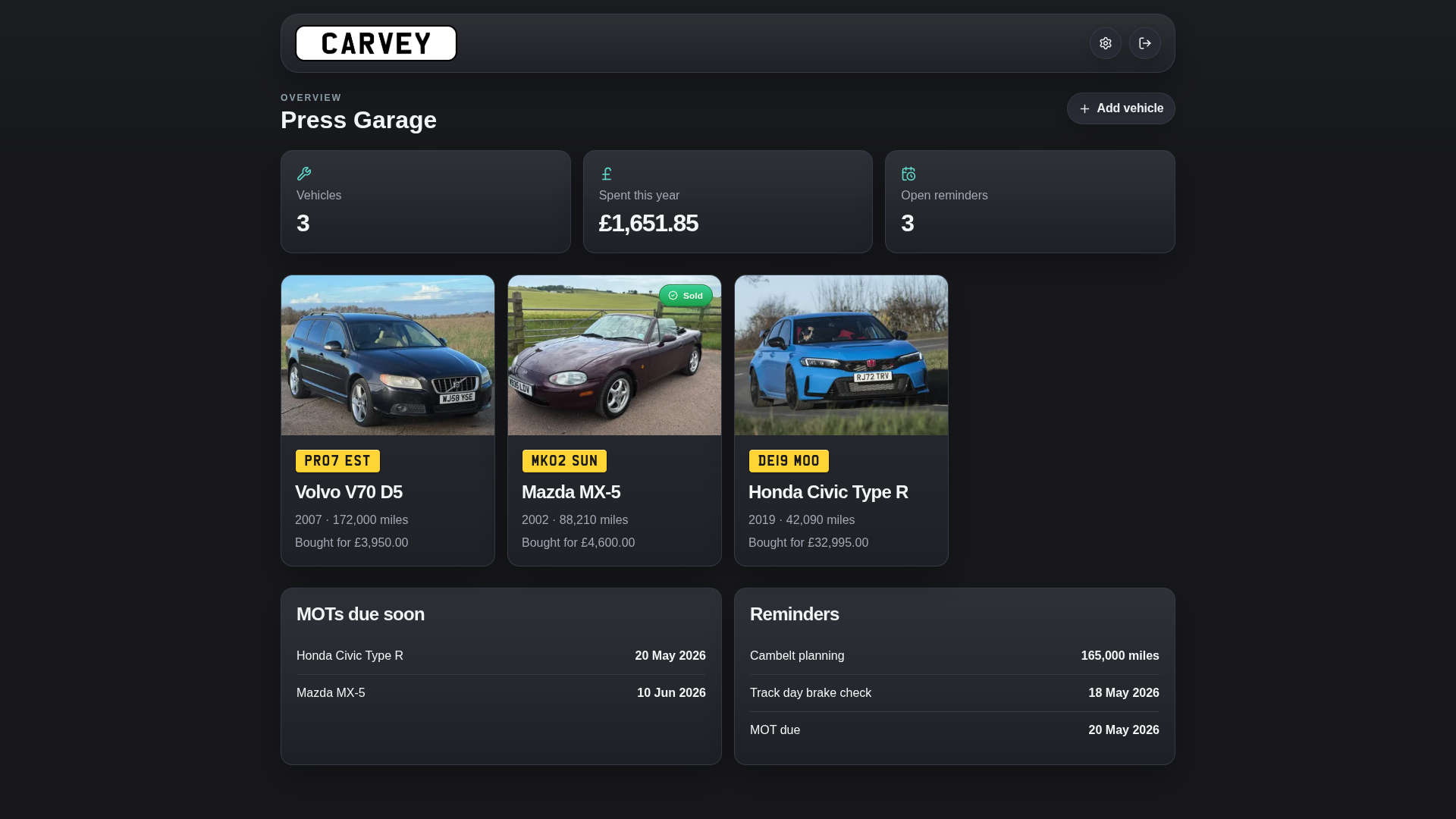
Carvey is a self-hosted, local-first car maintenance tracker for managing vehicles, repairs, maintenance, MOTs, reminders and running costs. Your "digital service history" for your older cars, or your digital backup of all that paperwork you've got stuffed in a slippery fish.
Screenshots
What It Does
- Tracks multiple vehicles in one garage
- Stores vehicle details, odometer readings, and notes
- Logs maintenance, repairs, MOTs/emissions tests, and reminders
- Attaches receipts and documents (PDF, images) to any record
- Shows a dashboard with costs, reminders, and upcoming tests
- Configurable regional settings for currency, distance, dates, and more
- Backup & restore your config / data
Regional Settings
Carvey is configurable for different regions under Settings → Regional. All options default to UK values.
| Setting | Options |
|---|---|
| Currency | GBP (£) · USD ($) · EUR (€) |
| Distance unit | Miles · Kilometres (km) |
| Date format | DD Mon YYYY · ISO 8601 (YYYY-MM-DD) |
| Plate colour | Yellow (rear) · White (front) |
| Annual vehicle test | MOT · Emissions Test · Disabled |
How It Works
- Built as a Next.js app with a server-rendered UI
- Stores data in SQLite under
/app/data - Saves uploaded vehicle images and file attachments alongside the database
- Packages the database and uploads together for backup and restore
- Authentication can be disabled for deployments behind a trusted reverse proxy
Quick Start
Local development:
npm install
npm run dev
Open http://localhost:3000.
On first run, create your admin account in the setup screen.
Example local env:
CARVEY_DATA_DIR=./data
TZ=Europe/London
Docker Compose:
docker compose up -d --build
Then open http://localhost:3000.
Password Reset
If you're locked out and can't use the Settings → Admin → Password form, there are two ways to reset the admin password.
Option 1 — CLI (no restart needed):
docker exec -it <container-name> node scripts/reset-password.mjs
You'll be prompted to enter and confirm a new password.
Option 2 — Environment variable (Docker Compose):
Add CARVEY_RESET_PASSWORD=yournewpassword to your Docker Compose environment, restart the container, log in with the new password, then remove the variable and restart again.
Tech Stack
- Next.js
- React
- TypeScript
- SQLite via
better-sqlite3 - Sharp for image processing
- Vitest for tests
Issues and Feedback
Please raise issues / bugs in the issues tab. Any feedback about features you'd like to see, raise here
Categories
Related apps
Explore more like this
Explore allLinks
Details
ghcr.io/revise0592/carvey:latestRuntime arguments
- Web UI
http://[IP]:[PORT:3000]- Network
bridge- Shell
sh- Privileged
- false
Template configuration
- Target
- /app/data
- Value
- /mnt/user/appdata/carvey
- Target
- 3000
- Value
- 3000
- Value
- Europe/London