
All apps · 0 apps

Cantinarr
Docker app from windoze95's Repository
Overview
Connect the services you use after setup. The web app runs in the same container, and the companion iPhone and Android apps connect to your server. Plex, Jellyfin, Emby, Audiobookshelf, Tautulli, and Tracearr integrations are available. Import Doctor explains common download problems and offers fixes for an administrator to review.
AI is optional. Connect a provider if you want an assistant for library questions and requests or an agent that investigates persistent download problems. Administrators choose what it may do. Cantinarr also offers MCP tools for authorized clients.
The container serves its web app and API on port 8585. Service credentials stay server-side and are encrypted at rest. Sign-in uses connect links by default, with passwords and passkeys available when enabled.
Readme
View on GitHub

Cantinarr
Self-hosted media requests and server management.






Website · Documentation · Live demo
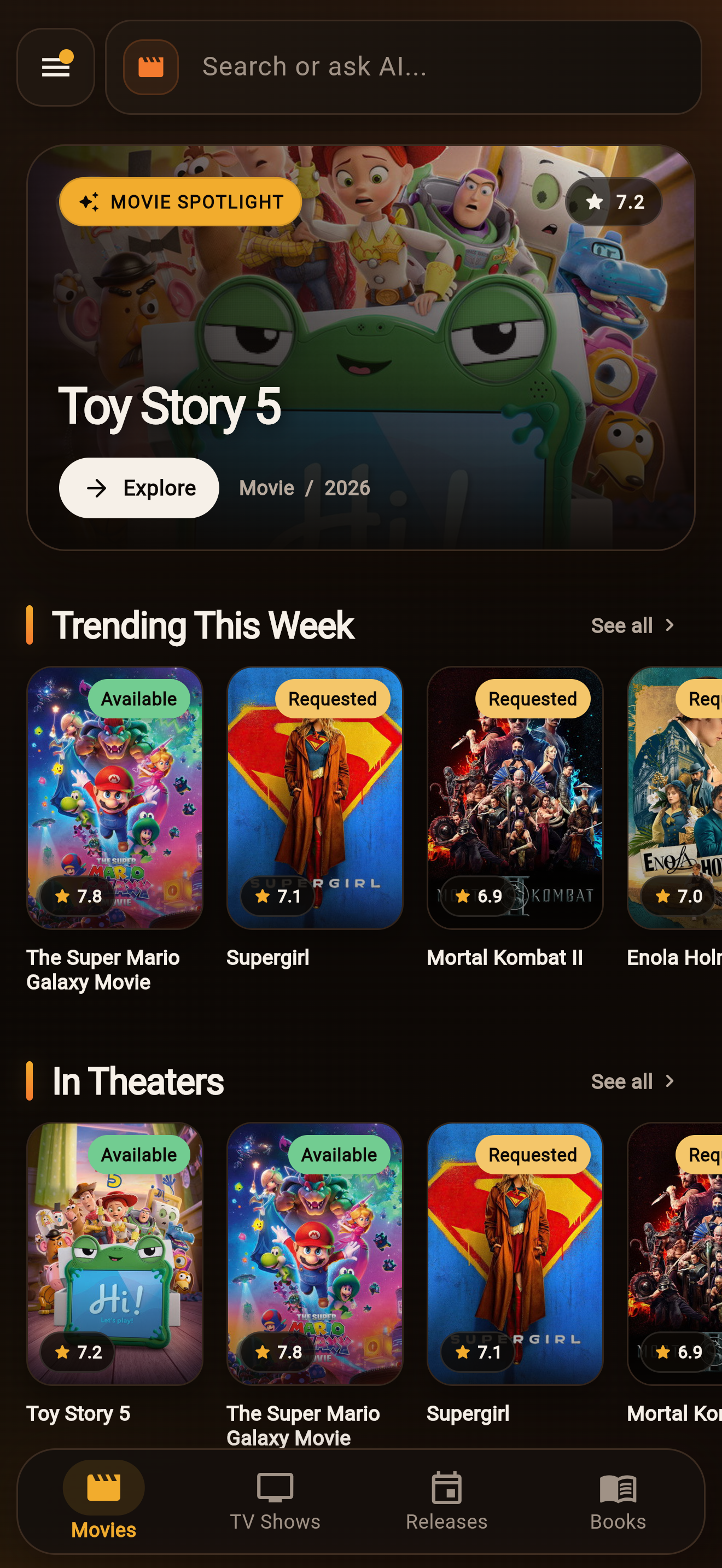
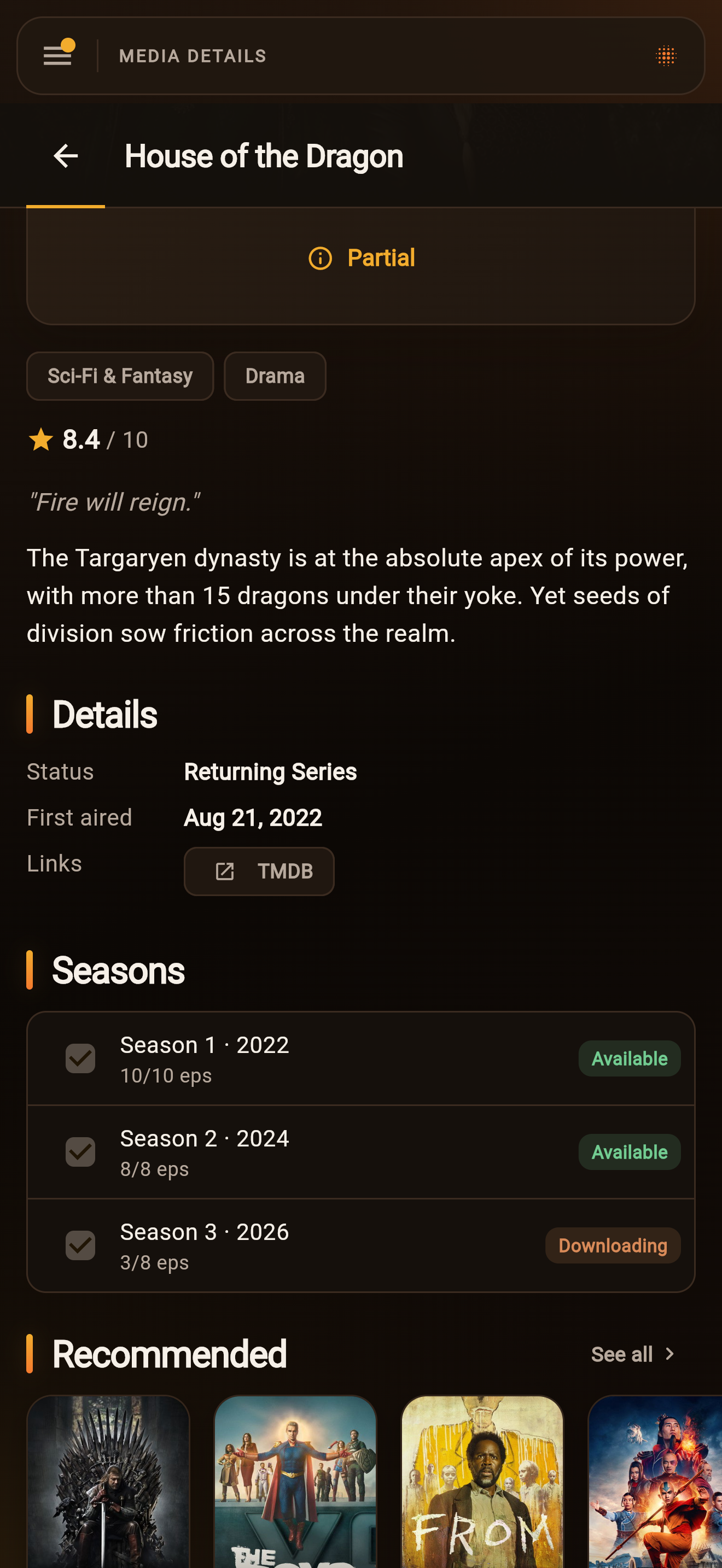
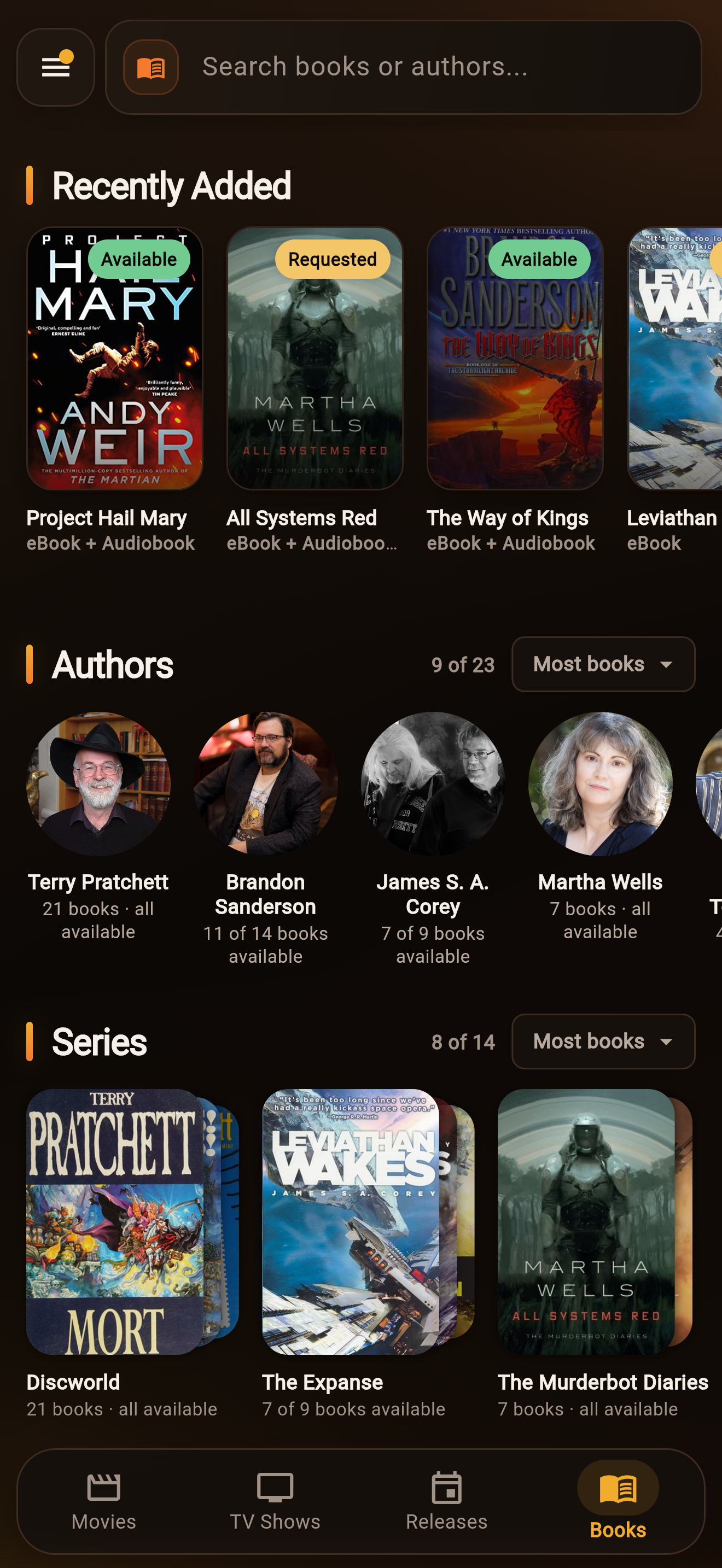
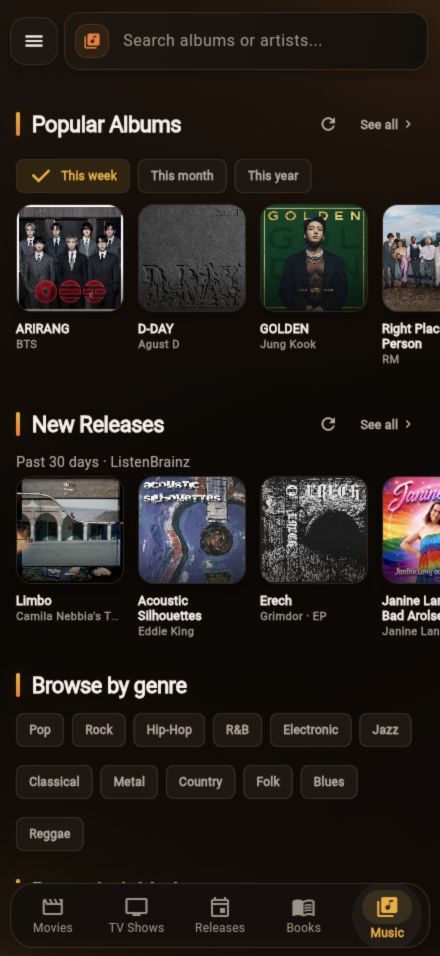
Cantinarr lets your household and friends browse and request movies, TV shows, ebooks, audiobooks, and music. Administrators manage requests, libraries, and download clients from the same app. It connects to Radarr, Sonarr, Chaptarr, Lidarr, and more.
Preview
Features
- Movie, season, ebook, audiobook, and album requests with approvals and per-user limits.
- Live availability, download progress, and Discord or push (free for the foreseeable future) notifications.
- Library and download queue management across multiple service instances.
- Plex, Jellyfin, Emby, and Audiobookshelf account access and playback links.
- Connect links, passkeys, Plex sign-in, and OpenID Connect.
- Kids accounts with movie and TV rating limits.
- An optional AI agent for finding media, making requests, and admin troubleshooting, plus supervised repairs for persistent download problems.
- An MCP server and a Seerr-compatible API for external tools.
Getting started
Run the server with Docker, Unraid, or a Linux binary, then follow the setup guide to connect your services and invite your household.
The web app is included. Mobile apps connect to your server and are available in beta:
- iPhone and iPad: TestFlight
- Android: Google Play
Documentation
- Using Cantinarr
- Configuration and integrations
- Troubleshooting
- API reference and building from source
Community
Join Discord for help and discussion. Report bugs on GitHub or suggest and vote on features on the roadmap.
Pull requests are welcome. See the contributor guide and repository instructions. You can support development through GitHub Sponsors.
License
AGPL-3.0. Copyright (c) 2026 Julian Dice.
This product uses the TMDB API but is not endorsed or certified by TMDB.
Media gallery
1 / 7Install Cantinarr on Unraid in a few clicks.
Find Cantinarr in Community Apps on your Unraid server, review the template, and click Install. Unraid handles the Docker app or plugin setup from the published template.
Requirements
Related apps
Explore more like this
Explore allDetails
ghcr.io/windoze95/cantinarr:latestRuntime arguments
- Web UI
http://[IP]:[PORT:8585]/- Network
bridge- Shell
sh- Privileged
- false
Template configuration
Port for the Cantinarr web app and API. The container always listens on 8585; change only the host side if something else already uses it.
- Target
- 8585
- Default
- 8585
- Value
- 8585
Cantinarr's database and its generated encryption key. Instance API keys, download-client passwords, and AI credentials are AES-256-GCM encrypted with that key, so back up this folder and keep it out of public shares.
- Target
- /config
- Default
- /mnt/user/appdata/cantinarr
- Value
- /mnt/user/appdata/cantinarr
Enables push notifications to the iOS and Android apps. Leave it set and the server enrolls itself on first start and stores its own key in the appdata volume, with no signup and no account. Clear the field to disable push entirely, or point it at your own gateway. The relay's former address, https://push.julian.codes, still works and is rewritten to the new one by current images.
- Target
- CANTINARR_PUSH_GATEWAY_URL
- Default
- https://push.cantinarr.com
- Value
- https://push.cantinarr.com
Origin your Radarr, Sonarr, and Chaptarr containers POST webhooks back to, so it has to be reachable from those containers. For example http://192.168.1.10:8585, or http://cantinarr:8585 on a shared Docker network. Leave blank to use whatever address you browse to. Set it explicitly behind a reverse proxy, because forwarded headers are deliberately ignored. This is not the address people reach Cantinarr at; set that in the app under Settings, External Address. Formerly named CANTINARR_PUBLIC_URL, which existing containers can keep using.
- Target
- CANTINARR_ARR_CALLBACK_URL
Only needed if you want signed-in users to download completed files (ebooks, audiobooks, movies, episodes, tracks) from your library. Map the share holding that library here, then set Media roots below to /media. Leave blank to keep file downloads off.
- Target
- /media
Comma-separated container paths that completed-media downloads may serve from. Empty keeps downloads disabled. After mapping the read-only library above, set this to /media, then map each arr-reported path to a folder beneath it in that instance's settings. A bare / is refused.
- Target
- CANTINARR_MEDIA_ROOTS
Only needed if you expose Cantinarr's Model Context Protocol endpoint to external AI clients through a reverse proxy. Set it to the canonical external HTTPS origin, for example https://cantinarr.example.com, and keep it stable, because changing it makes existing MCP clients reconnect.
- Target
- CANTINARR_OAUTH_ISSUER
User id the server runs as. On every start the container makes the appdata folder belong to this user, so its database and encryption key are owned by that user on the array (99 is Unraid's nobody). Leave blank to run as root, the previous behaviour.
- Default
- 99
- Value
- 99
Group id to pair with PUID (100 is Unraid's users group). Ignored when PUID is blank.
- Default
- 100
- Value
- 100