
All apps · 0 apps

Bragibooks
Docker app from grtgbln's Repository
Overview
Readme
View on GitHub

Bragibooks










An audiobook library cleanup & management app, written as a frontend for web use of m4b-merge.
📝 Table of Contents
🧐 About
Bragi - (god of poetry in Norse mythology): Bragibooks provides a minimal and straightforward webserver that you can run remotely or locally on your server. Since Bragibooks runs in a docker, you no longer need to install dependencies on whichever OS you are on. You can
Some basics of what Bragi does:
- Merge multiple files
- Convert mp3(s)
- Cleanup existing data on an m4b file
- More features on m4b-merge's help page
Screens
| Folder/file selection | ASIN input |
|---|---|
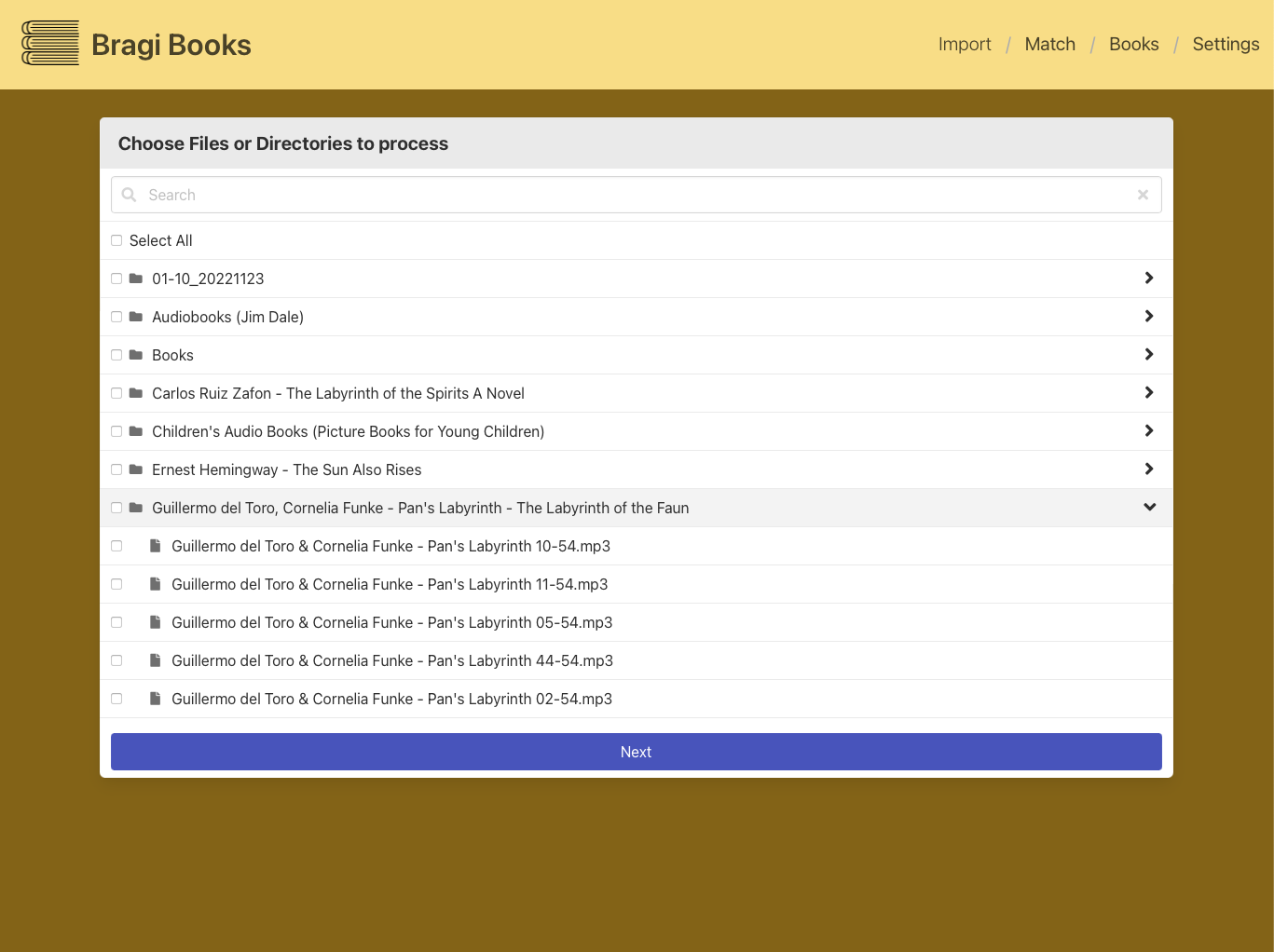 |
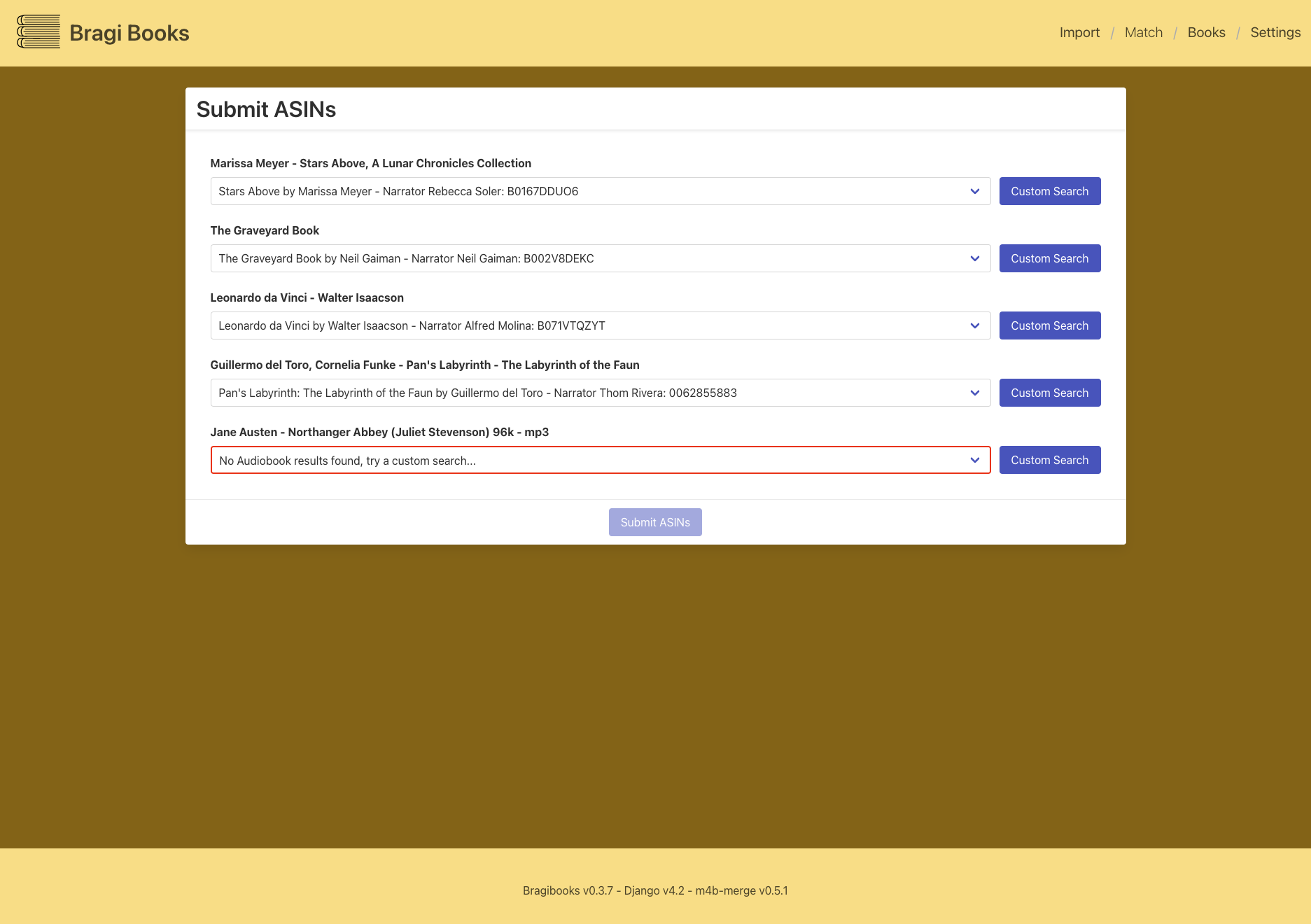 |
| Folder/file selection | Post-proccess overview |
|---|---|
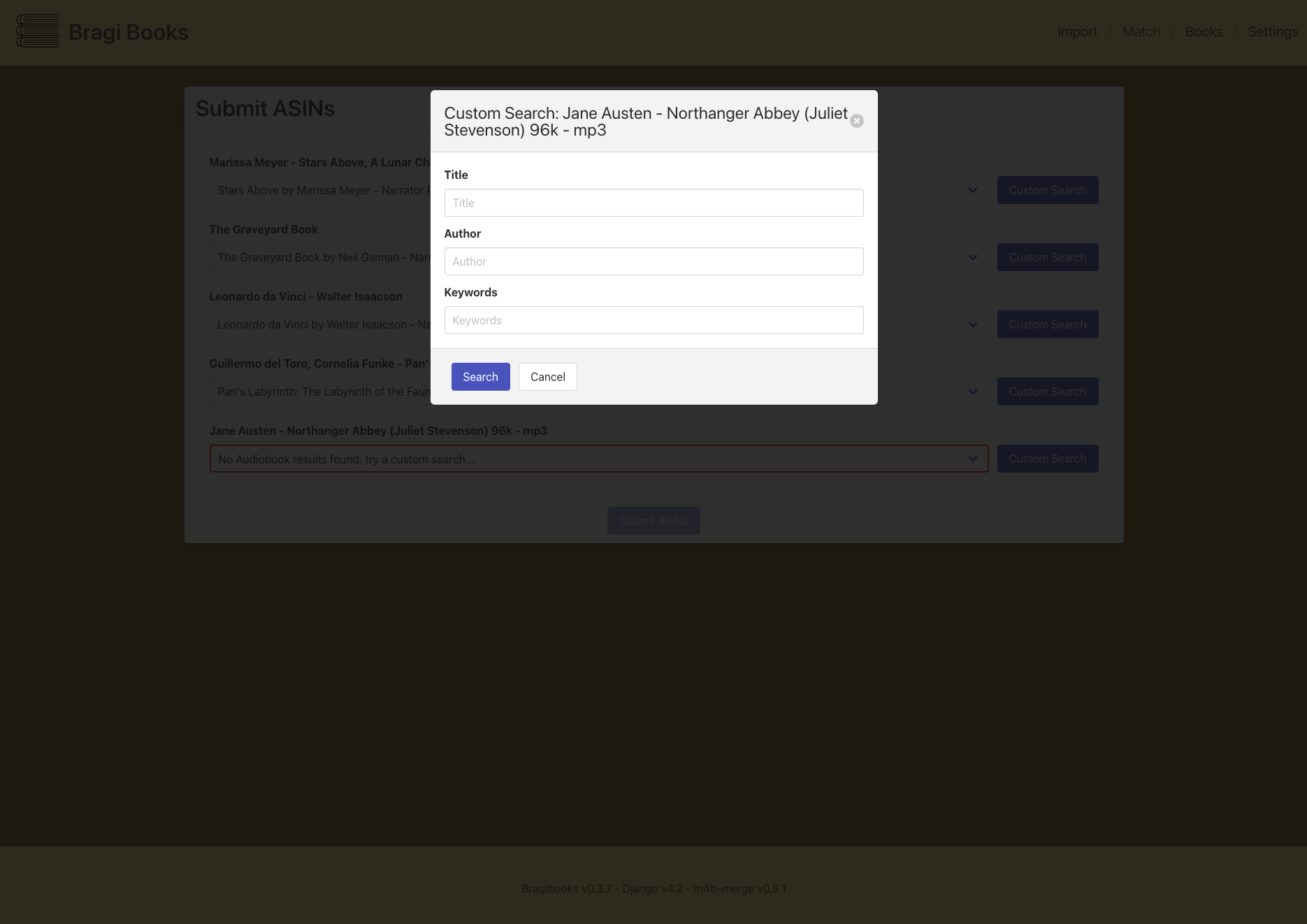 |
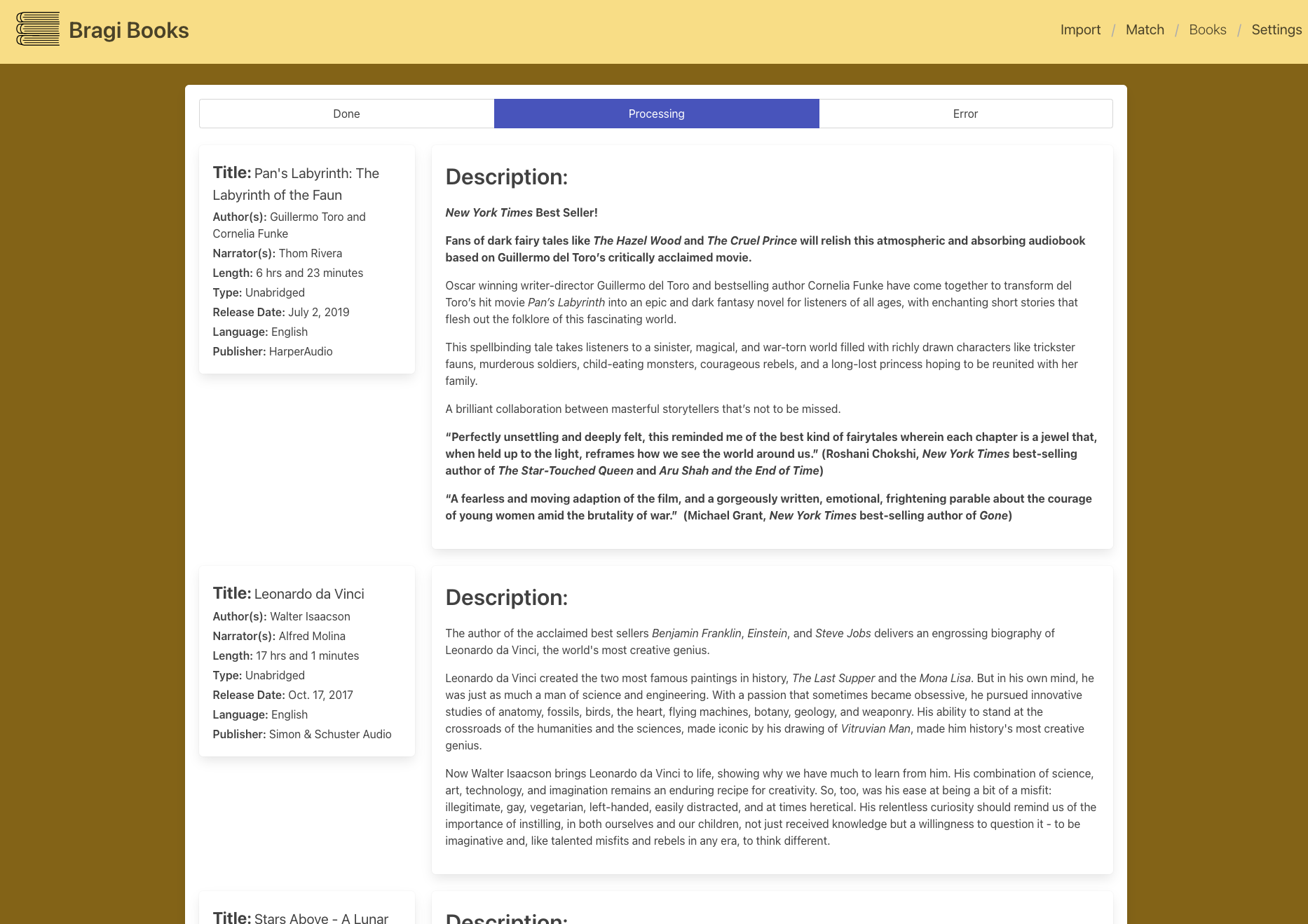 |
🏁 Getting Started
You can either install this project directly or run it prepackaged in Docker.
Prerequisites
Docker
- All prerequisites are included in the image.
Direct (Gunicorn)
- You'll need to install m4b-tool and it's dependants from the project's readme
- Run
pip install -r requirements.txtfrom this project's directory.
Installing
Docker
To run Bragibooks as a container, you need to pass some paramaters in the run command:
| Parameter | Function |
|---|---|
-v /path/to/input:/input |
Input folder |
-v /path/to/output:/output |
Output folder |
-v /appdata/bragibooks/config:/config |
Persistent config storage |
-p 8000:8000/tcp |
Port for your browser to use |
-e LOG_LEVEL=WARNING |
Choose any logging level |
-e DEBUG=False |
Turn django debug on or off (default False) |
-e UID=99 |
User ID to run the container as (default 99) |
-e GID=100 |
Group ID to run the container as (default 100) |
-e CELERY_WORKERS=1 |
The number or celery workers for processing books (default 1) |
-e CSRF_TRUSTED_ORIGINS=https://bragibooks.mydomain.com |
Domains to trust if bragibooks is hosted behind a reverse proxy. |
Which all together should look like:
docker run --rm -d --name bragibooks -v /path/to/input:/input -v /path/to/output:/output -v /appdata/bragibooks/config:/config -p 8000:8000/tcp -e LOG_LEVEL=WARNING ghcr.io/djdembeck/bragibooks:main
Docker Compose
version: '3'

services:
  bragi:
    image: ghcr.io/djdembeck/bragibooks:main
    container_name: bragibooks
    environment:
      - CSRF_TRUSTED_ORIGINS=https://bragibooks.mydomain.com
      - LOG_LEVEL=INFO
      - DEBUG=False
      - UID=1000
      - GID=1000
    volumes:
      - path/to/config:/config
      - path/to/input:/input
      - path/to/output/output:/output
      - path/to/done:/done
    ports:
      - 8000:8000
    restart: unless-stopped
Direct Build (Gunicorn)
- Copy static assets to project folder:
python manage.py collectstatic - Create the database:
python manage.py migrate - Run the celery worker for processing books:
celery -A bragibooks_proj worker \ --loglevel=info \ --concurrency 1 \ -E - Run the web server:
gunicorn bragibooks_proj.wsgi \
--bind 0.0.0.0:8000 \
--timeout 1200 \
--worker-tmp-dir /dev/shm \
--workers=2 \
--threads=4 \
--worker-class=gthread \
--reload \
--enable-stdio-inheritance
🎈 Usage
The Bragibooks process is a linear, 3 step process:
- Select input - Use the file multi-select box to choose which books to process this session, and click next.
- Submit ASINs - Bragi will auto search for the audiobook data on Audible.com (US only). If the data found is incorrect you can do a custom search to find the correct title and then submit for processing.
- Wait for books to finish processing. This can take anywhere from 10 seconds to a few hours, depending on the number and type of files submitted. This will be done in the background.
- Books page - Page where you can see the data assigned to each book after it has finished processing. You can also check the status of the books still being processed.
⛏️ Built Using
- Django - Server/web framework
- Celery - Task queue and worker
- Bulma - Frontend CSS framework
- audnexus - API backend for metadata
- m4b-merge - File merging and tagging
✍️ Authors

@djdembeck - Idea & Initial work
Contributors ✨
Thanks goes to these wonderful people (emoji key):
 Koby Huckabee 💻 🤔 📖 |
 Andreas 🔧 |
This project follows the all-contributors specification. Contributions of any kind welcome!
Media gallery
1 / 4Download Statistics
Total Downloads Over Time
Related apps
Explore more like this
Explore allDetails
ghcr.io/djdembeck/bragibooks:latestRuntime arguments
- Web UI
http://[IP]:[PORT:8000]/- Network
bridge- Privileged
- false
Template configuration
Container Port: 8000
- Target
- 8000
- Default
- 8000
- Value
- 8000
Comma-separated list of trusted domains for CSRF protection
- Target
- CSRF_TRUSTED_ORIGINS
- Default
- http://IP_ADDRESS:8000
- Value
- http://IP_ADDRESS:8000
Path to the input folder containing audiobooks
- Target
- /input
Path to the output folder for processed audiobooks
- Target
- /output
Path to the done folder for completed audiobooks
- Target
- /done
Path to the configuration directory
- Target
- /config
- Default
- /mnt/user/appdata/bragibooks/config
- Value
- /mnt/user/appdata/bragibooks/config
Set the logging level
- Target
- LOG_LEVEL
- Default
- INFO
- Value
- INFO
Enable or disable debug mode
- Target
- DEBUG
- Default
- false|true
- Default
- 099
- Value
- 099
- Default
- 100
- Value
- 100