

bolt.diy
Docker app from Ahmad's Repository
Prompt, run, edit, and deploy full-stack web applications using any LLM you want!
Overview
Readme
View on GitHubbolt.diy
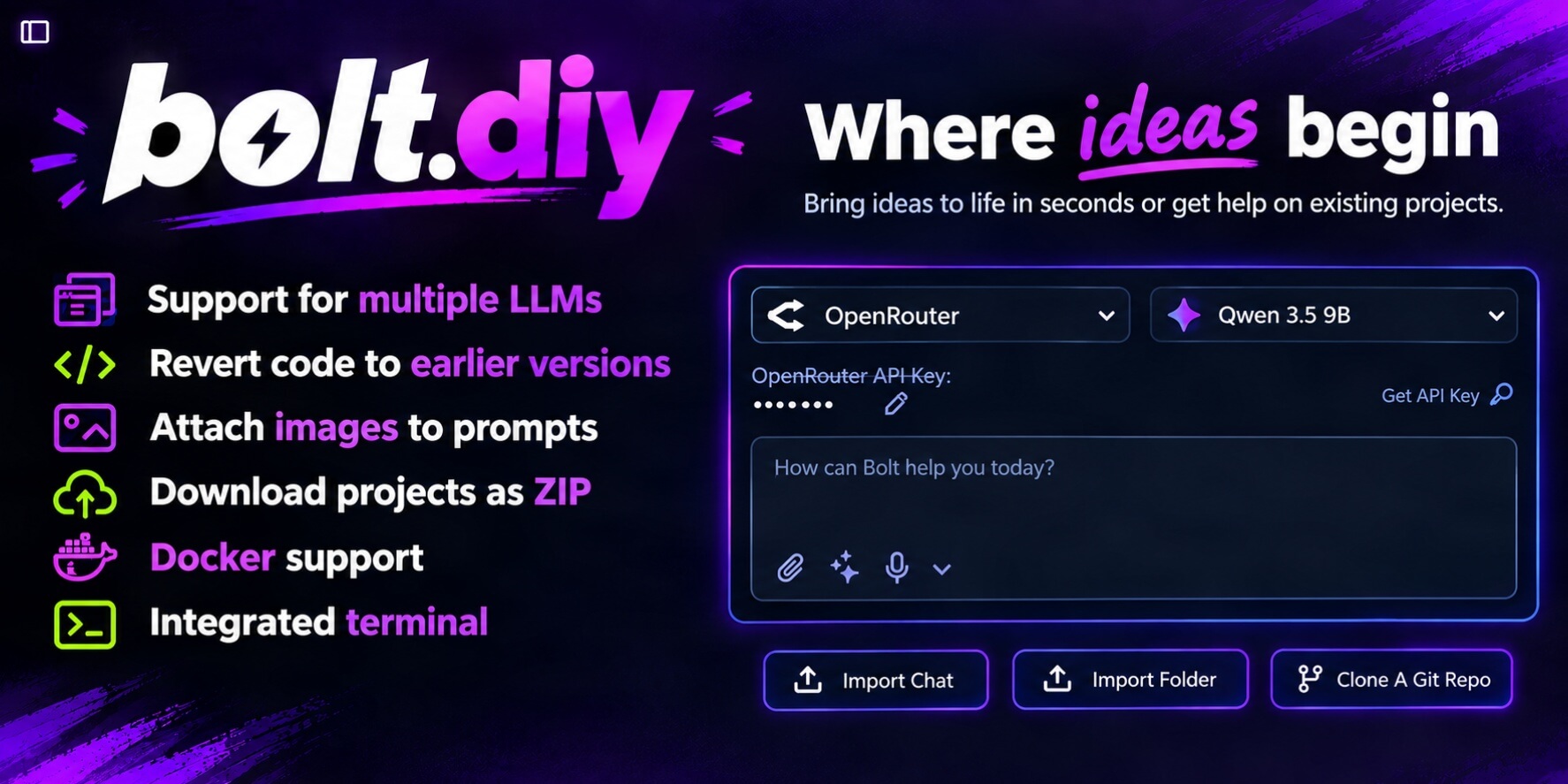
Welcome to bolt.diy, the open-source AI developer workspace that lets you select your preferred LLM for every prompt. Build full-stack web applications in the browser with support for 22+ model providers (OpenAI, Anthropic, Gemini, Groq, xAI, DeepSeek, Ollama, LM Studio, and more), or extend it with any provider supported by the Vercel AI SDK. OpenRouter, Anthropic, OpenAI, and Google are enabled by default; enable and configure other providers in Settings.
Documentation | FAQ & Troubleshooting
bolt.diy was originally started by Cole Medin but has quickly grown into a massive community effort to build the BEST open source AI coding assistant!
Table of Contents
- Quick Start
- Running with Docker
- Desktop App (Electron)
- Configuring API Keys and Providers
- Features
- Recent Highlights
- Available Scripts
- Contributing & Community
- Licensing
Quick Start
Prerequisites
- Node.js >= 22.12.0
- pnpm >= 9.15.9 (
npm install -g pnpm)
1. Clone & Install
git clone https://github.com/stackblitz-labs/bolt.diy.git
cd bolt.diy
pnpm install
2. Run the Development Server
pnpm run dev
Open http://localhost:5173 in your browser.
Pre-built Desktop Binaries: Prefer a standalone app? Download binaries for Windows, macOS, and Linux from our Latest Releases.
Running with Docker
Configure Environment Variables:
cp .env.example .env.local
# Replace the placeholders for the providers you use; remove or comment out the others.
cp .env.local .env
Compose requires both files. It reads
.envfor variable substitution and passes both files to the container. After changing.env.local, copy it to.envagain so substituted values stay in sync. Do not commit either file.Build and Run:
# Development mode with hot-reload:
docker compose --profile development up

# Production build:
pnpm run dockerbuild:prod
docker compose --profile production up
Desktop App (Electron)
bolt.diy is also available as a cross-platform desktop application:
Download: Grab pre-built installers from Latest Releases.
Build from Source: Select the target for your host platform:
pnpm electron:build:win   # Windows
pnpm electron:build:mac   # macOS
pnpm electron:build:linux # Linux
pnpm electron:build:unpackcreates an unpacked build for testing.pnpm electron:build:distrequests all three platforms and may require platform-specific build tools or signing configuration. Theelectron:devscript checks for the development server withlsof, so it needs that command available and does not work in a standard Windows shell without it.
Configuring API Keys and Providers
You can configure model providers either directly in the UI or via environment variables:
Option A: In the UI (Recommended)
Enable providers and configure supported local endpoints under Settings → Providers. Select a provider in the chat composer, click Edit API Key, enter the key, and save it. Keys entered in the UI are stored in JavaScript-accessible browser cookies and sent to the application server with requests. The indicator shows that a key is set; it does not guarantee that the provider accepts it. Protect access to the browser and use HTTPS for remote deployments.
Option B: Environment Variables
Copy .env.example to .env.local and add your keys or local endpoints:
# Cloud Providers
ANTHROPIC_API_KEY=your_key_here
OPENAI_API_KEY=your_key_here
GOOGLE_GENERATIVE_AI_API_KEY=your_key_here
OPEN_ROUTER_API_KEY=your_key_here

# Local Providers
OLLAMA_API_BASE_URL=http://127.0.0.1:11434
LMSTUDIO_API_BASE_URL=http://127.0.0.1:1234
Replace only the placeholders you need and remove or comment out the rest. To use OpenRouter's free router, select OpenRouter in the provider selector, then select Free Models Router (openrouter/free) in the model selector. Free-model availability and rate limits depend on OpenRouter. For Docker, 127.0.0.1 refers to the container; configure local provider endpoints to reach the host instead, for example with host.docker.internal where supported.
Features
- In-Browser Web Development: Full-stack Node.js development environment powered by WebContainers.
- 22+ AI Providers: Cloud (Anthropic, OpenAI, Google, DeepSeek, Groq, xAI, Mistral, etc.) and Local (Ollama, LM Studio). OpenRouter, Anthropic, OpenAI, and Google are enabled by default.
- Interactive Workbench: Integrated code editor, terminal, visual diff viewer, and real-time live preview. Opens by default for a started chat and can be reopened after closing.
- Starter Setup: Explicit framework requests select a matching starter in code. Starter files include detected install and development server commands before the first customization request.
- Prompt Library: Choose a system prompt under Settings → Workspace → Features, including Simple Sal for concise guidance and Tiny Tim for smaller models.
- Project Workflows: Git cloning/pushing, snapshot restoration, file conflict locking, and ZIP export.
- Deployments: One-click deployment to Netlify, Vercel, and GitHub Pages.
- Database & Visuals: Supabase integration, data visualization charts, and Model Context Protocol (MCP) tooling.
Recent Highlights
- Expanded AI & Tooling Ecosystem: 22+ cloud and local LLM providers, Model Context Protocol (MCP) integration, and voice prompting.
- Enhanced Code & Project Workflows: Visual diff inspection, file conflict locking, codebase search, Git integration, and snapshot restoration.
- Cross-Platform & Deployments: Native Electron desktop app, Expo (React Native) support, and direct deployment to Netlify, Vercel, and GitHub Pages.
- Data & Backend Integrations: Built-in Supabase management, interactive charts, and bulk chat operations.
- Prompt and Connector Controls: Select MCP tools from the prompt attachment menu; manage GitHub, GitLab, Netlify, and other service connections under Settings → Integrations → Connectors.
Looking Ahead: Ongoing work focuses on bug fixes, dependency updates, and reliability improvements; no new features are planned.
Available Scripts
| Command | Description |
|---|---|
pnpm run dev |
Start development server with hot module reloading |
pnpm run build |
Build the application for production (react-router build) |
pnpm run preview |
Preview production build locally |
pnpm test |
Run the Vitest suite, including unit, integration, and performance tests |
pnpm run typecheck |
Run TypeScript type checks (tsc) |
pnpm run lint |
Run ESLint across the codebase |
pnpm run dockerbuild |
Build Docker container for development |
pnpm run electron:dev |
Start Electron desktop application in dev mode |
pnpm electron:build:win, pnpm electron:build:mac, pnpm electron:build:linux |
Package Electron for the specified platform |
pnpm electron:build:dist |
Request Electron builds for Windows, macOS, and Linux |
Contributing & Community
- Contributing: Contributions are welcome! Read our Contributing Guide and Project Management Guide to get started.
- Troubleshooting & FAQ: Common errors and setup fixes are documented in our FAQ and Official Docs.
Licensing
bolt.diy is open-source under the MIT License. It utilizes the WebContainers API, which has specific commercial licensing terms for enterprise deployment.
Categories
Related apps
Explore more like this
Explore allLinks
Details
ghcr.io/stackblitz-labs/bolt.diy:latestRuntime arguments
- Web UI
https://[IP]:[PORT:5173]- Network
bridge- Shell
bash- Privileged
- false
- Extra Params
--hostname bolt.diy
Template configuration
The port for the server to listen on
- Target
- 5173
- Default
- 5173
- Value
- 5173
https://console.groq.com/keys
https://huggingface.co/settings/tokens
https://help.openai.com/en/articles/4936850-where-do-i-find-my-openai-api-key
https://console.anthropic.com/settings/keys
https://openrouter.ai/settings/keys
https://console.cloud.google.com/apis/credentials
DONT USE http://localhost:11434 due to IPV6 issues
You only need this environment variable set if you want to use OpenAI Like models
Get your OpenAI Like API Key
You only need this environment variable set if you want to use Together AI models
Get your Together API Key
You only need this environment variable set if you want to use DeepSeek models through their API
https://app.hyperbolic.xyz/settings
You only need this environment variable set if you want to use Hyperbolic models
https://console.mistral.ai/api-keys/
https://dashboard.cohere.com/api-keys
Get LMStudio Base URL from LM Studio Developer Console
https://x.ai/api
https://www.perplexity.ai/settings/api
https://console.aws.amazon.com/iam/home
Context Size
- Default
- 6144
- Default
- production
- Default
- production