
All apps · 0 apps

Blink-Camera-Relay
Docker app from centauri's Repository
Overview
Readme
View on GitHubBlink Camera Relay
Unofficial Blink live view to RTSP and ONVIF, with web onboarding and camera settings. One container includes the dashboard, BlinkPy/IMMIS worker, FFmpeg, MediaMTX and ONVIF adapter. Blink cloud pairing/login is still required.
Unraid
Use the Unraid template with image
ghcr.io/centauri/blink-camera-relay:latest. The container targets linux/amd64.
The authoritative template is maintained in centauri/unraid-templates;
the app is available in Community Apps. Existing installations using edge can
change the container Repository to ghcr.io/centauri/blink-camera-relay:latest
and apply the update, retaining the existing appdata mapping.
- Network: host, for ONVIF multicast discovery.
- Appdata:
/mnt/user/appdata/blink-camera-relaymounted at/data. BRIDGE_HOST: your Unraid server's LAN IPv4 address.BRIDGE_ADMIN_PASSWORD: choose at least 12 characters.- Web UI:
http://YOUR_SERVER_IP:8787, usernameadminand that password.
Pair the camera in Blink's app first. Open the bridge UI, complete Blink login and 2FA, choose a camera and RTSP path, then start its stream and ONVIF service. The UI generates each camera's unique ONVIF identity. Enabled services resume on container restart. Tokens/settings persist in appdata; process IDs and logs are ephemeral. Stop the old Windows bridge before adopting the same camera through the new installation. Do not copy its saved process/runtime files.
Use a trusted LAN: dashboard HTTP Basic authentication does not encrypt network traffic. RTSP/ONVIF have no enforced client authentication. Do not forward these ports to the Internet. For remote administration use a trusted VPN or TLS proxy.
Host ports must be free: TCP 8787 (UI), 8554 (internal source), 8555 (LAN RTSP),
8080 (default ONVIF, adjustable per camera), and UDP 3702 (discovery).
VLC can use rtsp://YOUR_SERVER_IP:8555/CAMERA_ID; the UI shows the exact URL.
Compose alternative
Copy .env.example to .env, fill the LAN IP/password, and run:
mkdir -p data
chmod 700 data
docker compose up -d
No separate MediaMTX or ONVIF containers are needed. For a local build use
docker compose up -d --build. Shutdown allows up to 90 seconds for cleanup.
IP-addressed Blink video servers work automatically using the public trust
certificate authenticated against Blink's signed Android app. Certificate and
logical service-name verification remain enabled. This trust is limited to
IMMIS video connections; account API and ordinary DNS endpoints keep normal
public-CA verification. See bridge/certificates/PROVENANCE.txt for evidence.
An optional independently verified IMMIS certificate override can be passed using
BLINK_IMMIS_CERT_SHA256, or stored in /data/immis-cert.sha256 on the persistent
appdata volume. The environment variable takes precedence. Without a pin, the
bridge uses the automatic trust rules above. With a pin, it instead requires
an exact SHA-256 match of the server certificate before sending stream credentials;
a mismatch rejects the connection. Never copy an unverified fingerprint from a
failed connection. Legacy native installs can still use .runtime/immis-cert.sha256.
If logs show SSLCertVerificationError immediately after opening a live session,
the video server certificate was rejected before media could arrive. Update the
bridge first; unfamiliar certificates are never automatically accepted. When migrating
an existing installation that uses a verified pin, migrate that pin too. On Unraid,
edit the container and add the variable BLINK_IMMIS_CERT_SHA256 with the verified
64-character fingerprint, apply the change, then start the camera stream. Pins can
require replacement if the server certificate changes; verify replacements independently.
Windows
The native Windows dashboard still works: install Python 3.12+, Node 22+,
FFmpeg and MediaMTX, create .venv, install requirements.lock and
./vendor/blinkpy, run npm ci --prefix vendor/onvif and compile TypeScript,
then run Start-Dashboard.ps1. Native mode stays loopback-only.
Builds and dependency sources
GitHub Actions publishes just ghcr.io/centauri/blink-camera-relay.
Ordinary main builds use edge. To publish a release, increment VERSION and
update RELEASE-NOTES.md in the same commit on main. After tests and container
checks pass, CI publishes latest and vX.Y.Z, then creates the GitHub release.
Version-tag builds also publish latest and their version. Every
build also has a sha-COMMIT tag. Inline attestations are disabled to avoid
GHCR's non-runnable unknown/unknown platform entries. ARM is not yet built.
Matching Debian dependency sources, patches/build rules, notices and checksums
are downloadable under Releases, in sources-COMMIT. These are archives, not
container images or services. The image label io.blink-camera-relay.sources
links to its exact archive. Sources publish before the runtime image; keep them
available for as long as the matching binaries are distributed. Previously
published standalone/source-image packages are legacy and are no longer built.
Limits and validation
Mini 2K+ live streaming and Protect adoption have been exercised on Windows. Cloud session renewals can cause gaps; other camera models and uninterrupted recording are not guaranteed. No firmware modifications or entitlement bypass are included. Settings are capability-gated and read back; not every physical setting effect is verified.
The regression suite has 64 tests. CI also compiles ONVIF, audits npm dependencies, checks the release files, tests H.264 encoding and boots the integrated dashboard with authentication checks. Hardware and Unraid deployment are separate checks. See LICENSE, NOTICE, THIRD-PARTY.md and SECURITY.md for scope and attribution.
Screenshots
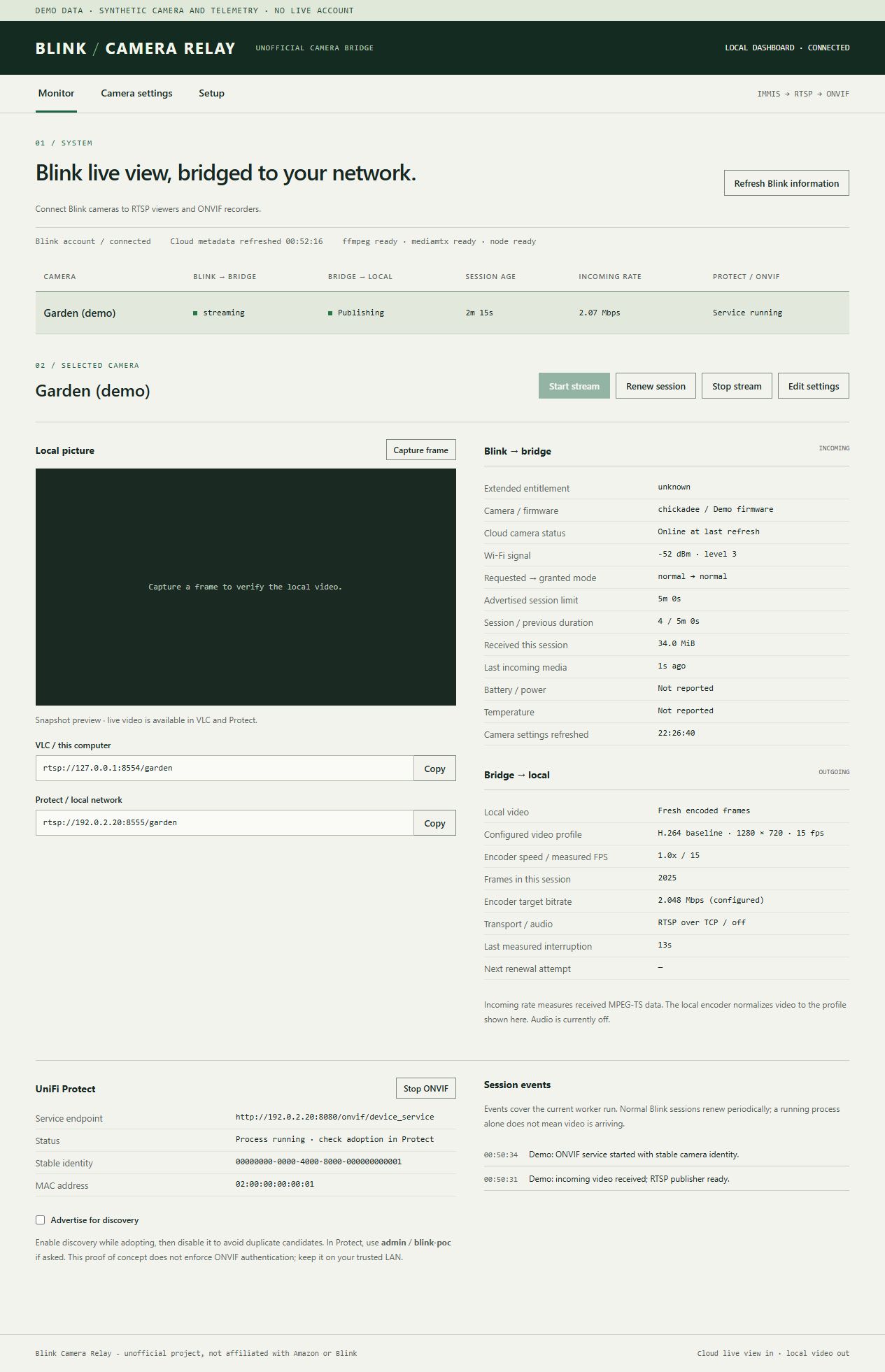
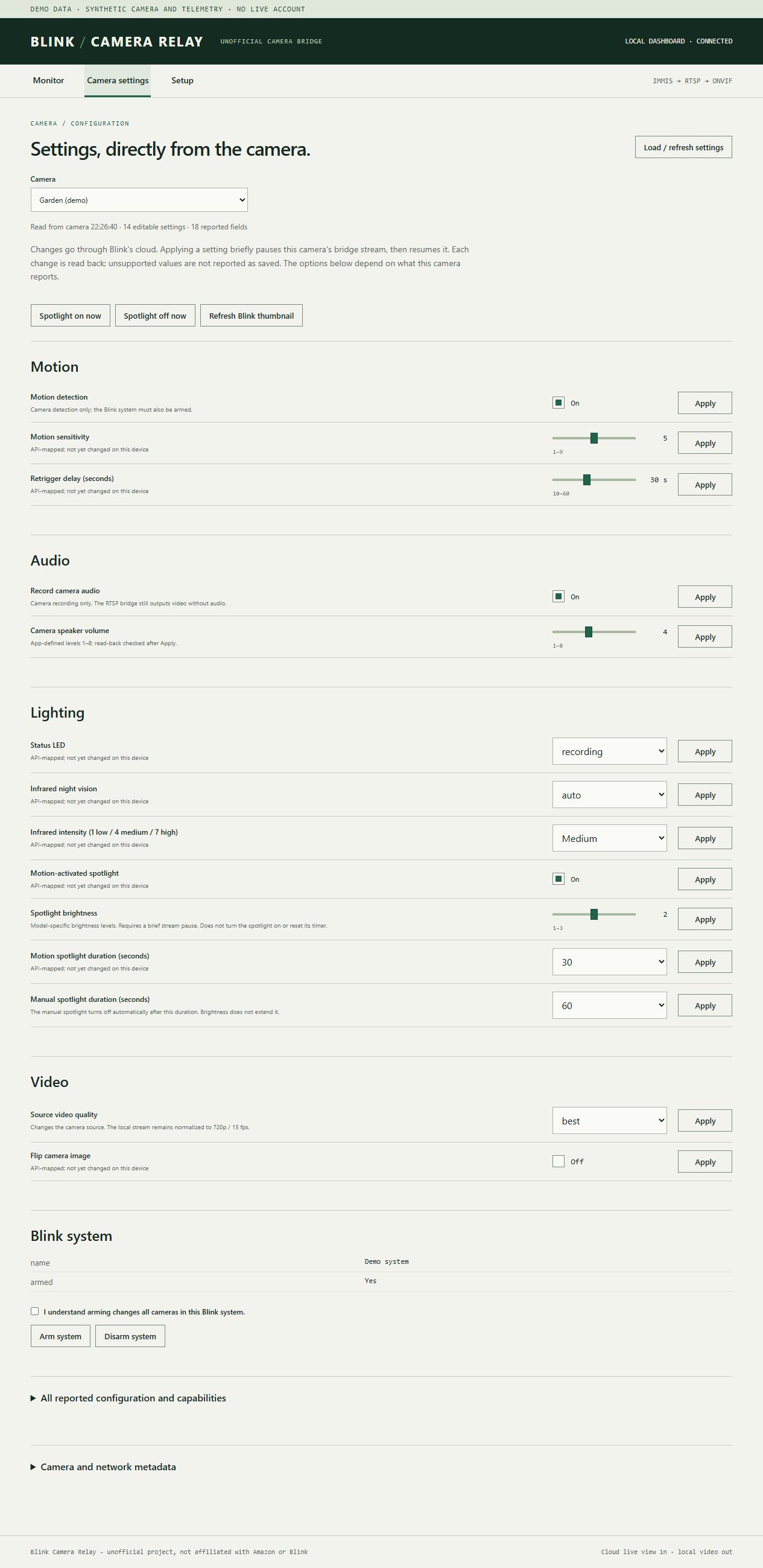
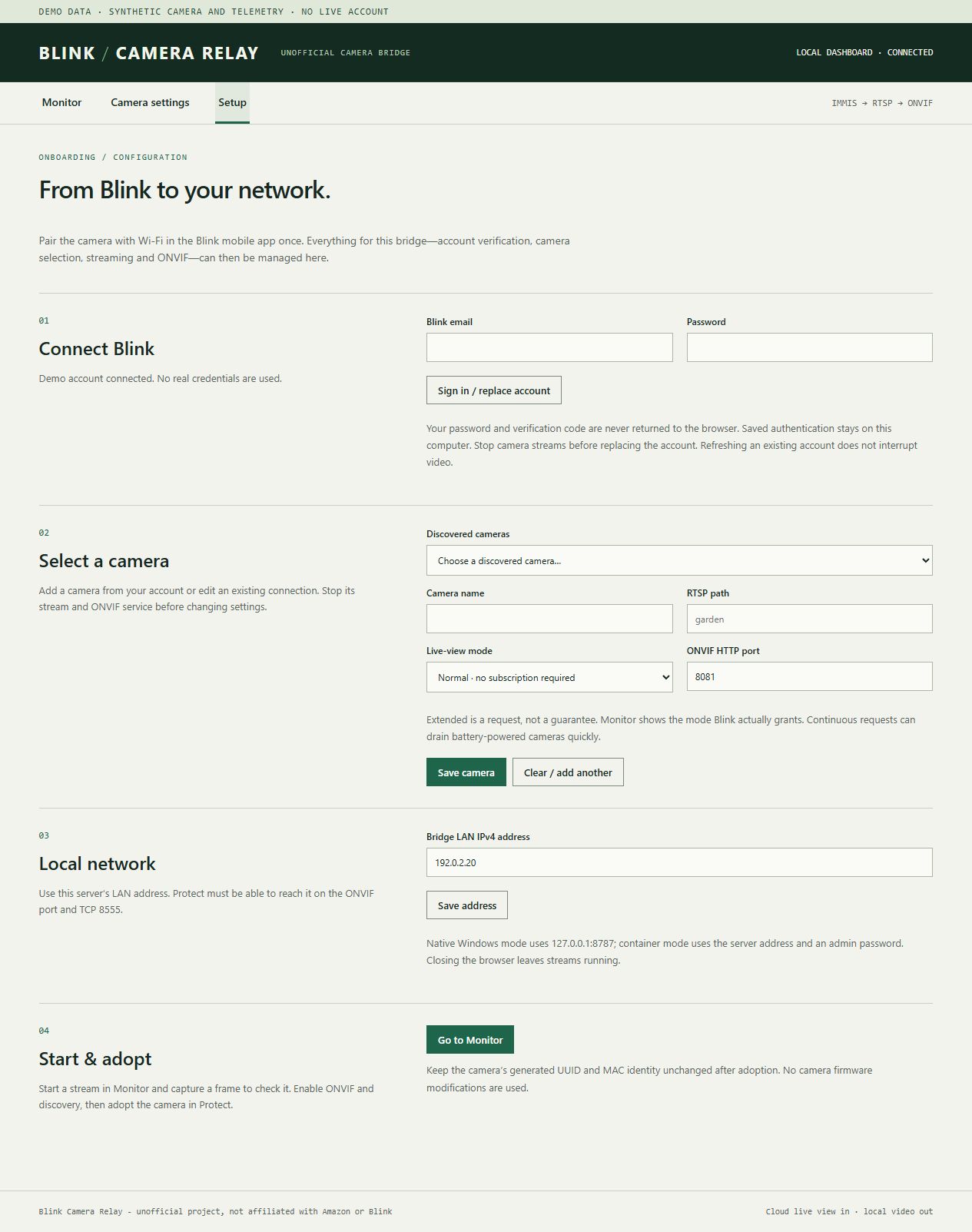
These are captures of the real web interface using synthetic demo data. Camera identities, network addresses and telemetry are examples, not performance claims. No account credentials or personal camera footage are included. Available settings depend on the camera model.
Stream monitor
Camera controls
Onboarding
Browser live preview
Start the bridge stream, then choose Watch live in Monitor. The preview reads the existing RTSP stream through MediaMTX HLS; it does not start another Blink session. It has a few seconds of buffering and still encounters Blink renewal gaps. Stop preview, switching cameras/tabs, or hiding the browser tab stops playback. Capture frame remains available.
The player is bundled locally (no CDN). HLS is proxied through the dashboard login and port 8787; its internal listener uses loopback TCP 8898 (must be free). No additional LAN port or container is required. Safari uses native HLS where needed; other compatible browsers use hls.js. Video has no audio, matching the RTSP feed.
Media gallery
1 / 3Install Blink-Camera-Relay on Unraid in a few clicks.
Find Blink-Camera-Relay in Community Apps on your Unraid server, review the template, and click Install. Unraid handles the Docker app or plugin setup from the published template.
Categories
Related apps
Explore more like this
Explore allDetails
ghcr.io/centauri/blink-camera-relay:edgeRuntime arguments
- Web UI
http://[IP]:8787/- Network
host- Privileged
- false
- Extra Params
--stop-timeout=90 --tmpfs /run/blink:mode=0700
Template configuration
Persistent camera configuration and account tokens
- Target
- /data
- Default
- /mnt/user/appdata/blink-camera-relay
Actual Unraid LAN address
- Target
- BRIDGE_HOST
At least 12 characters; dashboard username is admin
- Target
- BRIDGE_ADMIN_PASSWORD