
All apps · 0 apps
Beltr-Intel
Docker app from Beltr's Repository
Overview
Readme
View on GitHub
Beltr for Unraid
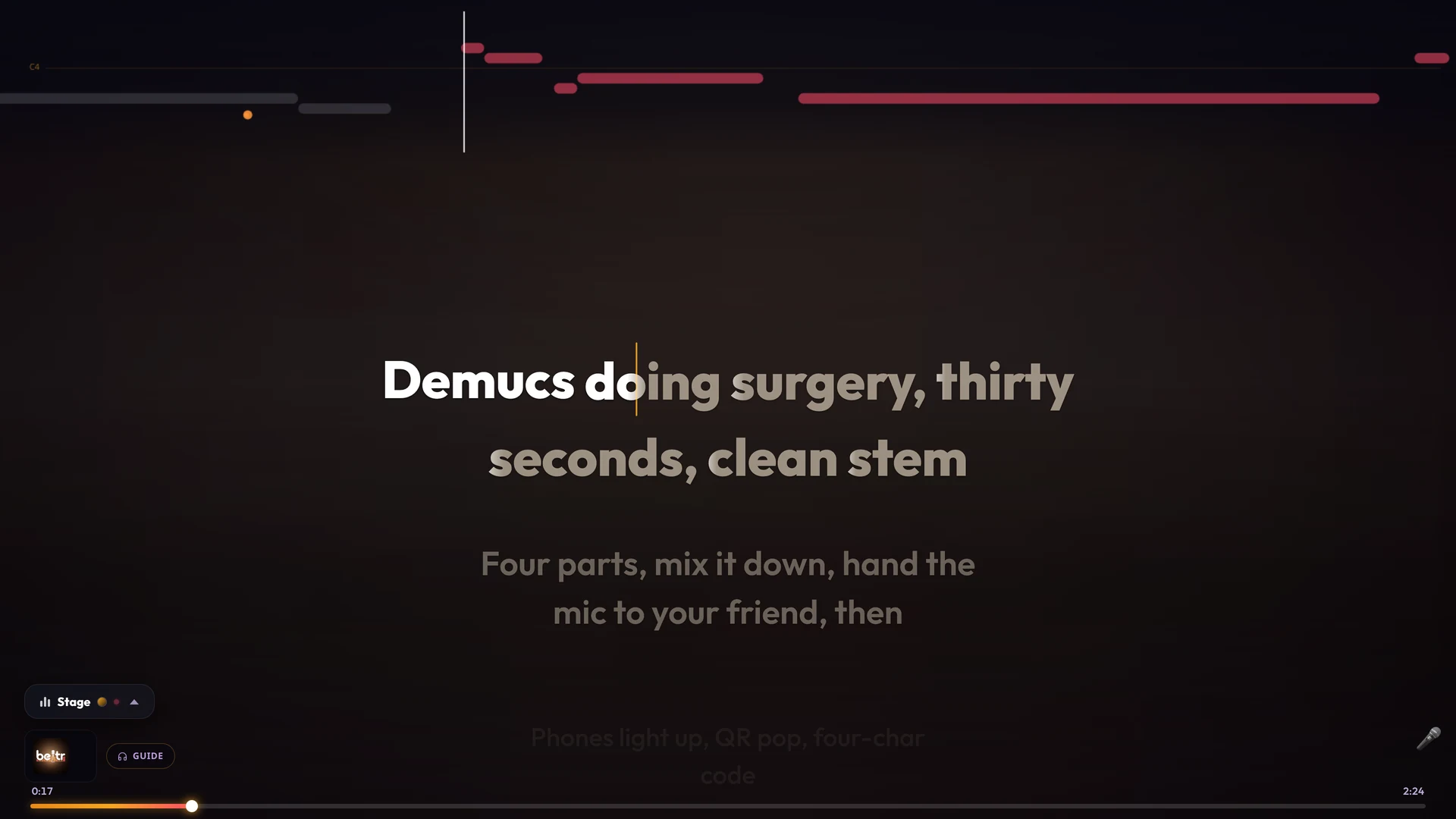
Unraid Community Applications templates for Beltr, a self-hosted karaoke server. It takes a song from your own music library, separates the vocals out with a local AI model (UVR MDX-Net on ONNX Runtime), finds synced lyrics online or drafts them locally, force-aligns them to the vocal word by word, and puts the words on a TV while everyone's phone acts as a remote. Guests scan the QR code on screen; there is no app for them to install.
Everything runs on your server. Nothing about your library is uploaded.
beltr.app · Full Unraid guide · Reverse proxy and HTTPS · Support
Which template
Install one of the three. They share the same default paths.
| Template | Image | Use it when |
|---|---|---|
| Beltr | ghcr.io/casavargas/beltr:latest |
Any server. Separating a song takes a few minutes on a modern multi-core CPU. |
| Beltr-NVIDIA | ghcr.io/casavargas/beltr:latest-cuda |
You have an NVIDIA GPU and the Unraid Nvidia-Driver plugin. Separation drops to well under a minute. |
| Beltr-Intel | ghcr.io/casavargas/beltr:latest-openvino |
Your server has an Intel processor with integrated graphics (6th gen Core onward, N100 included) or an Arc A-series card, and the Unraid Intel GPU TOP plugin. An Iris Xe or Arc-class GPU separates a song in about a minute; older UHD-class iGPUs gain less. |
Both GPU images fall back to the CPU if passthrough is misconfigured, so a broken setup looks slow rather than broken. Confirm the GPU was found in Settings after install.
Install
Community Applications: Apps, search Beltr, pick one of the three, set the
four paths, Apply. Then open the WebUI, go to Settings, and add /media as a
music folder. Beltr never scans your library until you point it at one.
Plain Docker:
docker run -d --name beltr \
  -p 8477:8477 -p 8478:8478 \
  -e PUID=99 -e PGID=100 -e TZ=America/New_York \
  -v /mnt/user/appdata/beltr:/config \
  -v /mnt/user/beltr:/library \
  -v /mnt/user/appdata/beltr-cache:/cache \
  -v /mnt/user/Music:/media:ro \
  --restart unless-stopped \
  ghcr.io/casavargas/beltr:latest
Compose: docker-compose.yml with
.env.example as a starting point. Pick one profile:
cp .env.example .env        # edit PUID/PGID and the paths
docker compose --profile cpu up -d      # or --profile gpu (NVIDIA), --profile openvino (Intel)
The four paths
| Mount | Holds | Size | Put it on |
|---|---|---|---|
/config |
Database, settings, logs, lyrics | under 500 MB | Cache pool / SSD (appdata) |
/library |
Separated stems and imported audio | 60-120 MB per song | The array |
/cache |
AI model weights | ~2 GB, once | Cache pool / SSD |
/media |
Your music, read-only | n/a | Wherever it already is |
Two of these matter more than they look. /library must not live in
appdata, because every processed song leaves a pair of lossless stems behind
and a few hundred songs will fill a cache pool sized for config files. And
/cache must stay mapped, or the ~2 GB of model weights are re-downloaded
every time you update the image.
Worth knowing before you install
- First run downloads about 2 GB of model weights into
/cache. Once. If a first song seems to sit still, that is what it is doing:docker logs -f beltr. - Microphones need HTTPS, and Beltr serves it. Browsers only expose the
microphone on a secure page, so the container also serves https on port 8478
with a self-signed certificate. Open
https://<server>:8478/tvon the laptop or phone that has the mic and accept the warning once. Queueing, playback, lyrics and stem mixing work over plain http on 8477. A reverse proxy with a real certificate is only needed if you want no warning at all. Details. - Beltr assumes everyone who can reach it is trusted. Room joins are open by
design so a guest can scan a QR code and sing.
AUTH_PASSWORDputs a password on the TV and dashboard screens, but do not port-forward this container. - AMD GPUs are not supported in the container. ONNX Runtime's AMD path needs a full ROCm userspace in the image, several gigabytes, so it is not built; on the Windows desktop app AMD and Intel graphics can use the optional DirectML GPU pack instead. Intel iGPUs and Arc A-series cards are the Beltr-Intel image above; Arc B-series and Panther Lake are newer than its driver and are not supported yet. Everything also runs on the CPU alone.
Licensing
Beltr is a one-time purchase ($19.99, lifetime updates, 14-day money-back
guarantee), not a subscription. The container runs free for five songs so you
can try it against your own music, then asks for a key from
beltr.app. Activation happens once and then works
offline; updating or recreating the container does not re-activate, as long as
you keep /config. A key covers two installs.
The MIT license in this repository covers these templates and docs only. Beltr itself is proprietary software distributed under its own EULA.
Keeping up
Templates here are copied from the Beltr application repository, which is where they are edited. File issues and support requests at CasaVargas/beltr-releases.
Media gallery
1 / 3Requirements
Categories
Related apps
Explore more like this
Explore allDetails
ghcr.io/casavargas/beltr:latest-openvinoRuntime arguments
- Web UI
http://[IP]:[PORT:8477]/dashboard- Network
bridge- Shell
bash- Privileged
- false
- Extra Params
--device=/dev/dri
Template configuration
Port for the web interface, the TV screen and the phone remotes. Change the host side only if 8477 is already taken.
- Target
- 8477
- Default
- 8477
- Value
- 8477
Self-signed HTTPS for microphones (browsers only allow the mic on a secure page). Open https://your-server:8478/tv on the device with the mic and accept the warning once. Keep host and container sides equal: Beltr builds the address it shows from this number.
- Target
- 8478
- Default
- 8478
- Value
- 8478
on = also serve https on the HTTPS Port with a self-signed certificate Beltr generates and keeps in /config/tls. off = plain http only (microphones then need a reverse proxy with a certificate).
- Target
- BELTR_TLS
- Default
- on
- Value
- on
App state: database, settings, logs, lyrics. Small and written often — keep it on appdata (SSD/cache pool).
- Target
- /config
- Default
- /mnt/user/appdata/beltr
- Value
- /mnt/user/appdata/beltr
Processed karaoke library: separated stems and imported audio. Roughly 60-120 MB per song, so point this at the array, NOT at appdata.
- Target
- /library
- Default
- /mnt/user/beltr
- Value
- /mnt/user/beltr
Your existing music. Mounted read-only — Beltr copies what it imports and never writes here. Add it as a music folder in Settings after the first start.
- Target
- /media
- Default
- /mnt/user/Music
- Value
- /mnt/user/Music
Downloaded AI model weights, about 2 GB. Keep this mapped or every container update re-downloads them. Faster storage makes model loading quicker.
- Target
- /cache
- Default
- /mnt/user/appdata/beltr-cache
- Value
- /mnt/user/appdata/beltr-cache
Which OpenVINO device runs the separation. GPU is the first Intel GPU found and is right for nearly everyone. GPU.1 picks a second Intel GPU (say, an Arc card in a box that also has an iGPU). Getting this wrong is not an error — Beltr just quietly runs on the CPU.
- Target
- BELTR_MDX_OPENVINO_DEVICE
- Default
- GPU
- Value
- GPU
FP32 is the default and matches the CPU output. FP16 is usually faster on Intel GPUs but its separation quality has not been measured here; try it if separation feels slow and listen to the result. FP16 also halves what the GPU holds.
- Target
- BELTR_MDX_OPENVINO_PRECISION
- Default
- FP32
- Value
- FP32
How long the separation worker keeps its model loaded after finishing a song. Leave blank for Beltr's default (10 seconds in a container, so the memory is released between songs during a big import). Raise it to trade memory for a little speed; lower it if memory is very tight.
- Target
- BELTR_WARM_SEPARATION_IDLE_S
Advanced. Raw OpenVINO properties as JSON, keyed by device — for example {"GPU": {"PERFORMANCE_HINT": "LATENCY", "NUM_STREAMS": "1"}}, which is what Beltr sends by default. Set to off to send none. Only worth touching if you have read OpenVINO's property list and measured your own box.
- Target
- BELTR_MDX_OPENVINO_LOAD_CONFIG
User ID that owns the files Beltr writes. 99 (nobody) is the Unraid default.
- Default
- 99
- Value
- 99
Group ID that owns the files Beltr writes. 100 (users) is the Unraid default.
- Default
- 100
- Value
- 100
Timezone, e.g. America/New_York. Affects log timestamps.
- Default
- Etc/UTC
- Value
- Etc/UTC
Your key from beltr.app. Activates once against this install and then works offline — updating or recreating the container does not re-activate, as long as you keep the Config path. Leave blank to try Beltr free: five songs, then it asks you to buy. You can also put the key in a file at /config/license.key instead.
- Target
- BELTR_LICENSE_KEY
Six digits that unlock host controls on a phone (skip, reorder, delete). Leave blank and Beltr picks a random one on every start, which changes if the container restarts mid-party.
- Target
- KARAOKE_HOST_PIN
Optional password on the TV and dashboard screens and the settings endpoints. Phones joining a room are NOT affected. This keeps the household out of your settings; it is not internet-grade authentication.
- Target
- AUTH_PASSWORD
first-run: fix ownership once, then only the top-level folders. always: fix everything on every start (slow on a big library). never: leave ownership alone.
- Target
- BELTR_FIX_PERMS
- Default
- first-run
- Value
- first-run