
All apps · 0 apps

BarcodeBuddy
Docker app from Flight777's Repository
Overview
Readme
View on GitHubBarcode Buddy for Grocy


Available for:
- Bare Metal
- Android Client (Play Store and F-Droid)
- Docker $\textcolor{red}{\textsf{Attention}}$ Image name has changed!
- Kubernetes (Community support only)
- Home Assistant (Community support only)
About
Pass barcodes to Barcode Buddy. If already in the Grocys system, it will consume/add/open the product there.
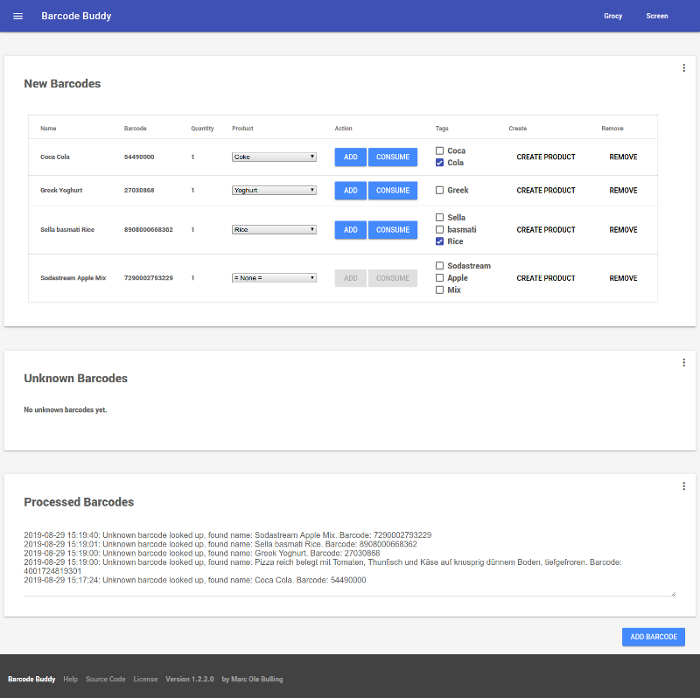
If an unknown barcode is passed, the product name will be looked up and a corresponding product can be chosen in the Web UI.
Tags can be saved — if a new product contains the tag in the name, the product will be already preselected in the drop-down list.
Prerequisites
Webserver that supports PHP (e.g. NGINX, Apache) or Docker, a Grocy API key and ideally a barcode scanner or Android device.
Getting Started
Refer to the documentation, on how to install the program.
Installation can be done in a couple of minutes.
Usage
Barcodes can either be manually added to the programm or the process can be automated by grabbing the input from the scanner.
Refer to the documentation, on how to use the program.
Reverse Proxies
If you are using a reverse proxy, please make sure to disable caching, see documentation
Screenshots

Translations

Help translate the project on Hosted Weblate.
Contributors
Acknowledgments
- Bernd Bestel for creating the Grocy Project
- openfoodfacts.org/upcitemdb.com for providing the barcode lookup API
- PHP-Auth
- NoSleep.js
- SortableJS
License
This project is AGPL3+ licensed — browse the LICENSE.md file for details
Donations
As with all Free software, the power is less in the finances and more in the collective efforts.
I really appreciate every pull request and bugreport offered up by BarcodeBuddy's users, so please keep that stuff coming.
If however, you're not one for coding/design/documentation, and would like to contribute financially, you can do so with the link below.
All help is very much appreciated!


Categories
Download Statistics
Total Downloads Over Time
Related apps
Explore more like this
Explore allLinks
Details
f0rc3/barcodebuddy:latestRuntime arguments
- Web UI
http://[IP]:[PORT:80]- Network
bridge- Shell
sh- Privileged
- false
Template configuration
Container Path: /config
- Target
- /config
- Default
- /mnt/user/appdata/barcodebuddy
- Value
- /mnt/user/appdata/barcodebuddy
Container Port: 80
- Target
- 80
- Default
- 80
- Value
- 8450
Container Variable: PUID
- Default
- 99
- Value
- 99
Container Variable: PGID
- Default
- 100
- Value
- 100