

bahi
Docker app from bdlnaredi's Repository
Overview
Readme
View on GitHubBahi: your TallyPrime books on your phone
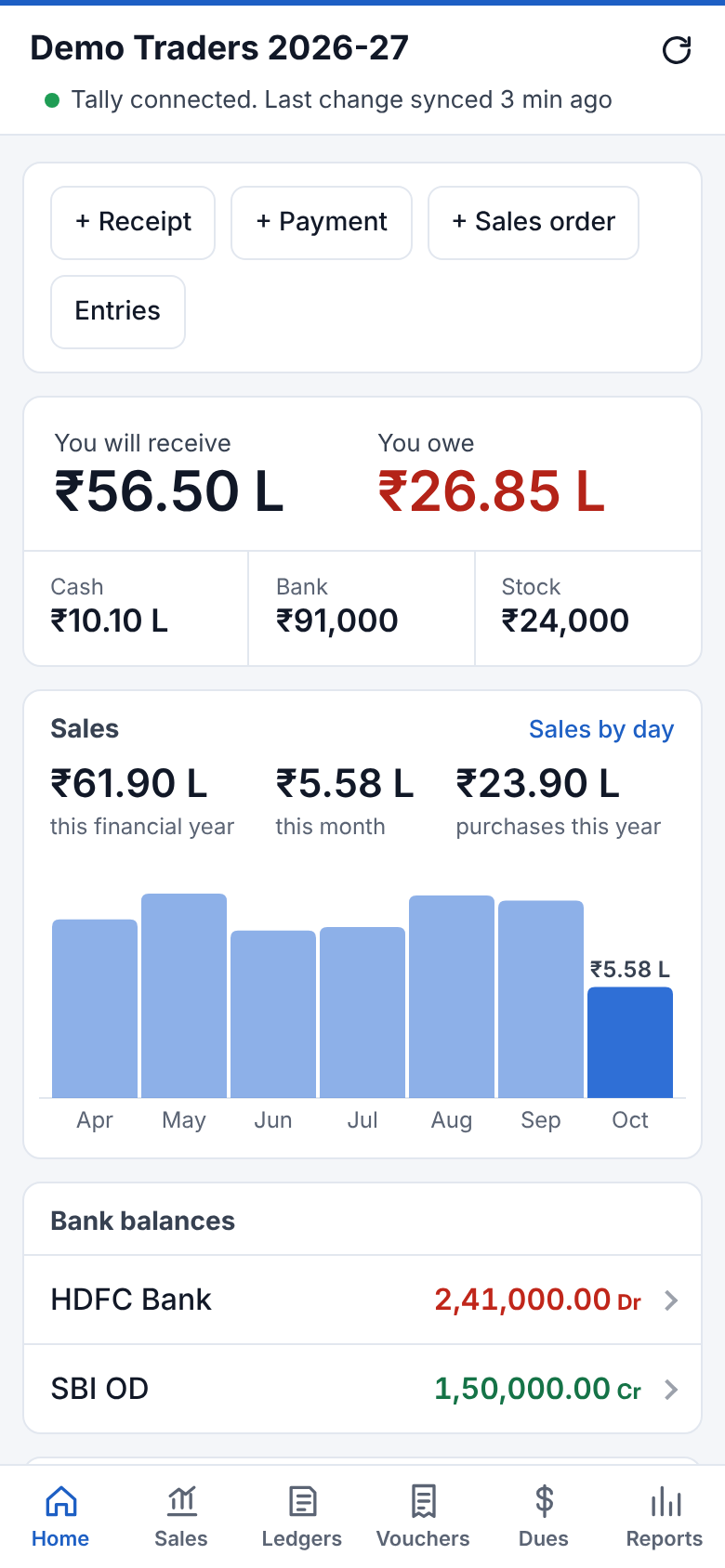
Bahi is a free, self-hosted alternative to apps like Credflow and Livekeeping. Bahi Sync on your Tally PC copies your books to your own server, such as Unraid. You then open them in the Android app or in a browser on any phone or computer.
You can:
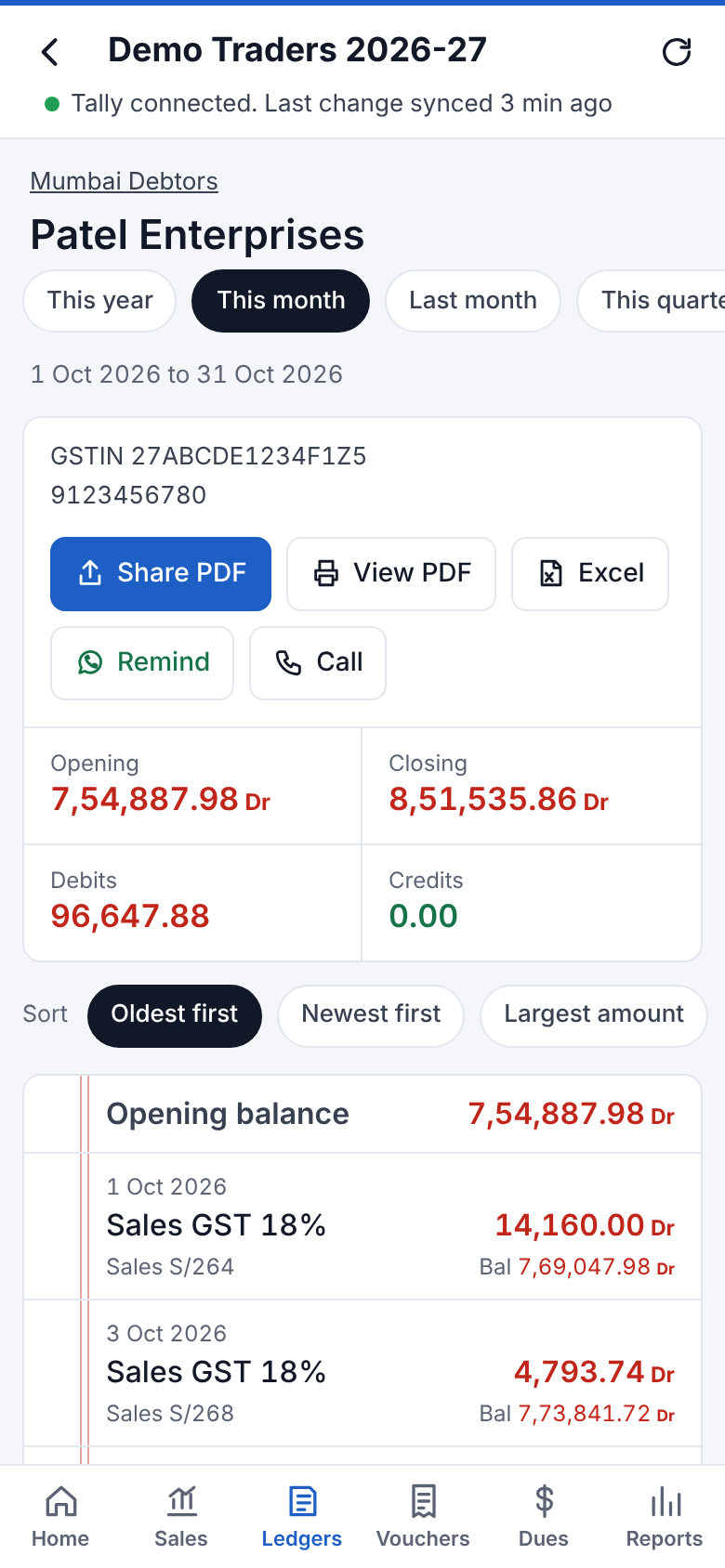
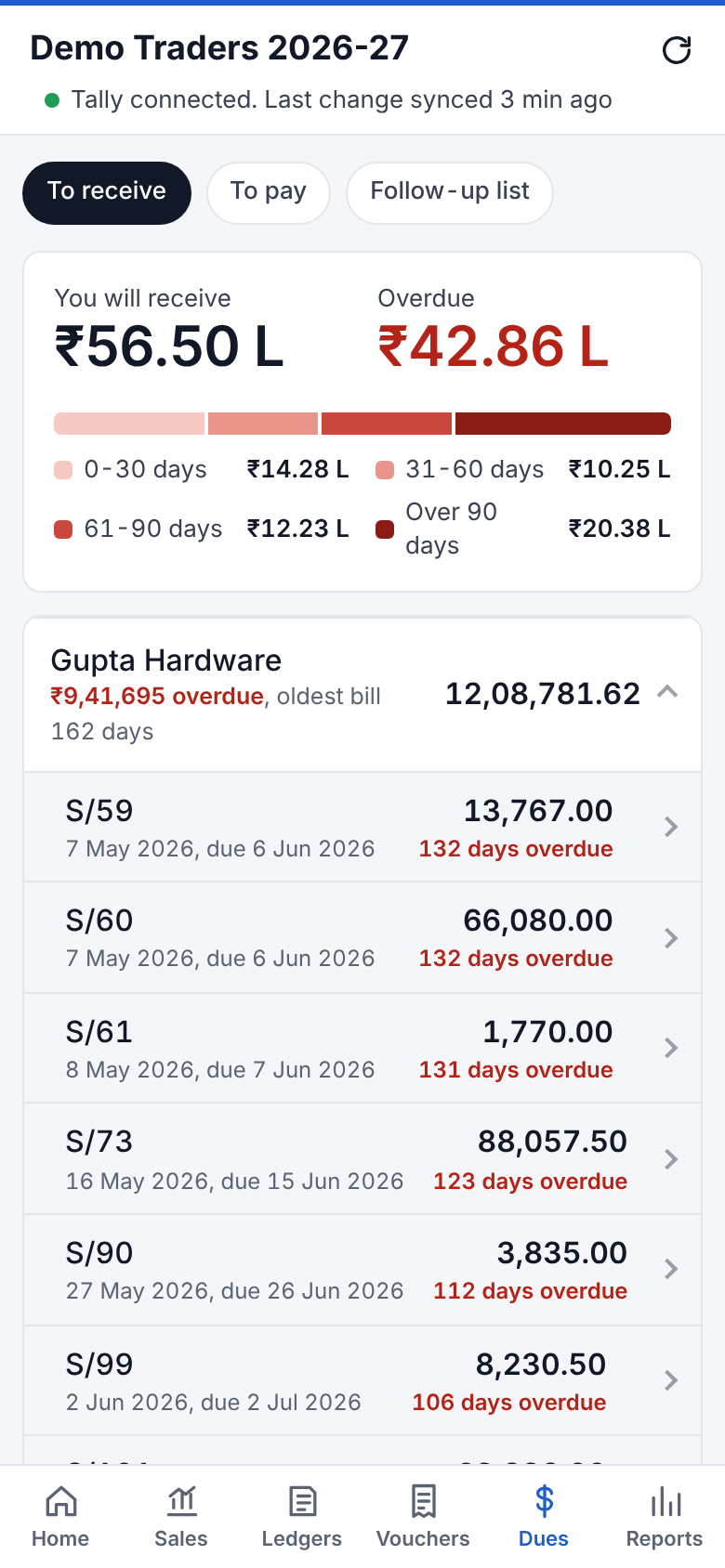
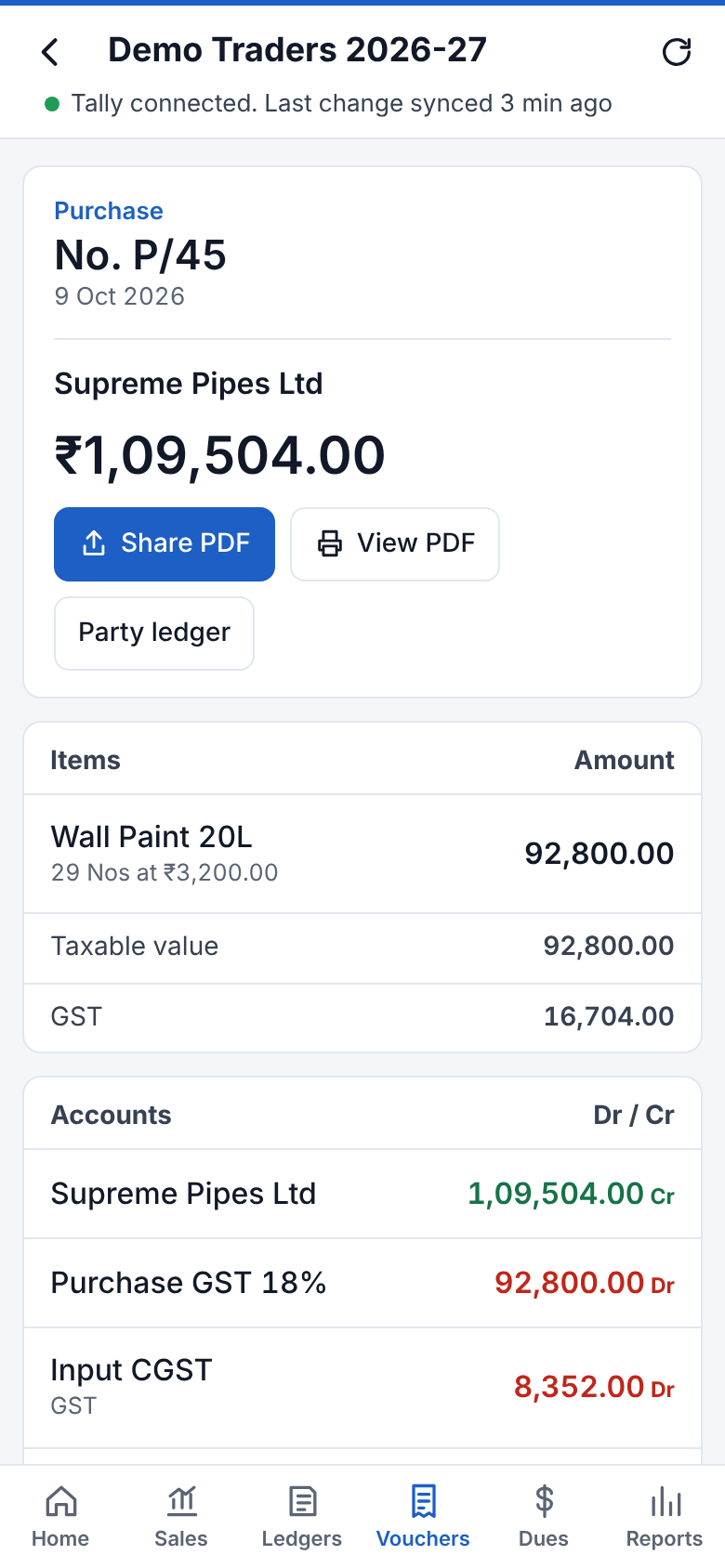
- see ledgers, vouchers, bill-wise dues, stock, GST and reports;
- share Tally-style PDFs on WhatsApp;
- send customers their own ledger link and a UPI payment request;
- enter receipts, payments, orders, sales, purchases and new stock items from the phone.
Bahi never deletes or changes anything in Tally.
 |
 |
 |
 |
On a computer, Bahi switches to a wide layout with a menu down the left:
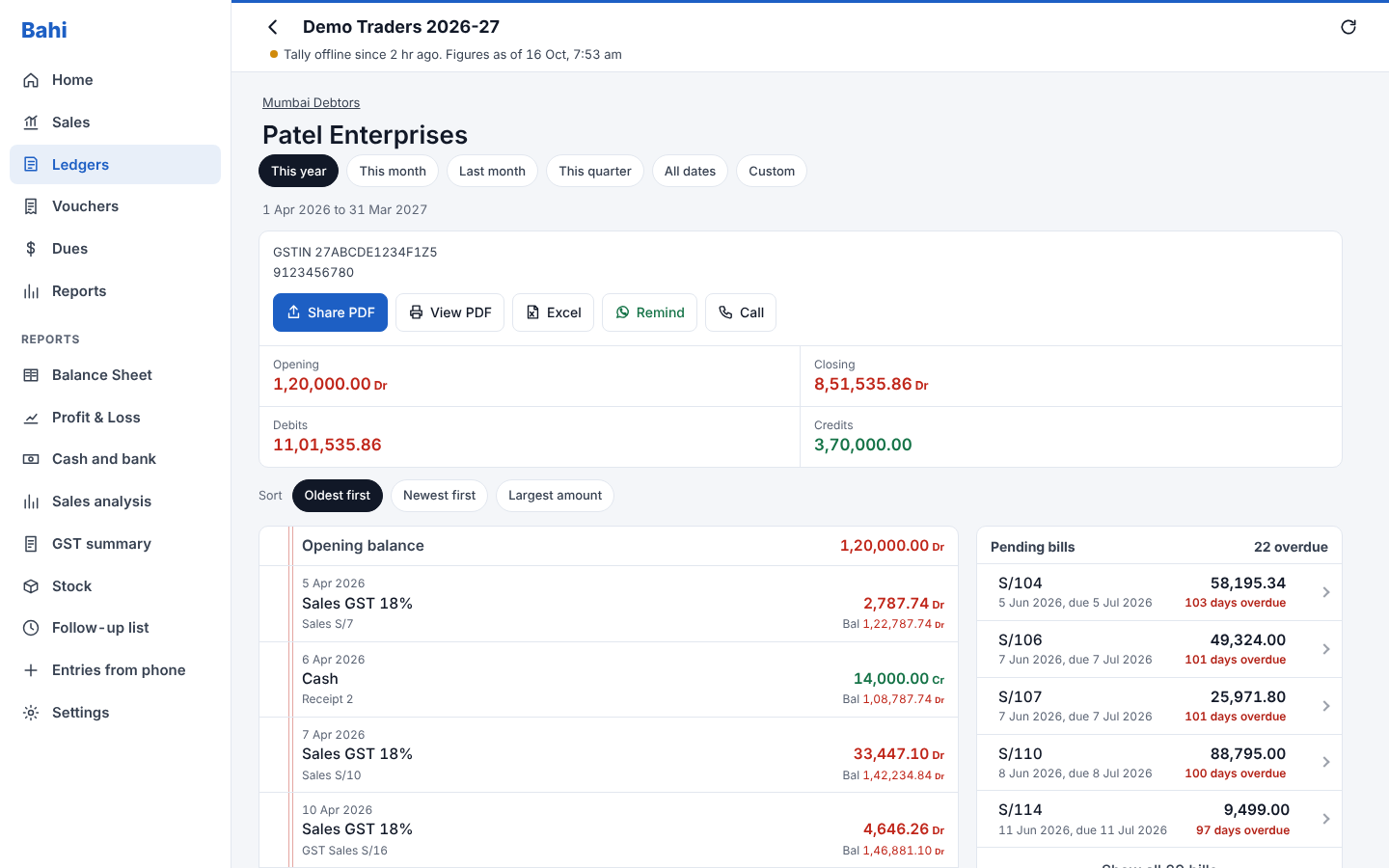
Screenshots use made-up demo data.
Install
- Server: on Unraid, open the Apps tab, search for bahi and click Install. Set an app password and a sync token. Any other Docker host works too: see the installation guide.
- Tally PC: run BahiSync-Setup.exe, then enter the server address and the sync token. Turn on Tally's data server (port 9000) first.
- Phone: install Bahi.apk, or open the server address in Chrome and add it to the home screen.
To reach Bahi away from home, use Cloudflare Tunnel or Tailscale. The installation guide goes through every step, and the user guide explains each screen.
What you get
Your books
- Home: what you'll receive, what you owe, cash, bank, stock value and sales at a glance.
- Sales by day, week or month: the steps follow the period you pick. Tap a day to see its bills.
- Ledgers: sort by name, balance or recent activity, and open any statement with its running balance. Call, WhatsApp or share a PDF from there.
- Vouchers: search by party, number, amount or narration. Each opens as an invoice with items, GST, bill references and narration.
- Dues: bill-wise receivables and payables with ageing (0-30, 31-60, 61-90 and 90+ days), plus interest on overdue bills.
- Follow-up list: overdue customers, with your notes and promised payment dates.
- Stock: quantity, rate and value, item movements for any period, and stock by godown.
- Reports:
- Balance Sheet and Profit & Loss in Tally's own layout;
- Day Book;
- GST summary (output tax, input credit and net payable by month);
- group summary;
- cash and bank book.
- Bank reconciliation: upload a bank statement (Excel or CSV) to see what matches, what the bank hasn't shown yet, and what's missing in Tally.
- Sales analysis: customers and items against last year, item margins, and slow-moving stock.
- Excel downloads of ledgers, vouchers, dues and analysis.
- Several companies: every company open in Tally. Tap the company name to switch.
Sharing with customers
- PDFs like TallyPrime prints:
- Tax Invoice, with the full invoice number, the GST summary exactly as Tally has it, the e-invoice QR and an e-way bill page;
- Receipt, Payment and Journal vouchers;
- Ledger Account.
- Customer links: each party gets a private page with their balance, pending bills, statement and invoices. The link is added whenever you share with them.
- UPI payment requests: a link or QR code that opens the customer's UPI app with the amount filled in. Invoices print a pay QR code too. The money goes straight to your bank.
- WhatsApp payment reminders that list the overdue bills.
- Telegram:
- a morning summary;
- alerts for large payments and low stock;
- ledger lookups: send the bot a party's name, spelt any way.
Entries from the phone
- Receipts, payments, journals, contras, sales orders, sales invoices and purchases. They go into Tally at the next sync.
- New stock items: name, group, unit, HSN, GST rate and barcode.
- Barcodes: scan to give items their barcodes, then scan items straight into a bill. Each scan beeps.
- Staff logins: each person sees only what you allow, and their entries wait for your approval.
Running it
- Bahi Sync for Windows sits in the tray on the Tally PC. It shows status, log and Sync now, starts with Windows, and keeps itself up to date. Syncing can be automatic, manual or paused.
- Two servers at once: for example Unraid and a cloud server.
- Nightly backups on the server, also copied to your Google Drive or OneDrive if you connect one. Restore any of them from the app.
- Android app with a full offline copy of your books, which updates itself from inside the app.
- Hindi text works in PDFs. Dark mode follows your phone.
Safe for your Tally data
- Syncing only reads. The only things Bahi ever puts into Tally are entries you made in the app. They go in as new vouchers or new stock items, never as changes.
- Checked twice: the server and the Tally PC both check every request before it reaches Tally, and anything else is blocked.
- Exact figures: balances, GST and stock are shown exactly as Tally has them. Bahi doesn't recalculate them.
- Private: your data stays on your own server, behind a password. You can put Cloudflare Access in front of it.
How it works
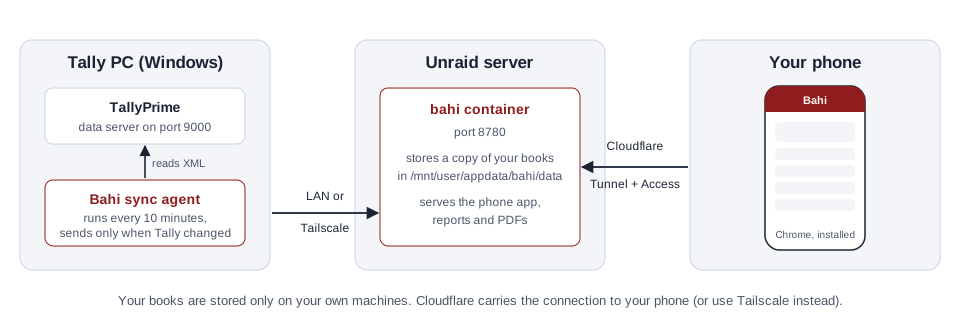
- TallyPrime's built-in data server (port 9000) lets programs on the same PC read your books.
- Bahi Sync checks Tally every 2 minutes and sends only what changed: changed vouchers, masters and outstanding bills. It also adds the entries made in the app.
- The Bahi server is one Docker container, written in Python with nothing else to install. It stores the data and serves the app.
- Your phone uses the Android app or the web app, which you can install from Chrome.
Updating
- Server: Unraid shows update ready on the container. Click it. Your data is kept.
- Tally PC: updates itself after the server updates.
- Android app: offers each new version when you open it.
See the changelog for what changed in each version.
Repository layout
| Folder | What's inside |
|---|---|
server/ |
The Docker app, using the Python standard library plus Pillow for Hindi text in PDFs. |
agent/ |
The sync on the Tally PC (PowerShell). It updates itself from the server. |
windows/ |
Bahi Sync for Windows and its installer. |
android/ |
The Android app. |
unraid/ |
The Unraid template. It is also listed in Community Apps. |
tests/mock_tally.py |
A pretend Tally server for testing without real books. |
docs/ |
Guides and screenshots. |
GitHub builds every change automatically:
- the Docker image
ghcr.io/bdlnaredi/bahi:latest; BahiSync-Setup.exe;Bahi.apk.
Help
Open an issue on GitHub. For sync problems, attach the report from Bahi Sync → Tools → Diagnose. Look through it first and remove anything you don't want to share.
License
Copyright (C) 2026 bdlnaredi
Bahi is free software: you can redistribute it and/or modify it under the terms of the GNU General Public License version 3 or any later version. If you share a changed version, you must share its source code under the same license. Bahi comes with no warranty.
Bahi is not affiliated with or endorsed by Tally Solutions. TallyPrime is a trademark of its owner.
Media gallery
1 / 5Requirements
Categories
Related apps
Explore more like this
Explore allDetails
ghcr.io/bdlnaredi/bahi:latestRuntime arguments
- Web UI
http://[IP]:[PORT:8780]/- Network
bridge- Shell
sh- Privileged
- false
- Extra Params
--security-opt=no-new-privileges:true
Template configuration
Port for the app and for Bahi Sync on the Tally PC
- Target
- 8780
- Default
- 8780
- Value
- 8780
Synced Tally data, phone entries, settings and nightly backups
- Target
- /data
- Default
- /mnt/user/appdata/bahi/data
- Value
- /mnt/user/appdata/bahi/data
Owner password for the app (staff get their own logins inside the app)
- Target
- APP_PASSWORD
A long random secret; type the same one into Bahi Sync on the Tally PC
- Target
- SYNC_TOKEN
Time of the nightly backup (24-hour, HH:MM)
- Target
- BACKUP_TIME
- Default
- 02:30
- Value
- 02:30
Time zone for backups, summaries and reminders (IST-5:30 is India)
- Target
- TZ
- Default
- IST-5:30
- Value
- IST-5:30