

backuparr
Docker app from rsaturns' Repository
Overview
Readme
View on GitHub
Backuparr
Backup your Arrs.
AI disclosure: This project was built with substantial assistance from Claude (Anthropic) - code, documentation, and commit history included. Reviewed and maintained by a human.
Scheduled config/database backups for Radarr, Sonarr, Prowlarr, Profilarr, Bazarr, Tdarr, SABnzbd, NZBGet, Tautulli, Jellyfin, Emby, Plex, and Seerr, sent to every destination you enable: Local storage, Google Drive, OneDrive, and Dropbox. Everything - apps, destinations, schedule, retention and restores - is set up in the web UI, not env vars.
Most apps are backed up through their own API. Jellyfin, Emby, Plex and Seerr also need a folder mounted into Backuparr - see the app notes.
Screenshots
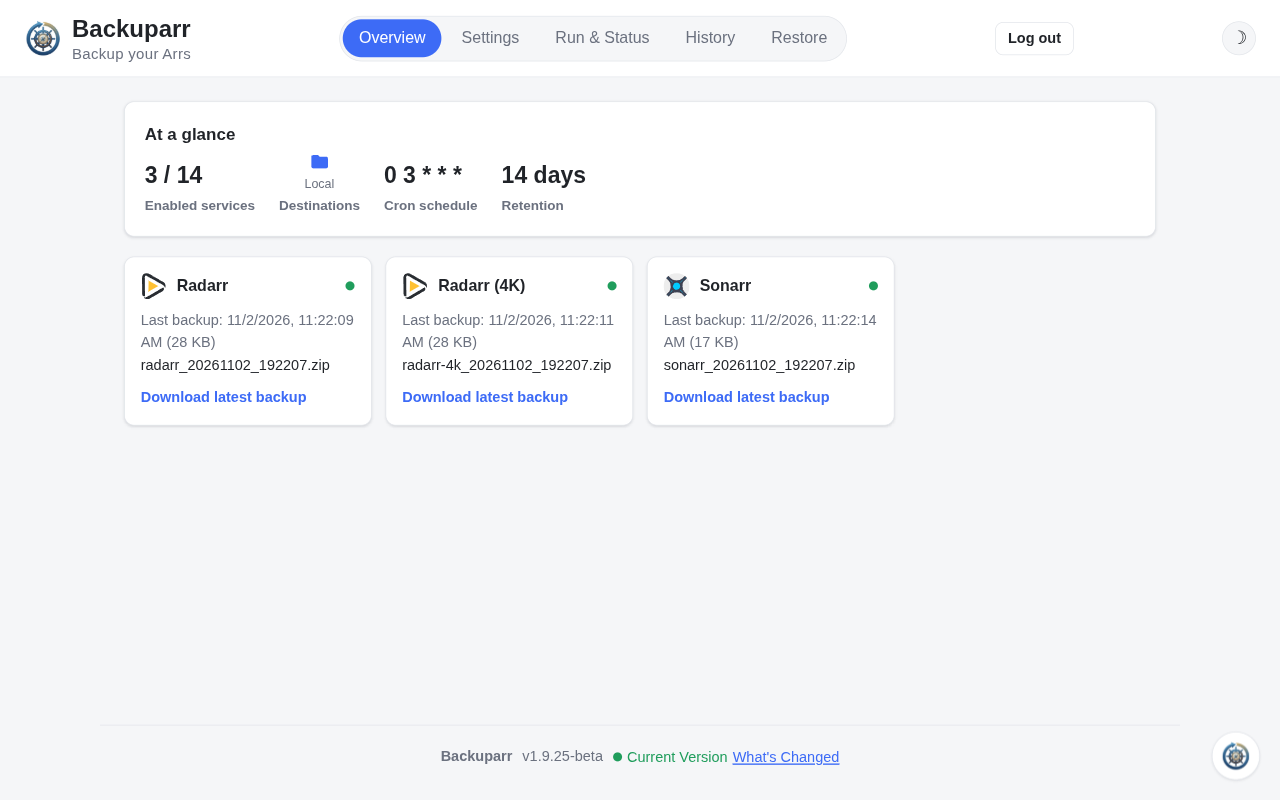 Overview |
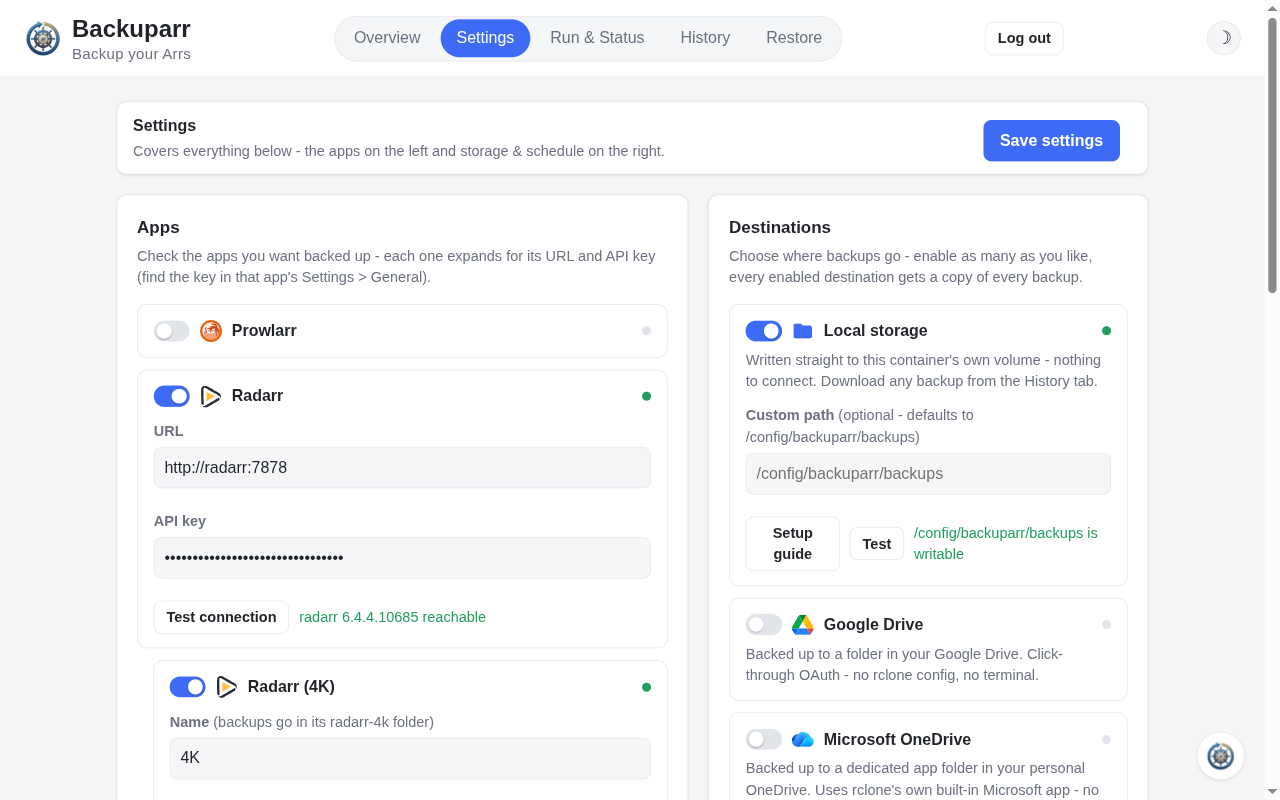 Settings |
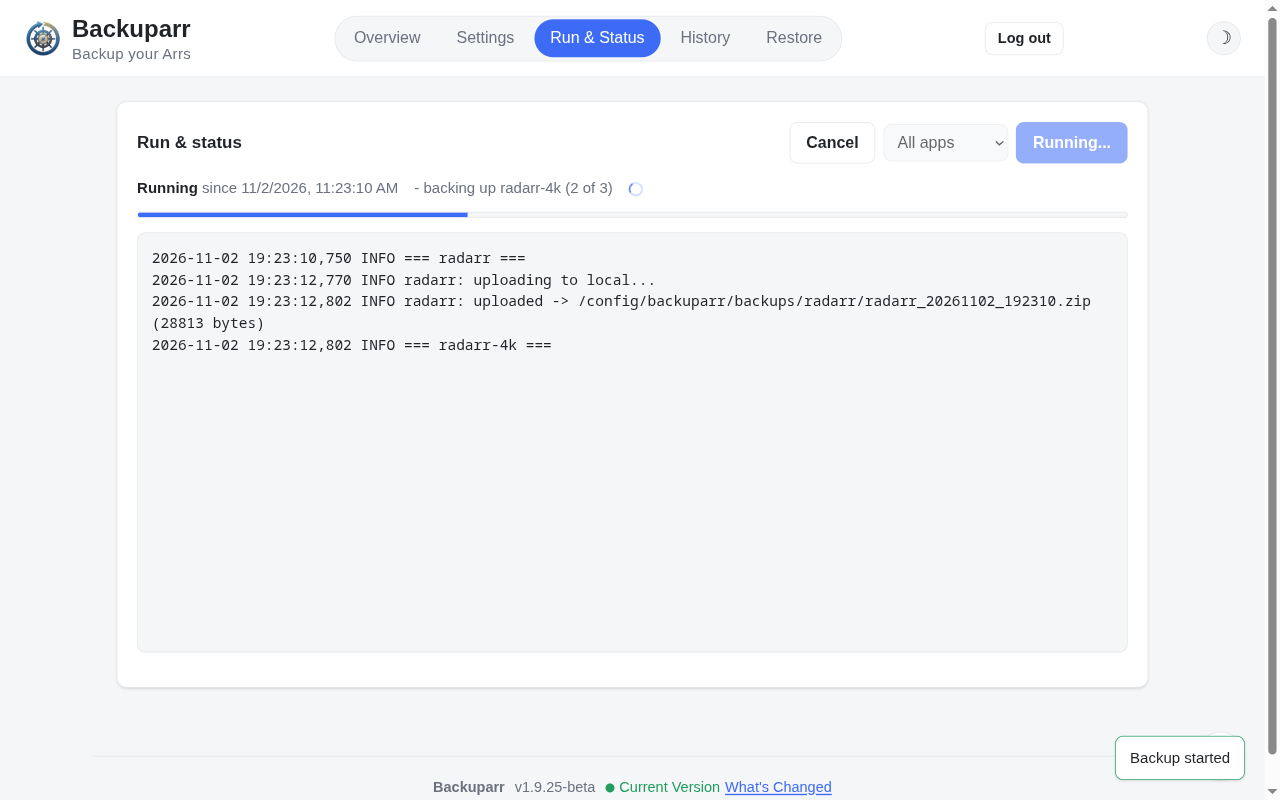 Run & Status |
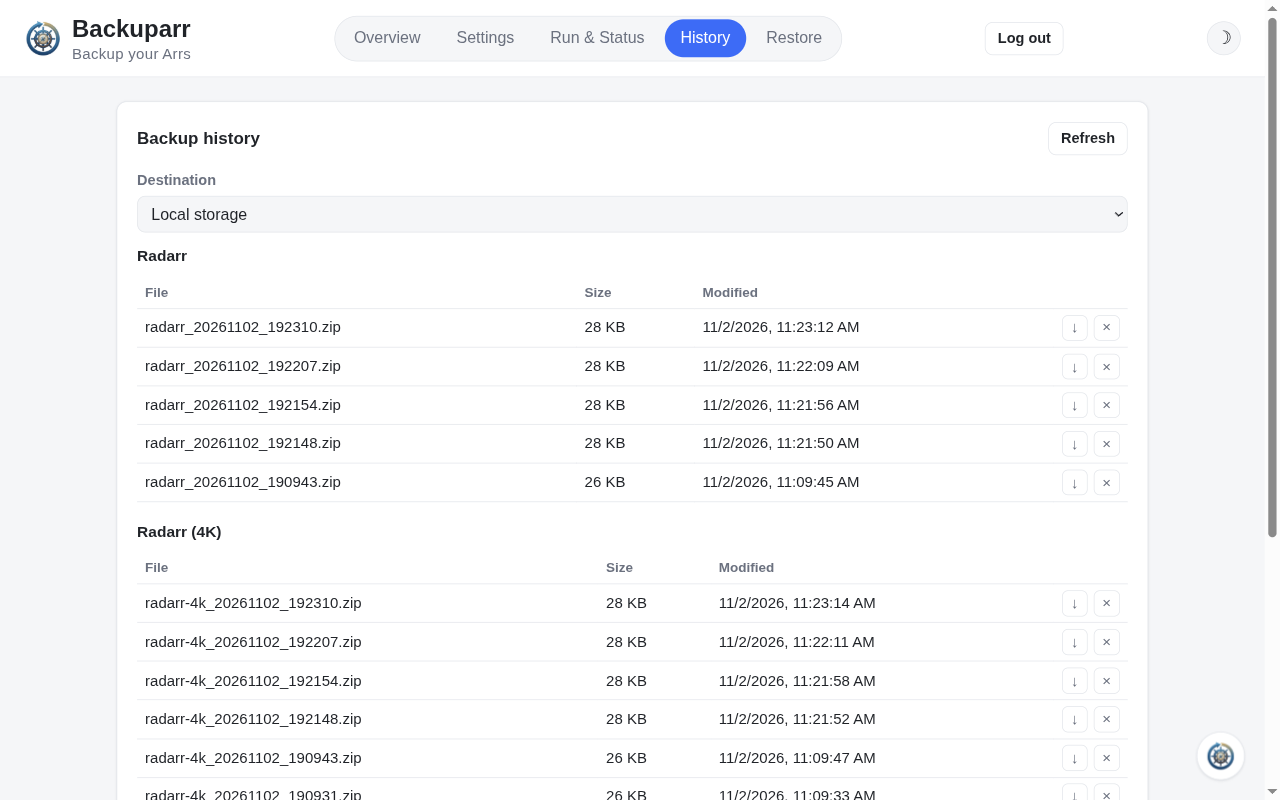 History |
Quick start
Docker
Add a backuparr service to the compose file that already defines your apps,
so it shares their network and can reach them by name.
services:
  backuparr:
    image: rsaturns/backuparr:latest
    container_name: backuparr
    restart: unless-stopped
    environment:
      - TZ=America/Los_Angeles
      - PUID=1000
      - PGID=1000
      # Optional - see Environment variables.
      #- LOG_LEVEL=INFO
      #- BACKUPARR_FORCE_HTTPS=true
      #- BACKUPARR_DISABLE_AUTH=true
      #- BACKUPARR_SECRETS_KEY=
      #- RCLONE_CONFIG_PASS=
      # Changing this also means updating the ports: mapping below.
      #- WEBUI_PORT=8990
    ports:
      - "8990:8990"
    volumes:
      # config.json, rclone.conf, and local-destination backups.
      - /share/Container/backuparr:/config/backuparr
      # Optional: needed only to restore Bazarr - path to its config/backup folder.
      #- /share/Container/bazarr/backup:/mnt/bazarr-backup
      # Needed to back up Jellyfin - its backups folder (see the Jellyfin note).
      #- /share/Container/jellyfin/config/data/backups:/mnt/jellyfin-backups
      # Needed to back up Emby - its /config folder (see the Emby note).
      #- /share/Container/emby/config:/mnt/emby:ro
      # Needed to back up Plex - its "Plex Media Server" folder (see the Plex note).
      #- "/share/Container/plex/Library/Application Support/Plex Media Server:/mnt/plex:ro"
      # Needed to back up Seerr - its /app/config folder (see the Seerr note).
      #- /share/Container/seerr/config:/mnt/seerr:ro
docker compose up -d
Or without Compose:
docker run -d --name backuparr --restart unless-stopped \
  -e TZ=America/Los_Angeles -e PUID=1000 -e PGID=1000 \
  -p 8990:8990 \
  -v /share/Container/backuparr:/config/backuparr \
  rsaturns/backuparr:latest
Published for linux/amd64 and linux/arm64. latest is the newest tagged
release; pin a version (e.g. rsaturns/backuparr:1.10.2) to control
upgrades. Tags are on Docker Hub,
and the same images are on GitHub Container Registry as
ghcr.io/rsaturns/backuparr.
The optional settings are covered in Docker, and building the image yourself in Build from source.
Unraid
On the Apps tab, search for Backuparr and click Install. The
template uses the same image, with appdata in /mnt/user/appdata/backuparr;
fill in the folders of the apps that need one - see
Unraid.
First run
Open http://<host>:8990 and create the admin account on the setup screen.
Then, on the Settings tab:
- Switch on each app to back up, enter its URL (e.g.
http://radarr:7878on the same Compose network, orIP:portfor apps on host networking) and its API key, and click Test connection. Using Prowlarr? Set it up first and click Discover services - see Prowlarr discovery. - Enable at least one destination.
- Set retention and a schedule. Retention deletes each app's backups older than the number of days you set, but always keeps its newest one.
- Click Save settings. Schedule changes apply without a restart.
Run & Status runs a backup now - of every app, or just one - and shows it live, History lists, downloads and deletes backups, and Restore restores them.
Documentation
- Getting started
- Apps - how each app is backed up and restored
- Destinations - Local storage, Google Drive, OneDrive, Dropbox
- Settings - Prowlarr discovery, multiple Radarr/Sonarr, reverse-proxy headers
- Login and security
- Restoring after a disaster
- Notifications
- Environment variables and the configuration reference
Want to help? See CONTRIBUTING.md and the Code of Conduct.
Credits
App icons (webui/static/icons/) are from the selfh.st icon
collection (selfhst/icons on
GitHub), licensed
CC BY 4.0.
License
GNU AGPLv3 - if you run a modified version as a network service, its source must be available to its users too.
Media gallery
1 / 4Categories
Download Statistics
Related apps
Explore more like this
Explore allDetails
rsaturns/backuparr:latestRuntime arguments
- Web UI
http://[IP]:[PORT:8990]/- Network
bridge- Shell
bash- Privileged
- false
Template configuration
Port of the Backuparr web UI.
- Target
- 8990
- Default
- 8990
- Value
- 8990
Backuparr's settings, encrypted credentials and, with the Local destination, the backups themselves. Back this folder up or keep a cloud destination enabled.
- Target
- /config/backuparr
- Default
- /mnt/user/appdata/backuparr
- Value
- /mnt/user/appdata/backuparr
Needed to back up Jellyfin: the folder Jellyfin writes its backups to, e.g. /mnt/user/appdata/jellyfin/data/data/backups for the linuxserver image. See https://rsaturns.github.io/backuparr/apps/jellyfin/
- Target
- /mnt/jellyfin-backups
Needed to back up Emby: the folder Emby has at /config, e.g. /mnt/user/appdata/emby. Set Access Mode to Read/Write to restore from the web UI. See https://rsaturns.github.io/backuparr/apps/emby/
- Target
- /mnt/emby
Needed to back up Plex: its Plex Media Server folder, e.g. /mnt/user/appdata/plex/Library/Application Support/Plex Media Server. Set Access Mode to Read/Write to restore from the web UI. See https://rsaturns.github.io/backuparr/apps/plex/
- Target
- /mnt/plex
Needed to back up Seerr: the folder Seerr has at /app/config, e.g. /mnt/user/appdata/seerr. Set Access Mode to Read/Write to restore from the web UI. See https://rsaturns.github.io/backuparr/apps/seerr/
- Target
- /mnt/seerr
Needed only to restore Bazarr: its backup folder, e.g. /mnt/user/appdata/bazarr/backup. See https://rsaturns.github.io/backuparr/apps/bazarr/
- Target
- /mnt/bazarr-backup
User the container runs as. 99 is Unraid's nobody.
- Default
- 99
- Value
- 99
Group the container runs as. 100 is Unraid's users.
- Default
- 100
- Value
- 100
Permissions of new files. The default 077 lets only the container user read backups; set 022 if another user reads the backup folder.
- Default
- 077
- Value
- 077
Logging level for backup and restore runs, e.g. DEBUG.
- Default
- INFO
- Value
- INFO
Set to true only behind your own TLS reverse proxy. Leave empty on plain HTTP, or login fails. See https://rsaturns.github.io/backuparr/environment-variables/
With BACKUPARR_FORCE_HTTPS: your reverse proxy's IP address, so the login lockout sees each client's own address.
Set to true only when an authenticating reverse proxy protects the whole UI and the port isn't reachable any other way. See https://rsaturns.github.io/backuparr/security/
Optional: replaces the generated secrets.key that encrypts credentials in config.json. Leave empty to use the generated key.
Optional: replaces the generated password that encrypts rclone.conf. Leave empty to use the generated one.