
Awesonix-Mail
Docker app from Awesonix's Repository
Self-hosted webmail aggregator with an independently managed external database service.
Overview
Readme
View on GitHubAwesonix Mail Release
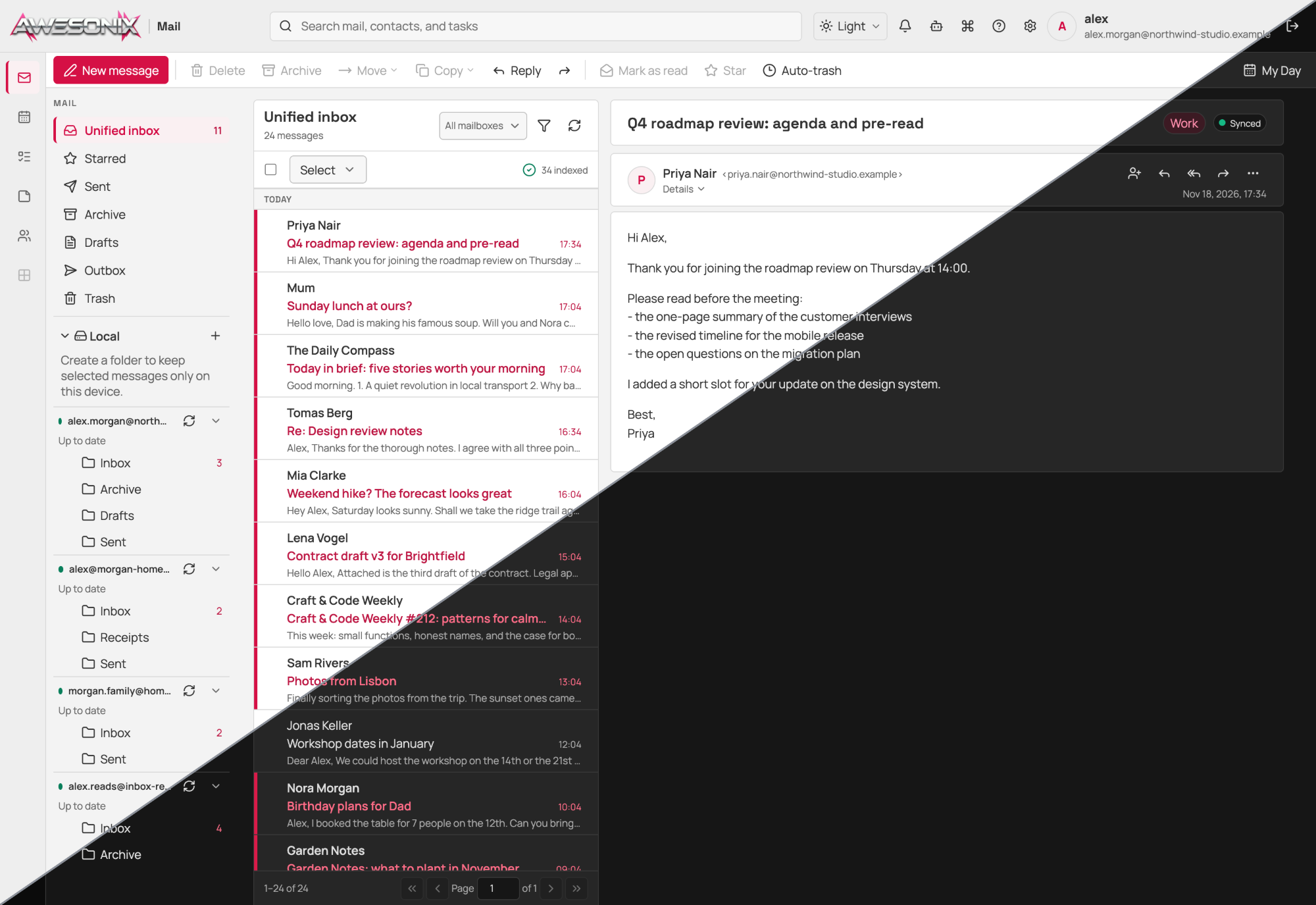
This is the public repository for Awesonix Mail container releases and platform-oriented distribution files. Download the release package from the GitHub Releases page: the package is this repository at the release tag, and the offline image archive with its SHA256SUMS is attached to the release. Inspect distribution-manifest.json, verify the archive and SHA256SUMS on the GitHub Release page, then follow exactly one platform guide:
docker/for Docker Engine or Docker Desktop with Compose.unraid/for the Unraid Docker template workflow.synology/for Synology DSM Container Manager projects.truenas/for prepared Custom App YAML; no TrueNAS release or CPU architecture is qualified yet.
The manuals for this release are in docs/. Start with the installation guide. It explains the database, the container, and the first-run setup step by step. The user guide covers everyday use, and docs/README.md lists every manual.
The database settings are optional in every template. If you leave the database host and password empty, the first-run wizard asks for them in its first step, and the schema build shows its progress. The saved settings are in database.json in the secrets folder: back it up with master.key. Set the stop grace period to at least 120 seconds, as the templates do.
Read CHANGELOG.md before every upgrade. It lists each version with its upgrade steps, commands, and changes for administrators.
All variants run the same all-in-one image and expose the web application on host port 8180. The token-gated diagnostics listener is off by default in every variant, and no variant publishes TCP port 8182. Enable the listener and publish the port only for a diagnostic session on a trusted network. Preserve all database, mail, secrets, and logs storage during upgrades. Backups must live outside those four active storage locations.
The packaged application provides selectable English, Hungarian, German, Dutch, and French interface catalogs with English fallback. The first-round manuals remain English. Consult the package's source-state notice before treating any catalog or image as release-qualified.
The platform templates track ghcr.io/awesonix-com/awesonix-mail:latest; the versioned image archive on the GitHub Release page remains available for offline installation. Verify an offline archive and follow the platform guide to tag it for the rolling template reference before installation.
The generated repository's distribution-manifest.json is authoritative for the released archive version, build, source revision, source state, image digest, size, and checksum. A redistributable may intentionally remain on an older qualified version while newer source is under review; never rename or relabel its archive to match the development tree.
Do not hand-edit generated platform files or manuals. Their canonical templates and synchronisation tooling live in the Awesonix Mail development repository.
Licence
The files in this repository (the platform templates, the compose files and the documentation) are under the MIT licence. Read it in LICENSE. The files in the folder licenses/ keep the licences that they state.
The Awesonix Mail software and its container image are not under the MIT licence. They are under the Awesonix Mail License Agreement. Read it in licenses/AWESONIX-MAIL-LICENSE-AGREEMENT.md.
Categories
Related apps
Explore more like this
Explore allLinks
Details
ghcr.io/awesonix-com/awesonix-mail:latestRuntime arguments
- Web UI
http://[IP]:[PORT:8180]/- Network
bridge- Privileged
- false
- Extra Params
--restart unless-stopped --read-only --security-opt=no-new-privileges:true --cap-drop=ALL --cap-add=CHOWN --cap-add=SETGID --cap-add=SETUID --memory=2g --cpus=2 --pids-limit=512 --stop-timeout=120
Template configuration
Web interface and API port
- Target
- 8180
- Default
- 8180
- Value
- 8180
Optional token-gated diagnostics/MCP host port; leave empty while the diagnostics listener is off
- Target
- 8182
Hostname or IP address of the database server, without a protocol or port (leave empty to enter it in the set-up wizard)
- Target
- AWESONIX_MAIL_DATABASE_HOST
TCP port exposed by the database server. Keep the default unless your database uses another value
- Target
- AWESONIX_MAIL_DATABASE_PORT
- Default
- 3306
- Value
- 3306
Existing database reserved for Awesonix Mail. Keep the default unless your database uses another value
- Target
- AWESONIX_MAIL_DATABASE_NAME
- Default
- awesonix_mail
- Value
- awesonix_mail
Database account with full access to the selected database. Keep the default unless your database uses another value
- Target
- AWESONIX_MAIL_DATABASE_USER
- Default
- awesonix
- Value
- awesonix
Password for the database account (leave empty to enter it in the set-up wizard)
- Target
- AWESONIX_MAIL_DATABASE_PASSWORD
Raw mail objects and search index
- Target
- /srv/mail
- Default
- /mnt/user/appdata/awesonix-mail/mail
- Value
- /mnt/user/appdata/awesonix-mail/mail
Master key and protected runtime configuration
- Target
- /srv/secrets
- Default
- /mnt/user/appdata/awesonix-mail/secrets
- Value
- /mnt/user/appdata/awesonix-mail/secrets
Bounded persistent application debug history
- Target
- /srv/logs
- Default
- /mnt/user/appdata/awesonix-mail/logs
- Value
- /mnt/user/appdata/awesonix-mail/logs
Maximum attachment size per draft (1-100)
- Target
- AWESONIX_MAIL_ATTACHMENT_LIMIT_MIB
- Default
- 20
- Value
- 20
First-run setup token expiry in minutes
- Target
- AWESONIX_MAIL_SETUP_TOKEN_MINUTES
- Default
- 30
- Value
- 30
Keep enabled for automatic analysis and re-analysis jobs
- Target
- AWESONIX_MAIL_AI_DURABLE_ANALYSIS
- Default
- true
- Value
- true
Keep enabled for scheduled Vigil briefings
- Target
- AWESONIX_MAIL_AI_DURABLE_BRIEFINGS
- Default
- true
- Value
- true
Send a notification when a Vigil briefing is ready; users control Assistant alerts in notification settings
- Target
- AWESONIX_MAIL_AI_COMPLETION_NOTIFICATIONS
- Default
- true
- Value
- true
Reverse proxies whose X-Forwarded-For entries count: comma-separated IP addresses or CIDR networks, or none. Empty means the default 127.0.0.0/8,::1/128,10.0.0.0/8,172.16.0.0/12,192.168.0.0/16,fc00::/7,169.254.0.0/16,fe80::/10
- Target
- AWESONIX_MAIL_TRUSTED_PROXIES
Keep production for every normal Unraid deployment
- Target
- AWESONIX_MAIL_ENV
- Default
- production
- Value
- production
Use off by default; set to 0.0.0.0:8182 only with a protected diagnostics port
- Target
- AWESONIX_MAIL_DEBUG_LOG_ADDRESS
- Default
- off
- Value
- off
Diagnostic bearer-token lifetime in minutes (1-1440) when diagnostics are enabled
- Target
- AWESONIX_MAIL_DEBUG_TOKEN_MINUTES
- Default
- 60
- Value
- 60
Keep off in production; observe/control are accepted only in isolated test mode
- Target
- AWESONIX_MAIL_LOCAL_DIAGNOSTICS
- Default
- off
- Value
- off
Keep empty when tokenless diagnostics are off; test-only owner email principal
- Target
- AWESONIX_MAIL_LOCAL_DIAGNOSTICS_OWNER