
All apps · 0 apps
Avatar
Docker app from grtgbln's Repository
Overview
Readme
View on GitHubavatar
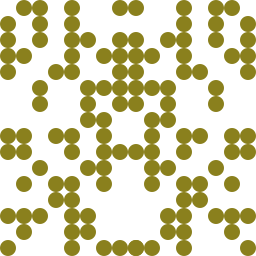
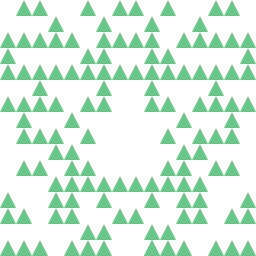
Self-hosted service for creating random avatars
Inspired by github default avatars
Examples
Random

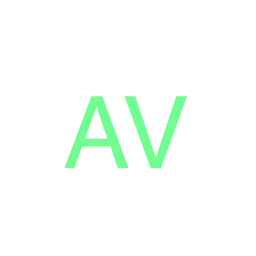
Initials
Usage
Default Port: 9000
Download
Either download a release from the Tags page or clone the repo. Then follow the steps under Development Setup.
Docker
There is a container image available on Docker Hub and there is a Docker-Compose file in the repo. Both are provided for convenience and as a starting point for a production setup.
docker|podman run -p 9000:9000/tcp docker.io/frncsdrk/avatar
Configuration
You can put config files into ./config/. See file load order for configuration names and there priority.
Mount configuration into container
Generally mounting a custom configuration shouldn't be necessary, except if you want to set a custom port
Using another name than prod.yml will lead to a warning when using the container image from this repository.
The warning is irrelevant as long as you follow the configuration naming conventions.
docker|podman run -p <custom port>:<custom port>/tcp -v ./vol:/app/config docker.io/frncsdrk/avatar
API
See API Docs
Logs
The service uses a preconfigured log directory and logs into a combined log with all messages and an error log.
For the development environment the default directory is ./log and for production it is /var/log/avatar.
Additionally, if the service is not running in production mode all messages get logged to stdout.
Development
Setup
Prerequisites
- Node.js installation
- Libraries for image editing
- apiDoc installation, if editing docs
Steps
- Run
brew install nodeor similar to install Node.js - Run
brew install pkg-config cairo pango libpng jpeg giflib librsvgor similar to install libraries for image editing - Run
npm install -g apidocto install apiDoc globally
Usage
- Run
npm startto start service - Run
npm run devto start service with nodemon - Run
npm run generate:docsto generate API docs from source code
Contributions
See CONTRIBUTING
Credits
See CREDITS
License
MIT (c) 2018 - 2026 frncsdrk and contributors
Requirements
Expects a `default.json` file in the "Config Path": https://raw.githubusercontent.com/nwithan8/unraid_templates/master/ref/avatar/default.json
Categories
Download Statistics
Related apps
Explore more like this
Explore allLinks
Details
frncsdrk/avatar:stableRuntime arguments
- Web UI
http://[IP]:[PORT:9000]/avatar- Network
bridge- Privileged
- false
Template configuration
Container Port: 9000
- Target
- 9000
- Default
- 9000
- Value
- 9000
Path to store configuration files
- Target
- /app/config
- Default
- /mnt/user/appdata/avatar/config
- Value
- /mnt/user/appdata/avatar/config