

Aurora Theme
Plugin from Tunefish
Overview
Readme
View on GitHubAurora Theme for Unraid
A modern theme plugin for the Unraid webGUI: new colours and fonts, an optional sidebar layout, a card-based Dashboard, a redesigned Main page, a compact Docker list with groups, and a built-in Stats page. Dark and light, with a one-click switch, and it works on phones.
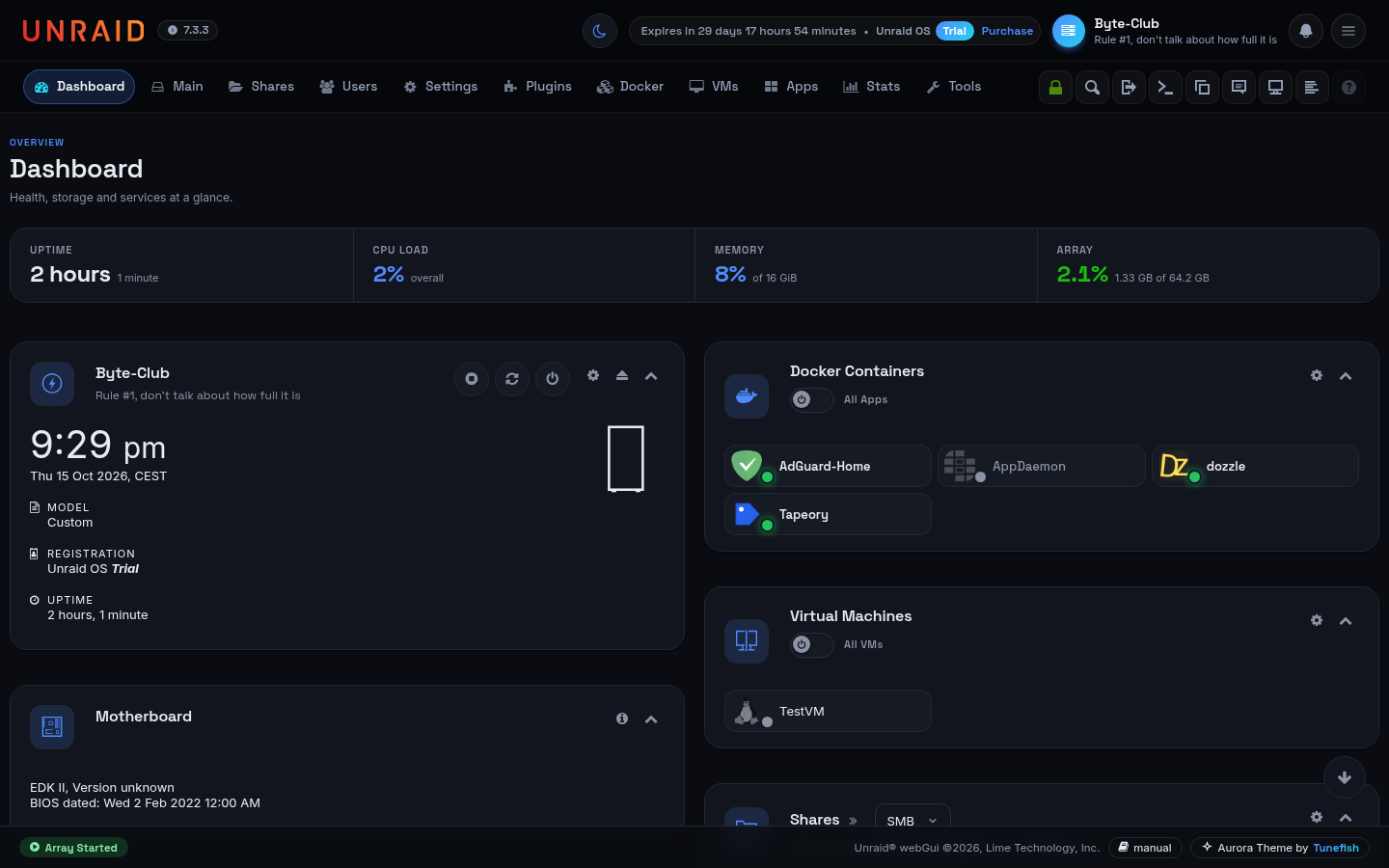
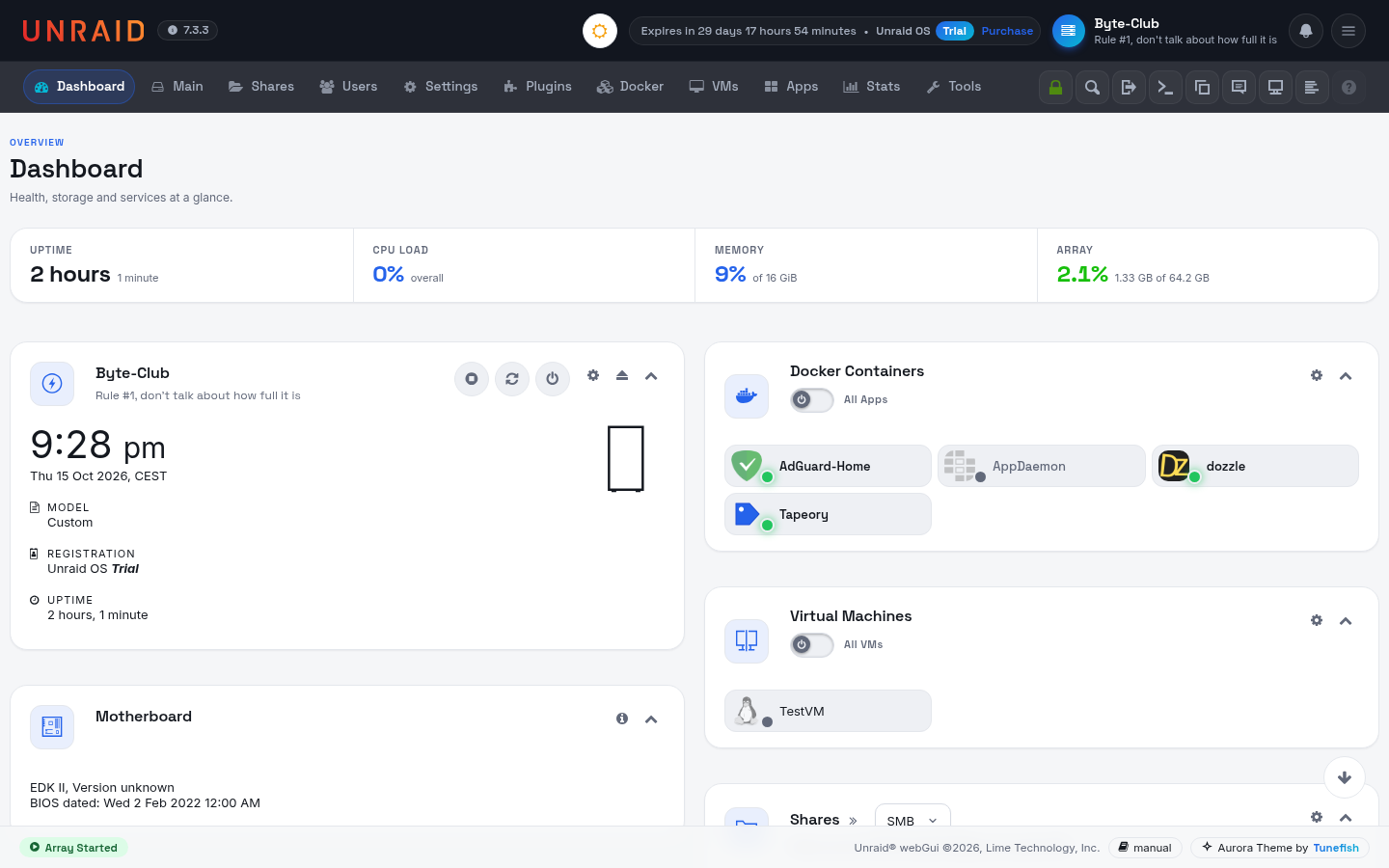
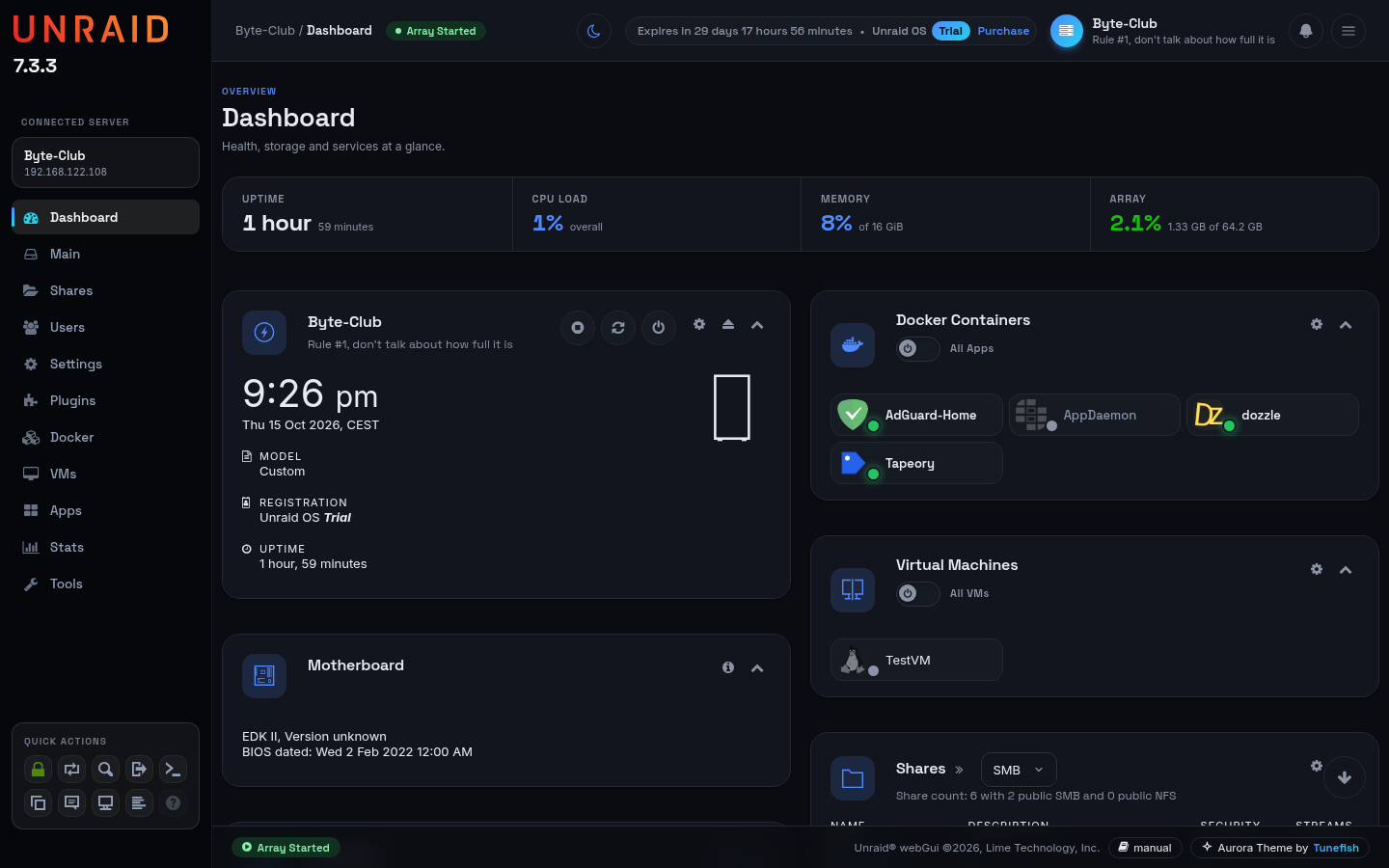
| Light palette | Sidebar layout |
|---|---|
 |
 |
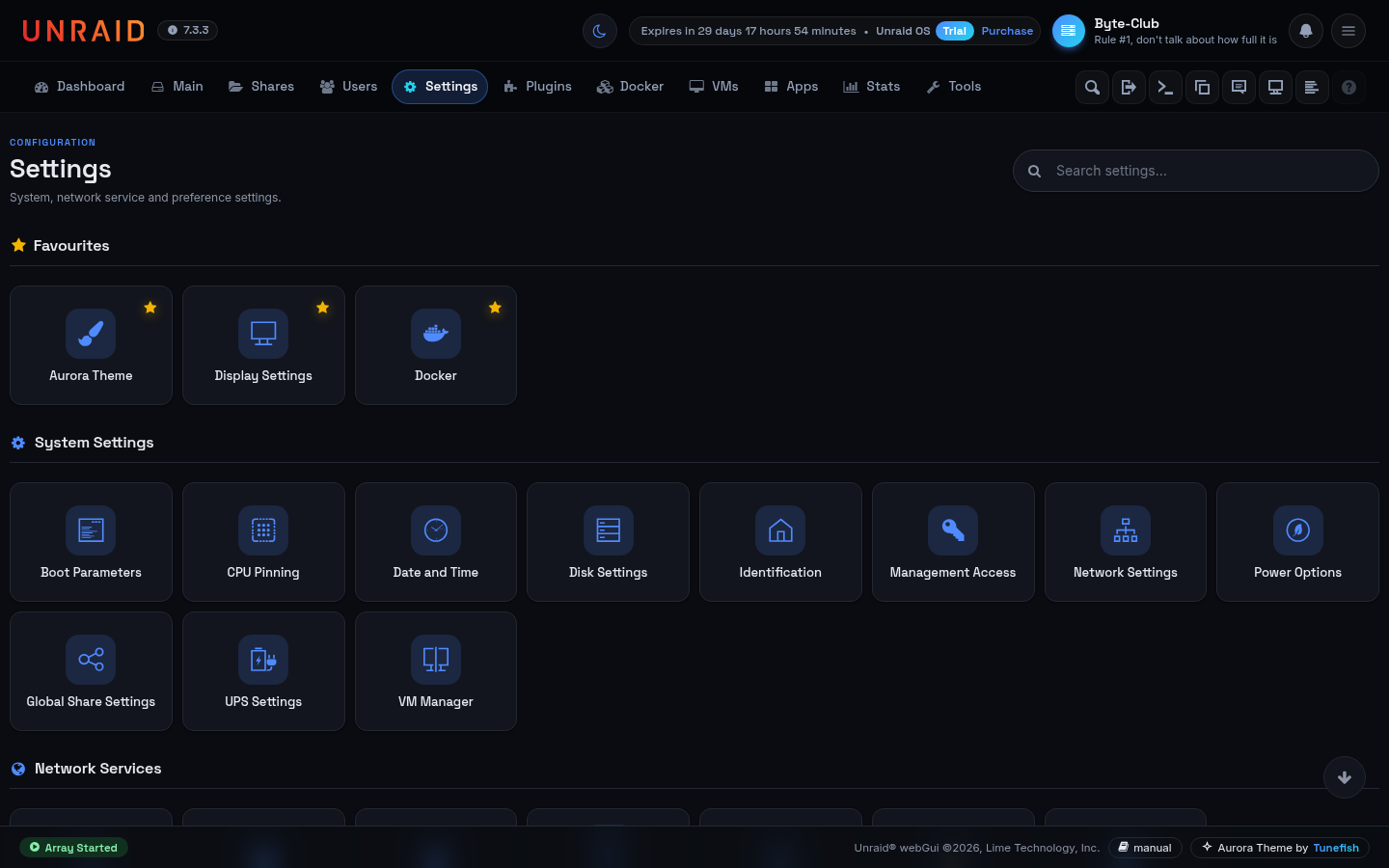
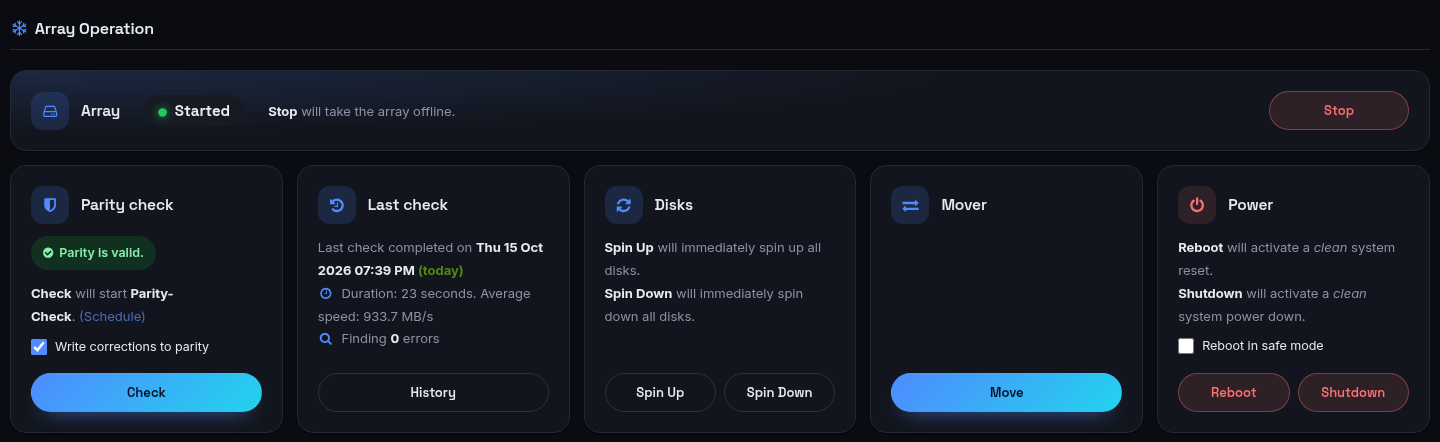
| Settings with favourites and search | Array Operation |
|---|---|
 |
 |
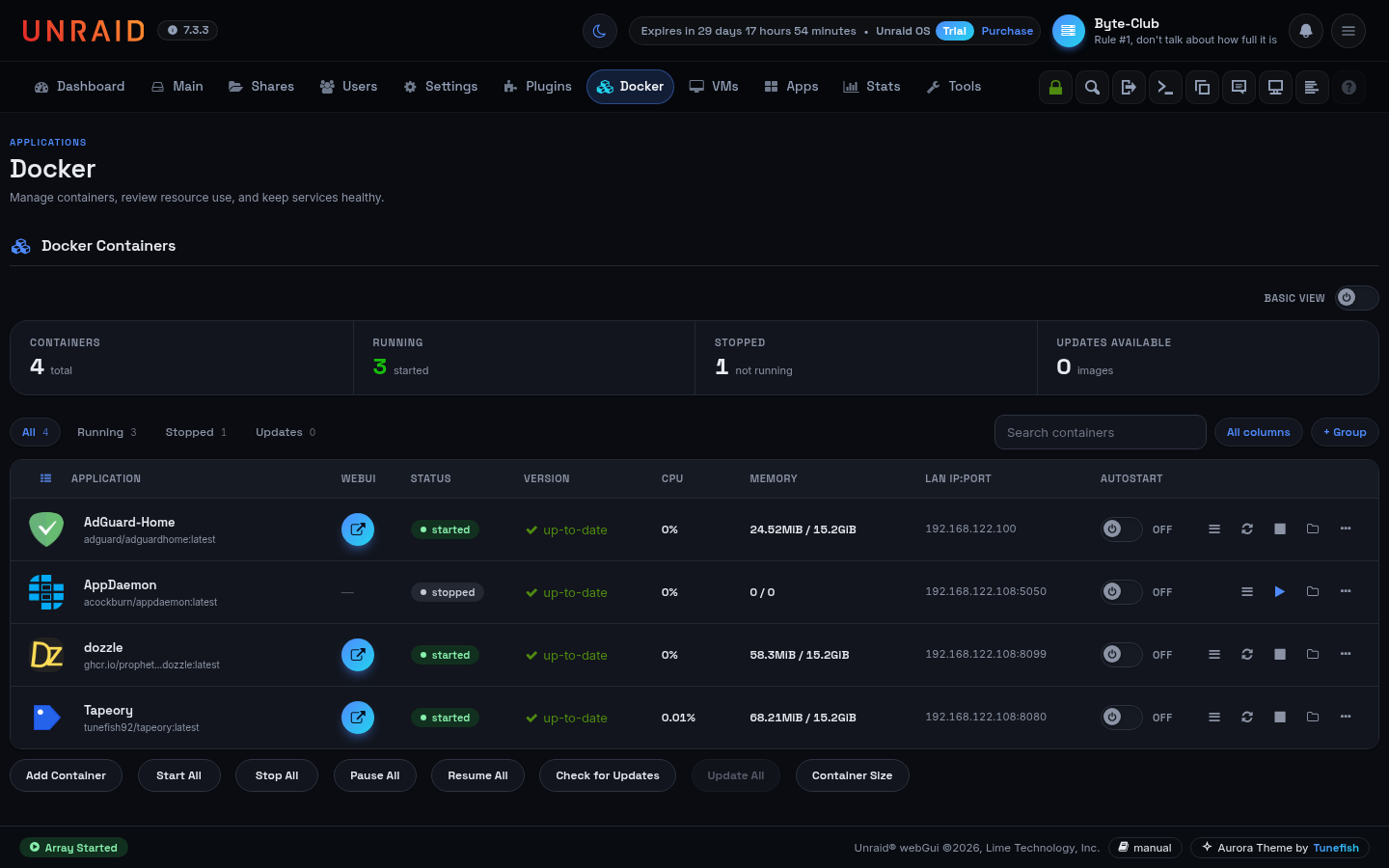
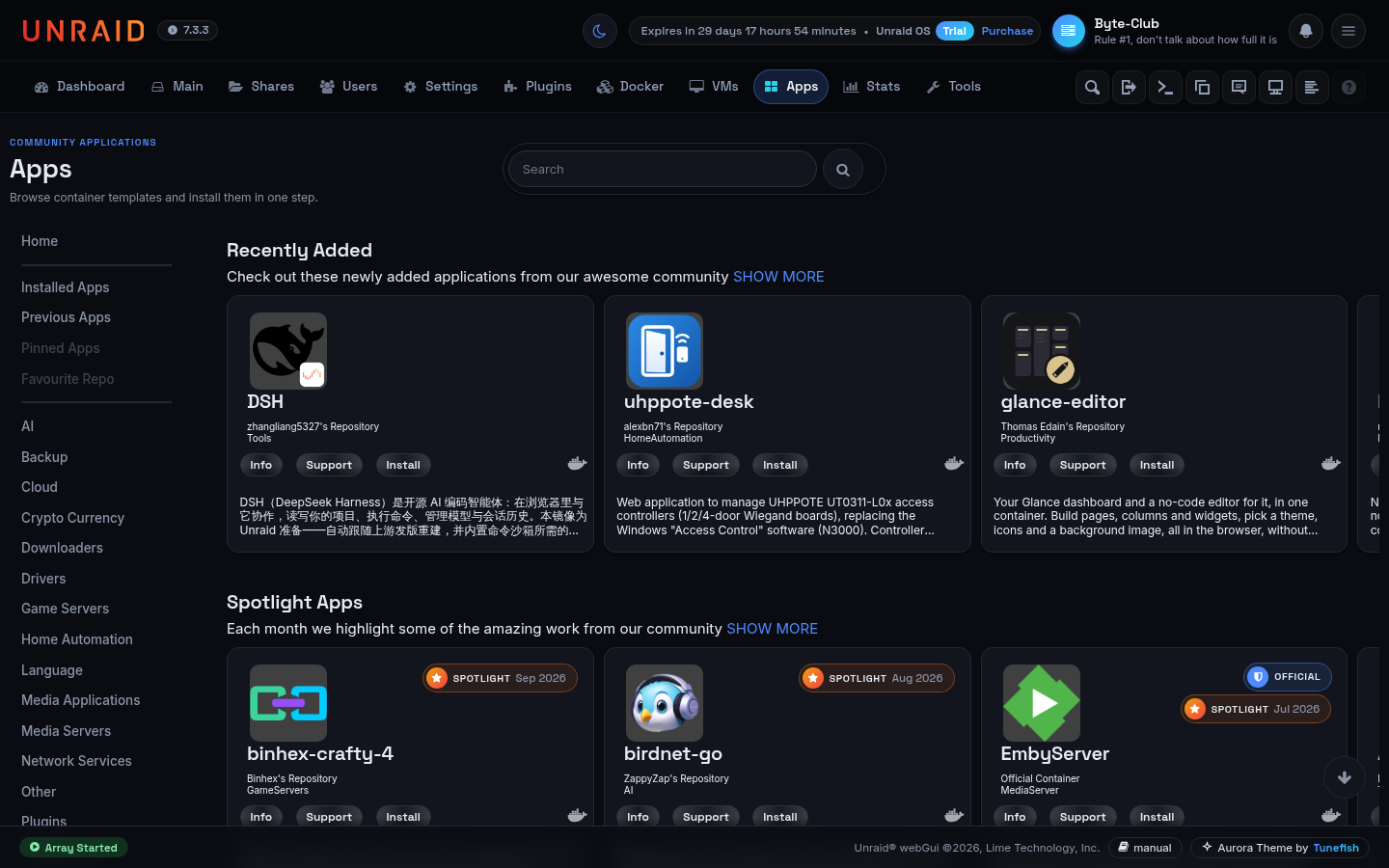
| Docker | Apps |
|---|---|
 |
 |
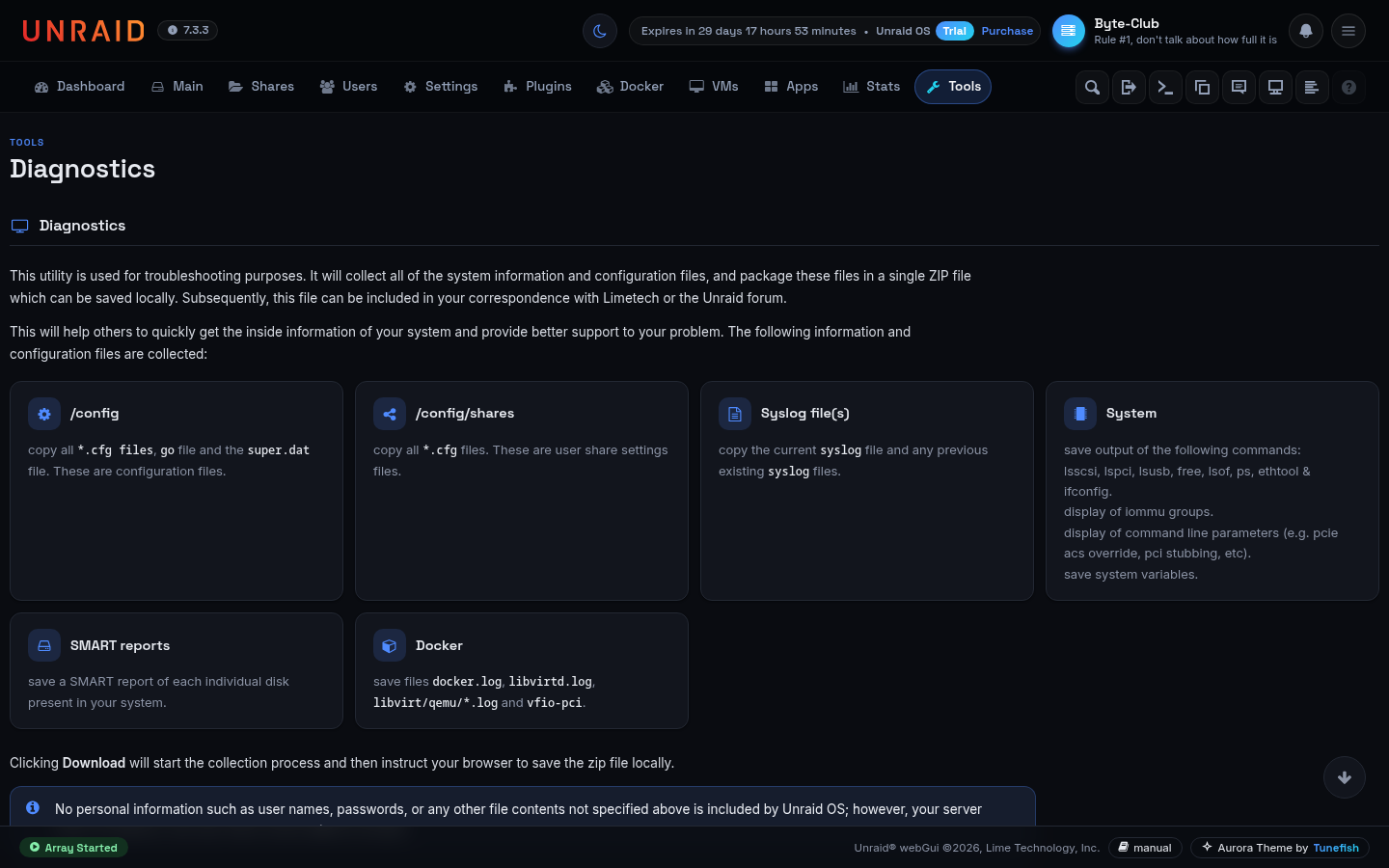
| Tools | Login page |
|---|---|
 |
 |
Install
In Unraid, go to Plugins → Install Plugin, paste this address and click Install:
https://github.com/Tunefish92/Aurora-Theme/releases/latest/download/Aurora-Theme.plg
Or over SSH:
plugin install https://github.com/Tunefish92/Aurora-Theme/releases/latest/download/Aurora-Theme.plg
Requires Unraid 7.2 or newer. The theme follows the Dynamix colour theme in Settings → Display Settings: Black gives the dark look, White the light one; the round button at the top right switches between the two. Other Dynamix themes are left unchanged.
Settings are under Settings → User Utilities → Aurora Theme.
What it changes
- Look: Inter and Space Grotesk fonts (bundled, no external requests), a blue–cyan accent, rounded cards, pill buttons, themed drop-down lists, switches, tab bars, dialogs, tooltips and notifications. Every table, including those of plugins, gets the same card style.
- Layout: a top bar with the server controls in one row and pill tabs with icons, the quick actions as round buttons; or an optional sidebar with the main menu, server card and quick actions (phones and tablets keep the top bar). A dark / light switch and page headings on every tab.
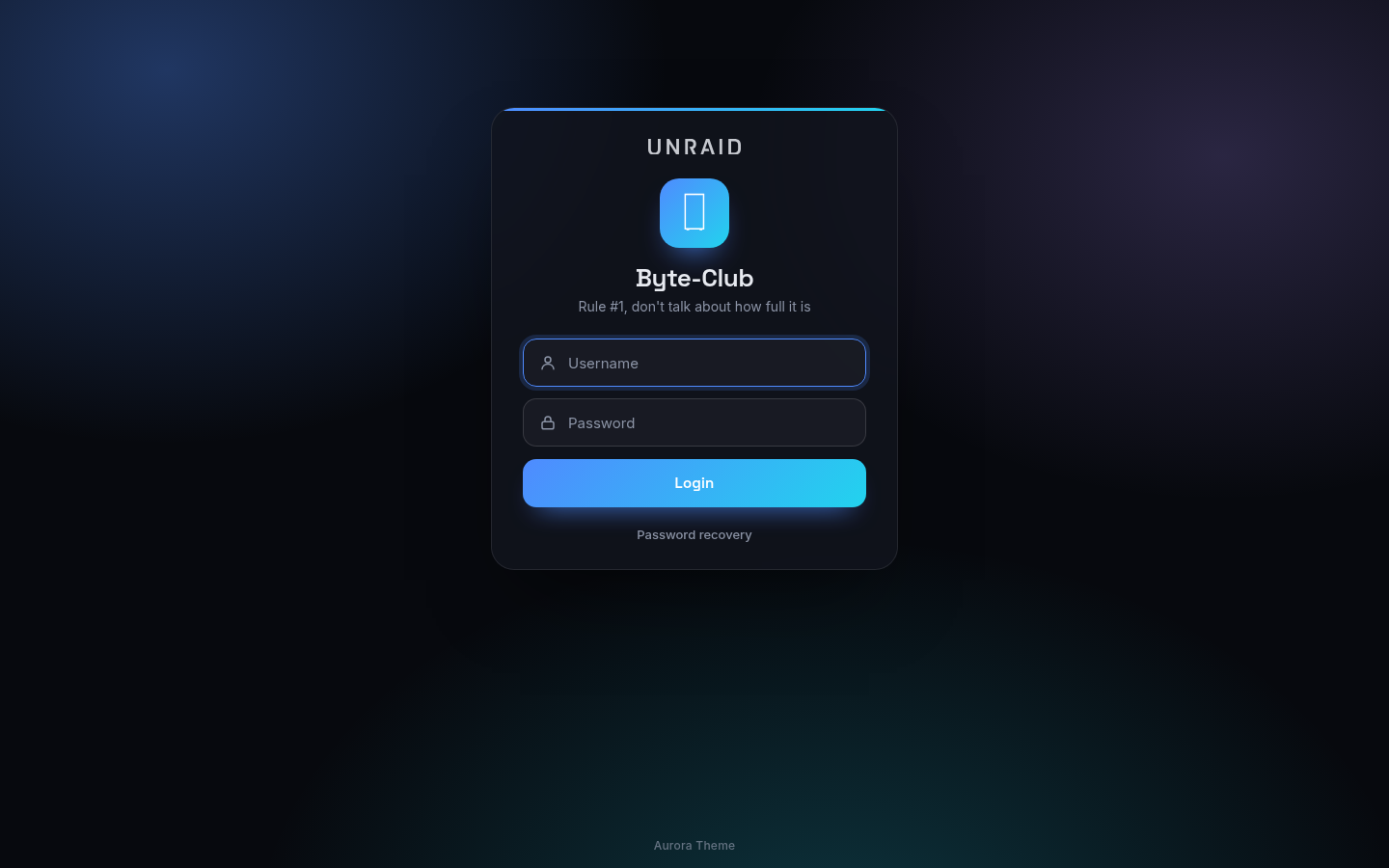
- Login page: a glass card on an aurora background, in the dark or light palette.
- Dashboard: tiles as cards, a summary strip (uptime, CPU, memory, array), restyled load charts, the processor's cores as a compact grid with power and temperature chips, usage rings, fans and disk bays as small cards. Clicking a container opens a dialog with all its actions. The processor tile keeps showing load, power and temperature when the Unraid API service is not running.
- Main: device tables with status dots, temperature and error chips and slim usage bars; Array Operation as cards (array, parity check with live progress, last check, disks, mover, power).
- Docker: a compact list with status, CPU, memory and a one-click WebUI button, filters and search, collapsible application groups with start/stop for a whole group, and a card layout on phones. In the container editor every port is checked while typing (range, duplicates, ports used by other containers or by the server), and the "docker allocations" list becomes a searchable overview.
- VMs: an expand button per VM for its disks, interfaces and snapshots, with buttons to create, revert and remove snapshots.
- Apps (Community Applications): a nav-style menu, the search centred in the title row with themed suggestions, "Installed", "Official" and spotlight badges as pills, page numbers that stay in place, and Change Log, Credits and Statistics as modals.
- Settings and Tools: a search field and a Favourites section; star any card to pin it at the top. The tool pages get readable help text: notes and warnings as callouts, command output in monospaced boxes, and the Diagnostics file list as cards. Help boxes and notices look the same everywhere.
- Users: user cards with avatars or coloured initials, roles, search and an "Add user" button.
- Stats: its own Stats tab with CPU, memory, network and disk charts, collected once a minute. It replaces the Dynamix System Statistics plugin, so remove that one first.
- Settings page: switches for colours, layout, enhancements and the Stats tab; updates from the GitHub releases, automatically (on by default, checked hourly) or with "Check for updates" and "Update now"; a form that opens a pre-filled GitHub issue.
If something looks wrong
- Open any page with
?aurora=offadded to the address (for example/Dashboard?aurora=off, also/login?aurora=off) to switch the plugin off in that browser;?aurora=onturns it back on. - Remove it under Plugins, or with
plugin remove Aurora-Theme.plgover SSH. This also restores Unraid's own login page. - Your own CSS and JavaScript can go in
/boot/config/plugins/Aurora-Theme/custom.cssandcustom.js; they load after the theme and survive updates.
Please report bugs and ideas as issues; the settings page can fill one in for you, including the system details.
Building from source
The plugin is a single generated file. Edit the sources in plugin/src/ and the theme stylesheet unraid-tapeory.css, then run:
python3 plugin/build.py
This writes Aurora-Theme.plg with a version based on the current date and time.
A note about this project
I'm a hobby programmer with an interest in coding and software development. I can read and write code, but for this project, I used Claude AI as a development assistant to help me turn my ideas into a working project.
I believe AI is a useful tool for learning, experimenting, and bringing ideas to life. I want to be transparent about how this project was created and acknowledge the role AI played in its development.
Licence
MIT, see LICENSE. The bundled fonts, Inter and Space Grotesk, are under the SIL Open Font License; their licence texts are in plugin/src/fonts/.
Theme by Tunefish.
Media gallery
1 / 5Categories
Download Statistics
Downloads by Month
Related apps
Explore more like this
Explore allDetails
https://github.com/Tunefish92/Aurora-Theme/releases/latest/download/Aurora-Theme.plg