

auditorr
Docker app from thrill-burn's Repository
An audit tool for hardlinked media libraries using qBittorrent / qui + Sonarr / Radarr, following the TRaSH Guides folder structure.
Overview
An audit tool for hardlinked media libraries using qBittorrent / qui + Sonarr / Radarr, following the TRaSH Guides folder structure.
A dashboard with a health score and a map of your disk space tells you what's wrong with your library. Five automated workflows fix it. Built to stay light on memory, it runs on 500+ TB libraries.
- Health score (0-100) showing how clean and efficient your library is
- Library map: every title drawn at its size and coloured by the workflow that acts on it, so unlinked, orphaned, unimported and duplicate files stand out; click a tile to open its workflow
- Five workflows: Backfill (re-seed unseeded media via Sonarr/Radarr search), Cleanup (reviewed delete script for orphaned torrent files), Triage (explains every problem torrent — dead seeds, unregistered, superseded, pending imports — with import, season-pack, exclude and delete actions), Dedupe (replace duplicate copies with verified hardlinks), Trumped (paste a tracker trump PM to swap the whole cross-seed group for its replacement)
- Tracker analytics: upload per day or as a running total, yield over time, what each tracker seeds that no other does, trackers reporting a problem, and cross-seed effectiveness
- Powerful file explorer with tree and flat views, filterable by status, tracker, seed count, size, filename
- File-level change log between every audit, kept indefinitely
- Sonarr/Radarr integration, a guided first-run setup wizard, and exclusion suggestions after each scan
Read-only and non-destructive by default — all delete actions are opt-in, reviewed, and confirmed.
Readme
View on GitHubauditorr
An audit tool for hardlinked media libraries using qBittorrent / qui + Sonarr / Radarr, following the TRaSH Guides folder structure. A dashboard with a health score and a map of your disk space tells you what's wrong with your library. Five automated workflows fix it. Built to stay light on memory, it runs on 500+ TB libraries.
Configuration · Remote access · Troubleshooting
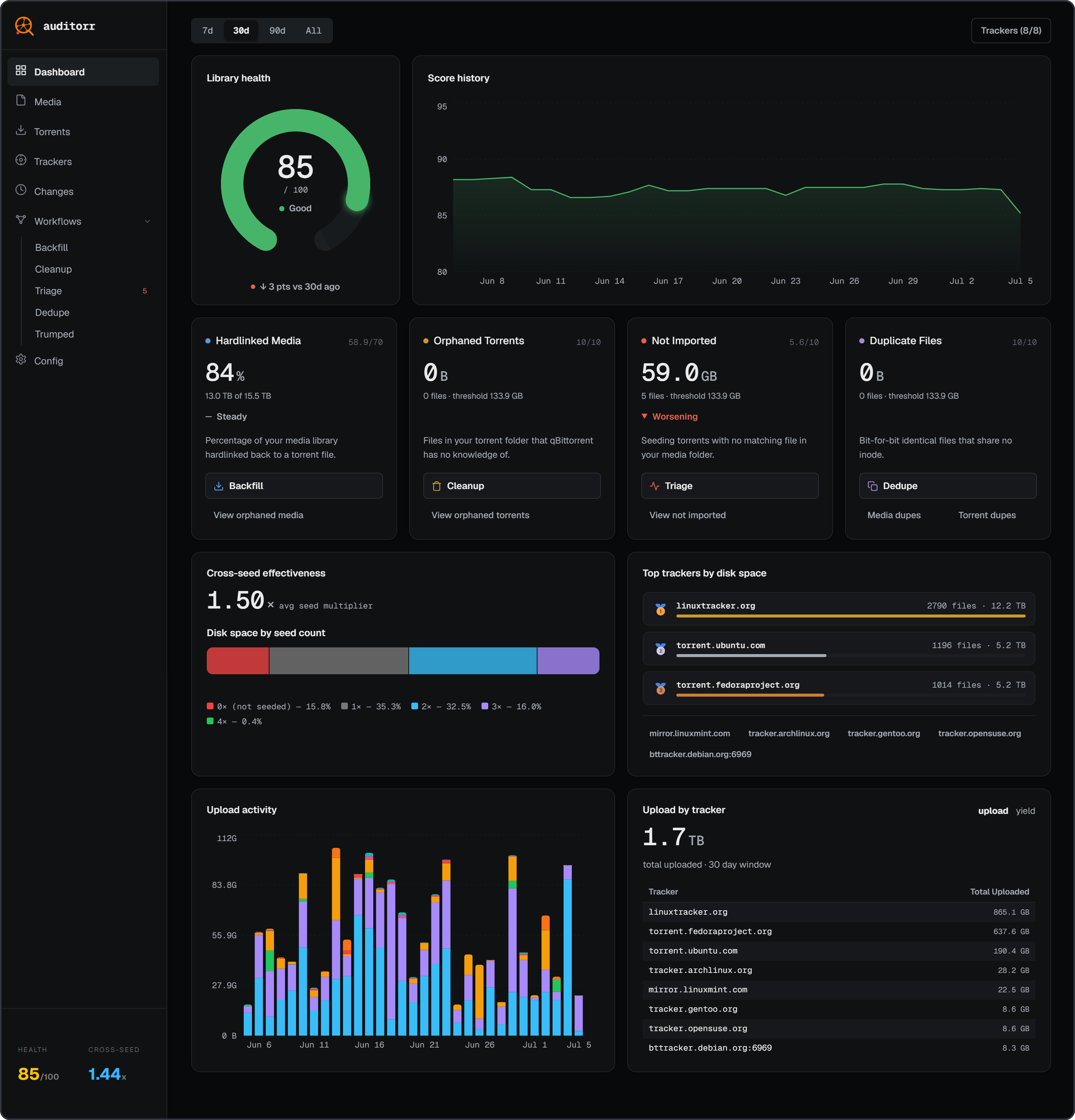
What's new in 1.9.0
- Library map - a WinDirStat-style map of your library, every title coloured by the workflow that acts on it, so unlinked, orphaned, unimported and duplicate files stand out. Click a tile to open its workflow on that title.
- Faster scans in less than half the memory - on a 650,000-file test library a scan takes about 18.5 seconds instead of 39, and peaks at 1.1 GB of RAM instead of 2.9 with no difference in results.
- Trackers page - upload per day or as a running total, how much each tracker seeds that no other does, and trackers that are refusing your torrents.
- Fixes - Backfill and Trumped no longer offer another show's release, Cleanup finds empty folders with qui again, and a scan that refused to save no longer says "Audit complete".
Upgrading needs no configuration changes. From 1.7.0 or earlier? 1.7.1 closed off-LAN API access by default - LAN is unaffected.
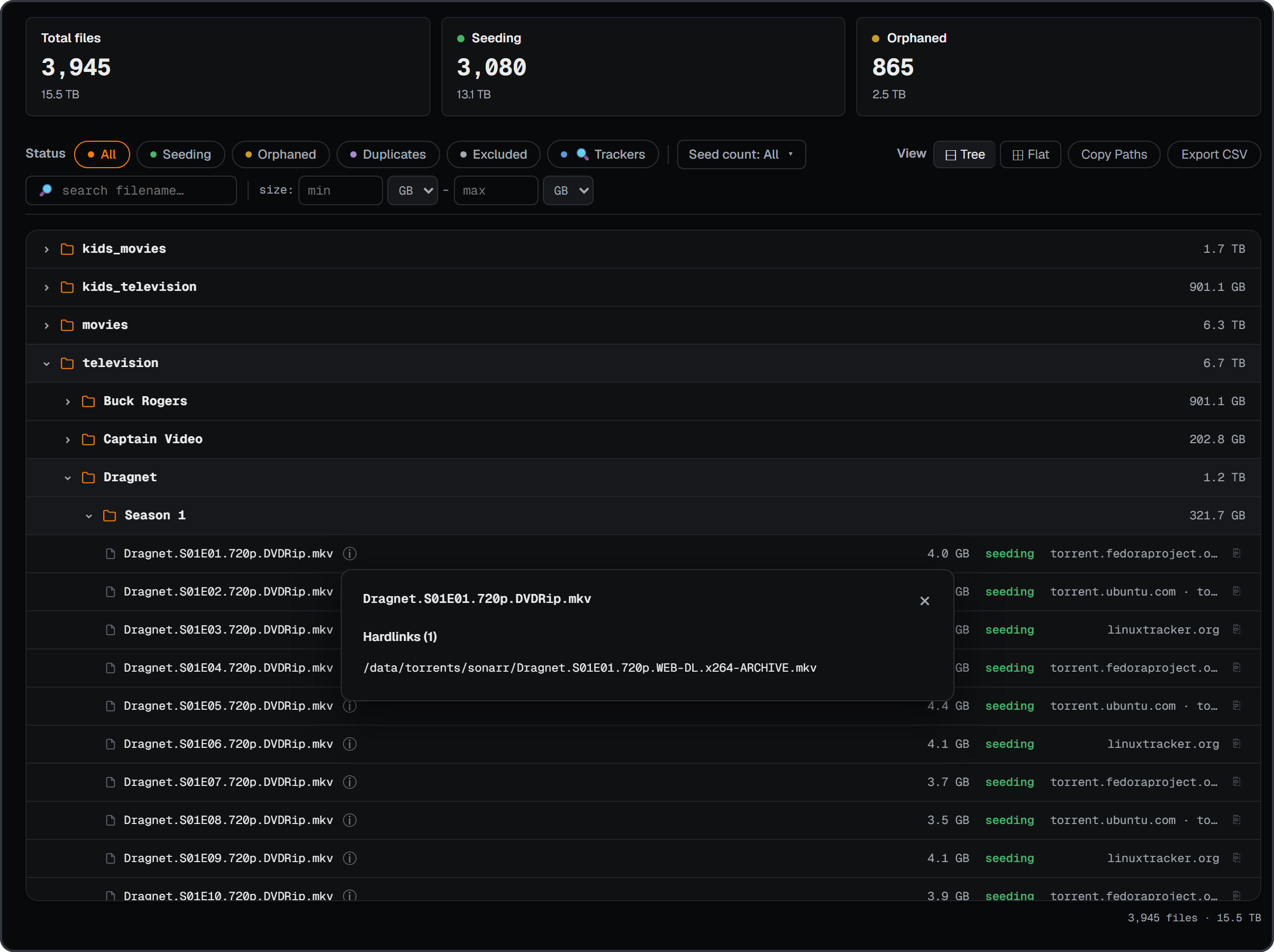
Media explorer |
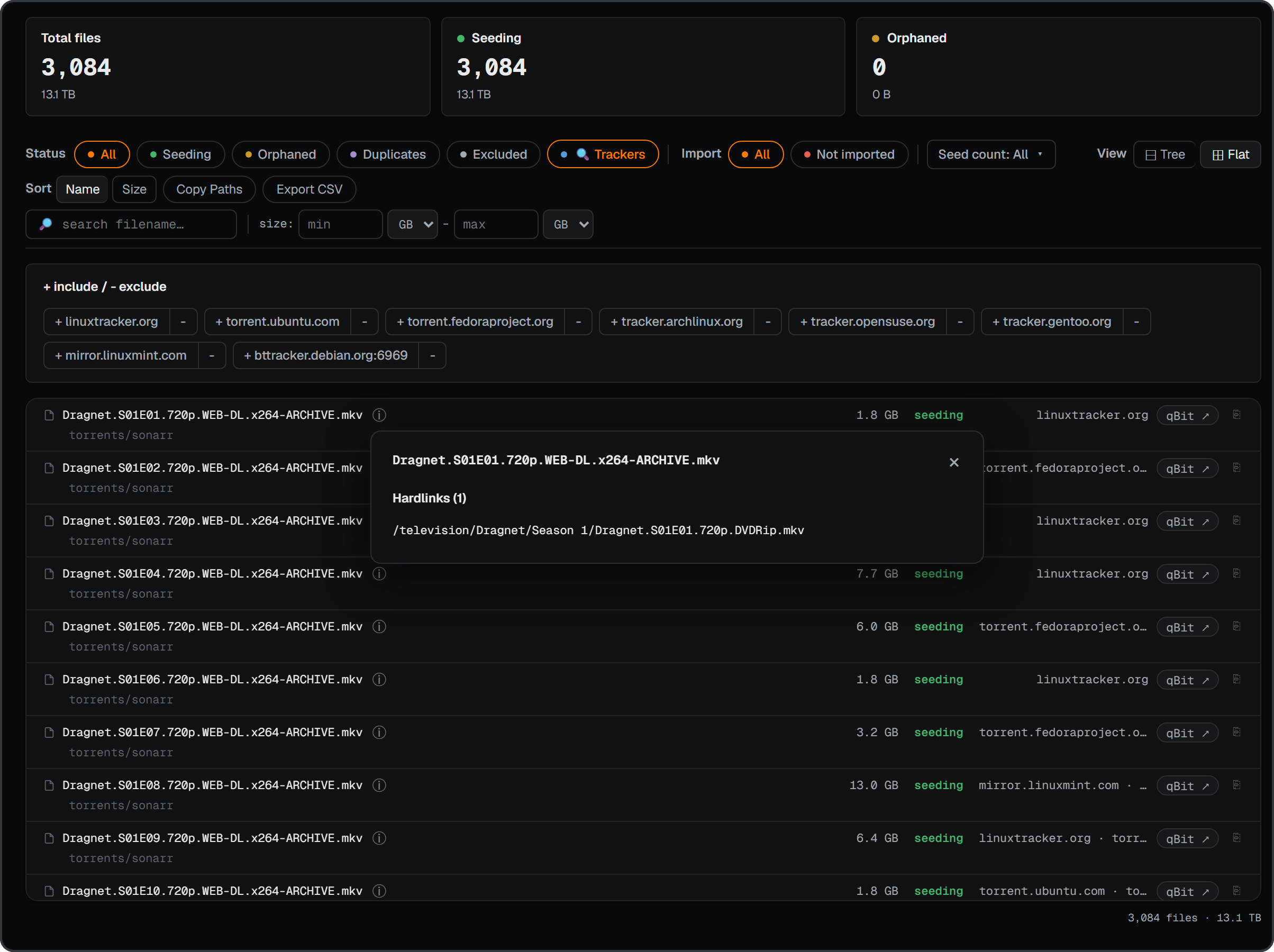
Torrents |
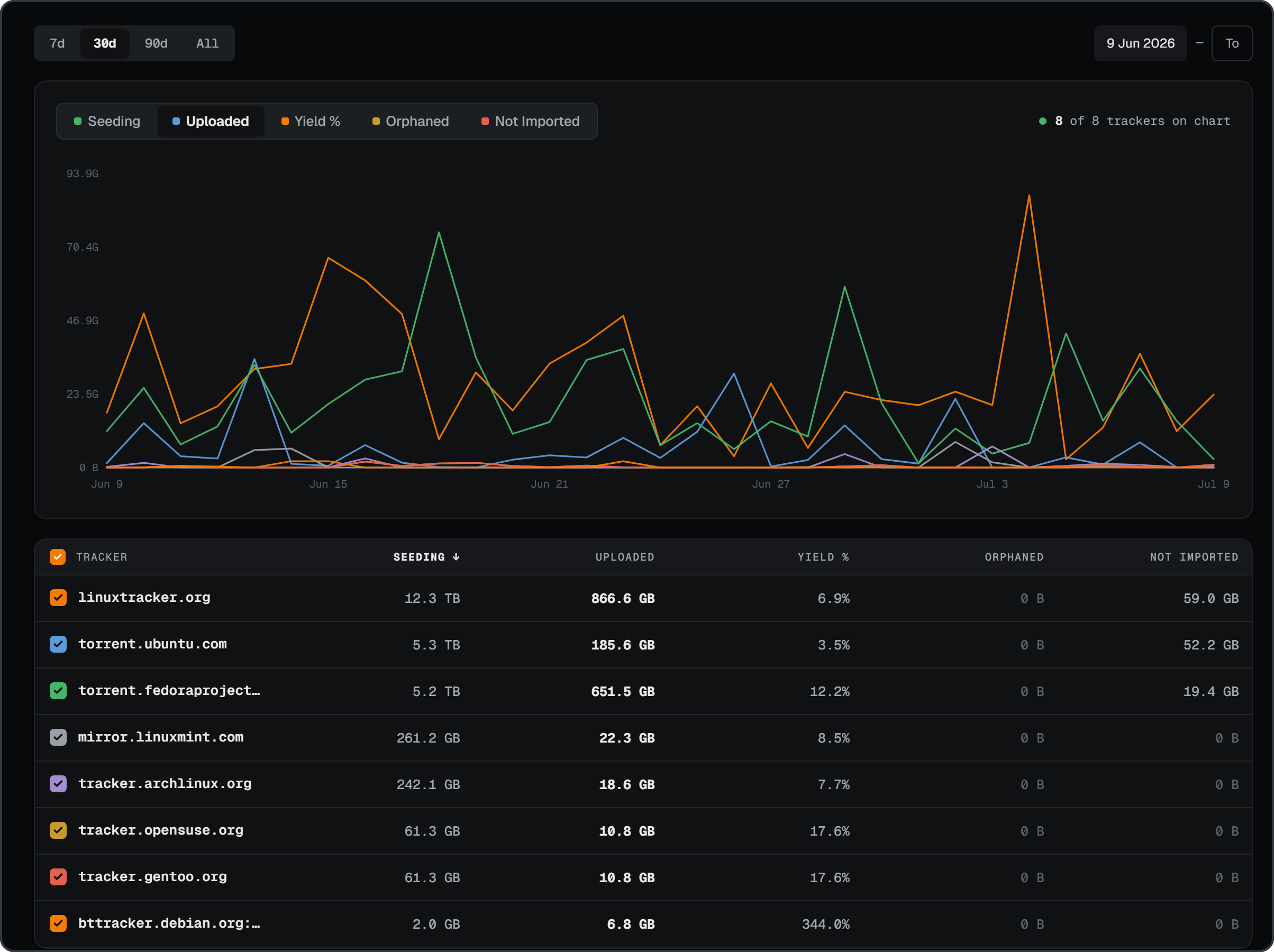
Trackers |
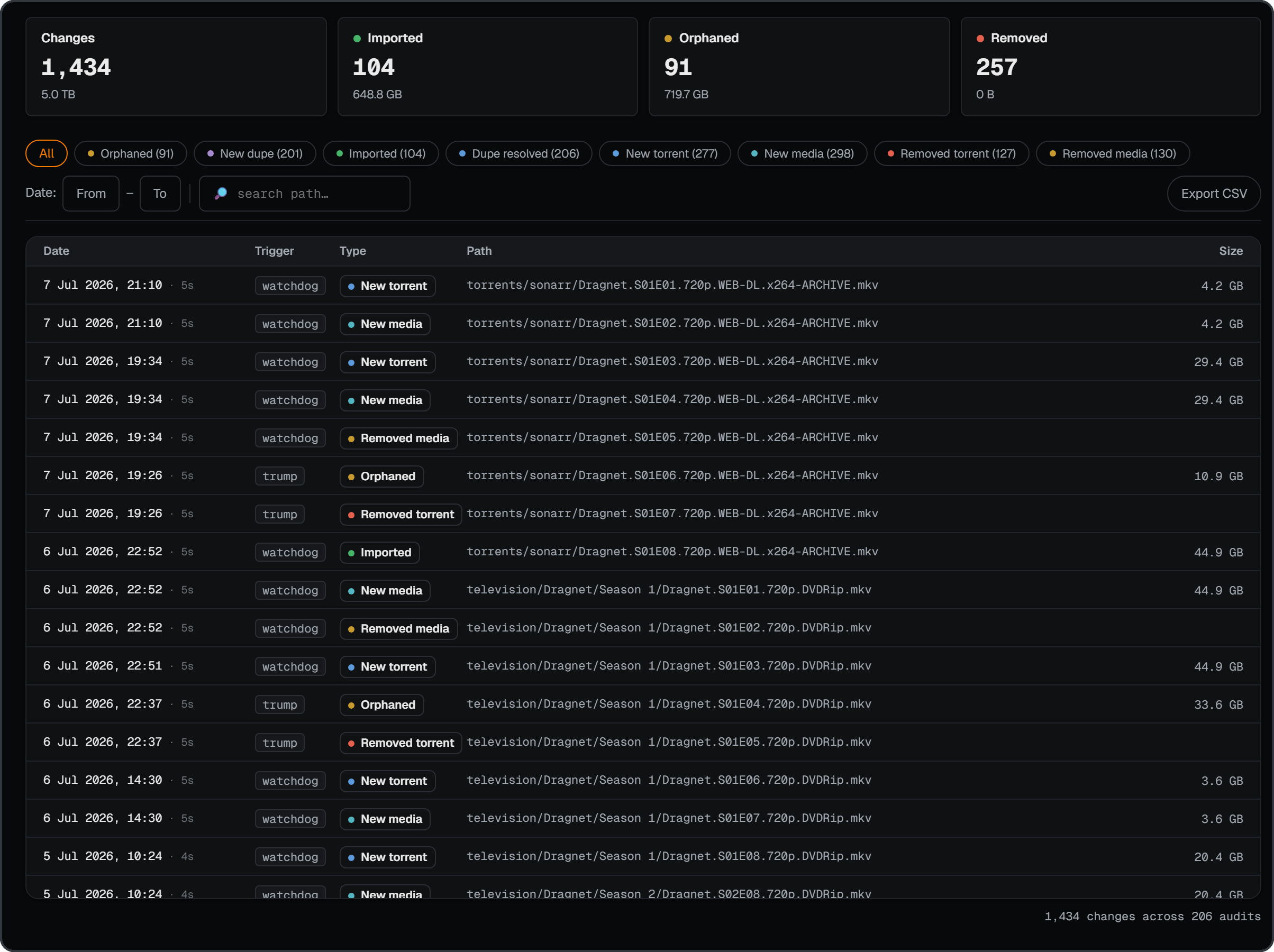
Change log |
Workflows
The dashboard tells you what's wrong; workflows fix it. Rounds tells you which one to open.
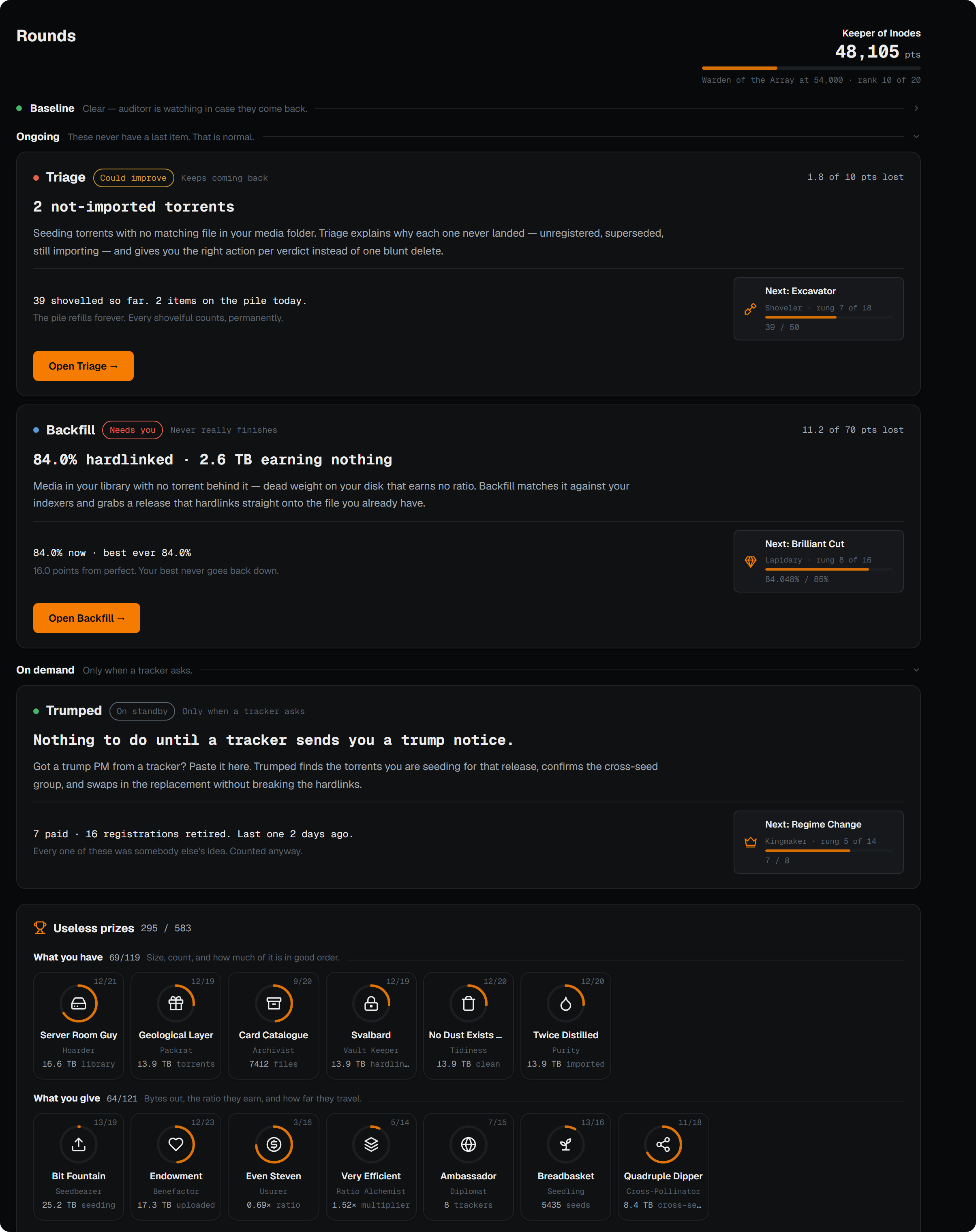
Rounds
Every workflow in one list, in a fixed order: Baseline to clear and then watch, Ongoing that never runs out, and On demand for when a tracker asks. Underneath sit 750+ useless prizes in the spirit of Progress Quest, awarded for work you were going to do anyway and never taken back.
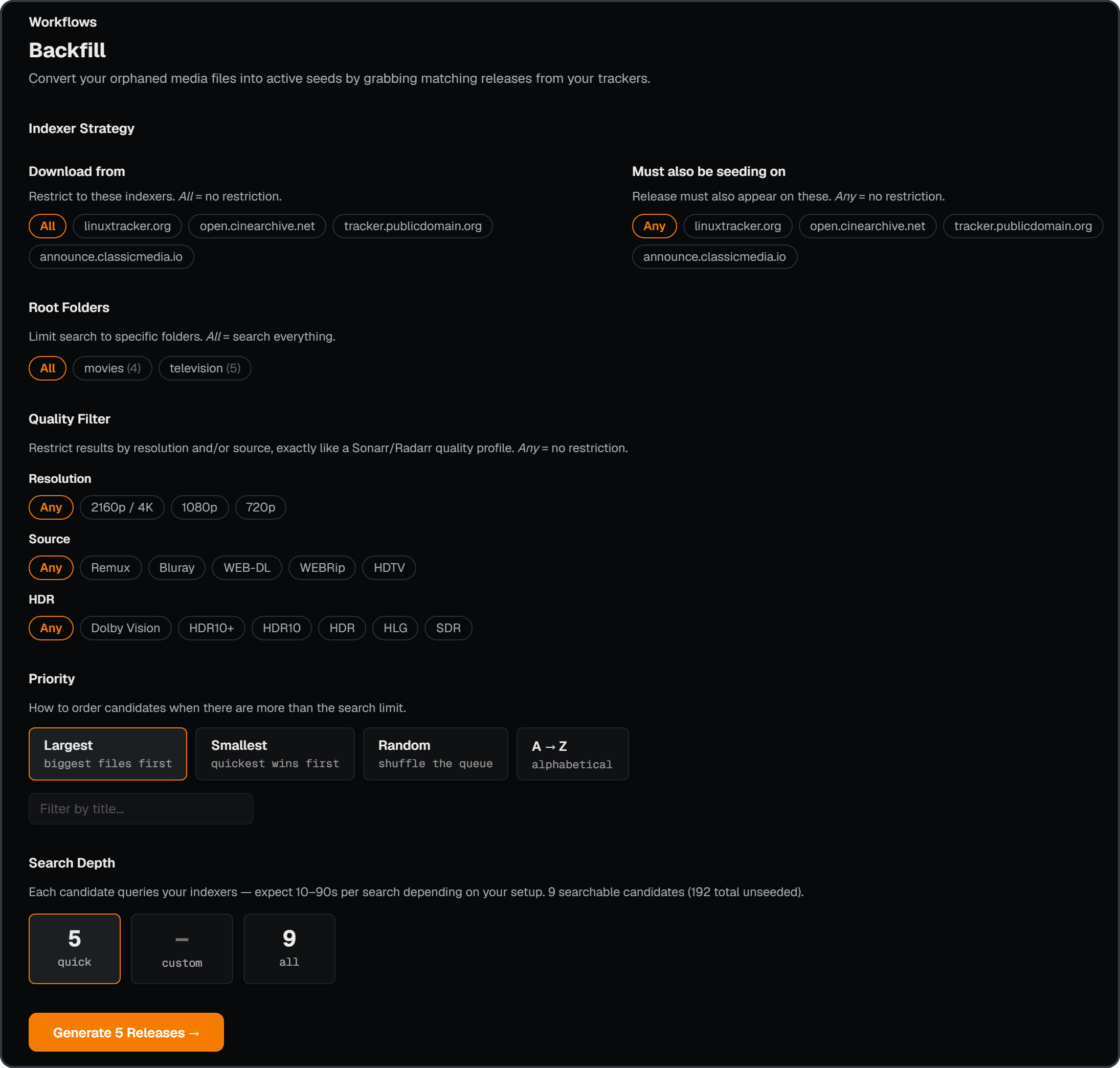
Backfill
Targets unseeded media: files in your media library with no hardlink to a seeding torrent and no way to grow one (trumped, dead tracker, your own rip). Search the same title on the tracker you want, grab a version that actually seeds, and swap it in via Sonarr / Radarr.
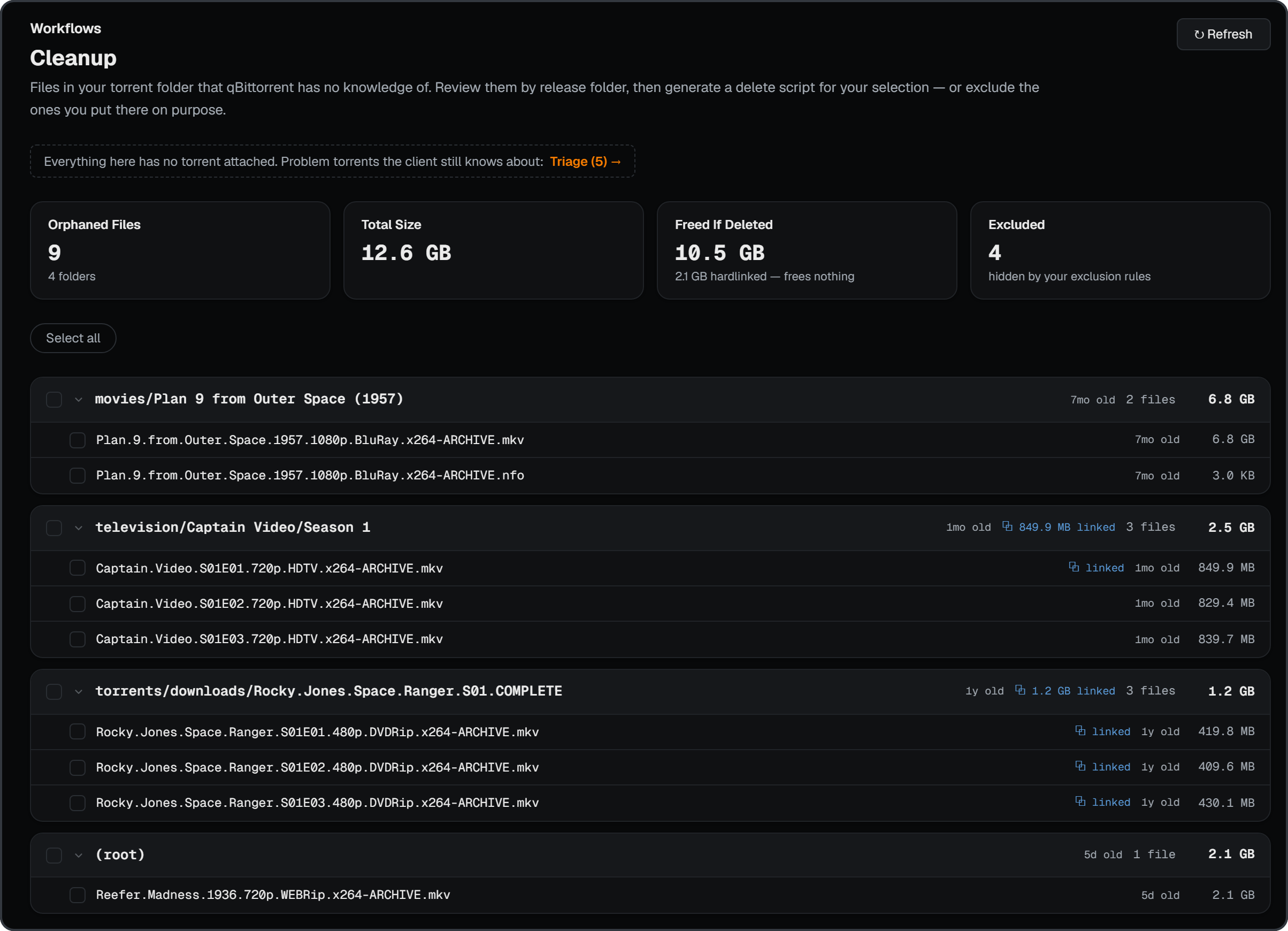
Cleanup
Targets orphaned torrent files: files in your torrent folder the client has no torrent for, leftover hardlinks a removed cross-seed left behind, and empty folders. Review them grouped by release folder, then generate a delete script, re-checked against your client just before it's built — or exclude the ones you put there on purpose.
Triage
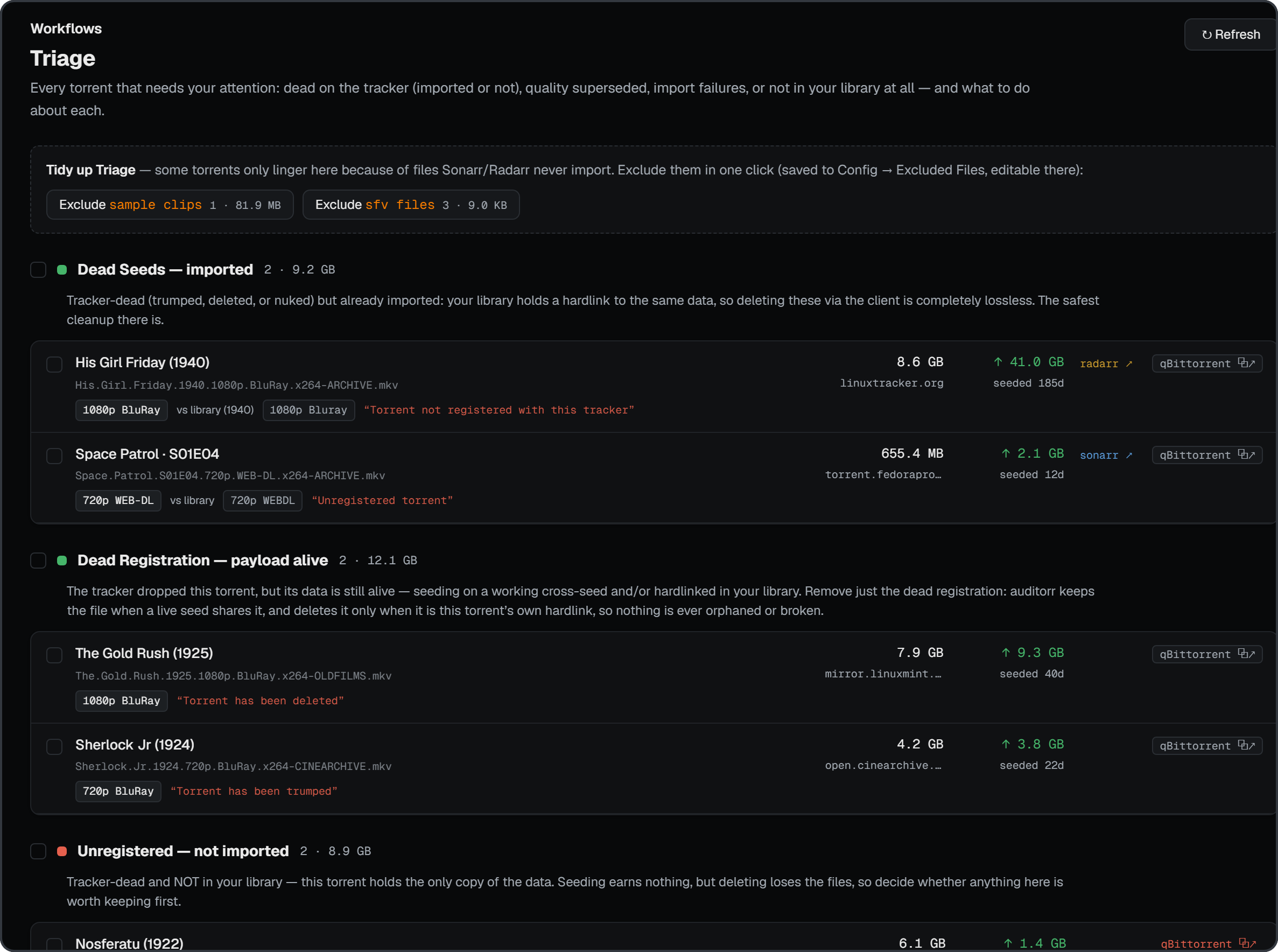
Explains every problem torrent and what to do about it: dead seeds, dead registrations, unregistered, superseded quality, pending imports, and not in library. Retry or force an import, switch a finished season over to one pack, exclude, or delete torrents and their files directly through qBittorrent / qui.
Dedupe
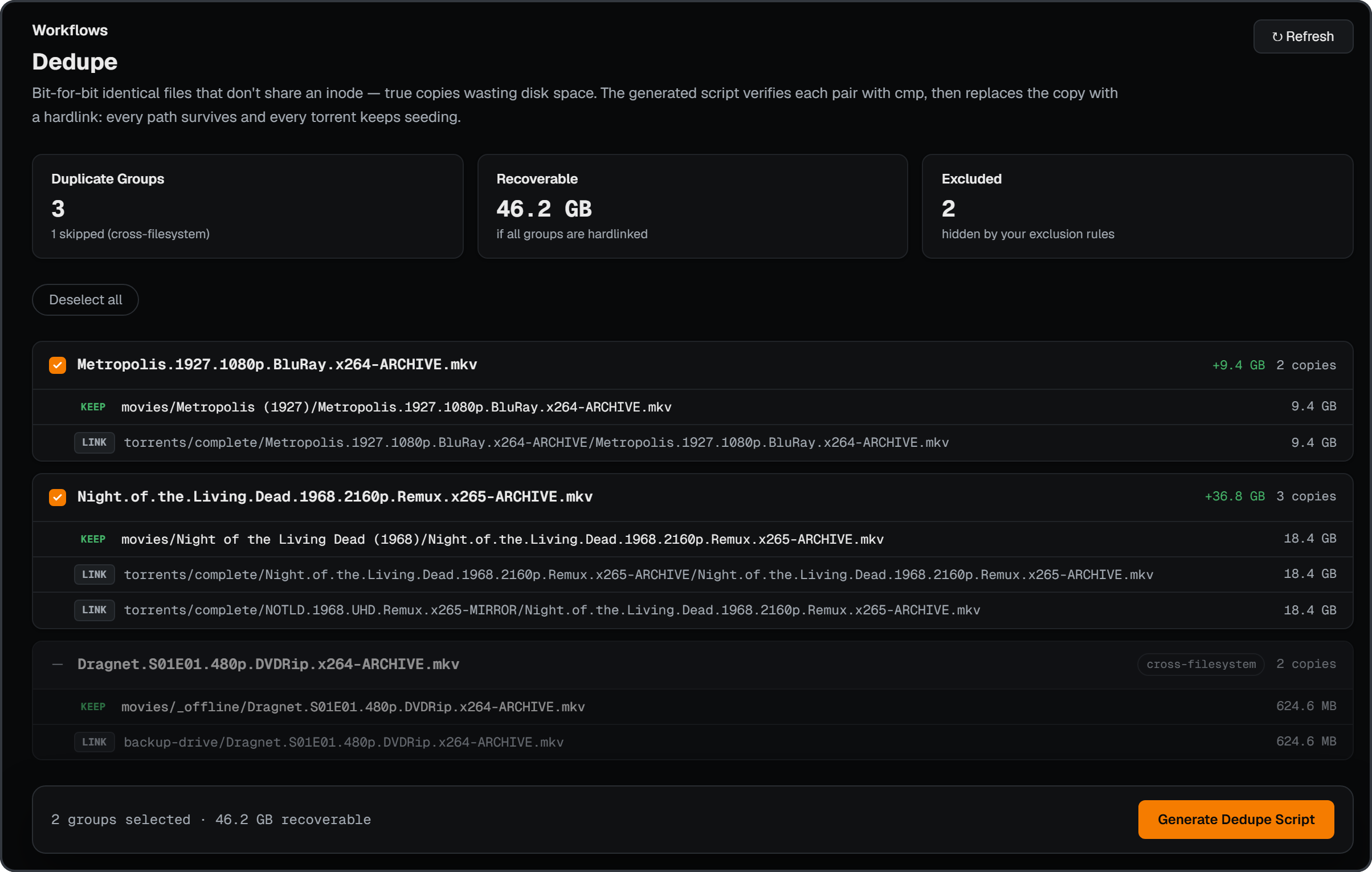
Targets duplicate files: review duplicate groups and generate a script that
replaces copies with hardlinks, verified with cmp before linking.
Trumped
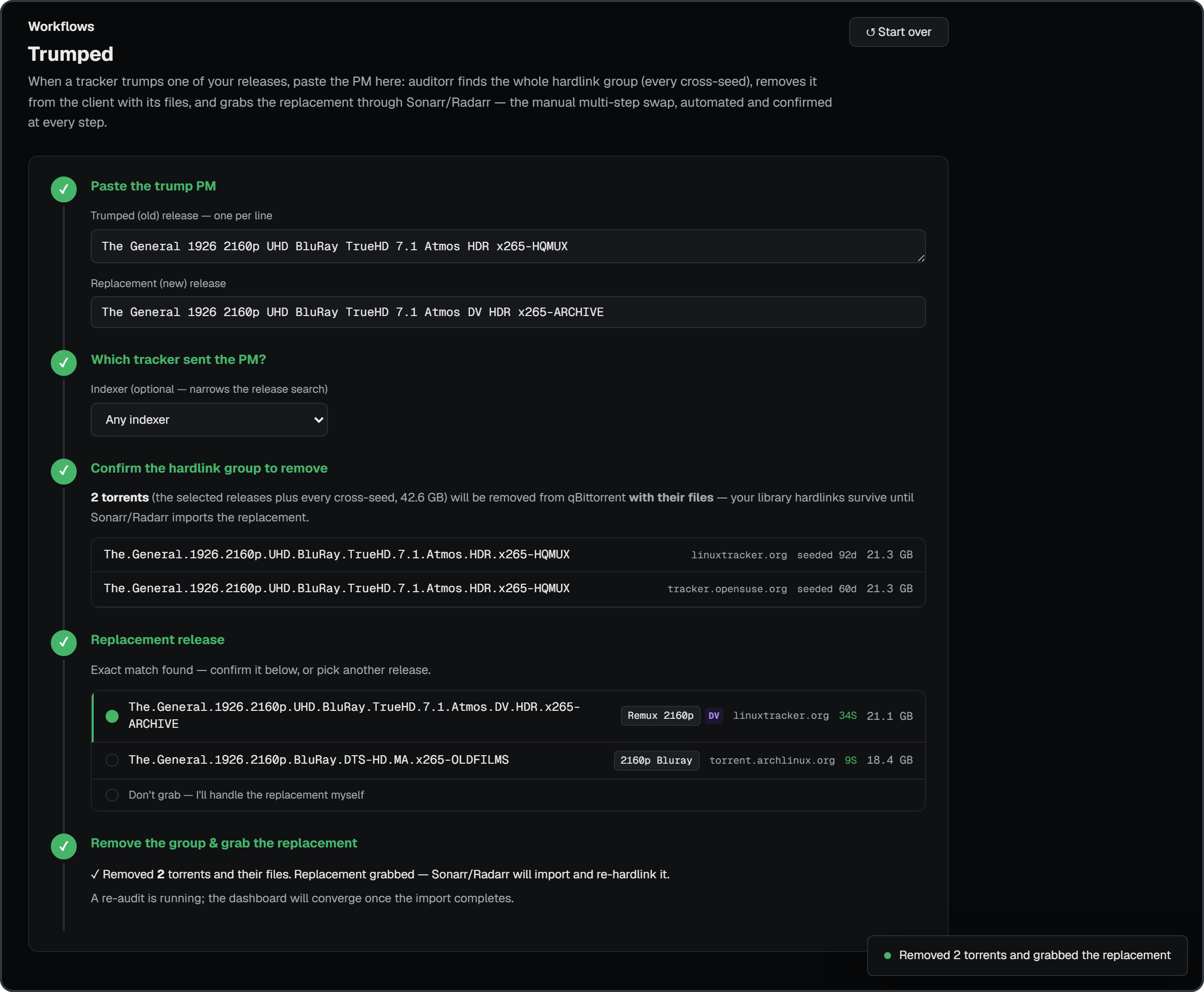
Automates the private-tracker trump swap. Paste the tracker's "this release has been trumped" PM; auditorr parses the old and new release names, finds the entire hardlink group (every cross-seed of the old content), grabs the exact replacement through Sonarr / Radarr, and only then removes the old group from the client with its files — wizard-style, confirmed at every step.
Install
Unraid
auditorr is on Unraid Community Apps — search for auditorr in the
Apps tab and install in one click.
- WebUI:
http://[IP]:[PORT:8677]/ - Appdata:
/mnt/user/appdata/auditorr/data→/app/data - Data:
/mnt/user/data→/data(read-only)
Docker Compose
services:
  auditorr:
    image: ghcr.io/thrill-burn/auditorr:latest
    container_name: auditorr
    restart: unless-stopped
    ports:
      - "8677:8677"
    volumes:
      - ./data:/app/data
      - /path/to/media:/data/media:ro
      - /path/to/torrents:/data/torrents:ro
Build from source
git clone https://github.com/thrill-burn/auditorr.git
cd auditorr
docker build -t auditorr .
docker run -d \
  --name auditorr \
  -p 8677:8677 \
  -v /path/to/appdata:/app/data \
  -v /path/to/media:/data/media:ro \
  -v /path/to/torrents:/data/torrents:ro \
  auditorr
Something not working? See Troubleshooting.
[!IMPORTANT] The Hardlinked Media score assumes you use hardlinks between your torrent folder and your media library — the TRaSH Guides folder structure. Without hardlinks, this score is 0 regardless of how healthy the rest of your library is.
License
MIT — see LICENSE.
Categories
Related apps
Explore more like this
Explore allLinks
Details
ghcr.io/thrill-burn/auditorr:latestRuntime arguments
- Web UI
http://[IP]:[PORT:8677]/- Network
bridge- Shell
sh- Privileged
- false
Template configuration
Container Port: 8677 — auditorr web interface
- Target
- 8677
- Default
- 8677
- Value
- 8677
Container Path: /app/data — config, audit history, SQLite database. Persistent app state lives here.
- Target
- /app/data
- Default
- /mnt/user/appdata/auditorr/data
- Value
- /mnt/user/appdata/auditorr/data
Container Path: /data — your unified TRaSH-style media + torrents share (the parent of /data/media and /data/torrents). auditorr mounts this read-only by design.
- Target
- /data
- Default
- /mnt/user/data
- Value
- /mnt/user/data
Container Variable: AUDITORR_PORT — port the app listens on inside the container. Must match the WebUI Container Port above.
- Default
- 8677
- Value
- 8677
Container Variable: AUDITORR_SECRET — optional access key. Left blank, auditorr serves local clients only (loopback + private LAN ranges) and refuses non-local requests, so a port-forwarded instance is not open to the internet. Set a long random value to allow remote access and require the key from every client (sent as the X-Auditorr-Secret header; the web UI prompts for it).
Container Variable: AUDITORR_TRUSTED_NETWORKS — optional comma-separated CIDRs treated as local in addition to loopback and private ranges, e.g. 100.64.0.0/10 for Tailscale.
Container Variable: AUDITORR_REQUIRE_AUTH — optional strict mode (true): require the access key even from local clients. With no AUDITORR_SECRET set this refuses all API access until one is configured.