
All apps · 0 apps

auditorr
Docker app from thrill-burn's Repository
Overview
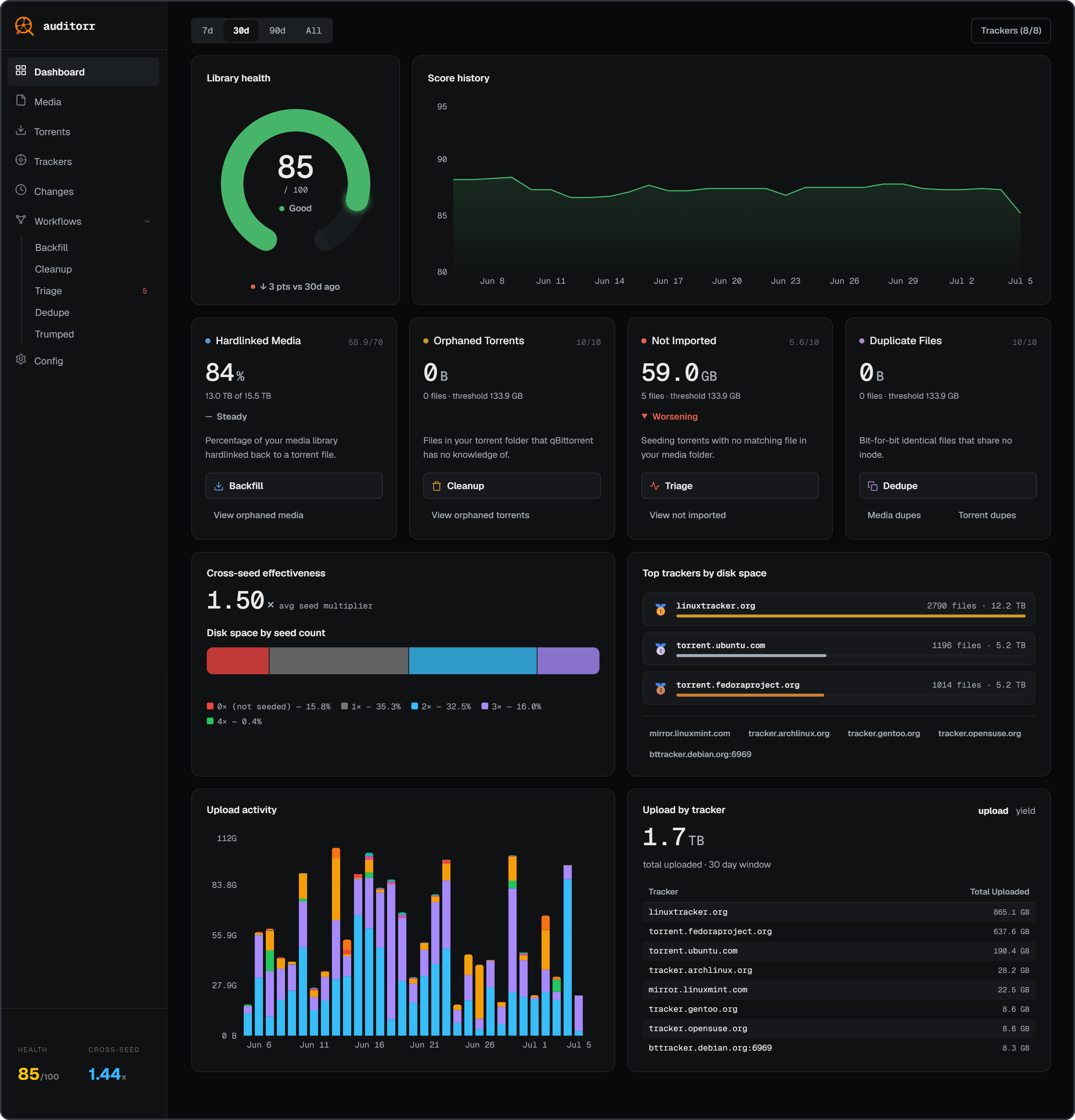
An audit tool for hardlinked media libraries using qBittorrent / qui + Sonarr / Radarr.
A dashboard with health score, per-tracker analytics, and cross-seed effectiveness tells you what's wrong with your library. Five automated workflows fix it.
- Health score (0-100) showing how clean and efficient your library is
- Five workflows: Backfill (re-seed orphaned media via Sonarr/Radarr search), Cleanup (reviewed delete script for orphaned torrent files), Triage (explains every problem torrent — dead seeds, unregistered, superseded, pending imports — with rescan/exclude/delete actions), Dedupe (replace duplicate copies with verified hardlinks), Trumped (paste a tracker trump PM to swap the whole cross-seed group for its replacement)
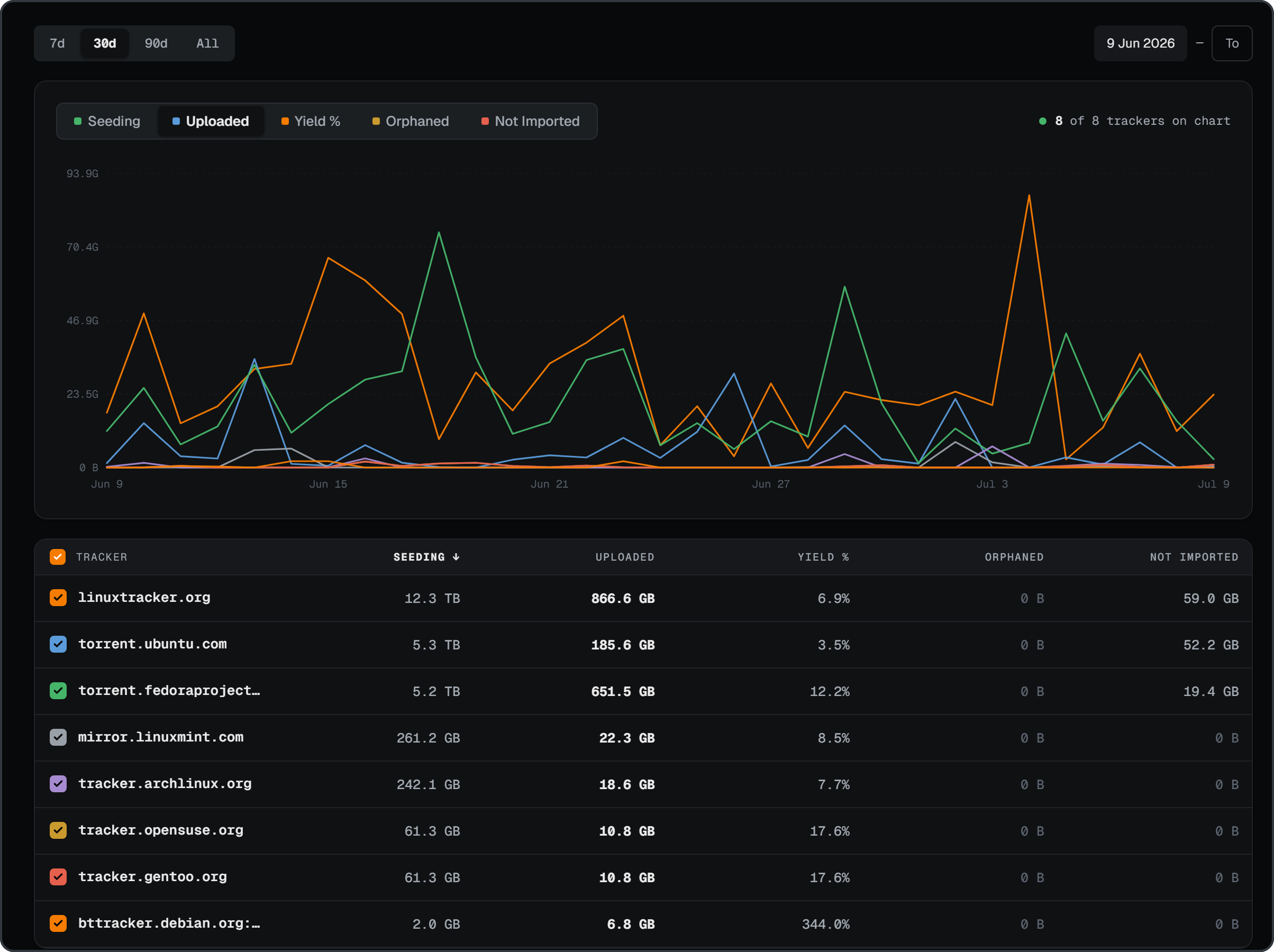
- Upload analytics and library yield: daily upload volume per tracker, yield % over time, multi-tracker comparison charts
- Cross-seeding insights: weighted average seed multiplier, segmented disk bar, per-tracker breakdown
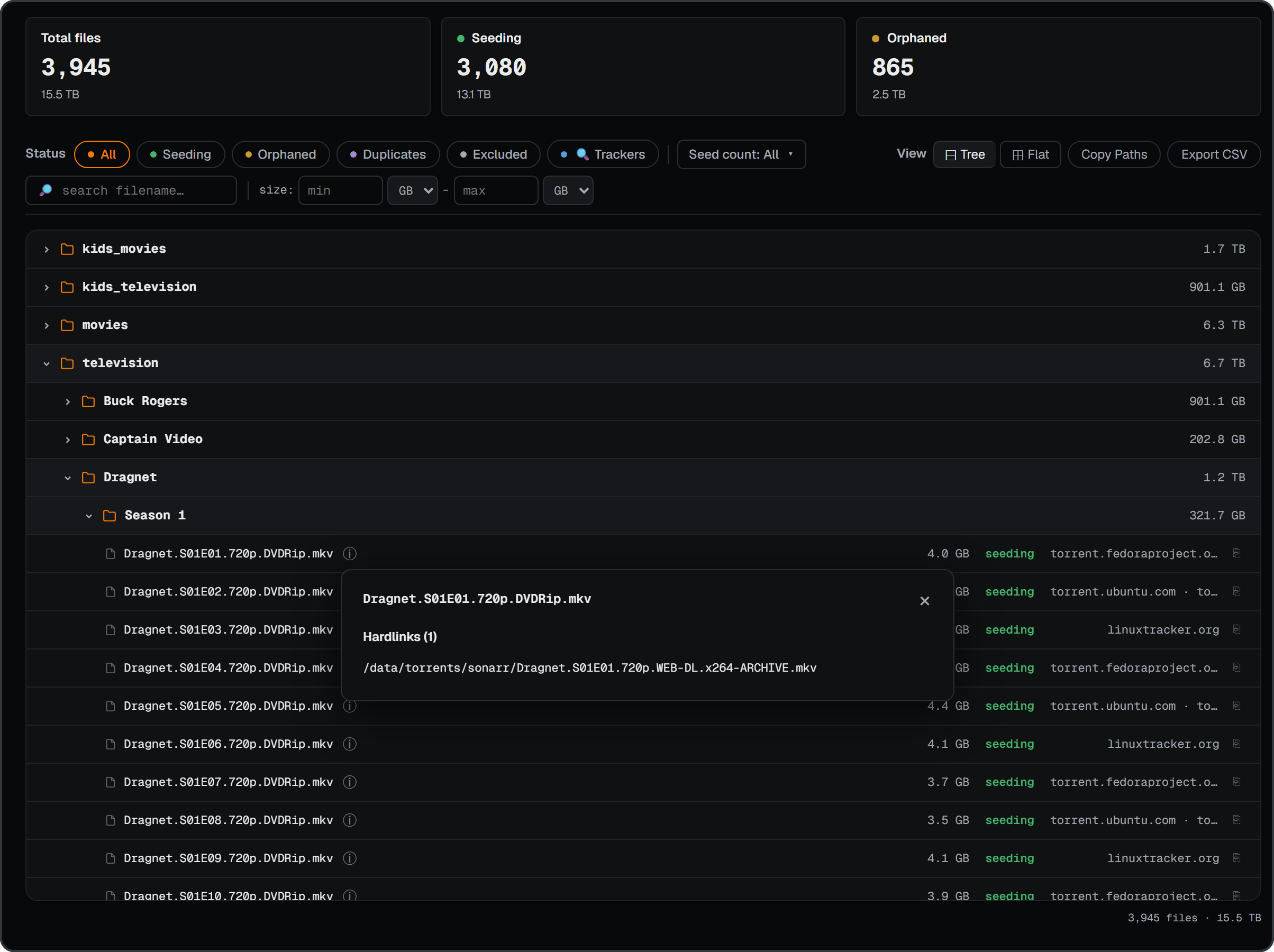
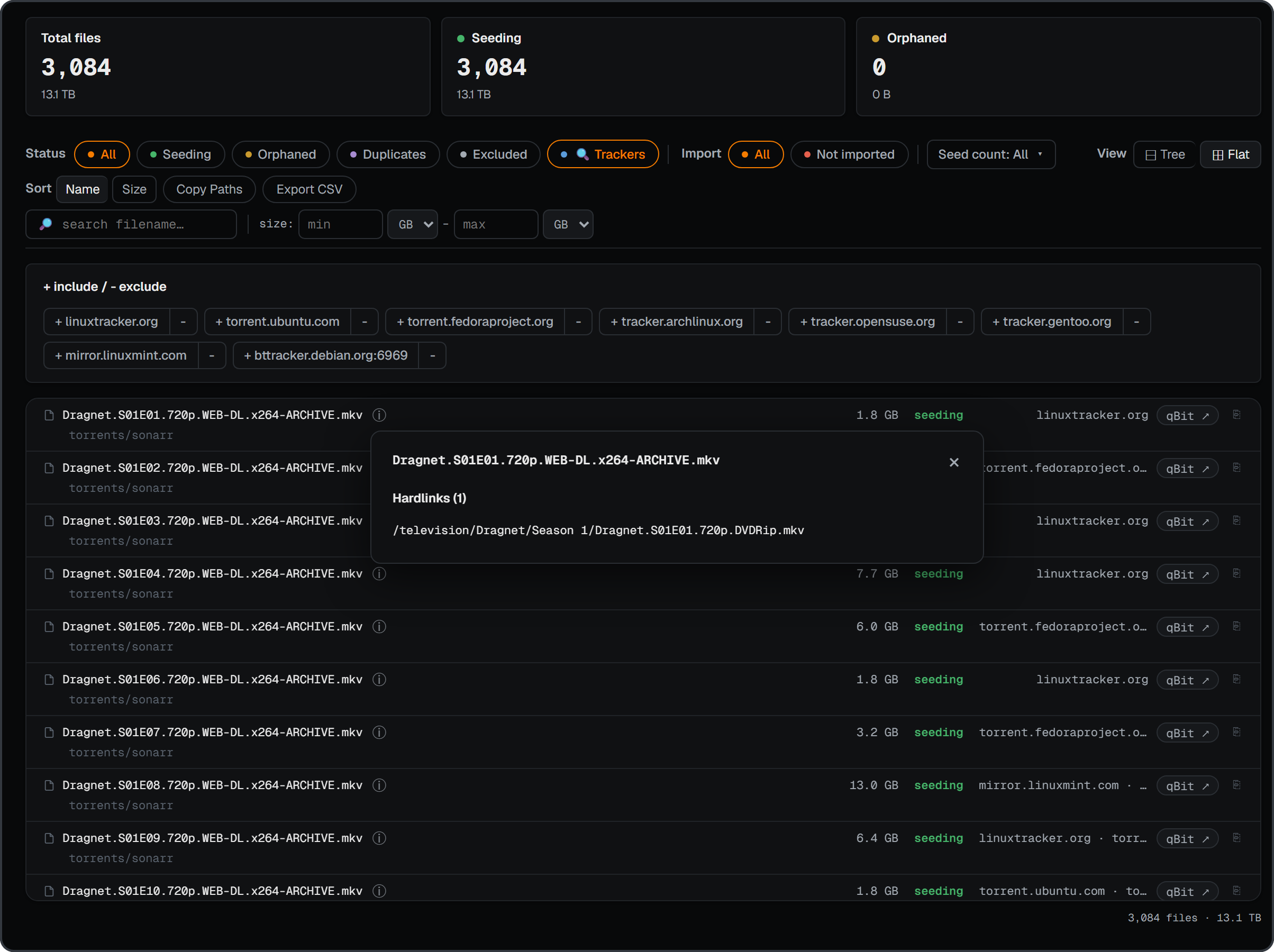
- Powerful file explorer with tree and flat views, filterable by status, tracker, seed count, size, filename
- File-level change log between every audit, kept indefinitely
- Sonarr/Radarr integration and a guided first-run setup wizard
Follows the TRaSH Guides folder structure. Read-only and non-destructive by default — all delete actions are opt-in, reviewed, and confirmed.
Readme
View on GitHubauditorr
An audit tool for hardlinked media libraries using qBittorrent / qui + Sonarr / Radarr. A dashboard with health score, per-tracker analytics, and cross-seed effectiveness tells you what's wrong with your library. Five automated workflows fix it. Built to stay light on memory, it runs on 500+ TB libraries.
Configuration · Remote access · Troubleshooting
What's new in 1.8.0
- Safer workflows - all five were reviewed end to end. A torrent client or Sonarr / Radarr that doesn't answer can no longer make files look orphaned, unimported or safe to delete; auditorr says "could not check" instead of guessing. Full list.
- Bad scans aren't saved - if your client stops answering, a drive isn't mounted yet, or torrents vanish overnight, your last good results stay put and auditorr tells you what to fix.
- Deletes and hardlinks check again before acting - Cleanup asks your client again before building a delete script, Triage and Trumped keep any file something still uses, and Trumped grabs the replacement before removing anything. Both scripts now have
--dry-runand are safe to run twice. - One consistent UI - every button, filter and heading comes from one set, and warning boxes that had silently lost their borders are back.
Upgrading needs no configuration changes. From 1.7.0 or earlier? 1.7.1 closed off-LAN API access by default - LAN is unaffected.
Media explorer |
Torrents |
Trackers |
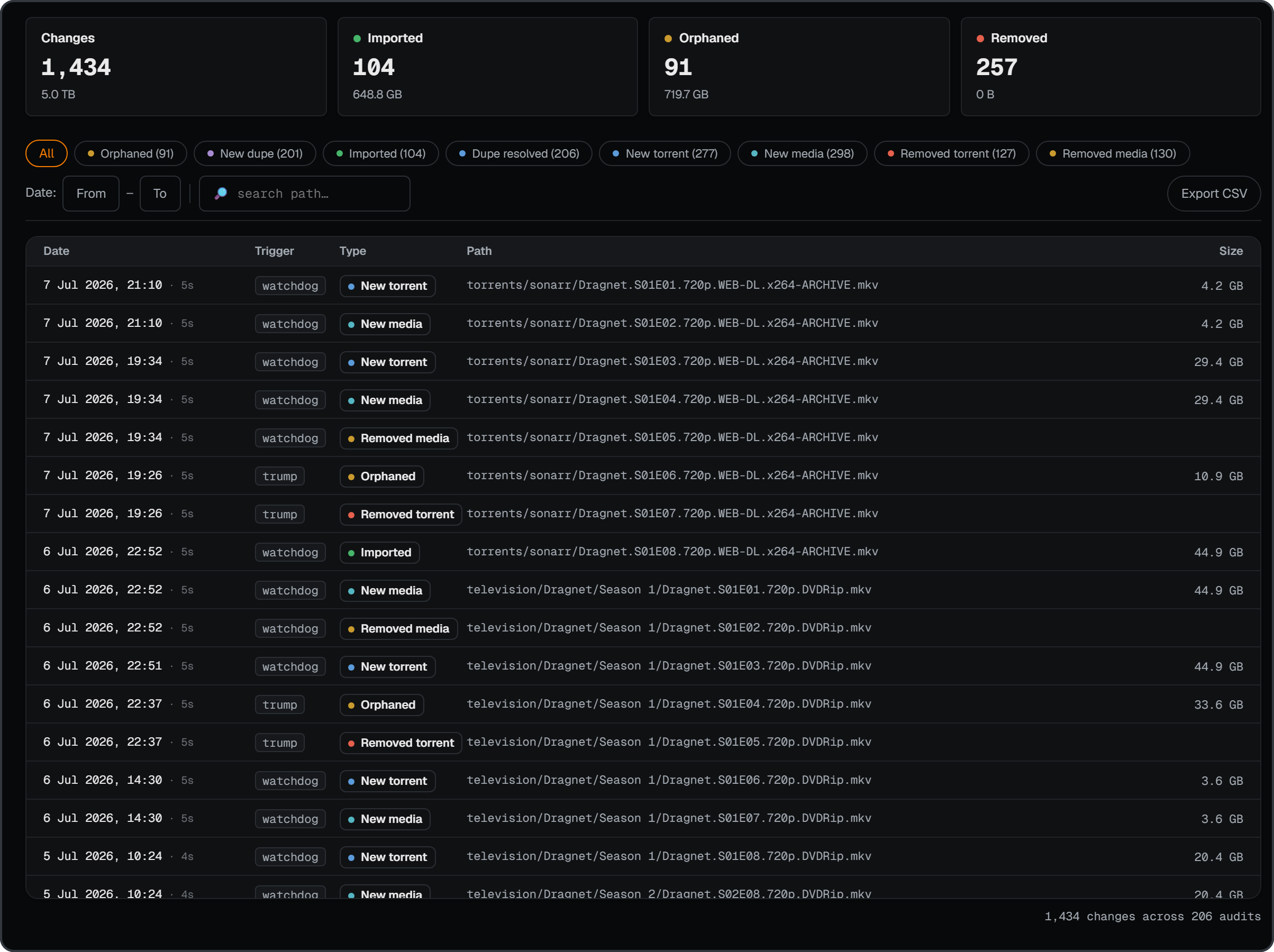
Change log |
Workflows
The dashboard tells you what's wrong; workflows fix it. Rounds tells you which one to open.
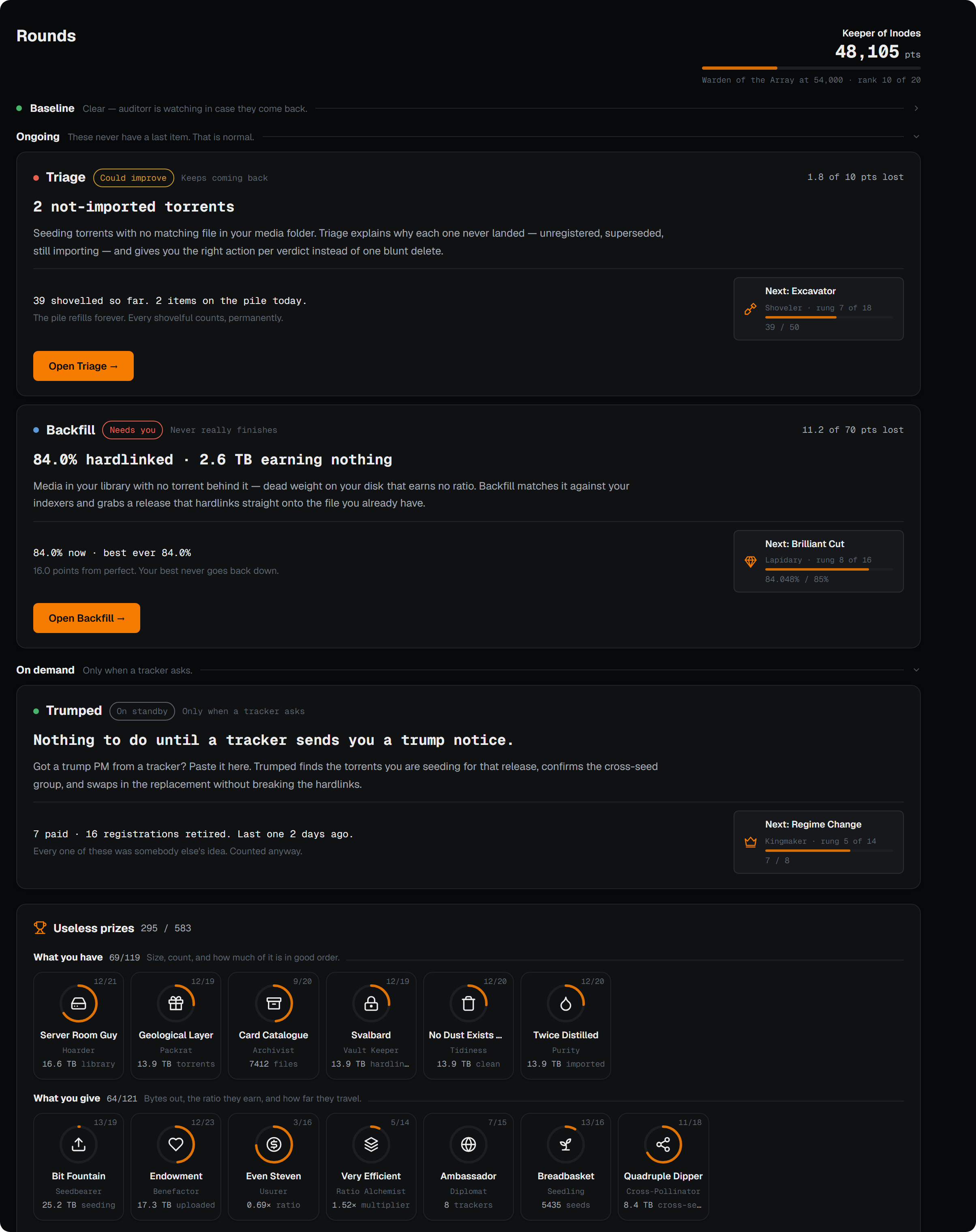
Rounds
Every workflow in one list, in a fixed order: Baseline to clear and then watch, Ongoing that never runs out, and On demand for when a tracker asks. Underneath sit 750+ useless prizes in the spirit of Progress Quest, awarded for work you were going to do anyway and never taken back.
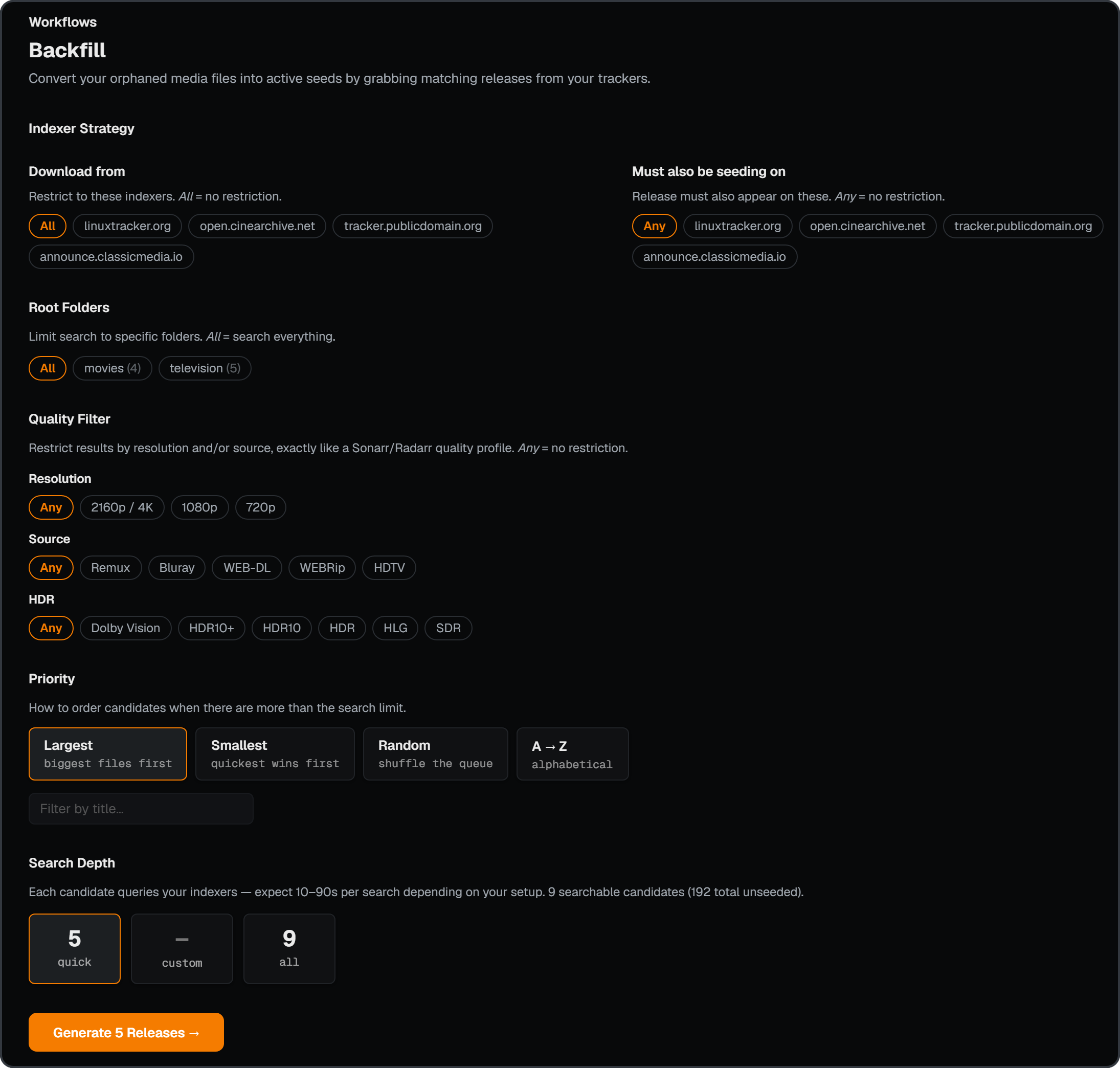
Backfill
Targets orphaned media: files on disk with no hardlink to a seeding torrent and no way to grow one (trumped, dead tracker, your own rip). Search the same title on the tracker you want, grab a version that actually seeds, and swap it in via Sonarr / Radarr.
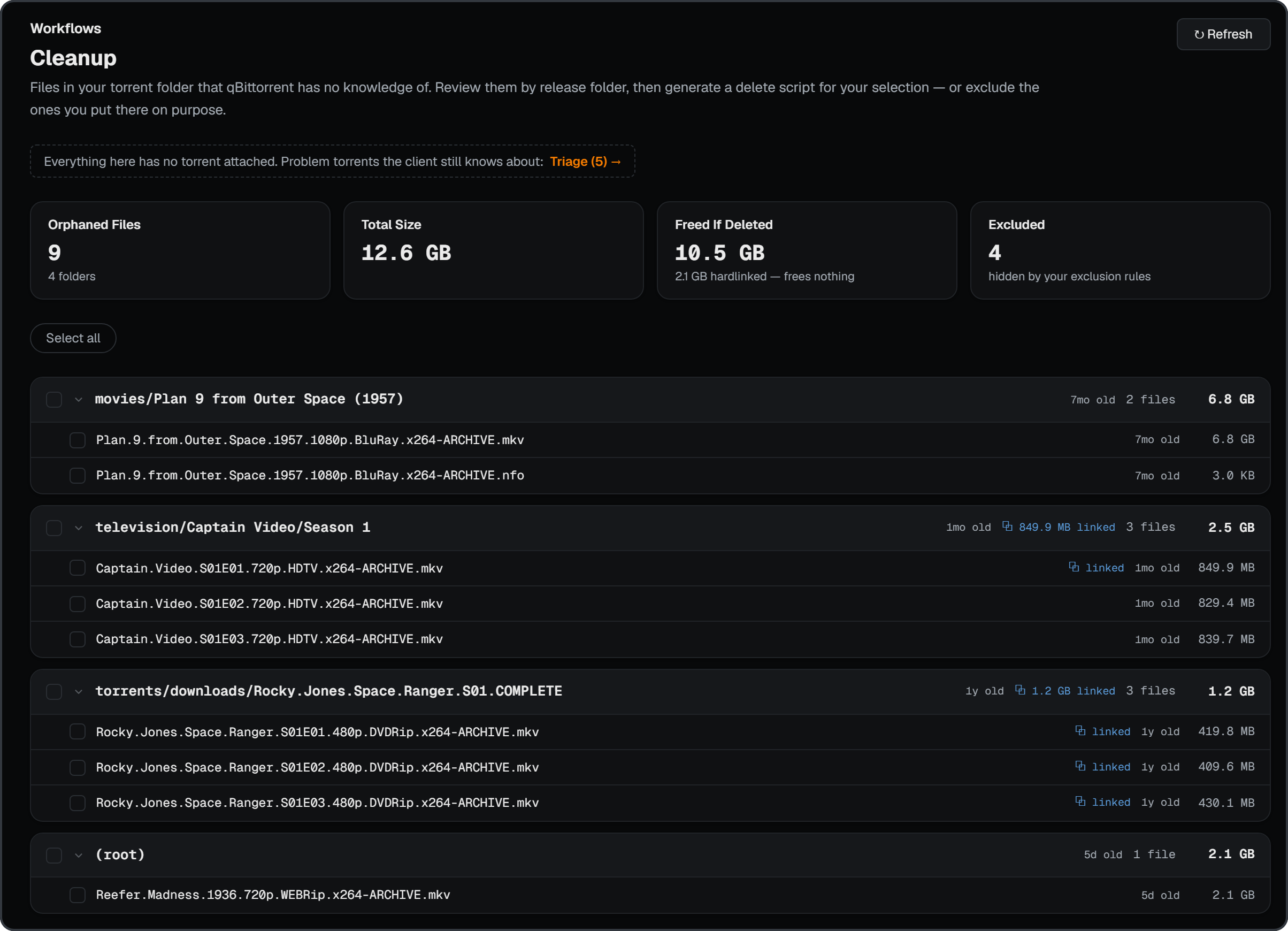
Cleanup
Targets orphaned torrent files: files in your torrent folder the client has no torrent for. Review them grouped by release folder, then generate a reviewed delete script — or exclude the ones you put there on purpose.
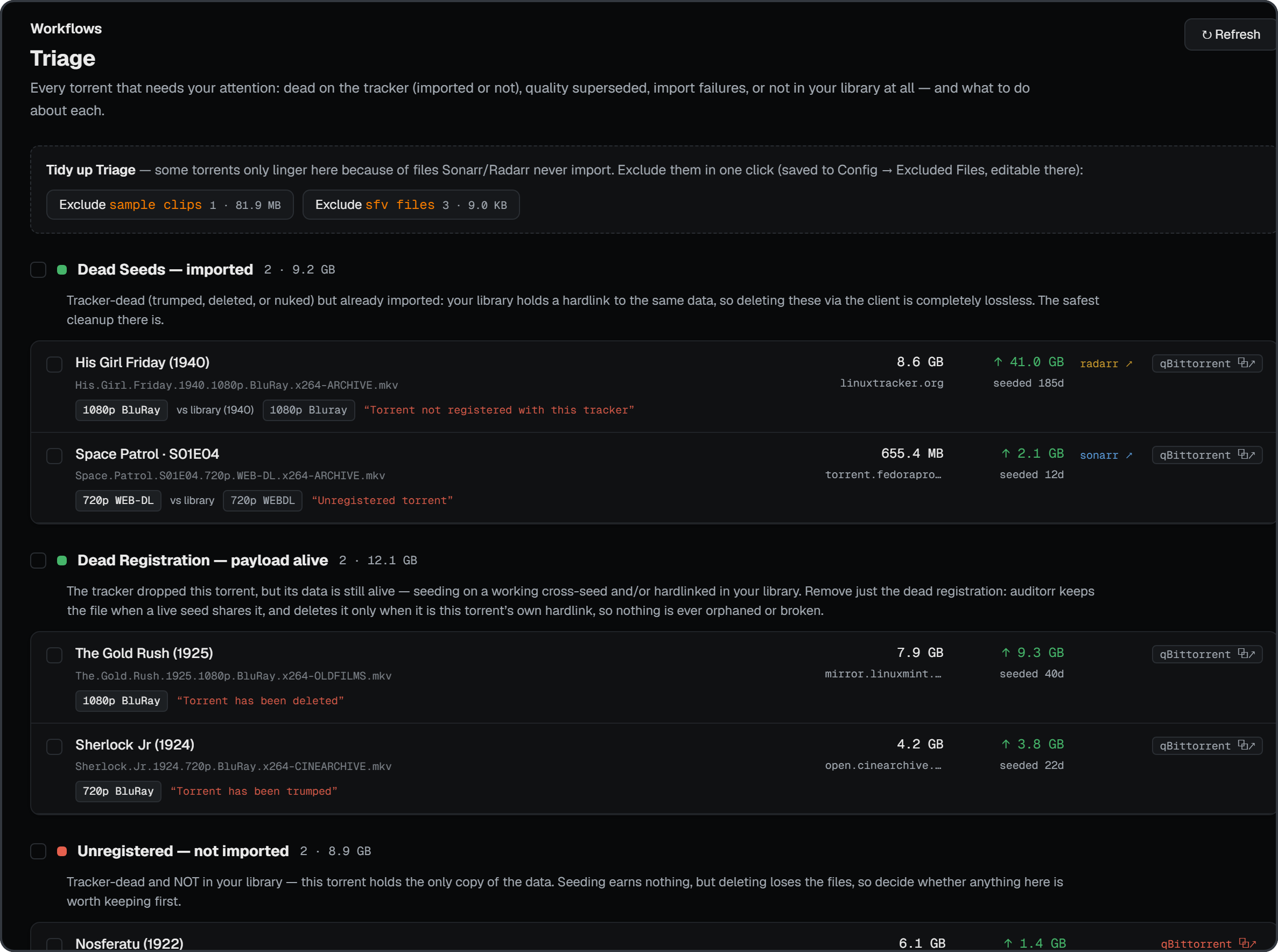
Triage
Explains every problem torrent and what to do about it: dead seeds, dead registrations, unregistered, superseded quality, pending imports, and not in library. Trigger a Sonarr/Radarr rescan, exclude, or delete torrents and their files directly through qBittorrent / qui.
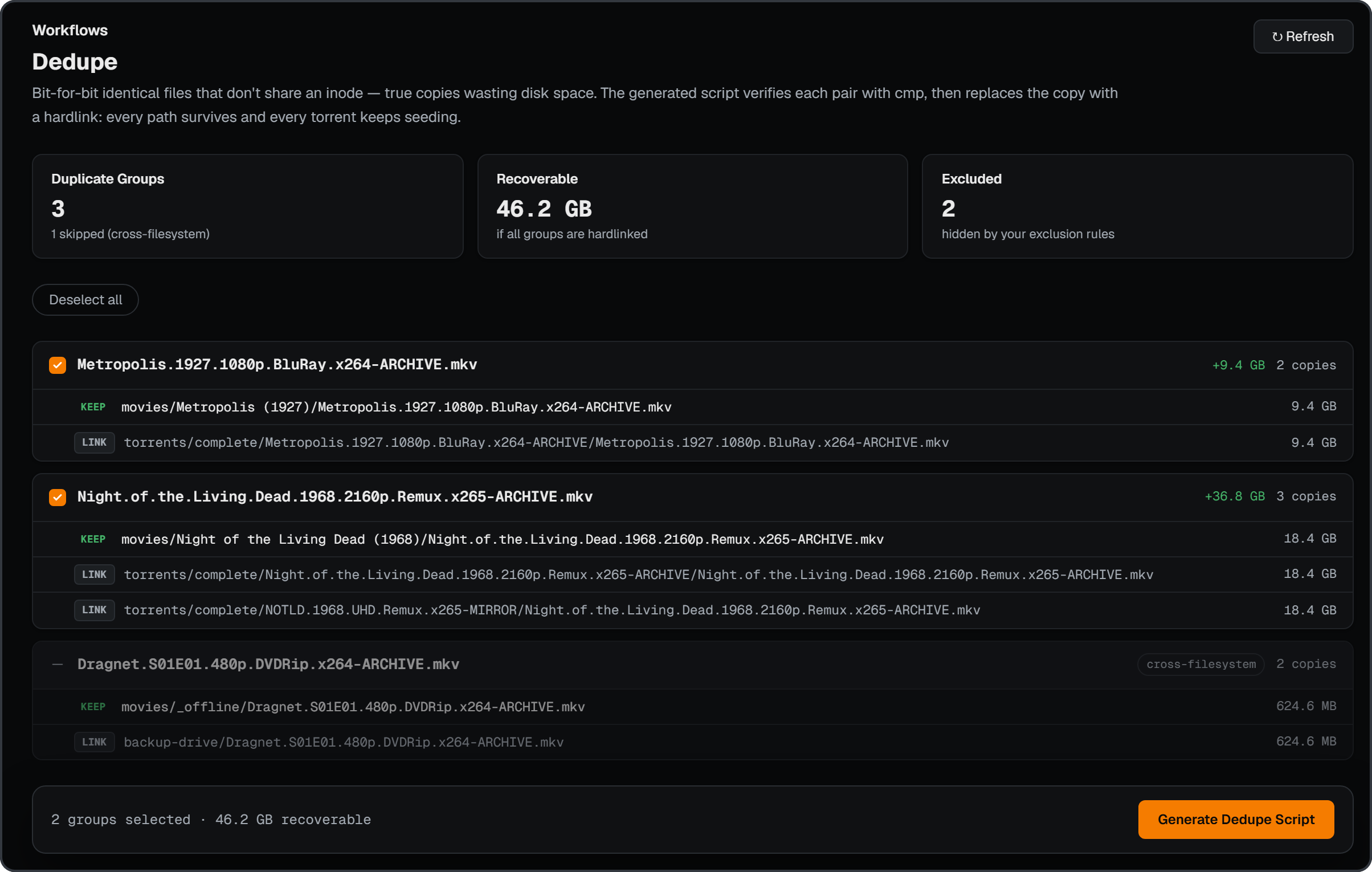
Dedupe
Targets duplicate files: review duplicate groups and generate a script that
replaces copies with hardlinks, verified with cmp before linking.
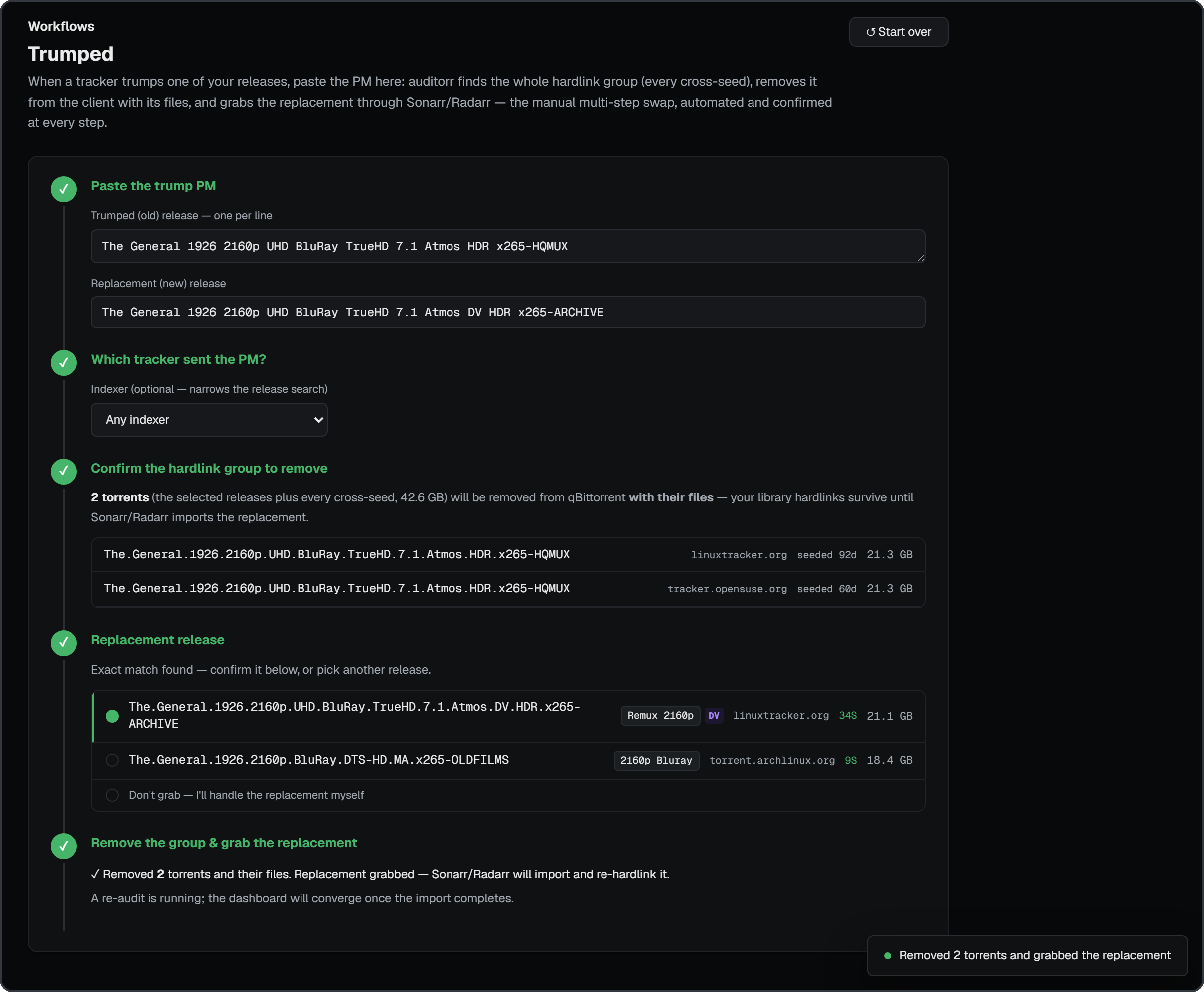
Trumped
Automates the private-tracker trump swap. Paste the tracker's "this release has been trumped" PM; auditorr parses the old and new release names, finds the entire hardlink group (every cross-seed of the old content), grabs the exact replacement through Sonarr/Radarr, and only then removes the old group from the client with its files — wizard-style, confirmed at every step.
Install
Unraid
auditorr is on Unraid Community Apps — search for auditorr in the
Apps tab and install in one click.
- WebUI:
http://[IP]:[PORT:8677]/ - Appdata:
/mnt/user/appdata/auditorr/data→/app/data - Data:
/mnt/user/data→/data(read-only)
Docker Compose
services:
  auditorr:
    image: ghcr.io/thrill-burn/auditorr:latest
    container_name: auditorr
    restart: unless-stopped
    ports:
      - "8677:8677"
    volumes:
      - ./data:/app/data
      - /path/to/media:/data/media:ro
      - /path/to/torrents:/data/torrents:ro
Build from source
git clone https://github.com/thrill-burn/auditorr.git
cd auditorr
docker build -t auditorr .
docker run -d \
  --name auditorr \
  -p 8677:8677 \
  -v /path/to/appdata:/app/data \
  -v /path/to/media:/data/media:ro \
  -v /path/to/torrents:/data/torrents:ro \
  auditorr
Something not working? See Troubleshooting.
[!IMPORTANT] The Hardlinked Media score assumes you use hardlinks between your torrent folder and your media library — the TRaSH Guides folder structure. Without hardlinks, this score is 0 regardless of how healthy the rest of your library is.
License
MIT — see LICENSE.
Categories
Related apps
Explore more like this
Explore allDetails
ghcr.io/thrill-burn/auditorr:latestRuntime arguments
- Web UI
http://[IP]:[PORT:8677]/- Network
bridge- Shell
sh- Privileged
- false
Template configuration
Container Port: 8677 — auditorr web interface
- Target
- 8677
- Default
- 8677
- Value
- 8677
Container Path: /app/data — config, audit history, SQLite database. Persistent app state lives here.
- Target
- /app/data
- Default
- /mnt/user/appdata/auditorr/data
- Value
- /mnt/user/appdata/auditorr/data
Container Path: /data — your unified TRaSH-style media + torrents share (the parent of /data/media and /data/torrents). auditorr mounts this read-only by design.
- Target
- /data
- Default
- /mnt/user/data
- Value
- /mnt/user/data
Container Variable: AUDITORR_PORT — port the app listens on inside the container. Must match the WebUI Container Port above.
- Default
- 8677
- Value
- 8677
Container Variable: AUDITORR_SECRET — optional access key. Left blank, auditorr serves local clients only (loopback + private LAN ranges) and refuses non-local requests, so a port-forwarded instance is not open to the internet. Set a long random value to allow remote access and require the key from every client (sent as the X-Auditorr-Secret header; the web UI prompts for it).
Container Variable: AUDITORR_TRUSTED_NETWORKS — optional comma-separated CIDRs treated as local in addition to loopback and private ranges, e.g. 100.64.0.0/10 for Tailscale.
Container Variable: AUDITORR_REQUIRE_AUTH — optional strict mode (true): require the access key even from local clients. With no AUDITORR_SECRET set this refuses all API access until one is configured.