
All apps · 0 apps

Astroluma
Docker app from hhftechnology's Repository
Overview
Readme
View on GitHubAstroluma





A powerful, self-hosted home lab dashboard built with the MERN stack.
Overview
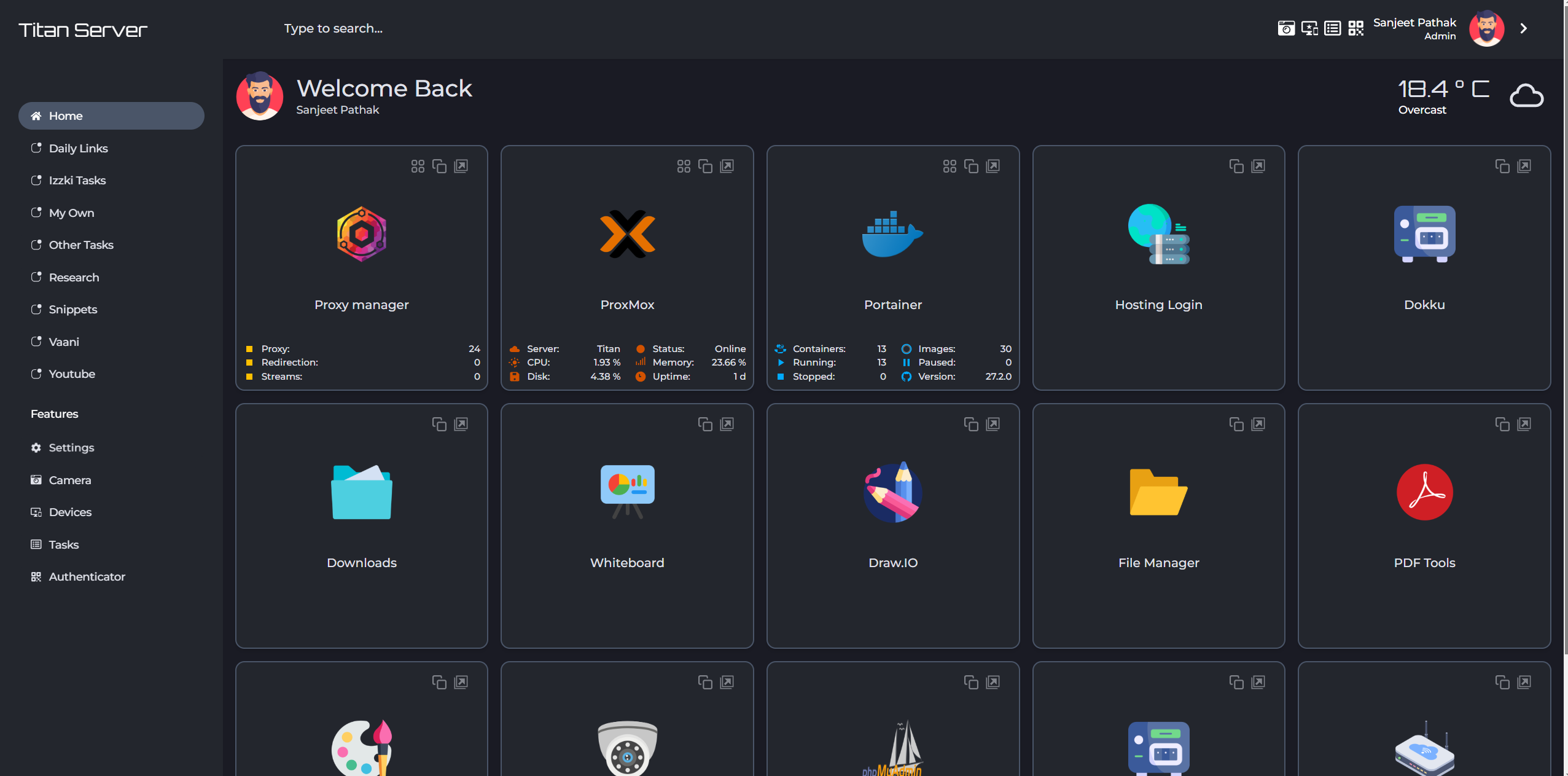
Astroluma is a feature-rich, productivity oriented, user-friendly dashboard designed to help you manage multiple aspects of your daily tasks and services. Built with flexibility in mind, it allows you to control various features like task management, device monitoring, app integration, and real-time weather updates, all from a single platform. With its responsive design and dynamic configuration options, Astroluma offers a unique blend of customization, usability, and productivity.
Updates
Jan 21, 2025
- Astroluma v1.0.2 is released. Check the full changelog here
Features
Core Features
- Multi-User Support: Individual instances for each user
- Links Organization: Categorize and organize links with nested categories
- Featured Page: Showcase important categories and links
- Custom Domain Support: Works simultaneously with custom domains and IPs
- Network Device Management:
- IPv4 network device scanning
- Wake-on-LAN support
- Device status monitoring
Productivity Tools
- Todo List Manager: Create and manage multiple todo lists
- Snippet Manager: Store and organize code snippets
- TOTP Generation: Built-in Time-Based One-Time Password generation
- Custom Page Creation: Create and publish custom pages
Integrations
- Stream Hub: Support for IP camera streams
- Weather Integration: Real-time weather updates
- Third-Party Apps:
- Bazarr
- FileBrowser
- FreshRSS
- GitHub
- HTML Code
- Heimdall
- Immich
- Linkace
- NextCloud
- Nginx Proxy Manager
- Portainer
- Proxmox
- Sonarr
- Speed Test Tracker
- TrueNAS Scale (Core untested)
- Uptime Kuma
- YouTube
- More coming soon!
- Custom Integration Support: Create your own app integrations
Customization
- Themes: 15 built-in themes with more in development
- Icon Pack Support: User configurable icon pack support. Find icons here
- Flexible Layout: Customizable sidebar and category placement
Installation
On Docker:
- Create a docker-compose.yml file. Best way to do this is to use the Astroluma Compose
Open Astroluma Compose and chose your preffered settings to generate your docker-compose.yml file.
Alternatively, create a docker-compose.yml similar to this:
version: '3.8'

services:
  app:
    image: sanjeet990/astroluma:latest
    container_name: astroluma
    ##ports:
    ##  - "8000:8000"
    environment:
      PORT: 8000
      NODE_ENV: production
      SECRET_KEY: a2c5f9a8b2d7e1a7f2c9c8d9b5f7a3d5
      MONGODB_URI: mongodb://localhost:27017/astroluma
    volumes:
      - uploads_data:/app/storage/uploads
      - uploads_apps:/app/storage/apps
    depends_on:
      - mongodb
    restart: always
    network_mode: host

  mongodb:
    image: mongo:6.0
    container_name: astroluma_mongodb
    ports:
      - "27017:27017"
    volumes:
      - mongo_data:/data/db
    restart: always


volumes:
  mongo_data:
    driver: local
  uploads_data:
    driver: local
If you're still unsure about creating your own config, please contact here.
- Bring up your stack by running:
docker-compose up -d
If using docker-compose-plugin:
docker compose up -d
Detailed installation doc: Installation Guide
Demo and Resources
- Website: https://getastroluma.com/
- Live Demo: Coming Soon!
- Screenshots: https://getastroluma.com/screenshots
FAQs
FAQ list is continuously being updated here.
Credits
A big shoutout to the people/projects who made this project possible. Check the credits here.
License
This project is licensed under the GNU GENERAL PUBLIC LICENSE, Version 3, 29 June 2007.
Contributing
Contributions are welcome! Please feel free to submit pull requests.
Maintainer
Maintained by @Sanjeet990
Support

Categories
Download Statistics
Total Downloads Over Time
Related apps
Explore more like this
Explore allLinks
Details
sanjeet990/astroluma:latestRuntime arguments
- Web UI
http://[IP]:8000- Network
host- Shell
sh- Privileged
- false