
All apps · 0 apps

ASCII-Telnet-Server
Docker app from grtgbln's Repository
Overview
Readme
View on GitHubASCII art movie Telnet player
Can stream an ~20 minutes ASCII movie via Telnet emulation as stand alone server or via xinetd daemon.
Screenshot:
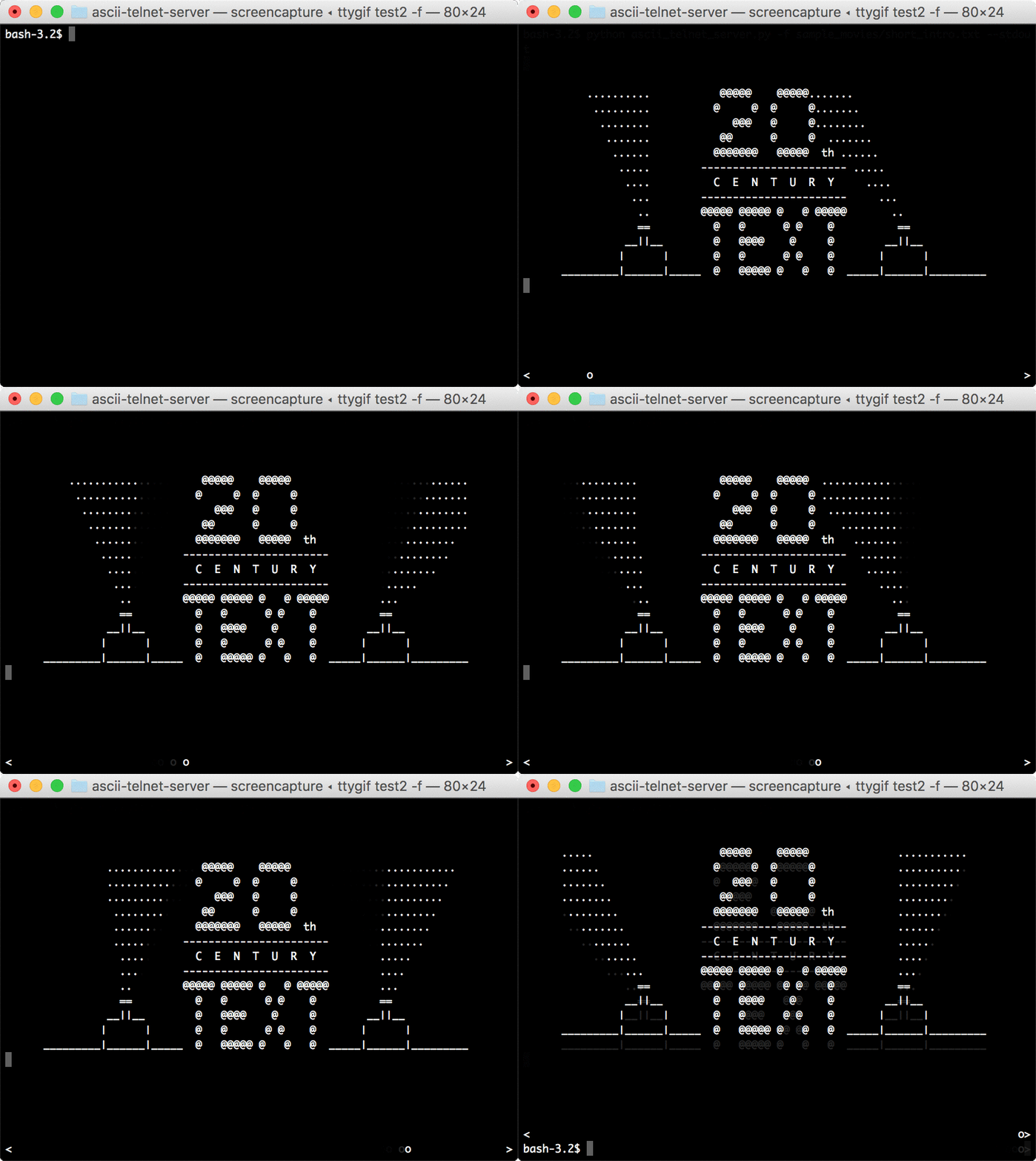
Wanna see it in action? Just watch http://asciinema.org/a/3132
Tested with Python 2.6+, Python 3.5+
Original art work : Simon Jansen http://www.asciimation.co.nz/
Telnetification & Player coding : Martin W. Kirst
Python3 Update: Ryan Jarvis
Dockerfile contributed by: Manuel Eusebio de Paz Carmona
Build Status 
Command line parameters
See program output:
$ python ascii_telnet_server.py --help
Usage: ascii_telnet_server.py [options]
Options:
  -h, --help            show this help message and exit
  --standalone          Run as stand alone multi threaded TCP server (default)
  --stdout              Run with STDIN and STDOUT, for example in XINETD
                        instead of stand alone TCP server. Use with python
                        option '-u' for unbuffered STDIN STDOUT communication
  -f FILE, --file=FILE  Text file containing the ASCII movie
  -i INTERFACE, --interface=INTERFACE
                        Bind to this interface (default '0.0.0.0', all
                        interfaces)
  -p PORT, --port=PORT  Bind to this port (default 23, Telnet)
  -v, --verbose         Verbose (default for TCP server)
  -q, --quiet           Quiet! (default for STDIN STDOUT server)
Run as stand alone server
Simple call this Python script by using the sample movie file:
$> python ascii_telnet_server.py --standalone -f ../sample_movies/sw1.txt
Running TCP server on 0.0.0.0:23
Playing movie sw1.txt
Run as docker container
Simply build & run the container and use the movie file as environment parameter the sample movie file:
# Build image:
$> docker build -t ascii-art-movie-telnet-player .

# MODE STDOUT: Run as local player

# with the default movie
$> docker run -it --rm -e mode=stdout ascii-art-movie-telnet-player

# with a custom movie file.txt (absolute path to file it's required):
$> docker run -it --rm -v $(pwd)/your_movie.txt:/app/input_file.txt -e input_file=input_file.txt ascii-art-movie-telnet-player

# MODE STANDALONE: Run as local telnet server
# To test, open a telnet client in other terminal/session i.e. $> telnet localhost 23

# with the default movie
$> docker run -it --rm -p 23:23 -e mode=standalone ascii-art-movie-telnet-player

# Run with custon input_file.txt movie
$> docker run -it --rm -v $(pwd)/your_movie.txt:/app/input_file.txt -p 23:23 -e mode=standalone -e input_file=input_file.txt ascii-art-movie-telnet-player
Run as xinetd program
place this configuration into /etc/xinetd.d/telnet:
# default: on
# description: An telnet service playing an ASCII movie, Star Wars Episode 4
service telnet
{
        disable         = no
        socket_type     = stream
        protocol        = tcp
        port            = 23
        user            = root
        wait            = no
        instances       = 10

        log_type        = FILE /var/log/asciiplayer
        log_on_success  += PID HOST DURATION
        log_on_failure  = HOST
        server          = /usr/bin/python
        server_args     = -u -OO /opt/asciiplayer/ascii_telnet_server.py -f /opt/asciiplayer/sw1.txt --stdout
}
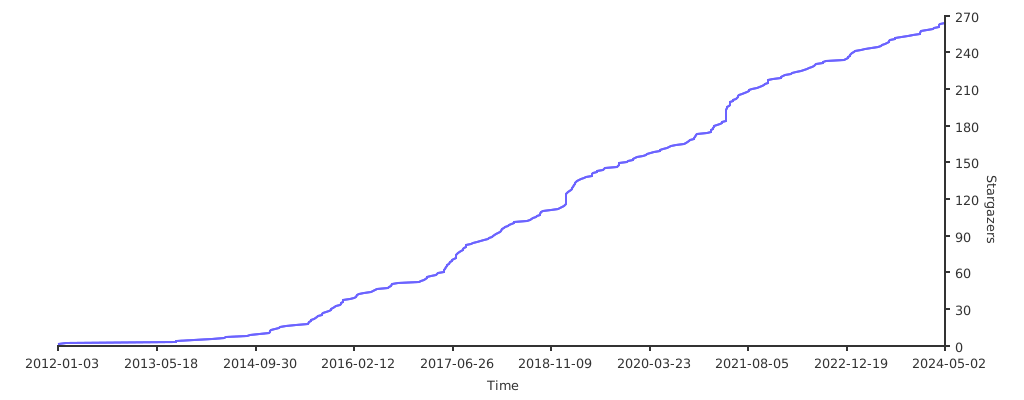
Stargazers over time
Media gallery
Install ASCII-Telnet-Server on Unraid in a few clicks.
Find ASCII-Telnet-Server in Community Apps on your Unraid server, review the template, and click Install. Unraid handles the Docker app or plugin setup from the published template.
Requirements
Expects a `video.txt` file to be present in the specified path before starting the container: https://github.com/nitram509/ascii-telnet-server/tree/master/sample_movies
Download Statistics
Total Downloads Over Time
Related apps
Explore more like this
Explore allDetails
rohan/ascii-telnet-server:latest