
All apps · 0 apps

arr-dashboard
Docker app from Selfhosters
Overview
Readme
View on GitHubArr Dashboard
Version 2.24.1 — The recovery and timezone correctness patch. Sonarr episode cleanup now resumes safely after partial failures, OIDC callbacks honor configured public origins behind reverse proxies, and Sonarr calendar dates remain correct across viewer timezones and visible-grid boundaries. Workflow action pins and public repository hygiene are also refreshed.
A unified dashboard for managing multiple Sonarr, Radarr, Prowlarr, Lidarr, Readarr, Plex, Tautulli, Jellyfin, Emby, and Seerr instances. Consolidate your media automation management into a single, secure, and powerful interface.
Now integrates with autobrr/qui as a federated peer for torrent-layer observability — surface seed health, ratios, and cross-seed siblings alongside your *arr/library data without arr-dashboard owning torrent-layer logic. See the qUI integration guide for setup.





Screenshots
Click to expand screenshots
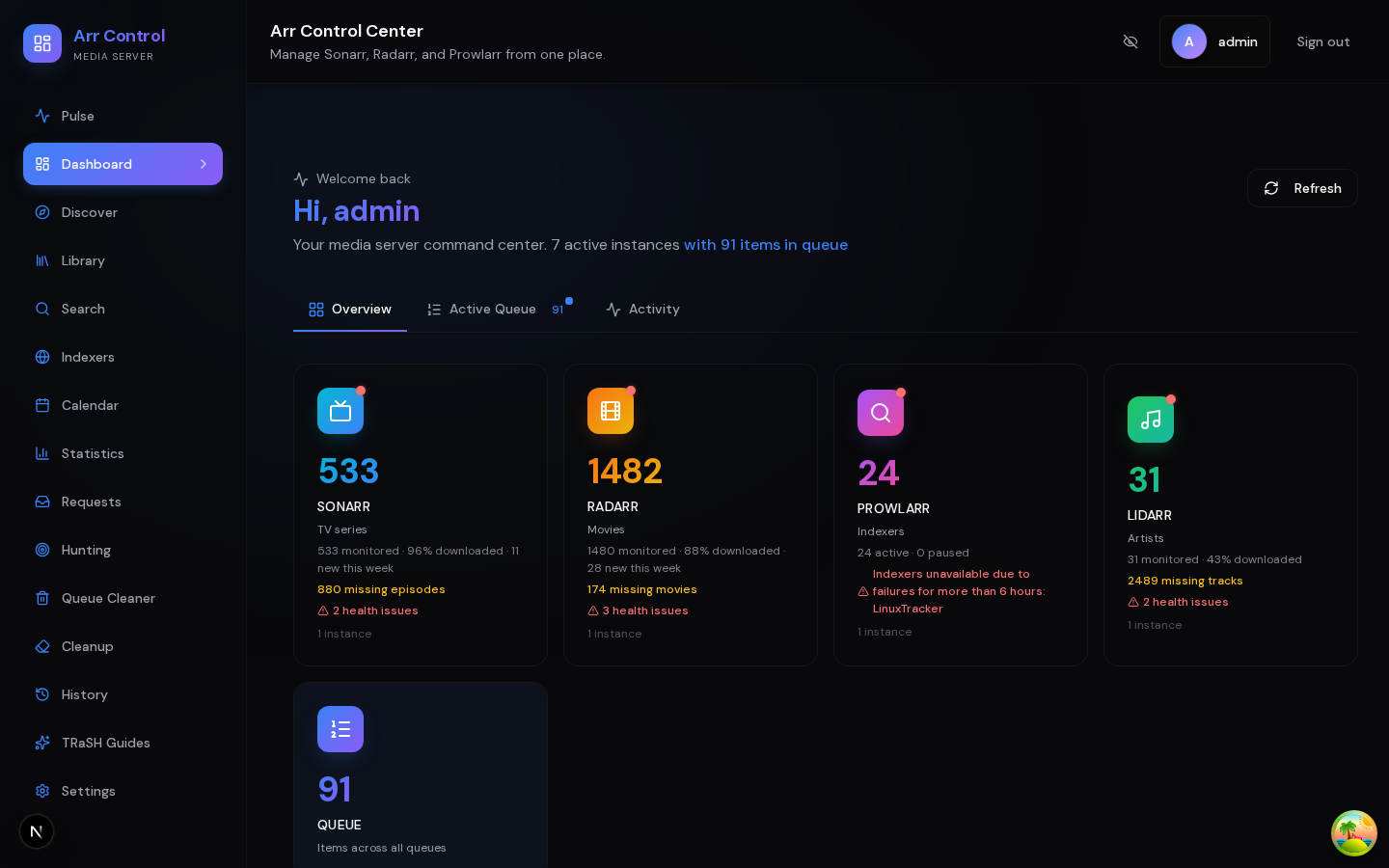
Dashboard
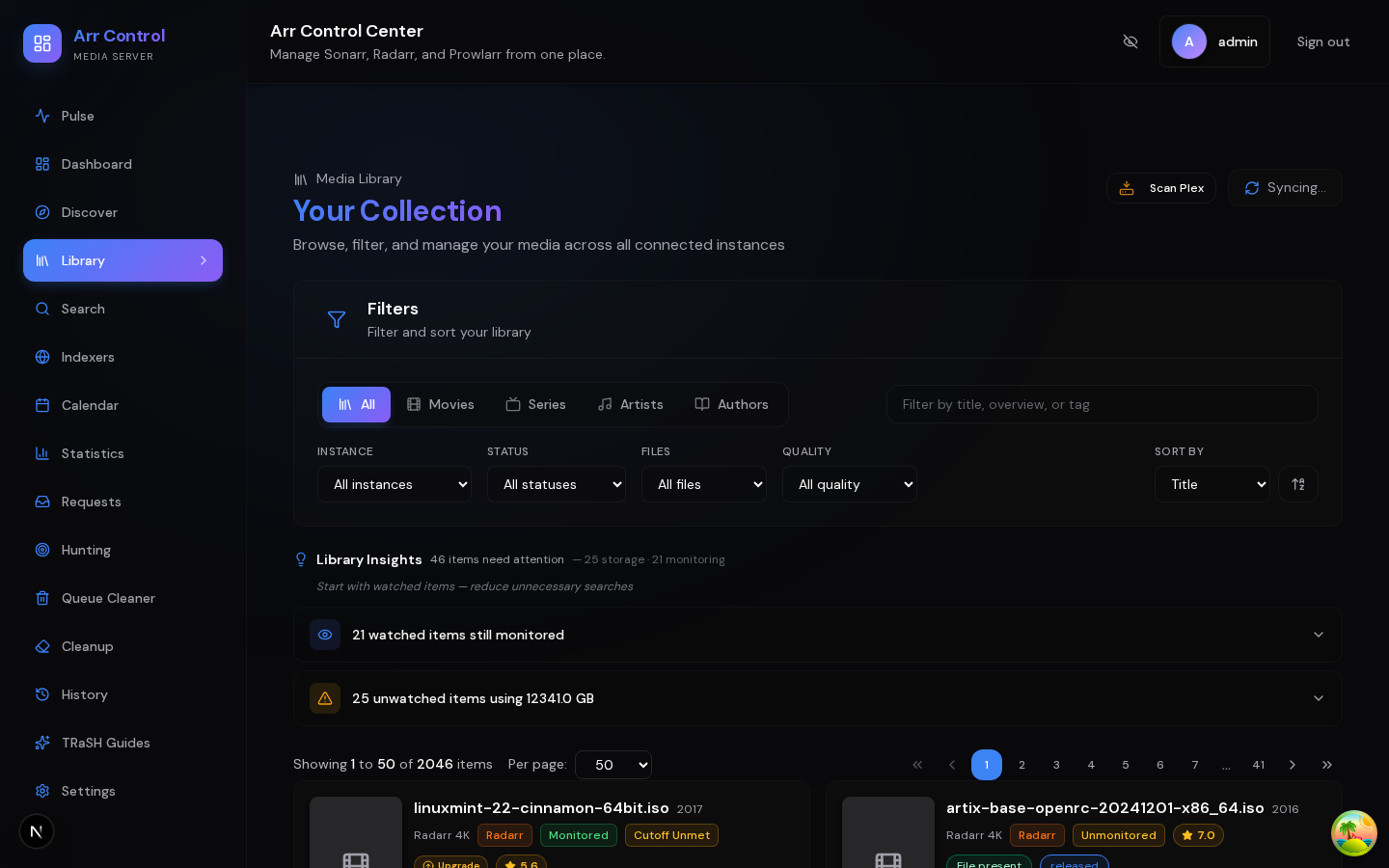
Library
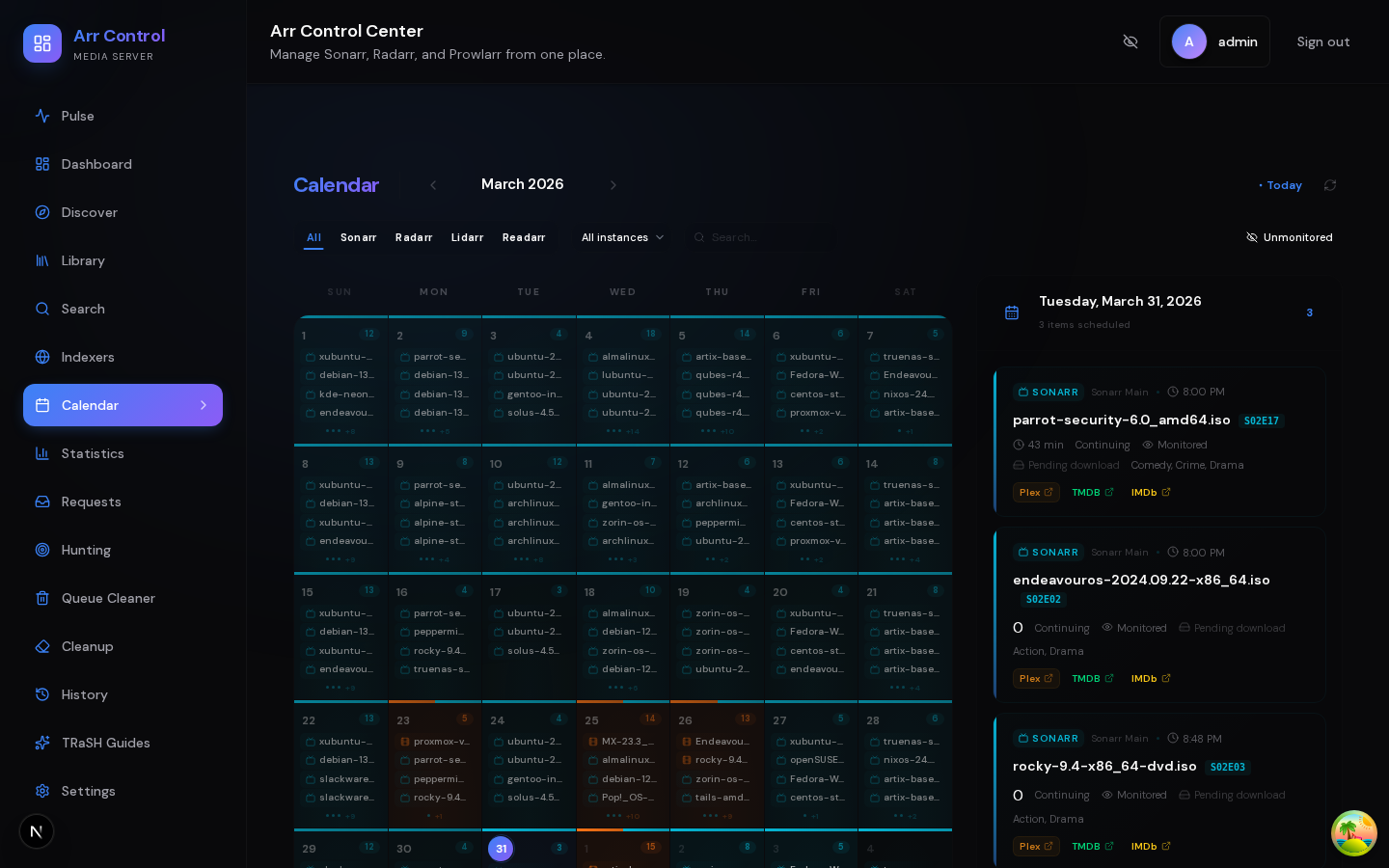
Calendar
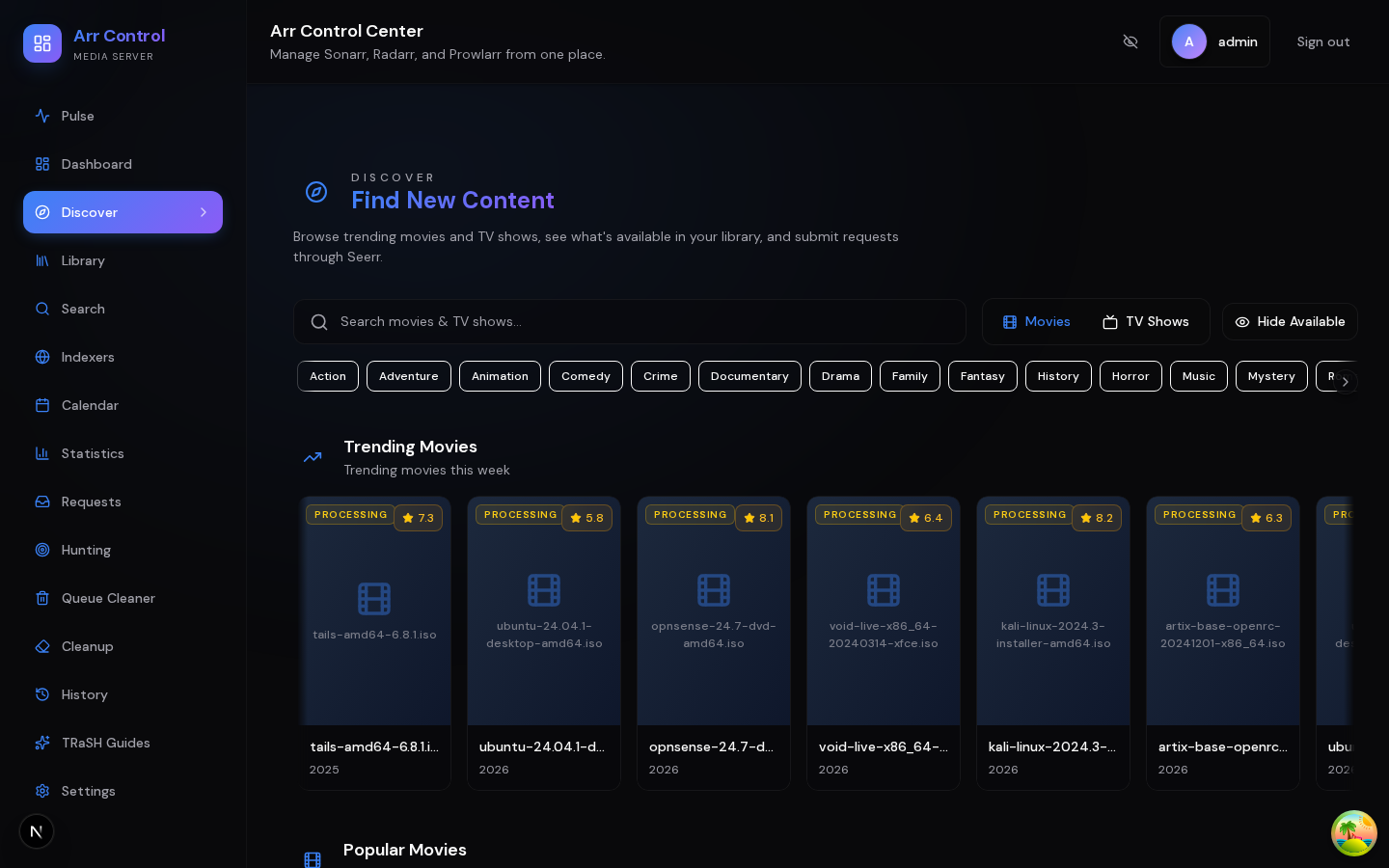
Discover
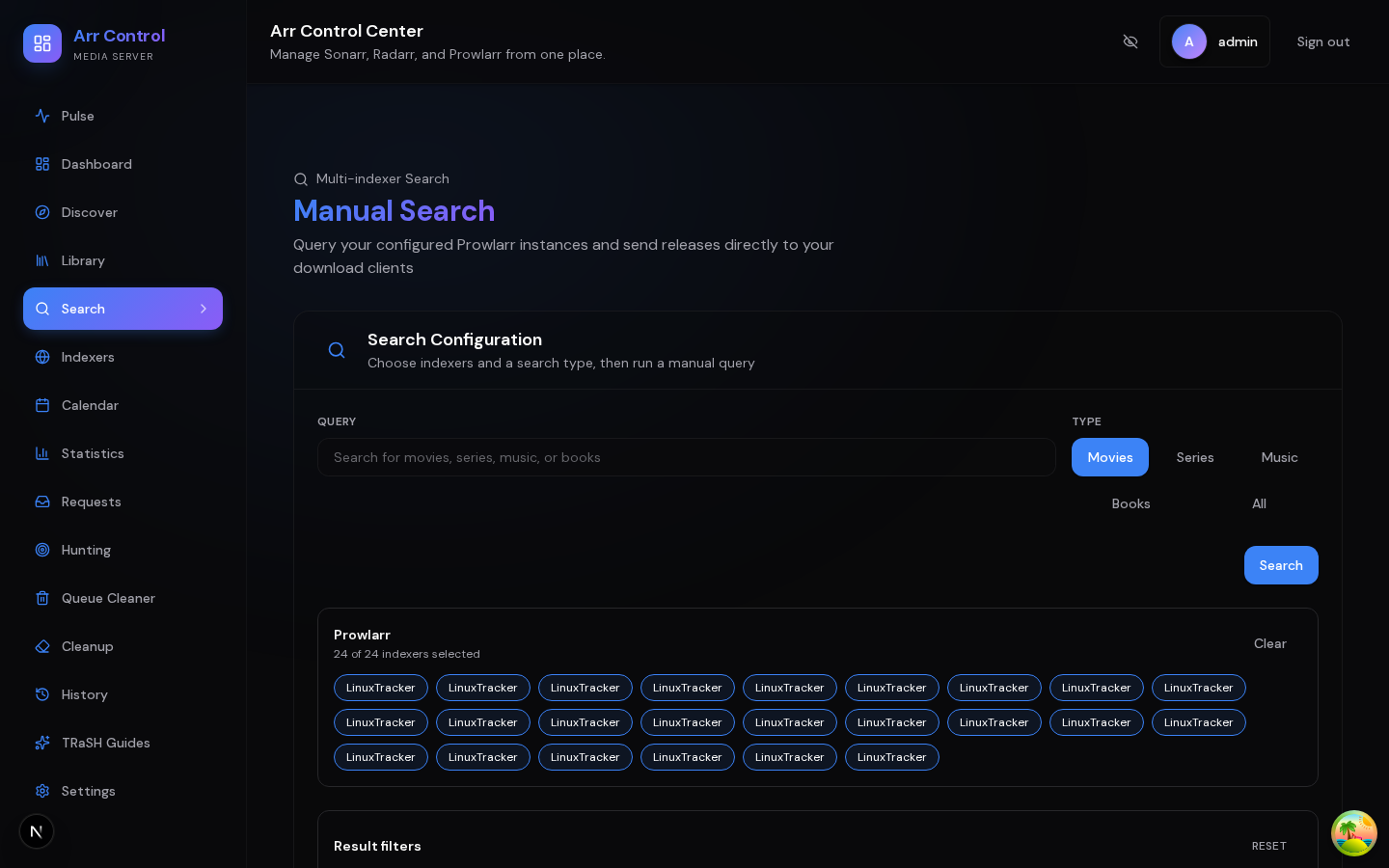
Search
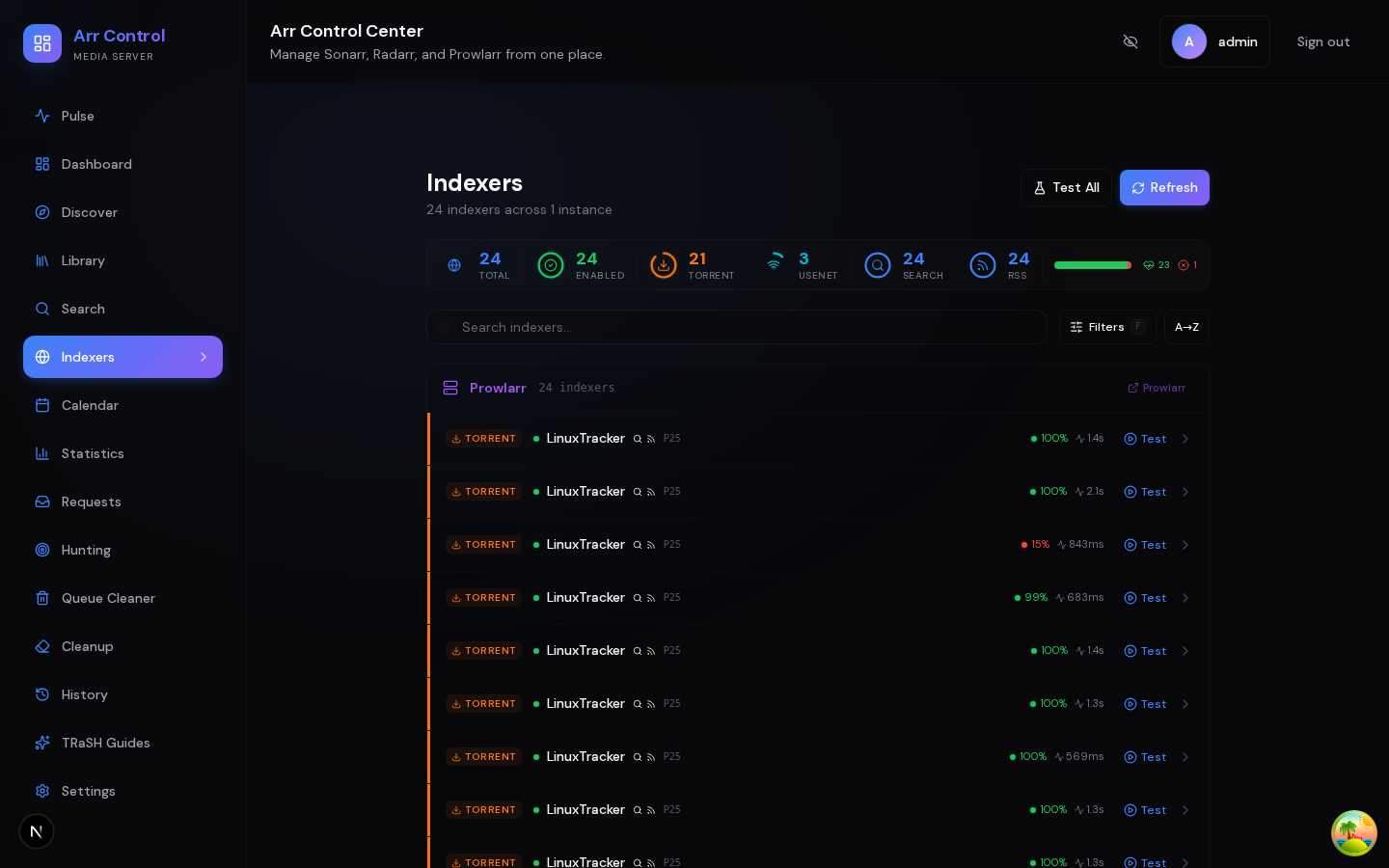
Indexers
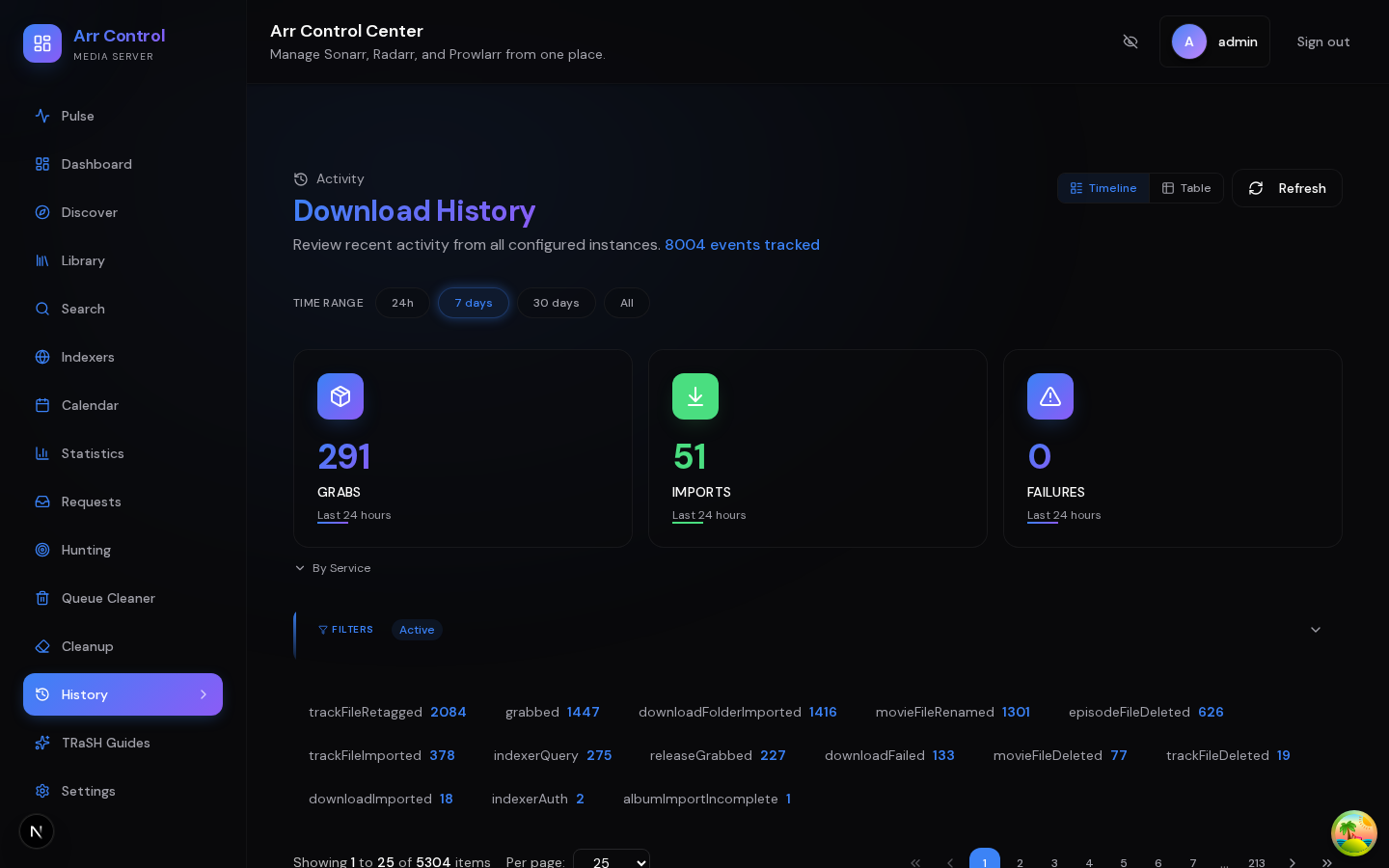
History
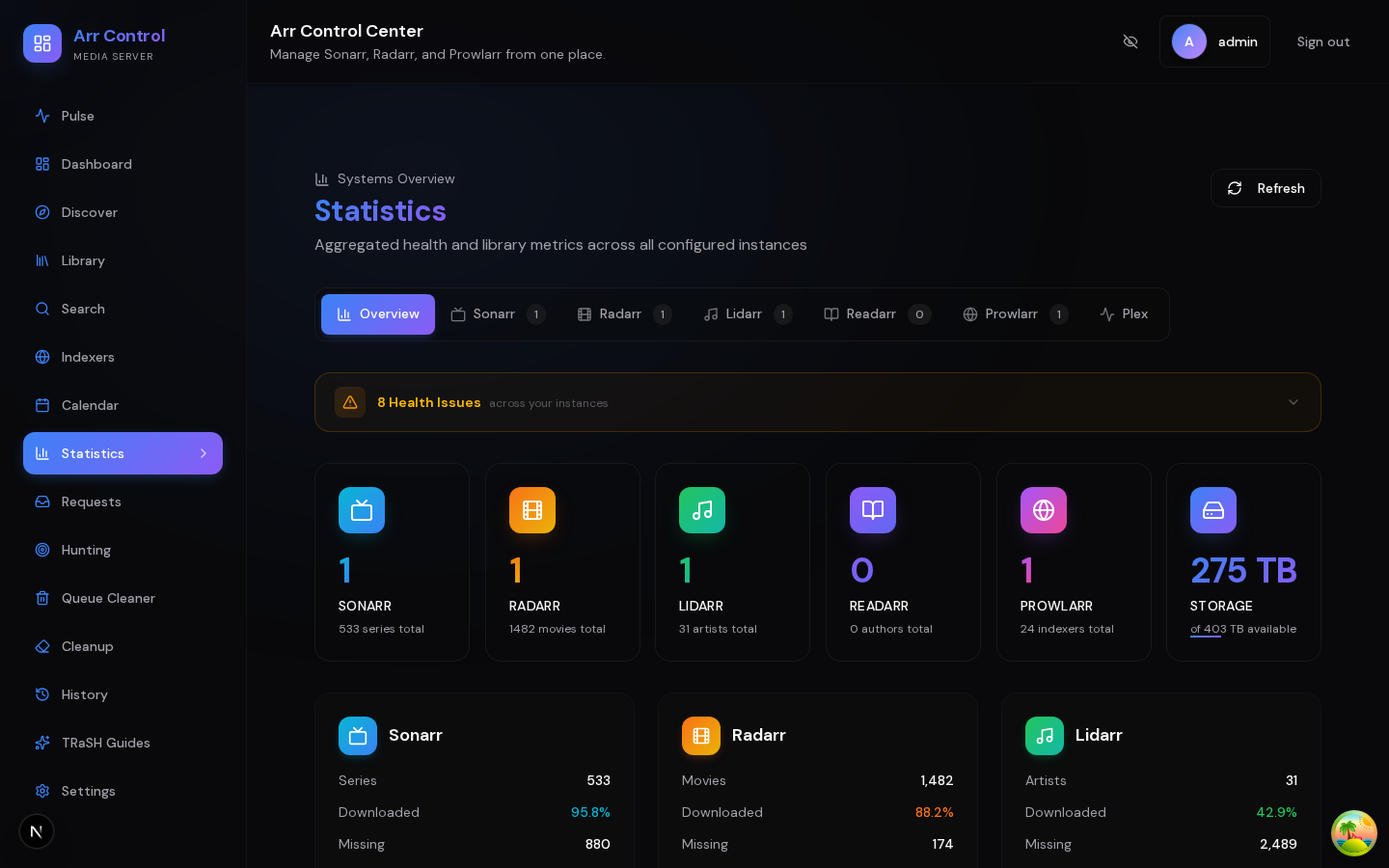
Statistics
Requests
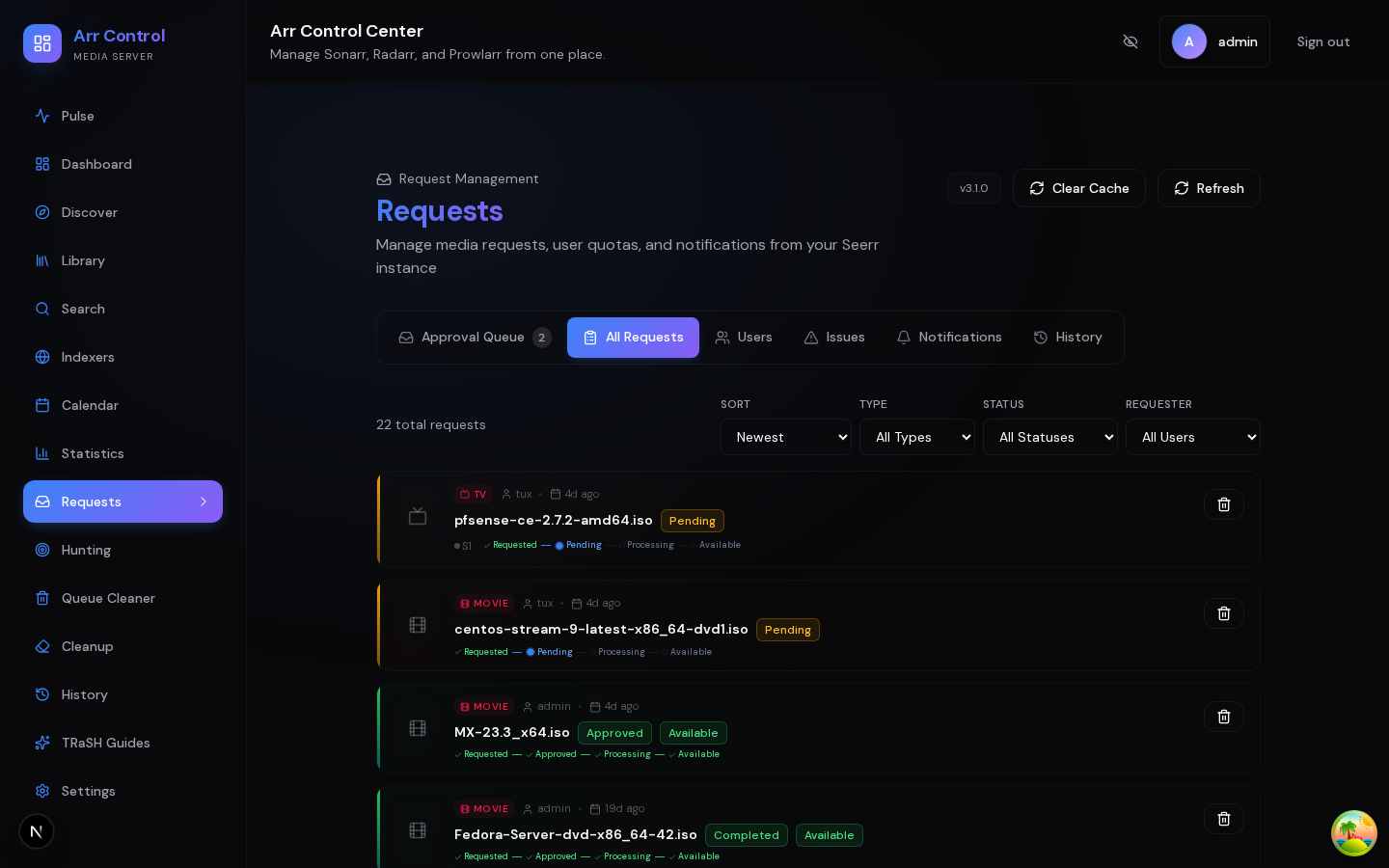
Hunting
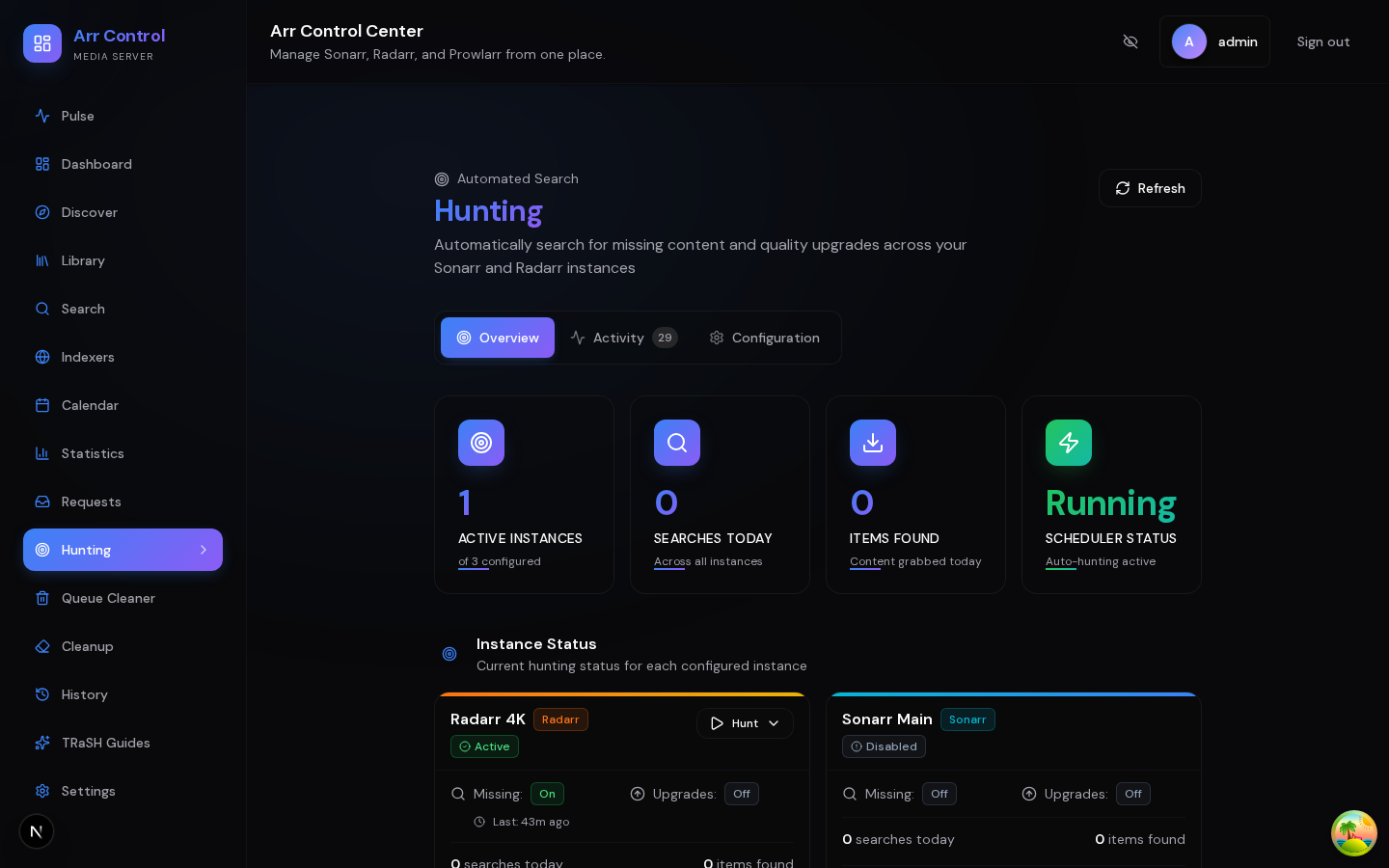
Queue Cleaner
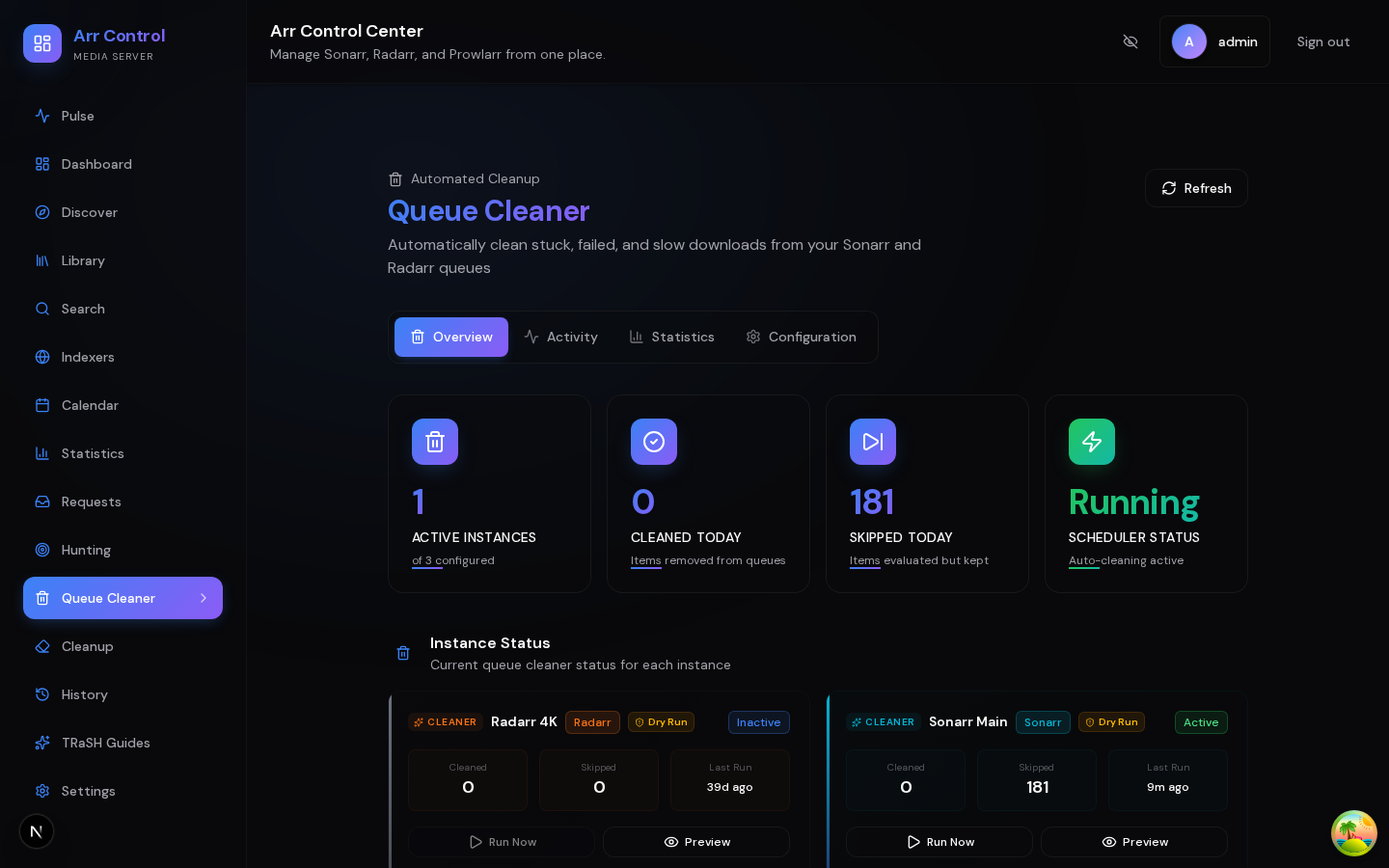
Library Cleanup
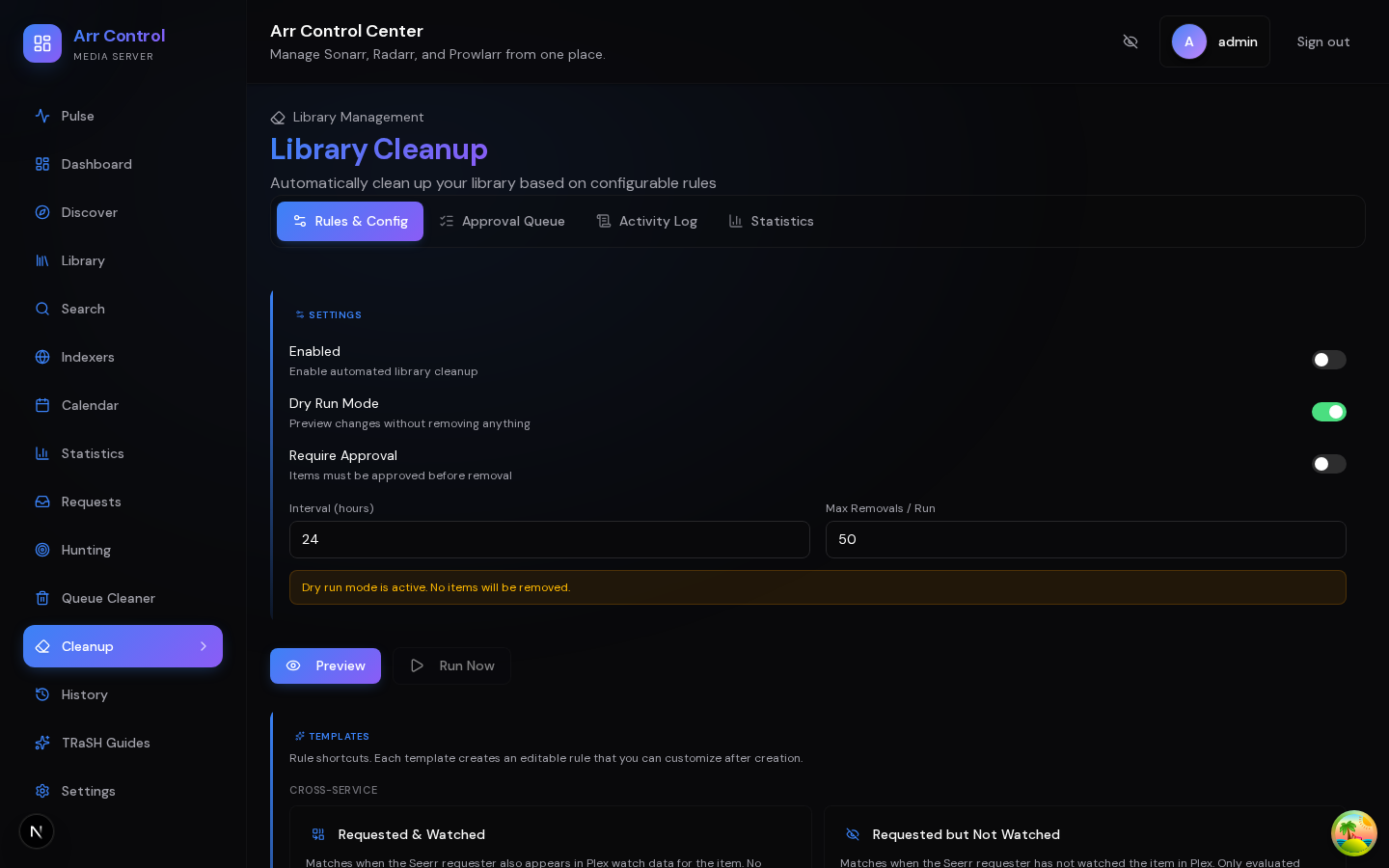
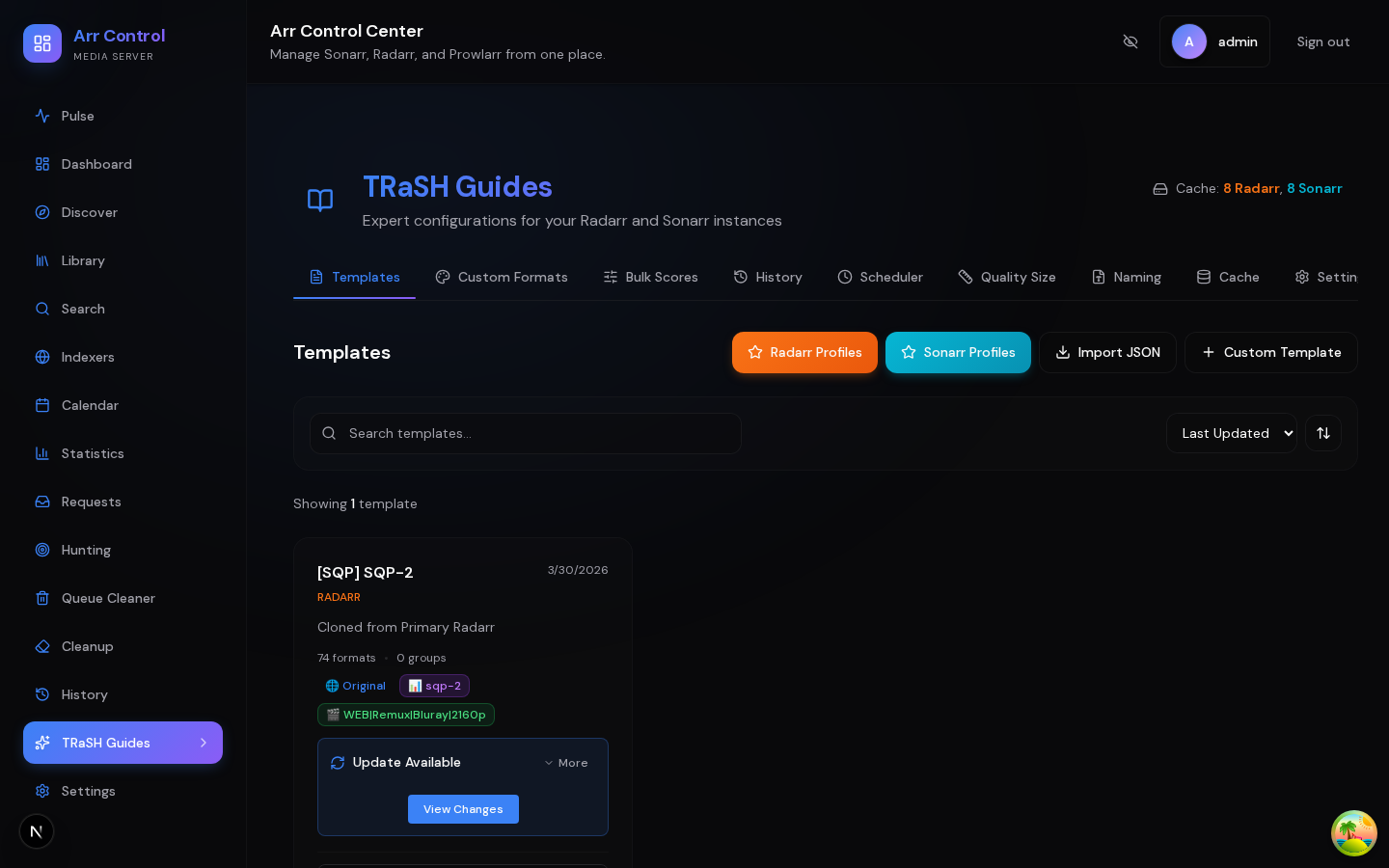
TRaSH Guides
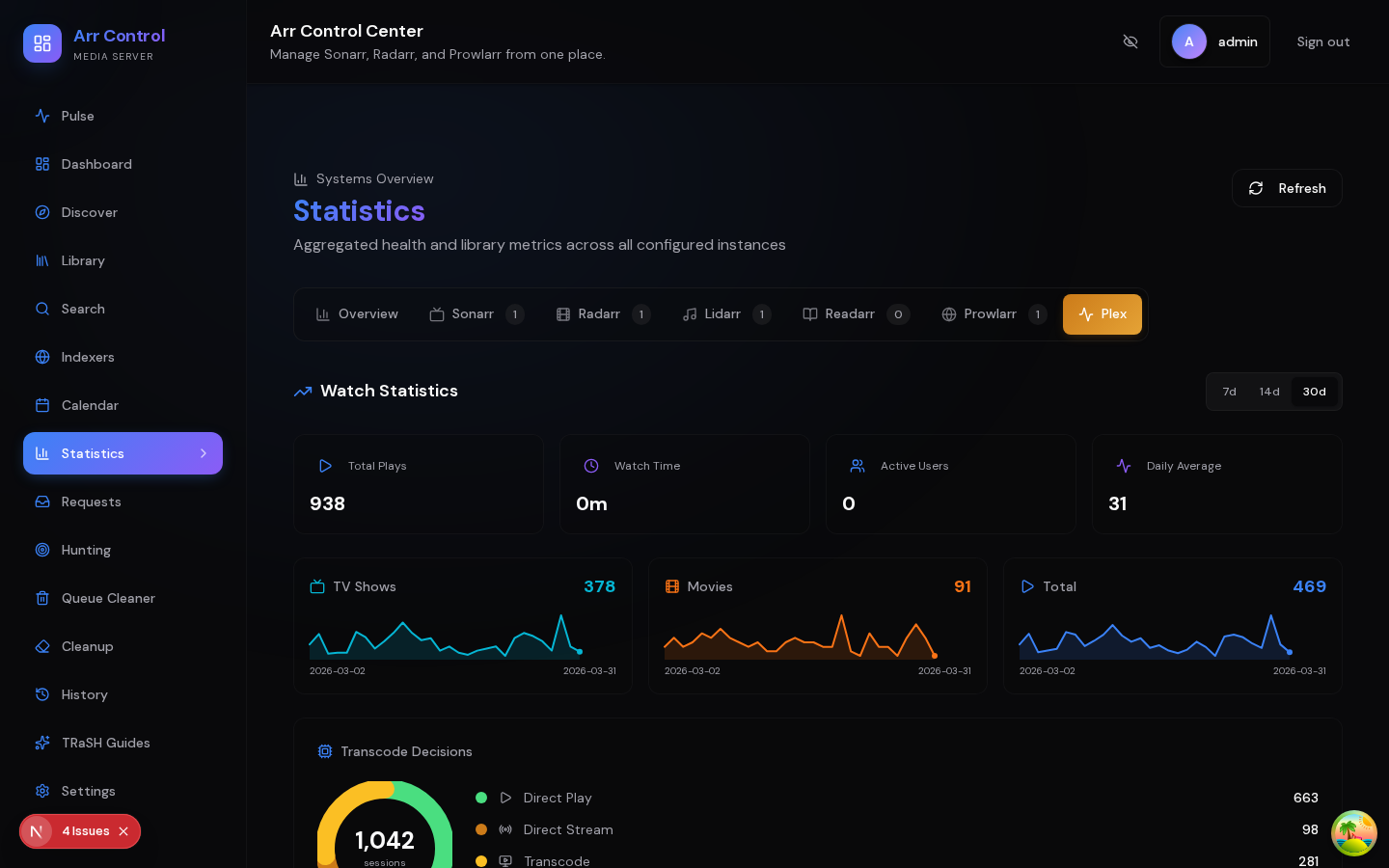
Plex Statistics
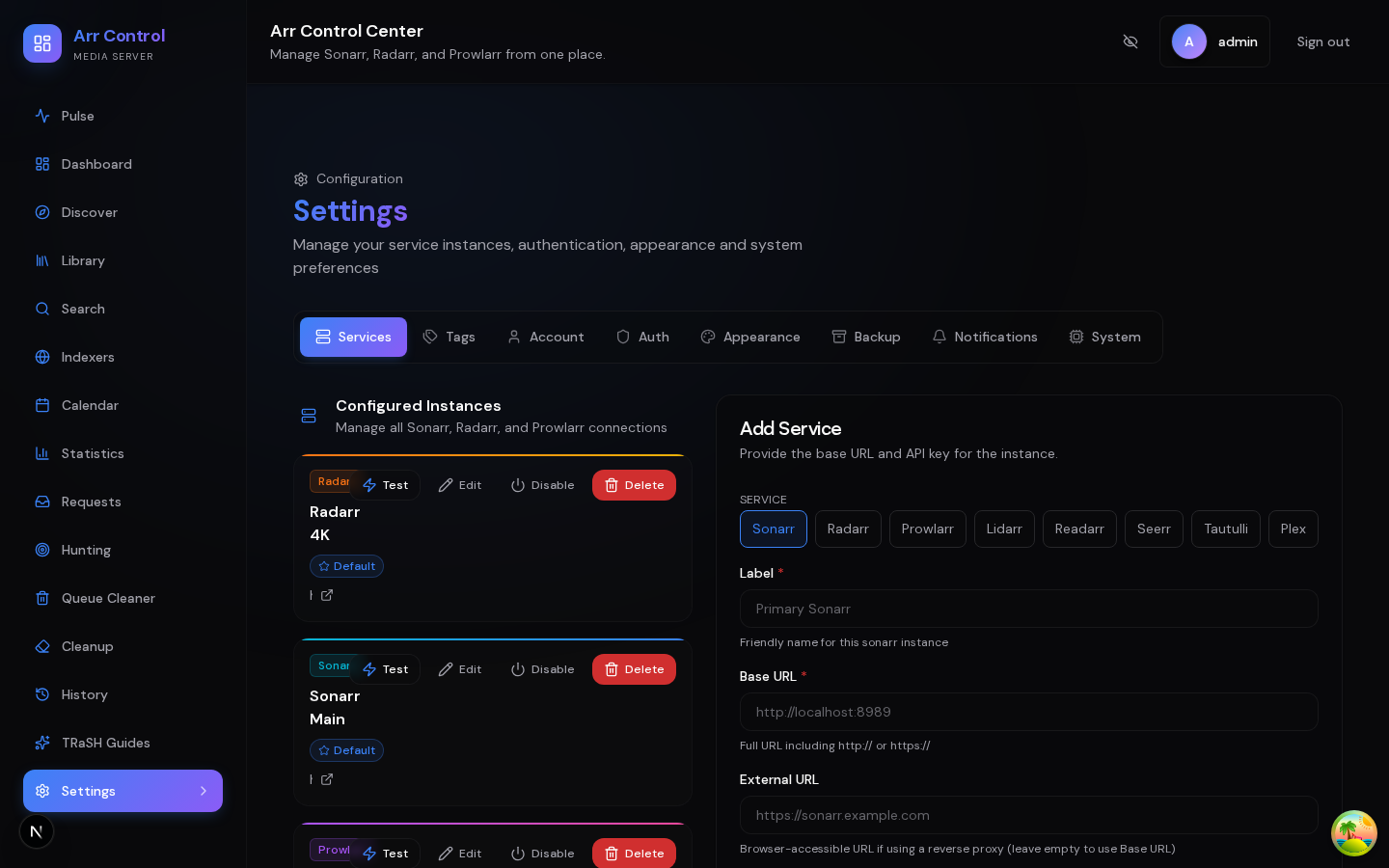
Settings
Features
Unified Dashboard
- Multi-Instance Aggregation — View queue, calendar, history, and statistics across all Sonarr, Radarr, Prowlarr, Lidarr, and Readarr instances from a single view
- Global Search — Search for content across all your indexers simultaneously via Prowlarr
- Library Management — Browse, filter, and manage your movies, TV shows, music, and books in one place
- Calendar View — See upcoming releases across all instances with poster art and external links
- History Tracking — Download and import history from all services with timeline and table views
Plex & Tautulli Integration
- Now Playing — Real-time view of active Plex streams with user avatars, progress bars, transcode/direct play indicators, and bandwidth metrics
- Continue Watching / On Deck — See what's queued up next across your Plex libraries
- Recently Added — Latest additions to your Plex library with poster thumbnails
- Watch History — Historical watch data captured every 5 minutes from active sessions; enriched with codec/LAN-WAN/platform metadata when Tautulli is configured
- Plex Statistics — Dedicated stats tab with leaderboards (top + most-popular per media type), user analytics, device breakdown, codec distribution, bandwidth forecasting, quality scores, and daily activity charts. Works without Tautulli — analytics flow from the dashboard's own session-snapshot capture; Tautulli adds optional enrichment
- Library Enrichment — Watch status, play counts, and last-watched dates shown on library items
- Connect with Plex — OAuth-assisted setup discovers your reachable Plex servers and auto-fills the URL and token
Jellyfin & Emby Integration
- Full Plex Parity — Now playing, on-deck, recently added, watch history, library enrichment, and cleanup rules — at parity with the Plex integration
- Native Analytics — User, device, transcode, codec, bandwidth, quality score, and episode completion analytics sourced directly from Jellyfin/Emby (no Tautulli-equivalent required)
- Unified Backend — Emby is supported through a unified Jellyfin/Emby backend; both services work identically and can run side-by-side
- Watch-Aware Cleanup — 7 library cleanup rule evaluators use Jellyfin/Emby watch data (last watched, watch count, on-deck, user rating, watched-by, added-at, episode completion)
Seerr Integration
- Request Management — View, approve, and decline media requests directly from the dashboard
- User Management — Browse users with request counts, quotas, and permissions
- Issue Tracking — View and manage reported media issues
- Notification Agents — Configure Seerr notification agents from the dashboard
Content Discovery
- TMDB Integration — Discover trending, popular, and upcoming content
- One-Click Add — Add discovered content to any Radarr/Sonarr instance
- Seerr Availability — See request status and availability on the Discover page
TRaSH Guides Integration
- Quality Profiles — Apply TRaSH Guides quality profiles to your instances with guided wizard
- Custom Formats — Sync custom formats with recommended scores from TRaSH score sets
- Profile Cloning — Clone quality profiles from running instances with automatic TRaSH profile linking for ongoing score updates
- Templates — Create reusable configuration templates with instance-specific overrides
- Naming Schemes — Deploy TRaSH-recommended naming schemes for Radarr and Sonarr
- Auto-Sync — Keep configurations up-to-date with TRaSH Guides changes
- Deployment Preview — Preview changes before applying, with backup and rollback support
- Profile Groups — Profiles organized by category (Standard, Anime, French, German, SQP)
Notification System
- 8 Channels — Discord, Telegram, Email (SMTP), Pushover, Gotify, Ntfy, Pushbullet, and Browser Push (Web Push API)
- Event Subscriptions — Per-channel subscription grid for 12+ event types
- Rich Metadata — Contextual details in every notification (instance names, affected items, durations)
- Delivery Logs — Searchable history of all dispatched notifications with delivery status
Library Cleanup
- Rule-Based Engine — Define cleanup rules using 20+ condition types: age, size, rating, genre, tag, quality, watched status (Plex/Tautulli), request status (Seerr), and more
- Approval Queue — Dry-run evaluation presents candidates for human review before deletion
- Scheduled Execution — Automated runs with configurable intervals
- Audit Logging — Complete history of cleanup actions with item details and rule matches
Auto-Tagger
- Criteria-Based Tagging — Apply tags to Sonarr/Radarr items automatically based on rules across 50+ condition types (genre, year, codec, audio channels, watch state, Plex labels/collections, custom format score, file path regex, …) — same DSL as Library Cleanup
- Composite Rules — Combine multiple criteria with AND/OR (e.g., "tag any 4K release from a premium release group as
premium") - Real-Time via Connect Webhooks — Sub-second tagging on import via Sonarr/Radarr Connect webhook handler with per-user Bearer-token auth (token is SHA-256 hashed at rest, shown once at generation)
- Pairs With Label Sync — Auto-Tagger seeds the source-side tag; Label Sync optionally mirrors it to Plex/Jellyfin/Emby labels
- Per-Rule Lock — Scheduled tick and on-demand "Run now" can't race for the same rule
Automated Hunting
- Missing Content Search — Automatically search for missing movies, episodes, albums, and books
- Quality Upgrades — Find better quality versions of existing content
- Per-Instance Config — Enable/disable and configure search intervals, batch sizes, and filters per instance
- Rate Limiting — Configurable hourly API caps to prevent abuse
- Activity Logging — Track all automated search activity with detailed history
Queue Cleaner
- Automated Queue Management — Remove stalled, slow, or problematic downloads based on configurable rules
- Strike System — Warn items before removal with configurable strike thresholds
- Dry Run Mode — Preview what would be cleaned without making changes
- Auto-Import — Automatically import completed downloads that are stuck in queue
Security & Authentication
- Multi-Auth Support — Password, OIDC (Authelia/Authentik/Keycloak), or Passkeys (WebAuthn)
- Encrypted Storage — All API keys encrypted at rest (AES-256-GCM)
- Session Management — Secure HTTP-only cookie sessions with multi-device support
- Incognito Mode — Hide sensitive data (media titles, usernames, server names, URLs) across the entire UI — disguises everything as Linux ISO downloads for safe screenshotting
- Zero-Config Security — Auto-generated encryption keys on first run
Management
- Encrypted Backups — Automated encrypted export with configurable retention and scheduling; restore is temporarily disabled pending crash-safe recovery (backup inventory)
- Tag Organization — Organize instances with custom tags and storage groups
- Multi-Instance — Manage unlimited instances across all supported services
- System Settings — Configurable ports, listen address, and application restart from the UI
Quick Start
Docker (Recommended)
docker run -d \
  --name arr-dashboard \
  -p 3000:3000 \
  -v /path/to/config:/config \
  -e PUID=1000 \
  -e PGID=1000 \
  --restart unless-stopped \
  khak1s/arr-dashboard:latest
Docker Compose
services:
  arr-dashboard:
    image: khak1s/arr-dashboard:latest
    container_name: arr-dashboard
    environment:
      - PUID=1000  # Set to your user ID (run `id -u` on host)
      - PGID=1000  # Set to your group ID (run `id -g` on host)
    volumes:
      - ./config:/config
    ports:
      - 3000:3000
    restart: unless-stopped
Then start:
docker-compose up -d
Supported deployment topology
Stable 2.x supports exactly one arr-dashboard API/container per database. Multiple replicas or containers sharing one SQLite or PostgreSQL database are unsupported. Caches, scheduler timers, event fan-out, and most runtime coordination are process-local and are not coordinated across API processes. A few library-cleanup workflows use database-backed leases, but those leases do not establish general API ownership or make a multi-API topology supported.
Stable 2.x does not enforce this restriction at runtime. Enforcement is tracked by #829.
First Time Setup
- Open
http://your-server-ip:3000 - Create your admin account on first run
- Add your Sonarr/Radarr/Prowlarr instances in Settings
- Optionally connect Plex, Tautulli, and Seerr
- Start managing your media!
Supported Services
| Service | Support | Features |
|---|---|---|
| Sonarr | Full | Queue, calendar, library, history, statistics, hunting, cleanup |
| Radarr | Full | Queue, calendar, library, history, statistics, hunting, cleanup |
| Prowlarr | Full | Indexer management, global search |
| Lidarr | Full | Queue, calendar, library, history, statistics, hunting |
| Readarr | Full | Queue, calendar, library, history, statistics, hunting |
| Plex | Full | Now playing, on deck, recently added, watch history, library enrichment, OAuth setup |
| Tautulli | Optional enrichment | Adds richer codec/LAN-WAN/platform metadata to Plex session snapshots. Plex analytics work without it |
| Jellyfin | Full | Now playing, on deck, recently added, watch history, native analytics, library cleanup |
| Emby | Full | Shares Jellyfin backend — same capabilities, same setup flow |
| Seerr | Full | Requests, users, issues, notification agents, optional Plex sign-in auto-setup |
Compatible Services
Some newer *arr-style projects (for example Sportarr, or future Readarr-replacement projects like Chaptarr) expose APIs that closely mirror Sonarr or Radarr. These can be added to arr-dashboard today by creating a Sonarr or Radarr instance and pointing it at the compatible service. Most surfaces (queue, calendar, library, history) will work as long as the third-party project stays compatible with the upstream Sonarr or Radarr API contract.
This is a best-effort path rather than a supported integration. arr-dashboard does not test against these services, and behavior outside the documented Servarr API surface is not guaranteed. If a service diverges from the upstream API, expect breakage and treat it as a known limitation rather than a bug.
First-class support is reserved for services listed in the table above.
Version Tags
| Tag | Description |
|---|---|
latest |
Latest stable release |
2.24.1 |
Recovery and timezone correctness — Makes Sonarr episode cleanup recovery durable, fixes OIDC callback origins behind reverse proxies, and corrects Sonarr calendar bucketing and fetch boundaries in the viewer's timezone (#755, #759, #761, #763). |
2.24.0 |
Safer cleanup & resilient automation — Adds episode-scoped Sonarr cleanup and tighter shared-library deletion checks. TRaSH deployments and auto-sync recover from interrupted runs and refuse stale or unverified data. Also fixes Plex cache refreshes, OIDC linking, qUI webhooks, Seerr routing, PostgreSQL upgrades, vulnerable dependencies, and provider-cache memory (#629, #661, #685, #693, #718, #721, #743, #745, #747–#750). |
2.23.0 |
Torrent payload safeguards — Adds an opt-in Queue Cleaner torrent file-extension allowlist inspected through qui. Mixed torrents containing any unexpected file are removed in full through Sonarr or Radarr when existing safety gates permit cleanup; unavailable manifest metadata fails closed and is retried later (#565, #612). Updates PostCSS to 8.5.20 to resolve GHSA-6g55-p6wh-862q (#611). |
2.22.0 |
Authenticated services & hardened maintenance — Adds optional encrypted HTTP Basic Auth for service instances behind authenticated reverse proxies (#600), restores new-library notifications for between-poll imports (#601, #543), supports Sonarr flat ratings in Library Cleanup (#604), refreshes production/development dependencies and GitHub Actions, restores a zero-diagnostic quality baseline, and pins third-party actions with dependency release-age and provenance policies (#547, #582, #583, #597, #598, #603, #605). |
2.21.0 |
Media-only storage & auth resilience — Storage rollup filters to disks holding configured *arr root folders (container / and config volumes no longer inflate the total) with an expandable per-disk breakdown panel explaining every include/exclude decision; shape-agnostic across containerized, bare-metal Linux, and Windows-native *arrs (#504, #505, closes #495). Removes the five global gates that silently disabled password/passkey auth when an OIDC provider was enabled — a wrong redirect URI can no longer lock you out (#501, closes #498). Tolerates Tautulli's sparse get_metadata responses for deleted Plex items, ending the Dashboard/Pulse warning flood (#502, closes #497). hono override → 4.12.21 closing CVE-2026-47673…47676 (#503). Dependency sweeps (#499, #500). |
2.20.0 |
qui integration release — federates with autobrr/qui for torrent-layer observability: per-card torrent health, tracker icons, server-side torrent-state filter, 480px detail drawer with capability-aware actions, MediaInfo quality verification, season-grouped torrent panels on series/movies, qui home page, qui Activity tab + webhook receiver, queue-cleaner last-seed protection (#475). Cross-seed reframed as an integrity lens keyed on tracker health (#492). Strips raw tracker passkeys from the qui trackers route (#493, closes #491) and the cross-seed display (#492). Storage Available card de-duplicates shared disks (#490, closes #486). Library Cleanup rejection memory (#482, closes #474). Hunting grab detection without eventType filter (#479, closes #472). MALLOC_ARENA_MAX=2 container default + rss/heap ratio (#478). Query-string percent-encoding fix (#476, closes #470). Heap-monitor kill switch (#477, closes #471). CodeQL qui debug-endpoint env-gate (#485). |
2.19.0 |
Continues the #427 OOM mitigation arc (stream-parse library-sync JSON, stream-fetch hunting catalog, slim wanted/movie/album/book records, adaptive concurrency on library-sync). Adds Seerr permission-aware Test Connection + inline Discover error surfacing (closes #465). Adds Schema Drift help tooltip + legend in Settings → System (closes #455). Adds TRaSH migration notices for upstream German/French unwanted-format group splits. Removes the legacy TRaSH NAMING fetcher whose dead-code path produced false-positive validation warnings on every cache refresh. Hunting scheduler reentrancy fix (#457). Dependency security bumps. New diagnostic tooling (heap retainer-walk, dump-heap helper, auto-snapshot at 90%) |
2.18.6 |
Fixes Sonarr hunts being silently skipped when the queue contains stuck/import-waiting items (#438). Queue threshold now counts only items actively consuming download capacity. Distinguishes connectivity failures from healthy throttles (returned errors fire HUNT_FAILED notifications). Fail-safes on malformed queue responses. Inline message + tooltip in activity log |
2.18.5 |
Comprehensive heap-pressure sweep closing out issue #427 — cursor-paginates remaining unbounded JSON-blob reads (library-cleanup, library-sync, plex collection-routes, insights-digest), reduces calendar/history transient peaks, caps sessionsJson analytics, rejects /api/library?limit=0. Adds heap-monitor plugin + opt-in HEAP_AUTO_SNAPSHOT=1 for diagnostics. Fixes last-watched ordering bug |
2.18.4 |
Seerr admin profile override on approval (#434) — pick non-default quality profile / root folder / server before approving a request. Plus backup OOM fix and broader memory sweep across cleanup, auto-tag, and history-table reads (#427 follow-up) |
2.18.3 |
Patch release — notification URL resolution (#430), indexer readability (#428), Readarr/Lidarr sync memory reduction (#427) |
2.18.2 |
Auto-Tagger: one-click Sonarr/Radarr Connect webhook auto-install (#423) — discover enabled instances and push the canonical webhook in a single click |
2.18.1 |
Labels & tagging fixes: Radarr/Sonarr partial-PUT validator rejection (#418) + event-driven Label Sync triggers (#420) so rules fire seconds after a tag change |
2.18.0 |
Auto-Tagger: criteria-based Sonarr/Radarr tagging with composite (AND/OR) rules, Connect webhooks, and TMDb/Trakt list-membership; library deep-link fix; TRaSH cache empty-result fix; Plex log-leak hardening |
2.17.0 |
Statistics overhaul: Jellyfin/Emby tab + Plex tab decoupled from Tautulli (now optional enrichment); SessionSnapshot-derived leaderboards |
2.16.2 |
Security patch — Fastify HIGH bypass + DOMPurify/hono/postcss fixes; workflow shell-injection closed; TRaSH migration notices |
2.16.1 |
Reverse-proxy link resolution in Statistics / Calendar / History / Library; Calendar layout stability |
2.16.0 |
Needs Attention, inline Pulse actions (Enable / Refresh now / Retry), media-server reachability, duplicate banner cleanup |
2.15.0 |
Scheduler jobs surface, Security Posture, route governance, shared UX primitives, Plex/Tautulli cache hardening |
2.14.0 |
Jellyfin & Emby integration, OAuth-assisted setup, notification quiet hours |
2.13.0 |
Codebase hardening, TypeScript 6, security audit, CI optimization |
2.12.0 |
Seerr Requests Experience, API stability, security sweep |
2.11.0 |
System Pulse — unified health attention feed across all services |
2.10.1 |
Quality filter fix |
2.10.0 |
Library Intelligence, TRaSH scheduled sync, quality upgrades, grab detection |
2.9.3 |
Lidarr stats fix (#209 follow-up), Claude Code tooling, GitHub templates |
2.9.2 |
Bug fixes (#207 #208 #209), architecture improvements, 28 dependency updates |
2.9.1 |
Security patches, complete incognito mode, TRaSH cloning improvements |
2.9.0 |
Plex/Tautulli/Seerr integration, notifications, library cleanup, naming deployment |
2.8.5 |
Bug fixes: queue cleaner, statistics, dropdowns, logging, Docker PostgreSQL |
2.8.4 |
Harden quality definition reset with multi-strategy fallback |
2.8.3 |
TRaSH Guides PR #2590 compatibility (include semantics + quality ordering) |
2.8.2 |
Hotfix for Docker startup crash in v2.8.1 |
2.8.1 |
Security hardening, quality size presets & deep refactoring |
2.8.0 |
Full Lidarr & Readarr support + Queue Cleaner auto-import |
2.7.4 |
Configurable password policy for passphrase support |
2.7.3 |
Queue Cleaner, Prefer Season Packs & improved error handling |
2.7.2 |
Custom upstream repos, user custom formats & bug fixes |
2.7.1 |
TRaSH template persistence fix + Next.js security patch |
2.7.0 |
Major stack upgrade (Node 22, Next.js 16, Prisma 7, Tailwind 4) |
2.5.0 |
Breaking: Volume path changed to /config (LinuxServer.io convention) |
Upgrading from 2.4.x? See the 2.5.0 changelog entry for migration instructions. The volume mount path changed from
/app/datato/config.
Configuration
Zero Configuration Required
The application auto-generates all necessary security keys on first run. No environment variables needed for basic operation.
Config Volume Contents
The /config volume contains critical data that must be preserved:
| File | Purpose |
|---|---|
prod.db |
SQLite database with all your settings, users, and configurations |
secrets.json |
Auto-generated encryption keys and local installation identity |
backups/ |
Automated database backups (when enabled) |
Important: If
secrets.jsonis lost, encrypted API keys cannot be decrypted. You would need to re-enter all service API keys. Always preserve your entire/configvolume when upgrading or migrating.
Optional Environment Variables
| Variable | Default | Description |
|---|---|---|
PUID |
911 |
User ID for file permissions (LinuxServer.io style) |
PGID |
911 |
Group ID for file permissions (LinuxServer.io style) |
DATABASE_URL |
file:/config/prod.db |
Database connection string (SQLite or PostgreSQL) |
SESSION_TTL_HOURS |
24 |
Session expiration time in hours |
SESSION_COOKIE_NAME |
arr_session |
Name of the session cookie |
PASSWORD_POLICY |
strict |
strict (uppercase, lowercase, number, special char) or relaxed (8+ chars, passphrase-friendly) |
API_RATE_LIMIT_MAX |
200 |
Max requests per minute |
API_CORS_ORIGIN |
localhost:3000,3001 |
Allowed CORS origins (comma-separated) |
BACKUP_PASSWORD |
- | Password for encrypted backups (optional) |
WEBAUTHN_RP_NAME |
Arr Dashboard |
Passkey display name |
WEBAUTHN_RP_ID |
localhost |
Passkey relying party ID (your domain, no protocol) |
WEBAUTHN_ORIGIN |
http://localhost:3000 |
Public browser origin for passkeys; also an OIDC callback fallback when APP_URL is local |
APP_URL |
http://localhost:3000 |
Preferred public application URL for OIDC callbacks |
LOG_LEVEL |
info |
Logging level (debug, info, warn, error) |
GITHUB_TOKEN |
- | Optional GitHub token for TRaSH Guides (higher rate limits) |
HEAP_AUTO_SNAPSHOT |
0 |
Set to 1 to capture a V8 heap snapshot just before OOM (lands in /config/heap-snapshots/). Off by default — each snapshot is ~3x the heap (~2.3 GB at the 768 MB cap). Manual snapshots via kill -USR2 <pid> are always available regardless of this setting. |
Note: Two modes are supported for running as a non-root user:
PUID/PGID (default): Set
PUIDandPGIDto match the owner of your config directory. The container starts as root, sets up permissions, then drops privileges. This follows the LinuxServer.io convention.Rootless (
--user): Run the container directly as a non-root user with--user UID:GIDoruser: "UID:GID"in Compose. No root required — ideal for Kubernetes and security-hardened deployments. Ensure/configis writable by the specified user. PUID/PGID env vars are ignored in this mode.
Platform Support
Unraid
Community Applications template available. See the wiki for detailed instructions.
Synology/QNAP
Use Docker Compose method with appropriate volume paths.
PostgreSQL Database
By default, Arr Dashboard uses SQLite stored at /config/prod.db. For larger deployments:
docker run -d \
  --name arr-dashboard \
  -p 3000:3000 \
  -v /path/to/config:/config \
  -e DATABASE_URL="postgresql://user:password@hostname:5432/arr_dashboard" \
  khak1s/arr-dashboard:latest
The schema is automatically synchronized on startup. You can switch between SQLite and PostgreSQL at any time — create a backup first (Settings → Backup).
Architecture
arr-dashboard/
├── apps/
│   ├── api/          # Fastify 4 API server (port 3001)
│   └── web/          # Next.js 16 frontend (port 3000)
├── packages/
│   └── shared/       # Shared Zod schemas & TypeScript types
└── docker/
    └── start-combined.sh  # Single-container startup
Technology Stack
| Layer | Technology |
|---|---|
| Frontend | Next.js 16 (App Router), React 18, TailwindCSS 4, Tanstack Query |
| Backend | Fastify 4, Prisma 7 |
| Database | SQLite (default), PostgreSQL |
| Auth | Session-based with Argon2id password hashing |
| Encryption | AES-256-GCM for secrets at rest |
| Validation | Zod schemas (shared between frontend/backend) |
| Build | Turbo, pnpm 10+ workspaces |
| Runtime | Node.js 22+ |
Development
Prerequisites
- Node.js 22+
- pnpm 10+
Setup
git clone https://github.com/Kha-kis/arr-dashboard.git
cd arr-dashboard
pnpm install
pnpm run dev
The API runs at http://localhost:3001 and the web app at http://localhost:3000.
Building from Source
pnpm run build
docker build -t arr-dashboard:local .
Database Commands
cd apps/api
pnpm run db:push      # Sync schema to database
pnpm run db:generate  # Regenerate Prisma client
Security
Best Practices
- Use HTTPS — Set up a reverse proxy (nginx, Caddy, Traefik) with TLS
- Keep Private — Don't expose *arr instances directly to the internet
- Regular Backups — Use the built-in encrypted backup feature
- Strong Passwords — Use unique, strong passwords for all services
- Keep Updated — Pull latest Docker images regularly
Docker Security Hardening (Optional)
Using PUID/PGID (starts as root, drops privileges):
docker run -d \
  --name arr-dashboard \
  --security-opt=no-new-privileges:true \
  --cap-drop=ALL \
  -p 3000:3000 \
  -v /path/to/config:/config \
  -e PUID=1000 \
  -e PGID=1000 \
  khak1s/arr-dashboard:latest
Using rootless mode (no root required):
docker run -d \
  --name arr-dashboard \
  --user 1000:1000 \
  -p 3000:3000 \
  -v /path/to/config:/config \
  khak1s/arr-dashboard:latest
Ensure
/path/to/configis owned by UID:GID1000:1000when using rootless mode.
Reverse Proxy Example (nginx)
server {
    listen 443 ssl http2;
    server_name dashboard.example.com;

    ssl_certificate /path/to/cert.pem;
    ssl_certificate_key /path/to/key.pem;

    location / {
        proxy_pass http://localhost:3000;
        proxy_http_version 1.1;
        proxy_set_header Upgrade $http_upgrade;
        proxy_set_header Connection 'upgrade';
        proxy_set_header Host $host;
        proxy_cache_bypass $http_upgrade;
    }
}
Updating
docker-compose pull
docker-compose up -d
Troubleshooting
| Issue | Solution |
|---|---|
| Port in use | Change port mapping: -p 8080:3000 |
| Database locked | Ensure only one instance is running |
| Connection refused | Check container logs: docker logs arr-dashboard |
| Login issues | Reset password: pnpm run reset-admin-password |
| Blank page after update | Clear browser cache or hard refresh |
Getting Help
- Check container logs:
docker logs arr-dashboard - Review existing issues
- Open a new issue with your version number, deployment method, and error messages
Documentation
| Guide | Description |
|---|---|
| Quick Start | 5-minute installation guide |
| Dashboard | Queue, statistics, Plex widgets, activity |
| Library & Search | Browse library, search indexers, manage content |
| Calendar & History | Upcoming releases and download history |
| Statistics | Aggregated health and library metrics |
| Discover | TMDB trending, popular, and upcoming content |
| Plex & Tautulli | Now playing, analytics, watch history |
| qUI | Torrent state, seed health, ratios, cross-seed visibility, and audited actions |
| Seerr | Request management and approval |
| Notifications | Discord, Telegram, Email, and 5 more channels |
| Library Cleanup | Rule-based cleanup with approval workflow |
| Queue Cleaner | Automated queue management |
| TRaSH Guides | Quality profiles, custom formats, naming schemes |
| Naming Schemes | TRaSH naming convention deployment |
| Hunting | Automated content search |
| Lidarr & Readarr | Music and book management |
| Settings | Services, auth, appearance, system config |
| Authentication | Password, OIDC, and Passkey setup |
| Security Best Practices | Hardening and deployment recommendations |
| Incognito Mode | Hide sensitive data for screenshots |
| Environment Variables | Complete configuration reference |
| Backup & Restore | Encrypted backup system |
| Unraid Deployment | Unraid-specific instructions |
| Troubleshooting | Common issues and solutions |
| FAQ | Frequently asked questions |
For Contributors: See CONTRIBUTING.md and the development reference.
Contributing
Contributions are welcome! Please:
- Fork the repository
- Create a feature branch
- Make your changes
- Submit a pull request
License
MIT License - see LICENSE for details.
Acknowledgments
- Sonarr / Radarr / Prowlarr / Lidarr / Readarr — The *arr stack
- Plex / Tautulli — Media server analytics
- Seerr — Media request management
- TRaSH Guides — Quality profile recommendations
- TMDB — Movie and TV show metadata
Made with love for the self-hosted community
Categories
Download Statistics
Total Downloads Over Time
Related apps
Explore more like this
Explore allDetails
khak1s/arr-dashboard:latestRuntime arguments
- Web UI
http://[IP]:[PORT:3000]- Network
bridge- Privileged
- false
Template configuration
Port for the web interface
- Target
- 3000
- Default
- 3000
Database and configuration storage
- Target
- /config
- Default
- /mnt/user/appdata/arr-dashboard
User ID for file permissions
- Default
- 99
Group ID for file permissions
- Default
- 100
Optional: PostgreSQL connection string (e.g., postgresql://user:password@host:5432/database). Leave empty to use default SQLite database.
Password for encrypted backups. Required for backup/restore functionality. Use a strong password (16+ characters) and store it securely.
How long sessions last before requiring re-login (in hours)
- Default
- 24
For passkey authentication: Display name shown to users during passkey registration.
- Default
- Arr Dashboard
For passkey authentication: Your domain name without protocol (e.g., arr.example.com). Leave empty for localhost.
For passkey authentication: Full URL with protocol (e.g., https://arr.example.com). Leave empty for http://localhost:3000.
Maximum API requests per minute. Increase if you have many services or experience rate limiting.
- Default
- 200
Optional GitHub personal access token. Increases rate limits for TRaSH Guides updates from 60 to 5000 requests/hour.