

Arca
Docker app from damianeickhoff's Repository
Overview
Readme
View on GitHub

A calm, self-hosted personal finance app.
Know what's safe to spend, what's coming up, and where your money went, with your data on your own server.



📖 Documentation: install, first run, bank connection, budgets and more, in plain language.
Updates are safe to take. Arca backs up its database before the first start on every new version and keeps the last five copies in
/data/backups. The database is brought up to date by itself; a breaking change only ever comes with a new major version and says so in the release notes.
📸 Screenshots
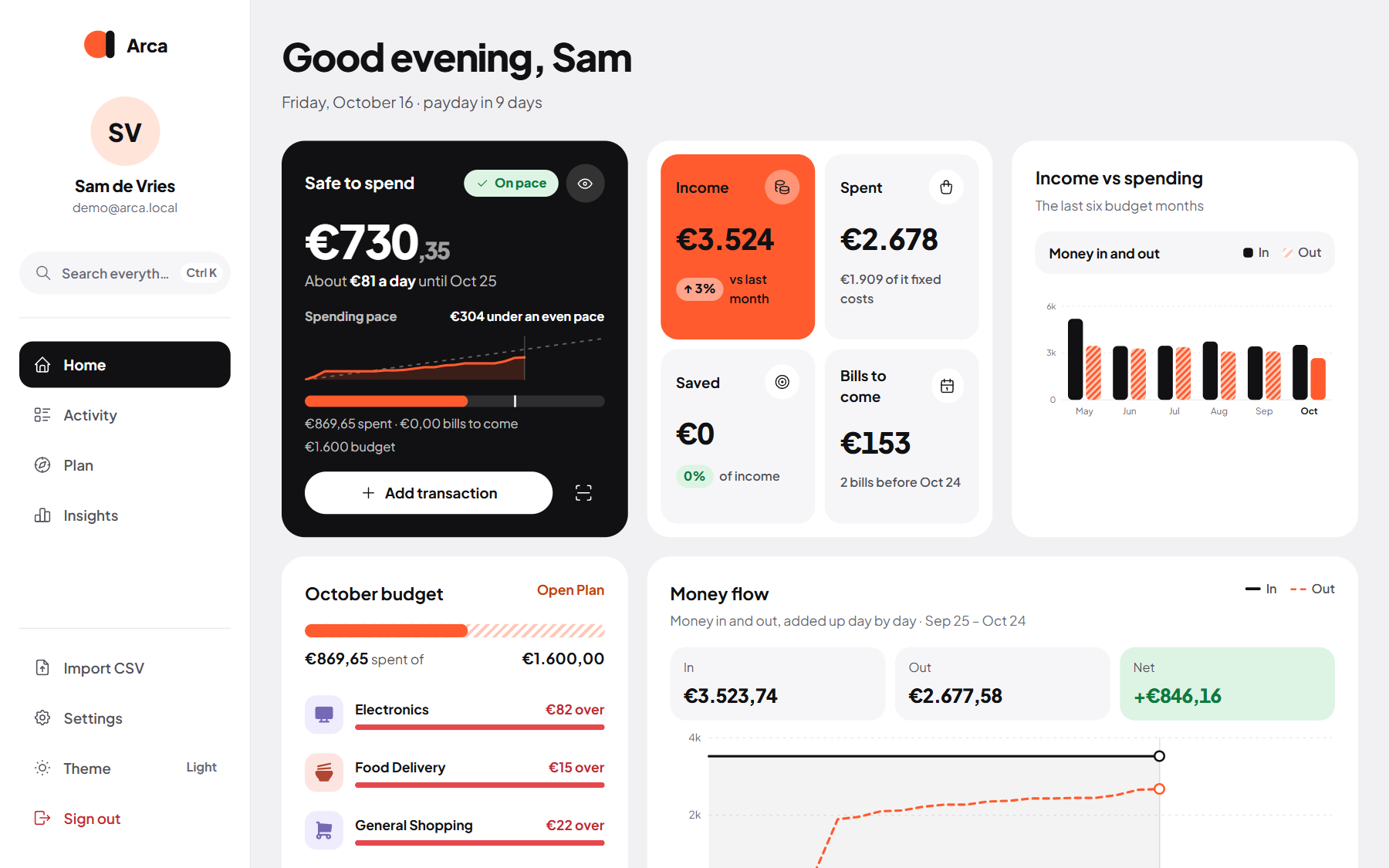
Home: what's safe to spend, this month's money in and out, and the budget at a glance
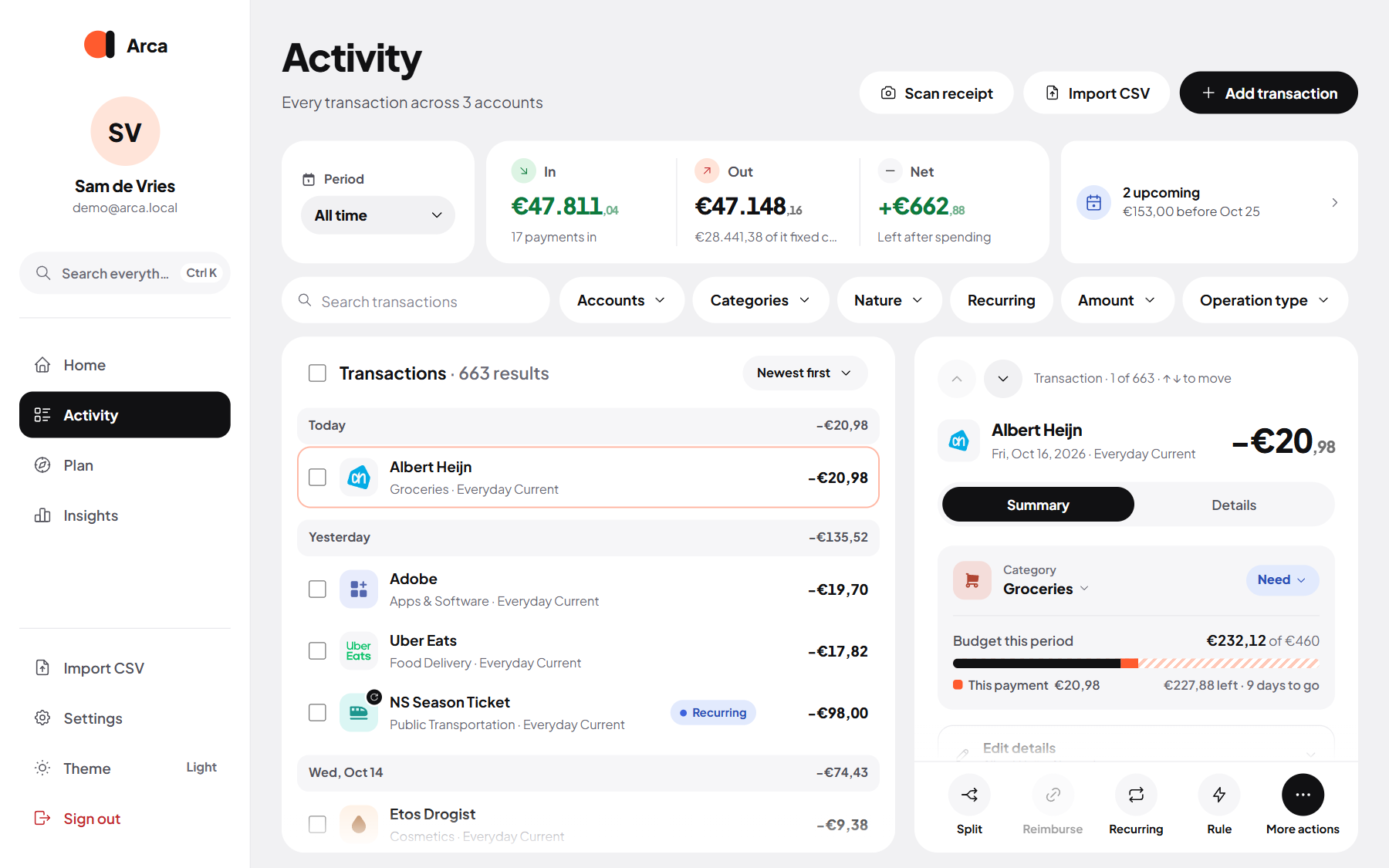 Activity: every transaction, searchable and grouped by day |
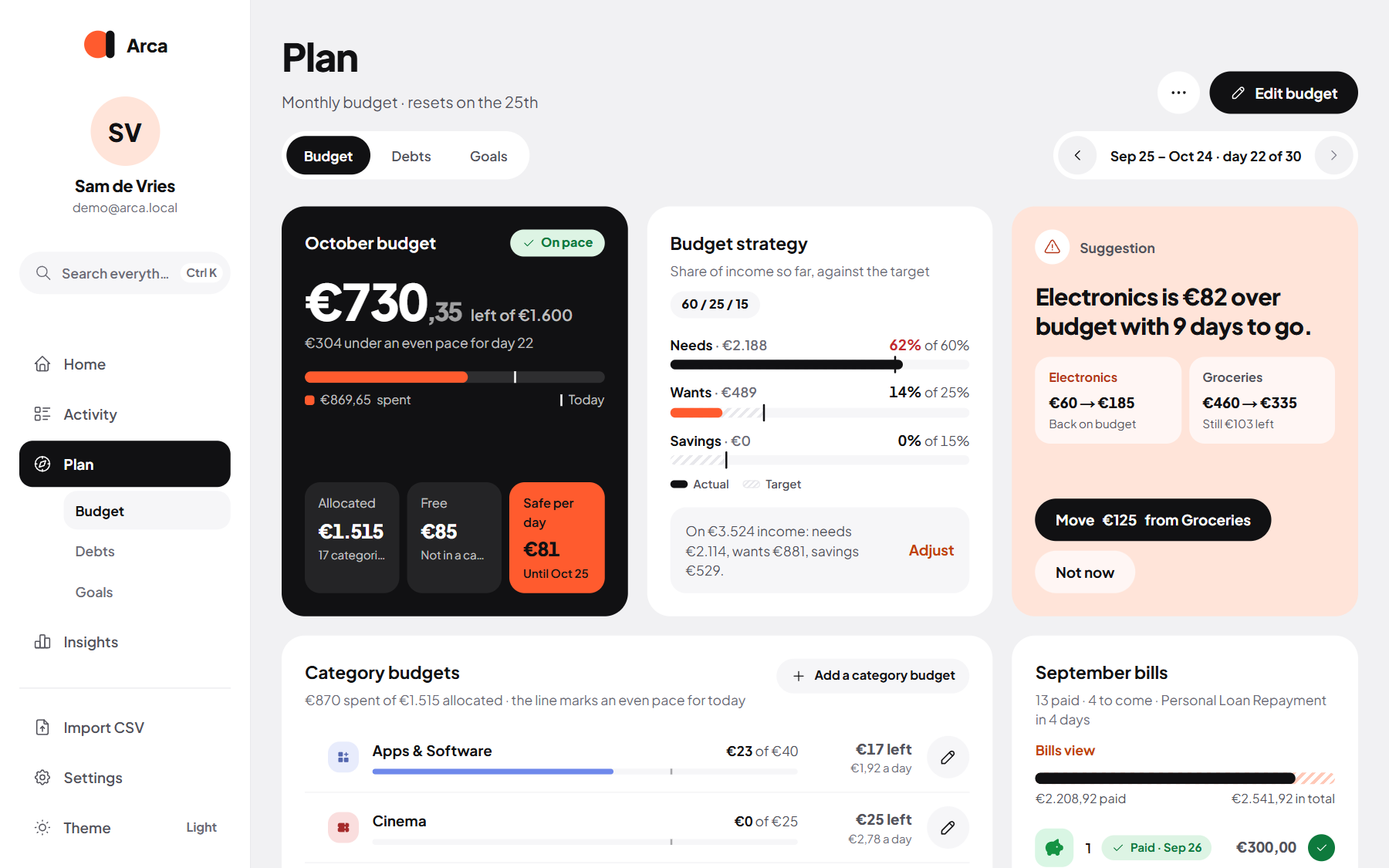 Plan: the budget per category, with needs, wants and savings |
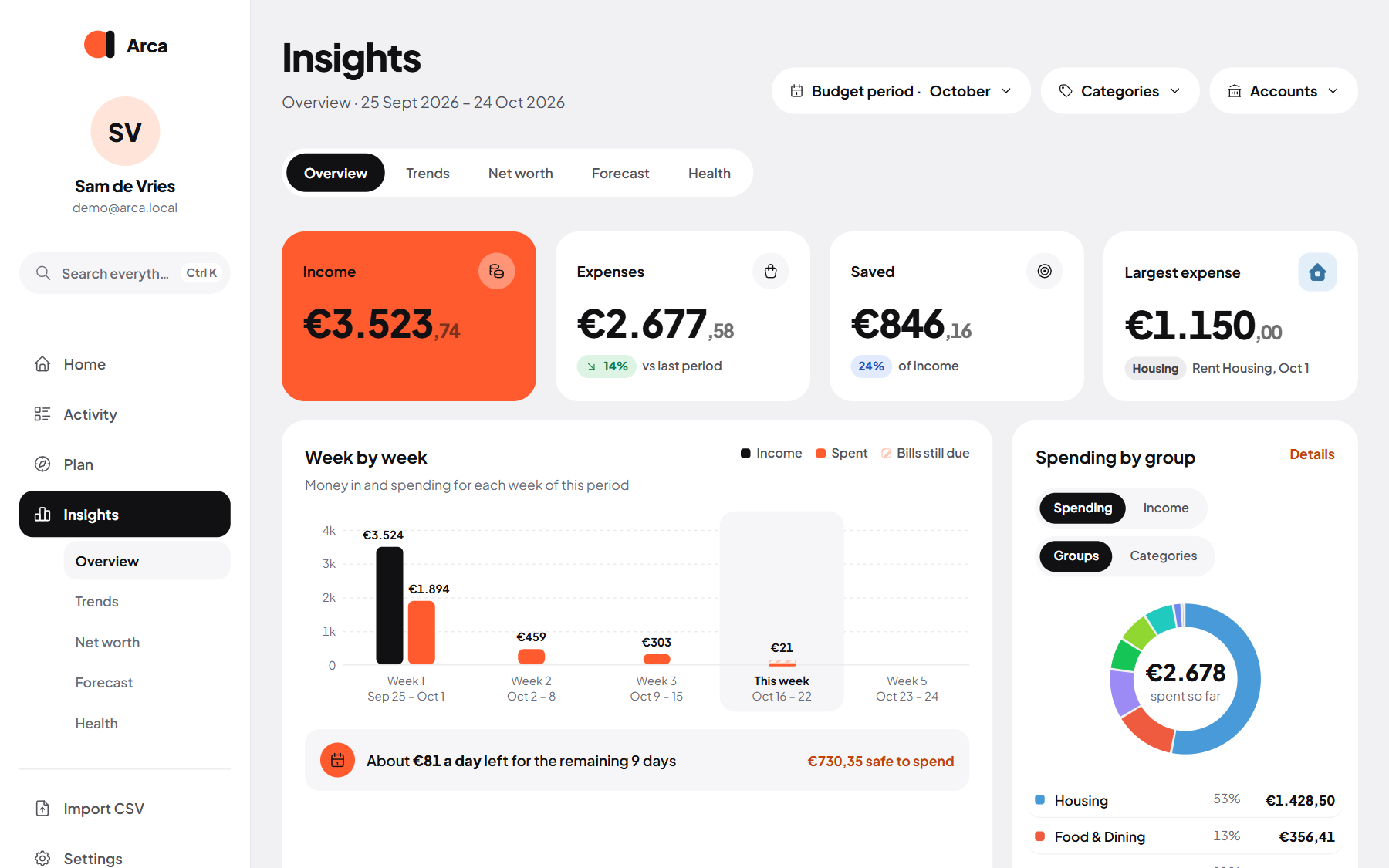 Insights: any period in numbers, categories and merchants |
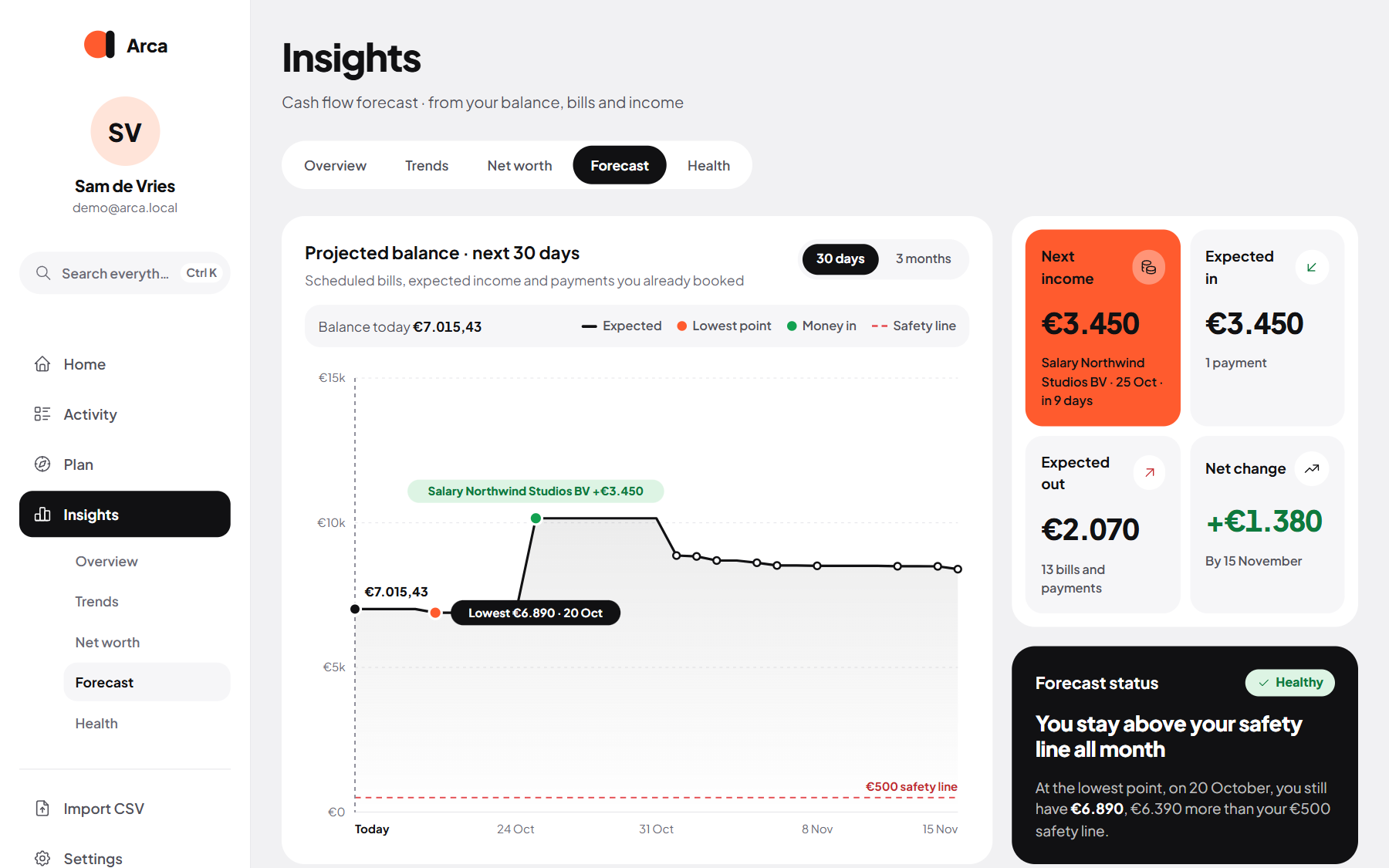 Forecast: where your balance goes over the next 30 days |
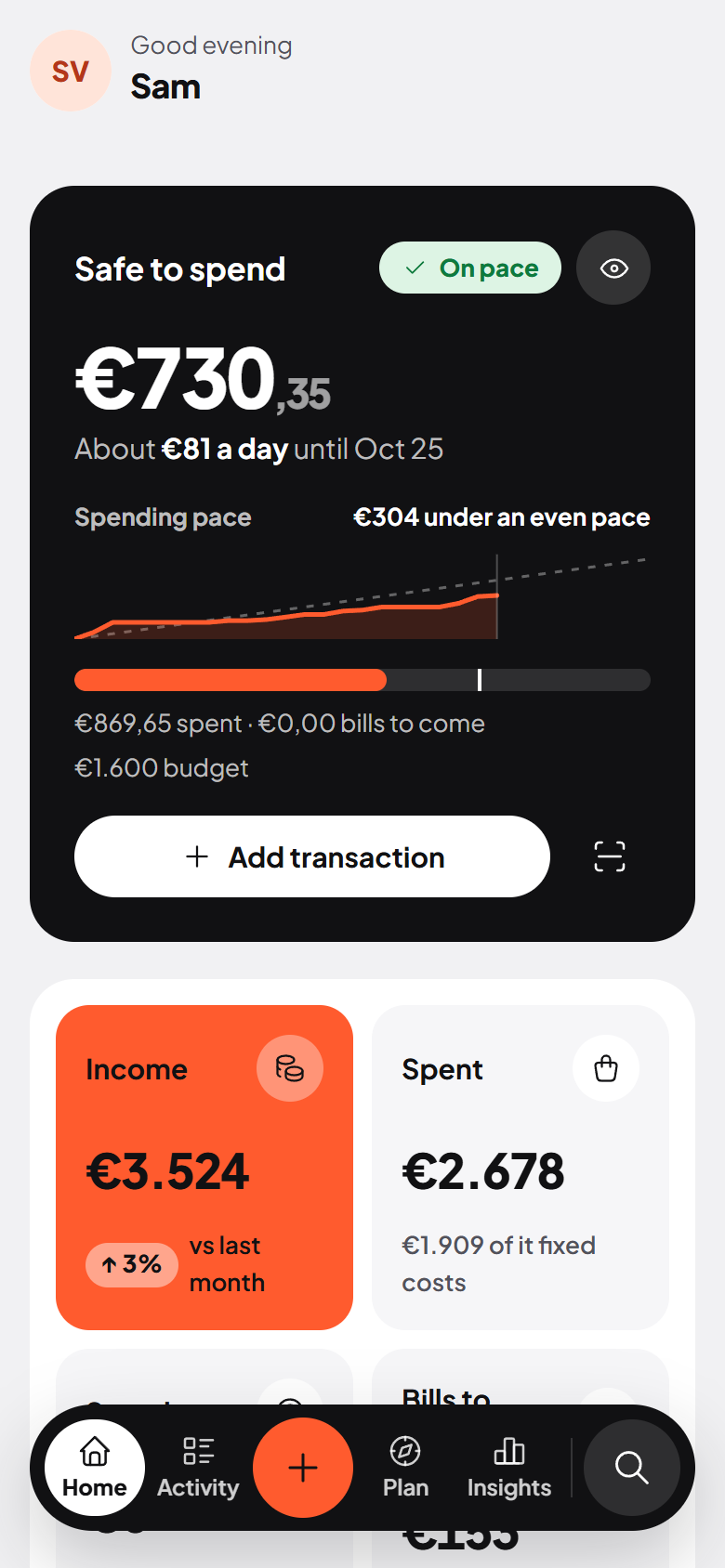
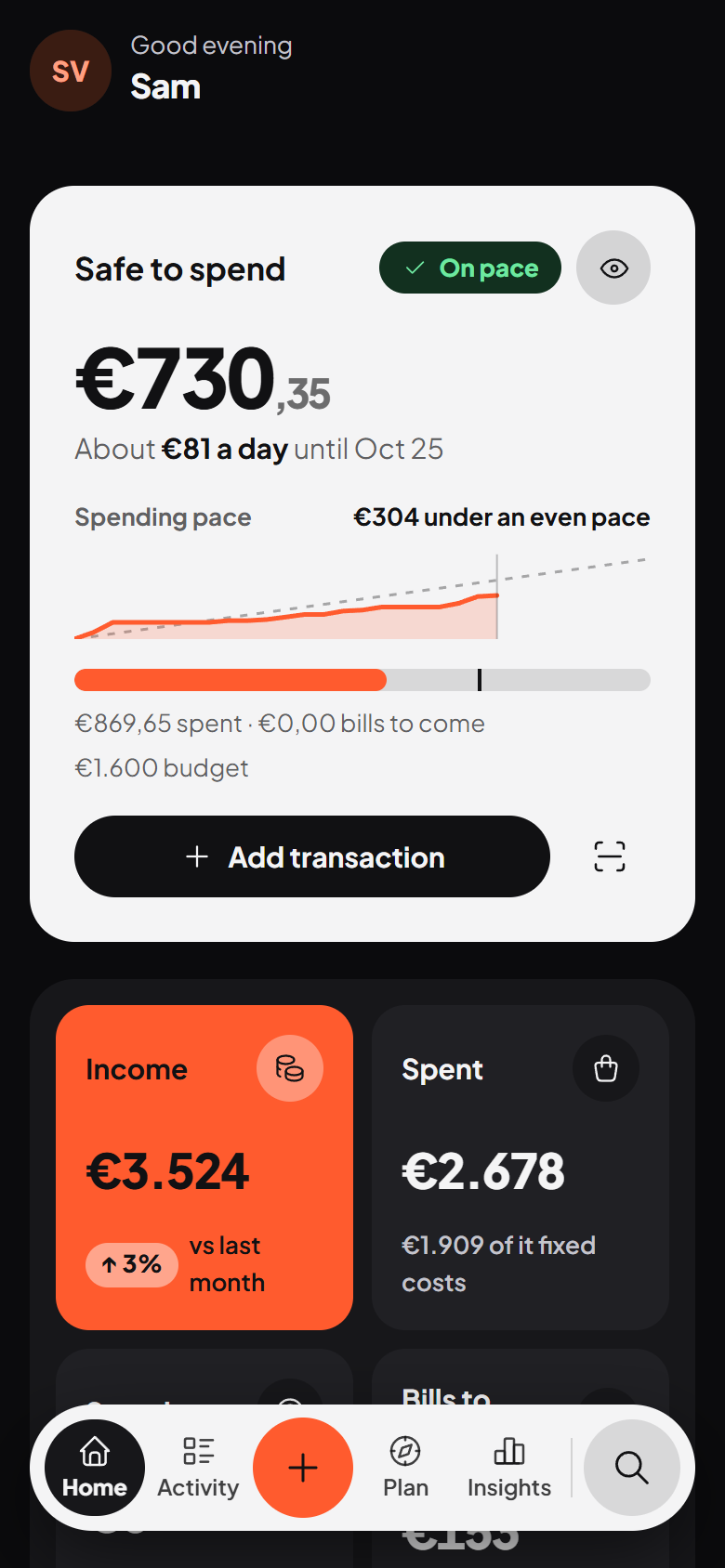
On your phone, in light and dark
Screenshots use the built-in demo data.
✨ Features
See where you stand
- Home: what's safe to spend today, what's coming up, money in versus out, your net worth, and all your accounts at a glance.
- Insights: an overview of any period, trends per category and group, net worth over time, a financial health score, and a cash-flow forecast that warns before you run short.
Keep track without the busywork
- CSV import for ING, Rabobank, ABN AMRO, bunq, Knab and Revolut out of the box, plus a column mapper for any other bank (remembered for next time).
- Needs a category: sort uncategorised transactions one by one, and turn each answer into a rule so the list stays short.
- Activity: search, filters, bulk edits, split transactions, receipts, shared costs and transfers between your own accounts.
- Merchants with logos, friendly names and category groups (Housing, Transport, …).
Plan ahead
- Budget: an overall or per-category budget with a needs / wants / savings strategy.
- Recurring: bills, subscriptions, income and savings, matched to transactions automatically, with an Upcoming calendar.
- Payment plans: pay one cost in parts (the dentist in three instalments); each part counts in the month it's due.
- Debts: what you owe and what you're owed, with a payoff simulator.
- Goals: savings goals with contributions and suggestions.
- Overdraft limits per bank account; you choose whether the overdraft counts as money you can spend.
Optional AI (Gemini, free tier)
- Category suggestions in Needs a category, and a short written summary of any period on Insights.
- Off until you add your own API key. Only merchant names, amounts, dates and category names are sent, never account numbers.
Yours
- Self-hosted: one SQLite file in
/data, no cloud account. Settings › About lists every connection Arca can make (bank, AI, receipts, map) and shows the release notes offline; there is no telemetry and no update check. - Backups: a copy of the database before every update, plus manual backups you can download, all in Settings › Data health.
- Several users, two-factor sign-in, an app lock (PIN or passkey) and a privacy mode that hides amounts.
- Light and dark theme, English and Dutch, works on desktop and phone, installable as an app (PWA).
🚀 Getting started
Docker
docker run -d \
  --name arca \
  -p 3000:3000 \
  -v /path/to/arca-data:/data \
  --restart unless-stopped \
  damianeickhoff/arca:latest
Open http://localhost:3000. The first start creates the database and opens the onboarding.
Docker Compose
services:
  arca:
    image: damianeickhoff/arca:latest
    container_name: arca
    ports:
      - "3000:3000"
    volumes:
      - ./data:/data
    environment:
      # Set to "true" only behind a reverse proxy that serves HTTPS.
      - COOKIE_SECURE=false
    restart: unless-stopped
Unraid
Use the template in unraid/arca.xml: copy it to
/boot/config/plugins/dockerMan/templates-user/, then Docker → Add Container → Template → User templates → Arca.
Map /data to /mnt/user/appdata/arca.
Your data
Everything lives in /data: the SQLite database (finance.db), uploaded logos, avatars and receipts, and the backups/ folder with the copies Arca makes before updates. Back up that folder; nothing else needs to persist.
🔄 Updating
Images are published to Docker Hub (and mirrored to ghcr.io/damianeickhoff/arca):
| Tag | What it is |
|---|---|
latest |
The current release (the master branch) |
v1.3.0, … |
A specific release |
<branch> |
A test build of a branch, never latest |
docker pull damianeickhoff/arca:latest
Then recreate the container, keeping /data. On the first start of a new version Arca copies the database to /data/backups/, then adds any new tables and columns by itself. On Unraid, Check for updates in the Docker tab picks up a new latest. What changed is in Settings › About and in CHANGELOG.md.
🆘 Support
Start with the user guide: it covers installing and updating, every page of the app, and common questions. See the roadmap for what's coming.
Issues and feature requests: https://github.com/damianeickhoff/Arca/issues
📄 License
Arca is free software under the GNU Affero General Public License v3.0. You may run it, study it, change it and share it. If you distribute a changed version, or run one as a service for others, you must share your changes under the same licence. Running it at home for yourself and your household carries no obligation at all.
Categories
Download Statistics
Related apps
Explore more like this
Explore allDetails
damianeickhoff/arca:latestRuntime arguments
- Web UI
http://[IP]:[PORT:3000]- Network
bridge- Extra Params
--restart unless-stopped
Template configuration
Arca web interface port
- Target
- 3000
- Default
- 3000
Persistent storage for Arca database
- Target
- /data
- Default
- /mnt/user/appdata/arca