
All apps · 0 apps

Appdata Cleanup Plus
Plugin from alexphillips-dev
Overview
Readme
View on GitHubAppdata Cleanup Plus
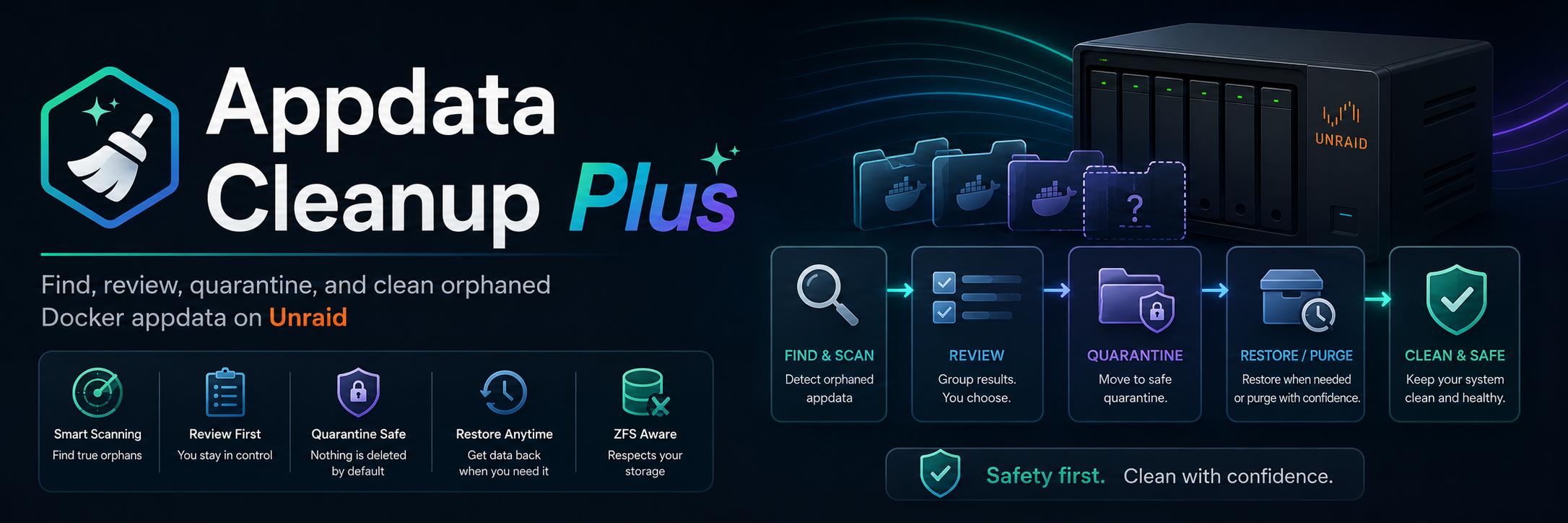






Appdata Cleanup Plus is a cleanup and recovery plugin for Unraid. It finds orphaned Docker appdata folders, explains why each folder was found, shows size and age information, and lets you quarantine or permanently delete only the folders you select. It is built for servers that have accumulated old containers, renamed apps, template leftovers, and appdata folders that are hard to audit by hand.
- Find orphaned appdata folders from configured appdata sources.
- Review saved-template and filesystem-discovery results in one clean table.
- Use Safe Mode to quarantine first, restore later, and purge only when ready.
- Permanently delete with confirmation when Safe Mode is disabled.
- Track cleanup, quarantine, restore, purge, and failed action results in audit history.
Quick links: Install | Features | Getting Started | Safety Model | Advanced Tools | Documentation | Support
Why Appdata Cleanup Plus
Unraid appdata shares can collect folders long after containers are removed. Manually deciding what is safe to clean means comparing Docker templates, live container mappings, appdata share contents, filesystem paths, and old folder sizes. Appdata Cleanup Plus brings that review into one Settings page with a safer action flow: scan, review, select, dry run, quarantine, restore, purge, or permanently delete with confirmation.
The plugin is intentionally conservative around filesystem operations. Actions use server-side scan snapshots and candidate IDs instead of trusting paths posted from the browser, and protected locations such as share roots, mount points, symlinked paths, quarantine roots, live container mappings, and VM Manager storage paths are guarded before cleanup runs.
Features
| Orphaned appdata review | Safe cleanup workflow |
|---|---|
| Scan configured appdata sources, Docker template references, and live Docker mappings to surface folders that appear unused. Results show name, source, size, last modified age, path, and simple badges. | Keep Safe Mode on for quarantine-first cleanup, run dry runs before changing files, disable Safe Mode only when you intentionally want permanent deletion, and confirm destructive deletes with a checkbox. |
| Quarantine manager | Audit history |
|---|---|
| Restore quarantined folders, purge selected entries, set or clear purge timers, and recover tracked entries from quarantine markers when possible. | Review compact history for cleanup, quarantine, restore, purge, submitted item counts, result statuses, paths, destinations, and errors. |
| Appdata sources | ZFS-aware delete |
|---|---|
| Auto-detect the Docker appdata root when available, browse filesystem paths, and add dedicated appdata roots for non-standard layouts. | Resolve configured user-share paths to exact ZFS dataset mountpoints, preview destroy impact, and use zfs destroy for dataset-backed rows when permanent delete is enabled. |
| Modern Unraid UI | Server-side safety |
|---|---|
| Follows Unraid's native Black, White, Azure, and Gray colors throughout the page and dialogs, with readable status badges and keyboard focus. | CSRF validation, canonical path checks, action snapshots, protected-path locks, restore collision handling, and progress tracking keep filesystem changes auditable. |
Install
Install from Unraid:
- Open
Plugins. - Choose
Install Plugin. - Paste the stable plugin URL:
plugin install https://raw.githubusercontent.com/alexphillips-dev/Appdata-Cleanup-Plus/main/plugins/appdata.cleanup.plus.plg
Dev testing branch:
plugin install https://raw.githubusercontent.com/alexphillips-dev/Appdata-Cleanup-Plus/dev/plugins/appdata.cleanup.plus.plg
Requirements:
- Unraid
7.0.0+ - Docker templates stored in the normal Unraid
templates-userpath for saved-template detection - A current major Chrome, Edge, Firefox, or Safari browser
- Manual review before destructive actions
Getting Started
The interface follows the language selected in Unraid's Display Settings. All 42 languages registered by Unraid's native language selector or published as official language packs are bundled, including Simplified and Traditional Chinese, both Portuguese variants, and right-to-left layouts. No translation service is contacted by the installed plugin. After changing the webGUI language, reload the plugin page; Unraid's English switch works too.
Buttons, help, dialogs, scan explanations, safety errors, action results, schedules and history are translated. File paths, container names, dataset names, protocol values and sanitized diagnostic exports retain their original form. See translation coverage and contribution instructions.
- Open
Settings -> Appdata Cleanup Plus. - Use
Appdata Sourcesto confirm the appdata roots the plugin should scan. - Click
Rescan. - Review the ready-to-clean table, folder sizes, last-modified ages, paths, and source badges. Modification time describes the folder itself, not the last time a container used its contents.
- Select the rows you want to act on.
- Use
Dry Runto preview the action without changing files. - Keep Safe Mode on to quarantine selected folders first, then restore or purge from
Show Quarantine.
Recommended first cleanup:
- Start with Safe Mode on.
- Select only folders you recognize.
- Run a dry run before the first real cleanup.
- Quarantine instead of deleting until you are comfortable with the results.
- Use History after cleanup to confirm what happened.
Safety Model
Appdata Cleanup Plus is designed to make cleanup understandable before it becomes destructive.
- Safe Mode is on by default, so selected folders are quarantined instead of permanently deleted.
- Permanent delete is only used after Safe Mode is disabled and the delete confirmation checkbox is checked.
- Dry run previews the current action without modifying folders.
- Actions run against server-side scan snapshots.
- Browser requests submit candidate IDs, not arbitrary filesystem paths.
- CSRF validation is required for action requests.
- Share roots, mount points, symlinked path segments, VM Manager managed paths, quarantine roots, and active live container mappings are protected.
- Restore operations preflight collisions before moving folders back out of quarantine.
- ZFS-backed rows require permanent delete and exact dataset mountpoint resolution.
Quarantine And Restore
Quarantine gives you a reversible buffer before permanent removal. When Safe Mode is on, selected folders are moved into a hidden quarantine root and tracked in the quarantine manager.
Default quarantine root:
/mnt/user/appdata/.appdata-cleanup-plus-quarantine
Quarantine manager tools:
- Restore selected folders to their original path.
- Purge selected folders permanently.
- Set or clear purge timers.
- Review original paths, quarantine paths, age, and size.
- Recover tracked entries from quarantine markers when possible.
Restore behavior:
- If the original path is free, the folder is moved back.
- If the original path already exists, the plugin stops and shows a conflict flow.
- Conflicts can be skipped or restored with a generated suffix where supported.
ZFS-Backed Appdata
ZFS support is available for appdata layouts where the visible user-share path and the real dataset mountpoint are different.
Example:
User share root: /mnt/user/appdata
Dataset root:    /mnt/docker_vm_nvme/appdata
Supported behavior:
- Add mappings from user-share roots to real dataset roots.
- Resolve exact dataset mountpoint matches.
- Preview child dataset and snapshot impact before destructive actions.
- Use standard or recursive
zfs destroyonly when required. - Keep ZFS-backed rows out of quarantine, because dataset-backed rows cannot be moved like normal folders.
Recommended workflow:
- Add the ZFS mapping.
- Rescan.
- Run
Dry Run. - Disable Safe Mode only when you intentionally want permanent dataset destroy.
- Confirm the delete action.
Advanced Tools
Saved template cleanup on the action bar lists saved Docker configurations whose containers are no longer installed. Review each template and choose Archive template to retain a verified backup before removing the saved configuration. Appdata, images, and containers are unaffected. Restore template recreates the original file only when its filename is free; it never overwrites another template. Backups remain after restore and are not automatically purged. They contain the original private configuration and stay outside diagnostic exports under /boot/config/plugins/appdata.cleanup.plus/template-backups/. Uninstall retains configuration, quarantine records, audit history, and template backups on flash for reinstallation.
Export backups downloads a private JSON archive, either for an individual backup or the entire list. It can contain credentials and must not be attached to support reports. Import backups verifies the archive checksum, individual content hashes, filenames, and XML before storing recovery copies; it does not install templates. Identical filename/content pairs are skipped. Restore imported copies separately using the normal collision checks. Each export/import supports up to 50 records and 16 MiB total, with 2 MiB UTF-8 XML per template; use individual exports for a larger collection. Checksums detect corruption, not the authenticity of the person who supplied the file. Remove template backups is a separate checkbox-confirmed action for the displayed backup IDs; it leaves saved templates, appdata, configuration, and audit history intact.
After a refresh or connection loss, Recent operations offers Review operation for active or unacknowledged cleanup, quarantine, restore, and manual purge actions. Status and recorded outcomes come from the server; losing the connection does not automatically retry the action. An interrupted operation can have completed some work. Review its recorded results and audit history, then rescan before deciding what to do. Dismiss reminder hides a finished/interrupted reminder while retaining evidence. Status records live in runtime storage, cover the last 24 hours, and are bounded to 100 records, 20 reminders, and up to the most recent 500 item outcomes per operation within a 16 MiB status-file limit. Larger ZFS lists retain up to 100 child datasets/snapshots in this view; check audit history for full recorded results when the limit notice appears. Reboot clears the runtime records; the persistent audit history and quarantine records remain. Dry runs do not create operation records, and status reads never resume cleanup.
Expand Specific container mounts to see mappings that block cleanup, including stopped containers. Mounts strictly above the configured appdata source, such as /mnt or /mnt/user, appear separately as Broad container access and do not establish ownership or block cleanup. Mappings to the appdata source itself, an app folder, or its contents remain protective. The disclosures work with keyboard, mouse, and touch; Escape closes them. Diagnostics retain both evidence categories with export-scoped container and path aliases.
If Docker or Compose ownership cannot be verified, remaining candidates are labeled Unverified, and cleanup stays blocked even with Safe Mode disabled. Rescan, then export diagnostics from Tools if the warning remains. The export distinguishes failed requests from rejected inventory records and reports recovery attempts and filter counts without exposing raw container configuration.
Diagnostics downloads include browser/server version and scan freshness checks, read-only snapshot validity, structured candidate decision evidence, and locale/layout capabilities. Each collection section reports missing or limited evidence, with included/omitted counts where available. If the server request fails or times out, a partial browser-only export is still downloaded. The browser keeps the most recent 20 classified plugin request/JavaScript failures since page load; response bodies, error messages, URLs, and stack traces are not retained in that buffer. Exports remain sanitized, and collecting diagnostics does not clean up expired snapshots.
Normal log/history limits and unavailable optional logs remain visible in diagnostics completeness metadata without creating a health warning. Failed collectors or missing required evidence still need attention.
Dry runs distinguish folders to quarantine, folders to delete, selected dataset roots to destroy, and items that will remain unchanged. Quarantine normally does not reclaim space; folder sizes and ZFS usage are not promises of space reclaimed by deletion. Action results group completed, skipped/blocked, and failed items, with next steps. Failed cleanup items remain selected for review; every retry still runs the existing safety checks.
The quarantine manager shows restore readiness, destination conflicts, protected restore paths, missing storage, and recovery from markers or folder layout. Missing records remain available for review when storage is offline and cannot be selected for actions. Restore checks run again before changing files, and existing destinations are never silently overwritten.
| Tool | What it is for |
|---|---|
| Appdata Sources | Review detected appdata roots, browse filesystem paths, and add manual sources for non-standard layouts. |
| Show Quarantine | Restore, purge, schedule purge timers, and review tracked quarantined folders. |
| History | Review cleanup, quarantine, restore, purge, skipped, missing, and failed item results. |
| Tools | Manage supporting workflows such as ZFS path mappings and plugin maintenance tools. |
| Dry Run | Preview the selected cleanup action before changing files. |
| Safe Mode | Switch between quarantine-first cleanup and confirmed permanent delete. |
Documentation
- CA Store Readiness
- Validation status and test packages
- Bug report
- Feature request
- Release / update problem
Support
- Forum support thread: https://forums.unraid.net/topic/197975-plugin-appdata-cleanup-plus/
- GitHub issues: https://github.com/alexphillips-dev/Appdata-Cleanup-Plus/issues
When reporting a problem, include:
- Unraid version
- Appdata Cleanup Plus version
- Browser and browser version
- Screenshot or screen recording if the issue is visual
- The action you were running: scan, dry run, quarantine, restore, purge, or delete
- Relevant modal text or audit history result for failed filesystem actions
Sponsor
If Appdata Cleanup Plus helps your Unraid setup, you can support ongoing development here:
Categories
Download Statistics
Downloads by Month
Related apps
Explore more like this
Explore allLinks
Details
https://raw.githubusercontent.com/alexphillips-dev/Appdata-Cleanup-Plus/main/plugins/appdata.cleanup.plus.plg