
All apps · 0 apps

AniBridge
OfficialDocker app from eliasbenb's Repository
Overview
The smart way to keep your anime lists perfectly synchronized.
Readme
View on GitHub AniBridge
The smart way to keep your anime lists perfectly synchronized.



[!IMPORTANT] Visit the AniBridge documentation for detailed setup instructions and usage information.
AniBridge is a media synchronization tool designed to keep your anime watch activity synchronized across different viewing and tracking platforms. It is powered by a mappings database containing over 250,000 entries tailored to anime titles.





Key Features
- 🔄 Comprehensive Synchronization: Synchronizes watch status, progress, ratings, reviews, and start/completion dates between your anime library and list.
- 🔗 Provider-Agnostic: Supports multiple media library and anime list providers through a flexible plugin system (Plex, Jellyfin, Emby, AniList, MyAnimeList, Trakt).
- 🎯 Smart Content Matching: Uses a curated mappings database with fuzzy title search fallback and support for custom mapping overrides.
- ⚡ Optimized Performance: Intelligent batch processing, rate limiting, and caching to minimize API usage while maximizing sync speed.
- 👥 Multi-User & Multi-Profile: Define multiple profiles to simultaneously synchronize different users, libraries, and servers with granular configuration.
- 🖥️ Web Dashboard: Intuitive web interface with a real-time sync timeline, profile management, custom mapping editor, and log viewer.
- 🛡️ Safe & Reliable: Built-in dry run mode for testing and automatic backups with restoration through the web UI for easy recovery.
- 🐳 Easy Deployment: Docker-ready with easy YAML-based configuration.
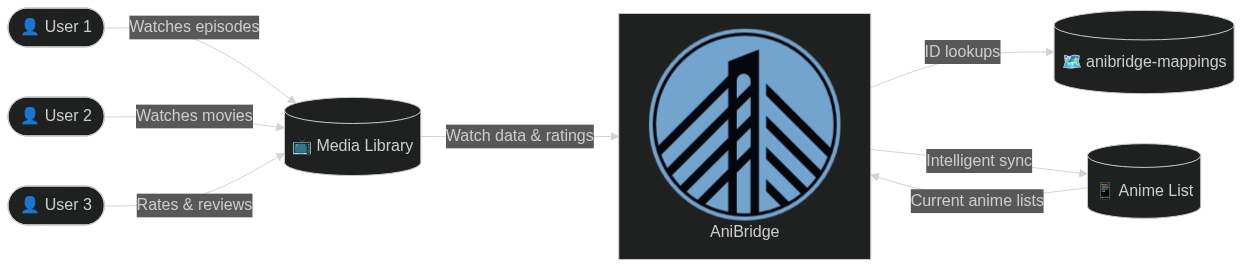
Web UI Screenshot
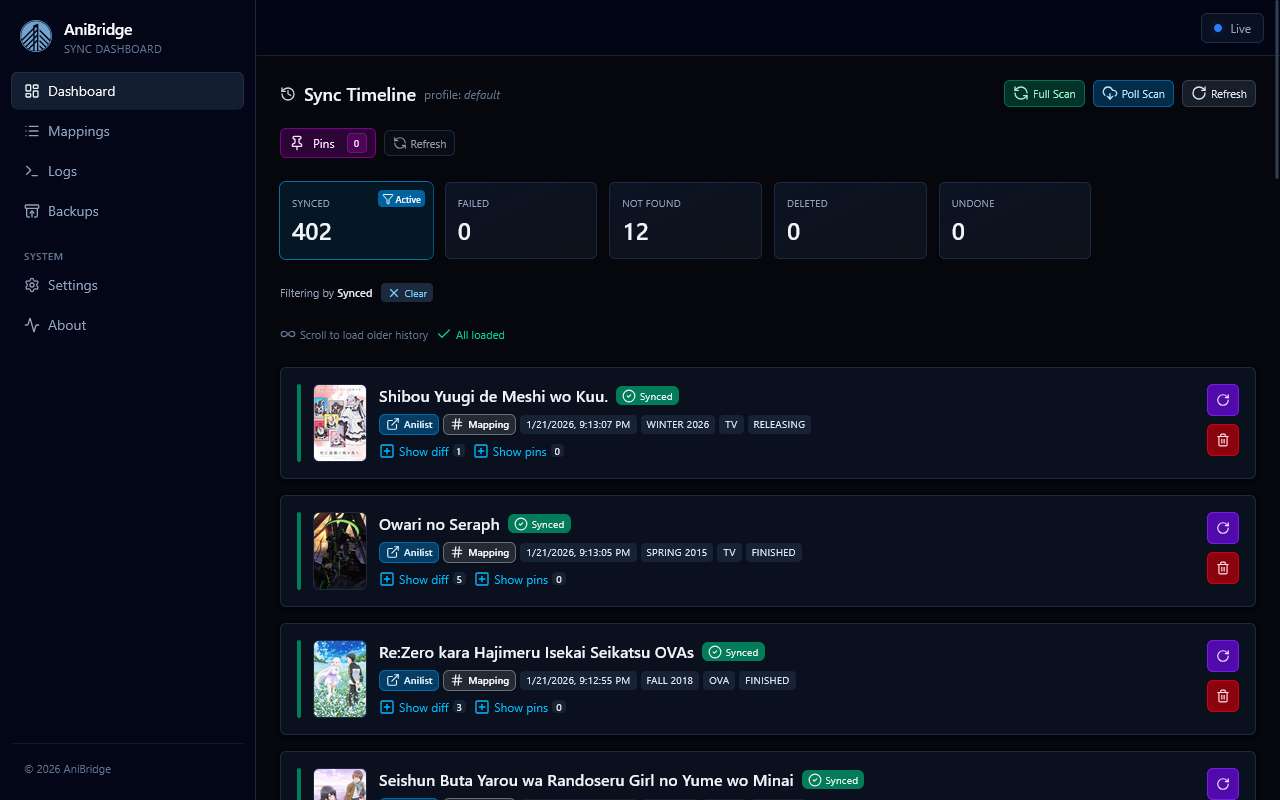
View more screenshots in the documentation
Categories
Related apps
Explore more like this
Explore allDetails
Repository
ghcr.io/anibridge/anibridge:v2Last Updated2026-01-06
First Seen2026-04-07
Runtime arguments
- Web UI
http://[IP]:[PORT:4848]/- Network
bridge- Shell
sh- Privileged
- false
Template configuration
WebUIPorttcp
Web UI port
- Target
- 4848
- Default
- 4848
- Value
- 4848
AppdataPathrw
Persistent config and data
- Target
- /config
- Default
- /mnt/user/appdata/anibridge
- Value
- /mnt/user/appdata/anibridge
PUIDVariable
User ID
- Default
- 99
- Value
- 99
PGIDVariable
Group ID
- Default
- 100
- Value
- 100
UMASKVariable
Default umask
- Default
- 022
- Value
- 022