
All apps · 0 apps

aMuTorrent
Docker app from got3nks' Repository
Overview
Readme
View on GitHub

aMuTorrent
A unified download manager for aMule, rTorrent, qBittorrent, Deluge, and Transmission. Manage ED2K and BitTorrent downloads from a single modern web interface. Features multi-instance support, user management with SSO, Prowlarr integration for torrent search, Torznab indexer and qBittorrent-compatible API for aMule (Sonarr/Radarr integration), push notifications via Apprise, and GeoIP peer location display. Built with Node.js, WebSockets, and React.
Features
Multi-Client Support
- aMule Integration - Control aMule via the EC (External Connection) protocol
- Rucio Integration - Connect to the Rucio P2P daemon (libp2p + eMule/Kad) via its REST API
- rTorrent Integration - Connect to rTorrent via XML-RPC (HTTP proxy, SCGI TCP, or Unix socket)
- qBittorrent Integration - Connect to qBittorrent via WebUI API
- Deluge Integration - Connect to Deluge via WebUI JSON-RPC
- Transmission Integration - Connect to Transmission via HTTP RPC
- Multi-Instance - Run multiple instances of the same client type
- Unified Interface - Manage all clients from a single dashboard
Download Management
- Real-time Search - Search ED2K/Kad network and Prowlarr indexers
- Download Control - Pause, resume, and delete downloads
- Category Management - Organize downloads with color-coded categories and path mapping
- Batch Operations - Select multiple items for bulk actions
- File Operations - Move downloads to category paths
- User Management - Multi-user authentication, capabilities, and trusted proxy SSO
Integrations
- Prowlarr Search - Search torrents across multiple indexers (results go to any connected BitTorrent client)
- Sonarr/Radarr - Torznab indexer and qBittorrent-compatible API for aMule
- Push Notifications - Apprise integration for 80+ notification services
- Custom Event Scripts - Run your own scripts on download events
Monitoring
- Upload Tracking - Monitor active uploads with GeoIP location display
- Shared Files - View and manage shared files
- Historical Statistics - Interactive charts for speed and transfer history (24h/7d/30d)
- Download History - Track completed downloads with filtering
User Experience
- Dark Mode - Automatic theme switching based on system preference
- Responsive Design - Works on desktop, tablet, and mobile
- Configurable Tables - Show/hide and reorder columns per view
- WebSocket Updates - Real-time updates without polling
Quick Start (Docker)
Prerequisites: At least one of: aMule with External Connections enabled, rTorrent with XML-RPC enabled, qBittorrent with WebUI enabled, Deluge with WebUI enabled, or Transmission with RPC enabled.
1. Pull the image
Available on Docker Hub. Supports linux/amd64 and linux/arm64.
docker pull g0t3nks/amutorrent:latest
2. Create directories
mkdir -p data logs
sudo chown -R 1000:1000 data logs
3. Create docker-compose.yml
services:
  amutorrent:
    image: g0t3nks/amutorrent:latest
    user: "1000:1000"
    container_name: amutorrent
    ports:
      - "4000:4000"
    environment:
      - NODE_ENV=production
      - PORT=4000
    extra_hosts:
      - "host.docker.internal:host-gateway"
    volumes:
      - ./logs:/usr/src/app/server/logs
      - ./data:/usr/src/app/server/data
    restart: unless-stopped
4. Start and configure
docker compose up -d
Open http://localhost:4000 and follow the setup wizard to configure your download clients.
All-in-One Setup: For a complete setup with aMule, rTorrent, and qBittorrent in Docker, see docker-compose.all-in-one.yml
Native Installation
# Clone repository
git clone https://github.com/got3nks/amutorrent.git
cd amutorrent

# Install and build
cd server && npm install && cd ..
npm install && npm run build

# Start server
node server/server.js
Open http://localhost:4000 and complete the setup wizard.
Documentation
| Document | Description |
|---|---|
| Configuration Guide | Setup wizard, settings, environment variables |
| aMule Integration | Connect to aMule via EC protocol |
| Rucio Integration | Connect to Rucio via its REST API (P2P, libp2p + eMule/Kad) |
| rTorrent Integration | Connect to rTorrent via XML-RPC (HTTP, SCGI, or Unix socket) |
| qBittorrent Integration | Connect to qBittorrent via WebUI API |
| Deluge Integration | Connect to Deluge via WebUI JSON-RPC |
| Transmission Integration | Connect to Transmission via HTTP RPC |
| Prowlarr Integration | Search torrents via Prowlarr indexers |
| Notifications | Push notifications via Apprise (80+ services) |
| Custom Scripting | Run custom scripts on download events |
| GeoIP Setup | Display peer locations with MaxMind databases |
| Sonarr/Radarr Integration | Complete guide for *arr applications setup |
| User Management | Authentication, capabilities, SSO, and API keys |
| API Reference | REST API and WebSocket protocol |
| Development Guide | Building, project structure, contributing |
Screenshots
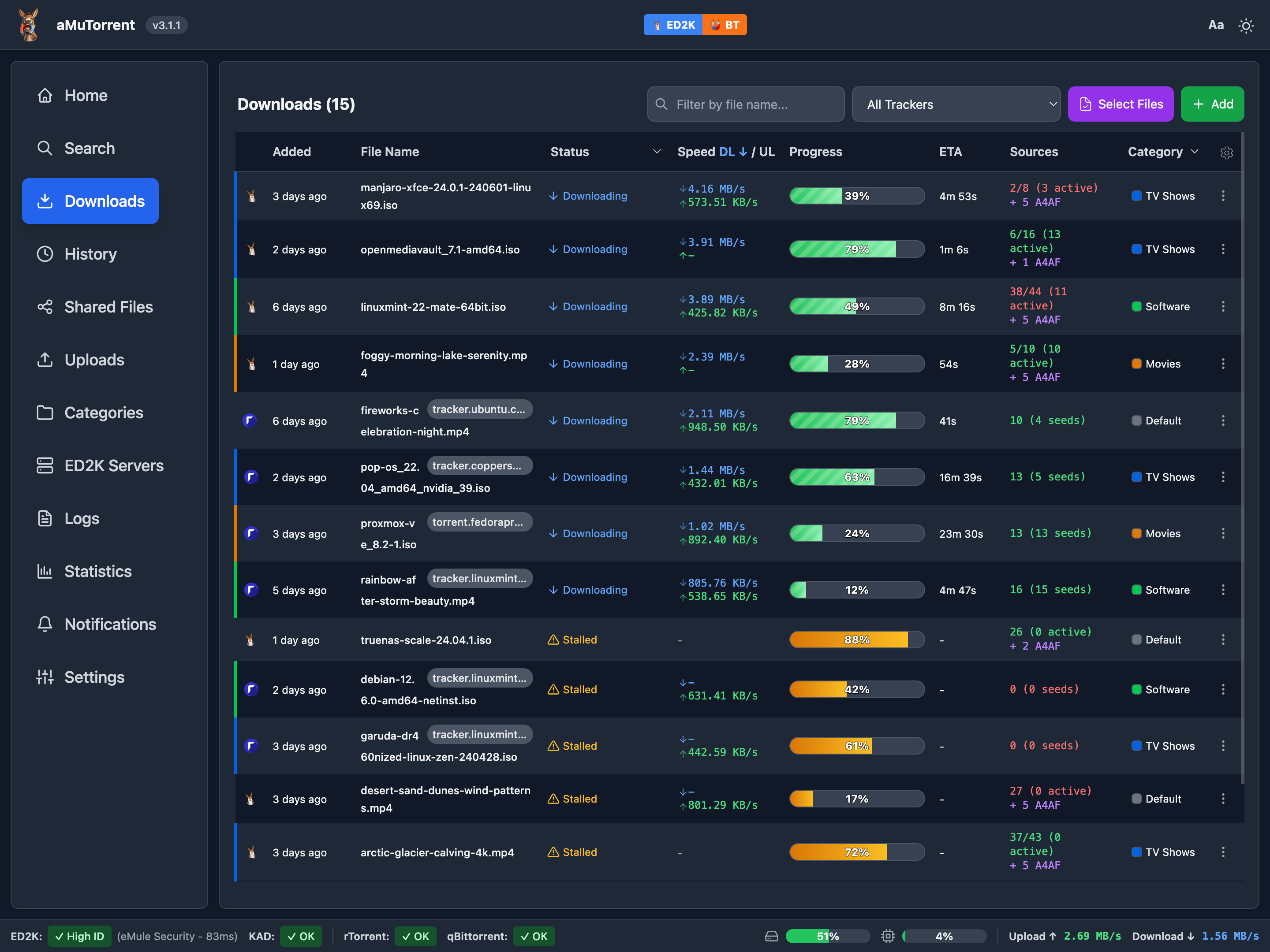
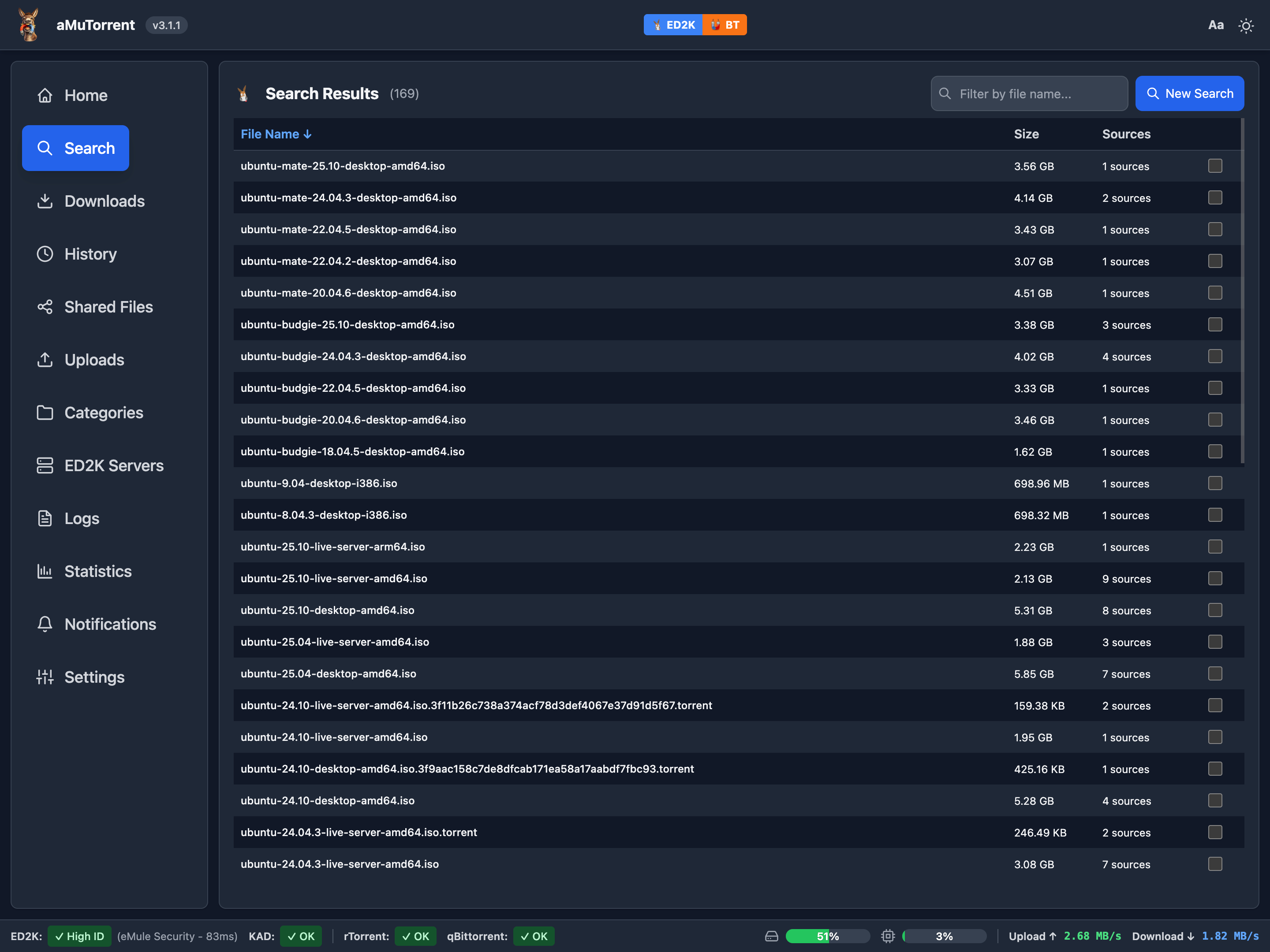
Desktop Screenshots
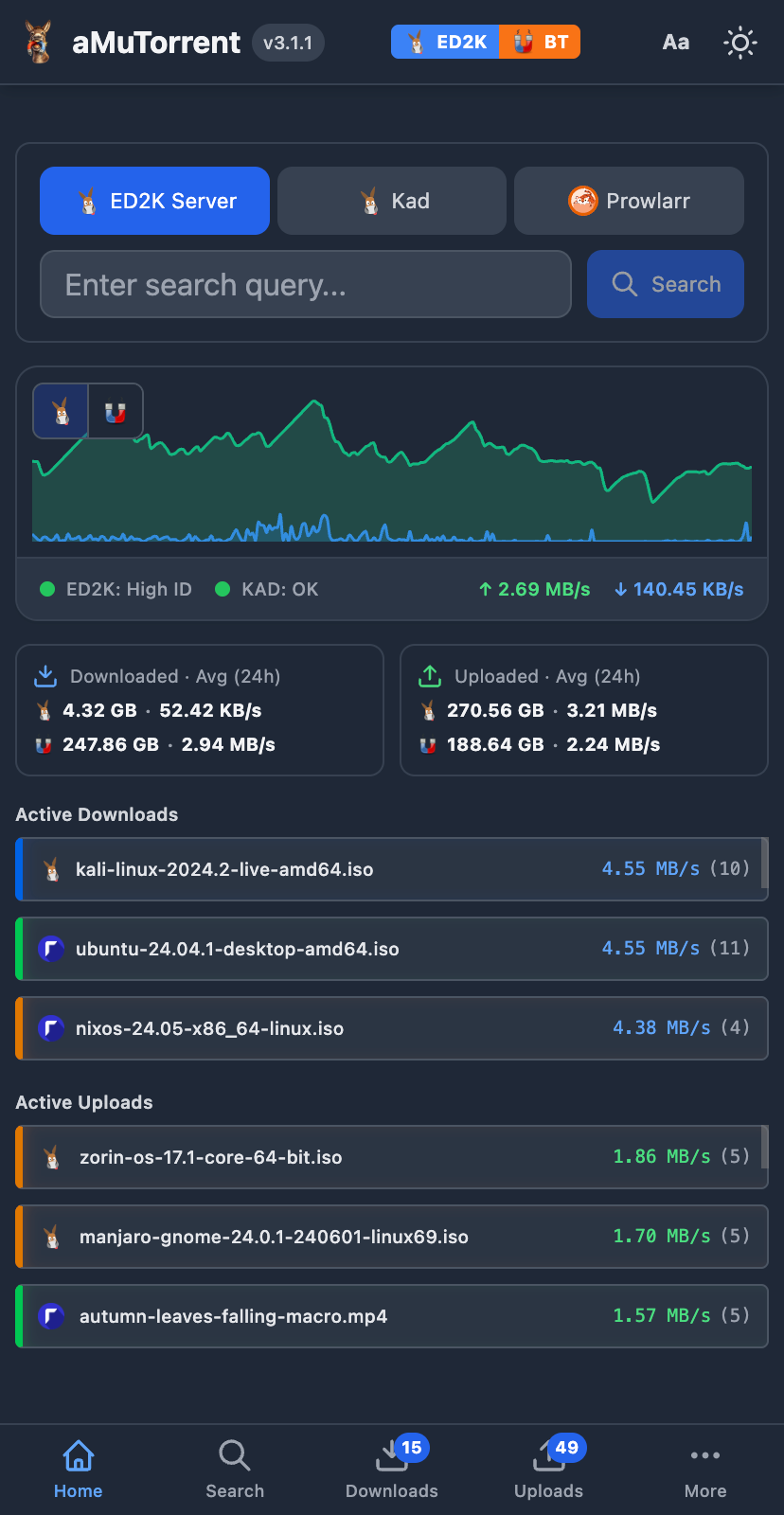
Mobile Screenshots
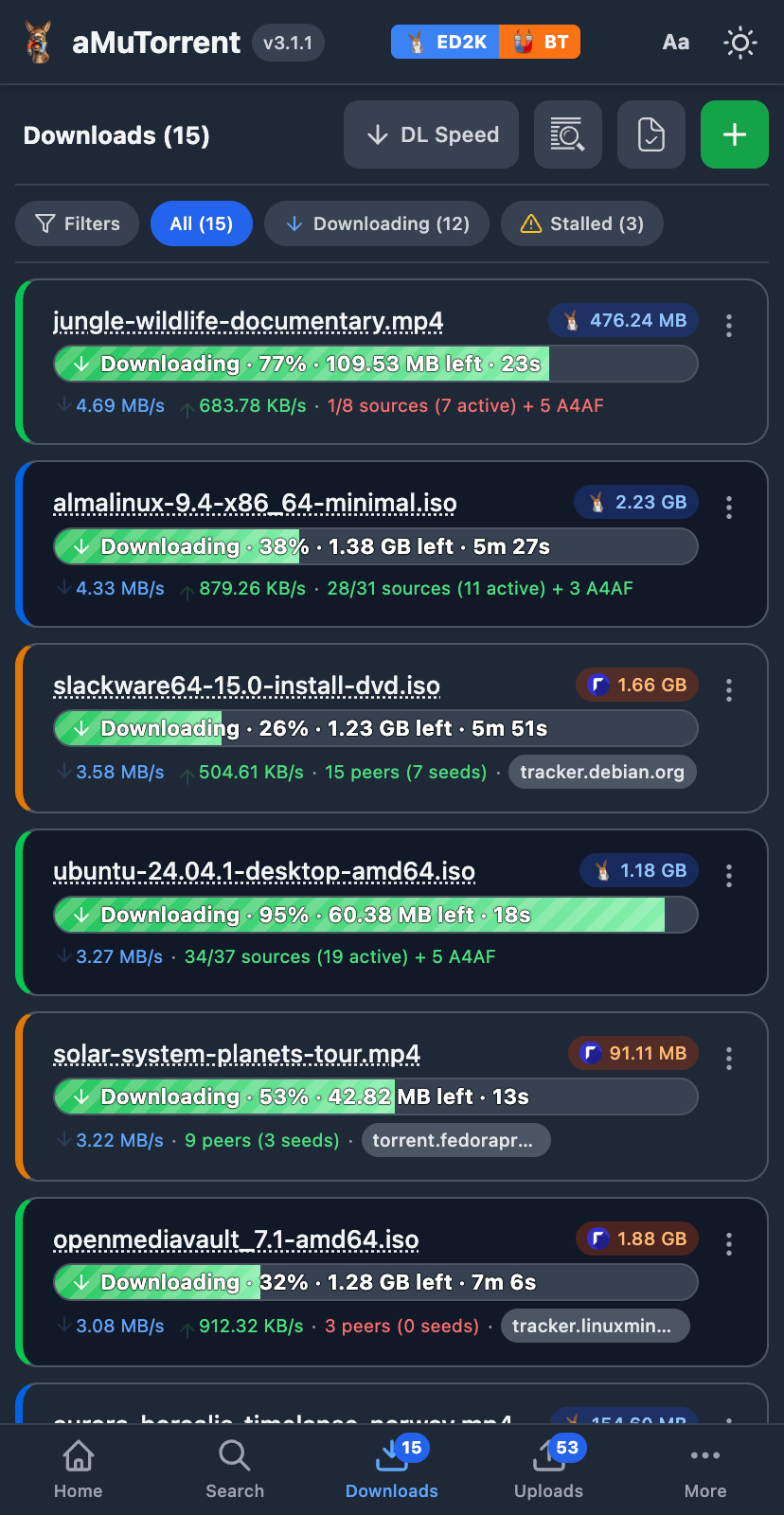
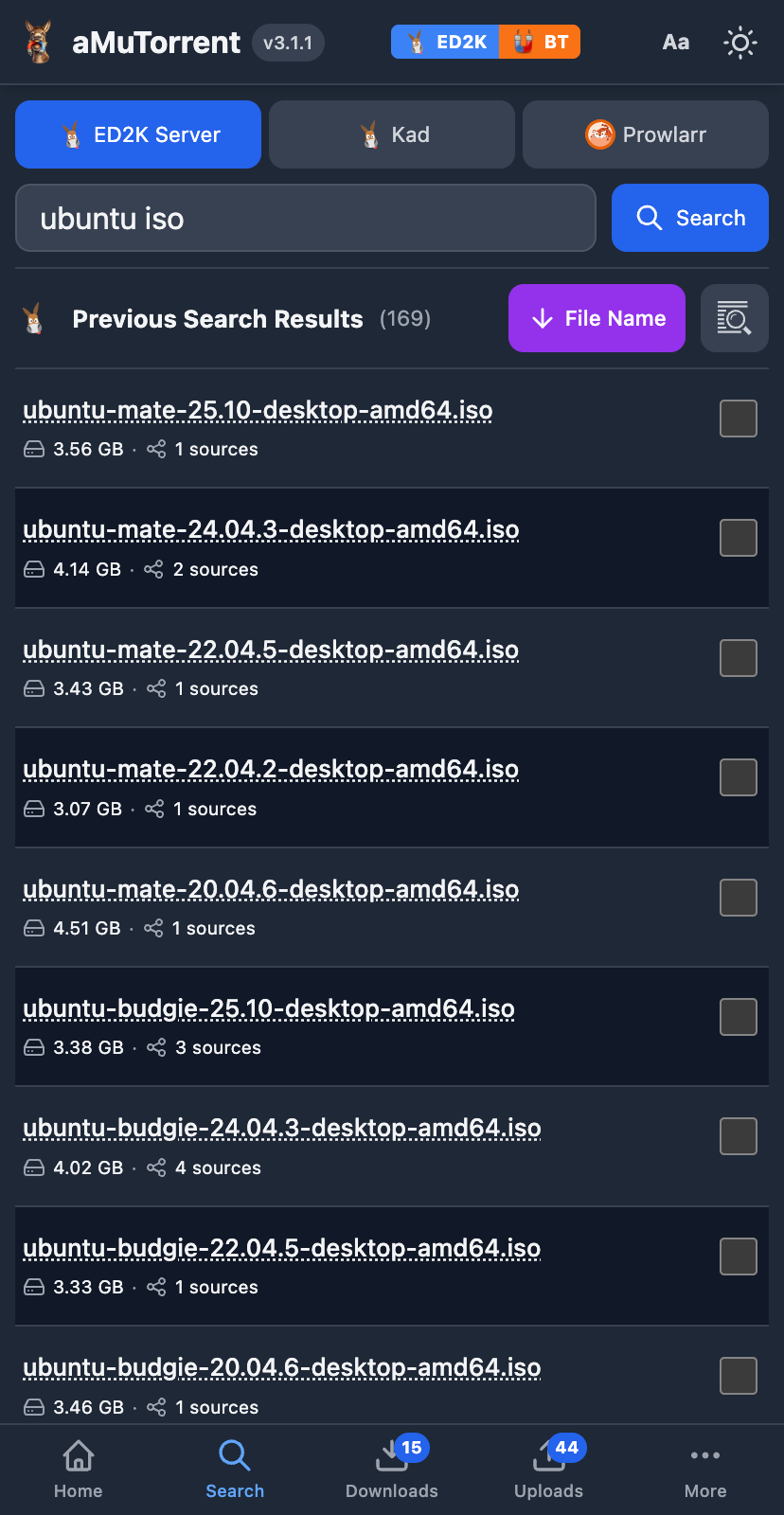
Troubleshooting
Can't connect to aMule?
- Verify EC is enabled in aMule: Preferences → Remote Controls → External Connections
- Check the EC password is correct
- Ensure firewall allows port 4712
Can't connect to rTorrent?
- Ensure XML-RPC is accessible via HTTP proxy (nginx/ruTorrent) or direct SCGI (TCP port or Unix socket)
- Test with:
curl http://host:port/RPC2 - See rTorrent Integration for setup details
Can't connect to qBittorrent?
- Verify WebUI is accessible:
curl http://host:8080/api/v2/app/version - New installs generate a random password - check container logs:
docker logs qbittorrent - See qBittorrent Integration for setup details
Can't connect to Deluge?
- Verify WebUI is accessible:
curl -X POST http://host:8112/json - Default password is
deluge— check if it was changed - See Deluge Integration for setup details
Can't connect to Transmission?
- Verify RPC is accessible:
curl http://host:9091/transmission/rpc(a 409 response means RPC is working) - Check username/password if RPC authentication is enabled
- See Transmission Integration for setup details
Docker: Can't reach services on host?
- Ensure
extra_hostsis set in docker-compose.yml - Use
host.docker.internalas the hostname
Notifications not working?
- Verify Apprise is installed:
apprise --version - Test your service configuration via the Notifications page
- See Notifications Guide for setup details
Sonarr/Radarr can't find downloaded files?
- Configure categories with correct download paths
- Set up Remote Path Mappings if using Docker
- See Integration Guide for details
More help: Check server logs or open an issue.
License
MIT License - see LICENSE for details.
Media gallery
1 / 3Requirements
Categories
Download Statistics
Total Downloads Over Time
Related apps
Explore more like this
Explore allLinks
Details
g0t3nks/amutorrent:latestRuntime arguments
- Web UI
http://[IP]:[PORT:4000]- Network
bridge- Privileged
- false
Template configuration
Web interface port
- Target
- 4000
- Default
- 4000
- Value
- 4000
Application data (config, databases, GeoIP)
- Target
- /usr/src/app/server/data
- Default
- /mnt/user/appdata/amutorrent/data
- Value
- /mnt/user/appdata/amutorrent/data
Application logs
- Target
- /usr/src/app/server/logs
- Default
- /mnt/user/appdata/amutorrent/logs
- Value
- /mnt/user/appdata/amutorrent/logs
Enable aMule client
- Target
- AMULE_ENABLED
- Default
- false|true
aMule EC hostname or IP
- Target
- AMULE_HOST
aMule EC port
- Target
- AMULE_PORT
- Default
- 4712
- Value
- 4712
aMule EC password
- Target
- AMULE_PASSWORD
Enable rTorrent client
- Target
- RTORRENT_ENABLED
- Default
- false|true
rTorrent XML-RPC hostname or IP
- Target
- RTORRENT_HOST
rTorrent XML-RPC port
- Target
- RTORRENT_PORT
- Default
- 8000
- Value
- 8000
Use HTTPS for rTorrent XML-RPC
- Target
- RTORRENT_USE_SSL
- Default
- false|true
Enable qBittorrent client
- Target
- QBITTORRENT_ENABLED
- Default
- false|true
qBittorrent WebUI hostname or IP
- Target
- QBITTORRENT_HOST
qBittorrent WebUI port
- Target
- QBITTORRENT_PORT
- Default
- 8080
- Value
- 8080
qBittorrent WebUI username
- Target
- QBITTORRENT_USERNAME
- Default
- admin
- Value
- admin
qBittorrent WebUI password
- Target
- QBITTORRENT_PASSWORD
Use HTTPS for qBittorrent WebUI
- Target
- QBITTORRENT_USE_SSL
- Default
- false|true
Enable Deluge client
- Target
- DELUGE_ENABLED
- Default
- false|true
Deluge WebUI hostname or IP
- Target
- DELUGE_HOST
Deluge WebUI port
- Target
- DELUGE_PORT
- Default
- 8112
- Value
- 8112
Deluge WebUI password
- Target
- DELUGE_PASSWORD
Use HTTPS for Deluge WebUI
- Target
- DELUGE_USE_SSL
- Default
- false|true
Enable Transmission client
- Target
- TRANSMISSION_ENABLED
- Default
- false|true
Transmission RPC hostname or IP
- Target
- TRANSMISSION_HOST
Transmission RPC port
- Target
- TRANSMISSION_PORT
- Default
- 9091
- Value
- 9091
Transmission RPC username
- Target
- TRANSMISSION_USERNAME
Transmission RPC password
- Target
- TRANSMISSION_PASSWORD
Use HTTPS for Transmission RPC
- Target
- TRANSMISSION_USE_SSL
- Default
- false|true
Prowlarr URL for torrent search (e.g. http://prowlarr:9696)
- Target
- PROWLARR_URL
Prowlarr API key
- Target
- PROWLARR_API_KEY
Enable password protection for the web interface
- Target
- WEB_AUTH_ENABLED
- Default
- true|false
Web interface password (only used on first run)
- Target
- WEB_AUTH_PASSWORD