
All apps · 0 apps

agendav
Docker app from Vilhjalmr's Repository
Overview
Readme
View on GitHubAgenDAV - CalDAV web client





AgenDAV is a CalDAV web client which features an AJAX interface to allow users to manage their own calendars and shared ones.
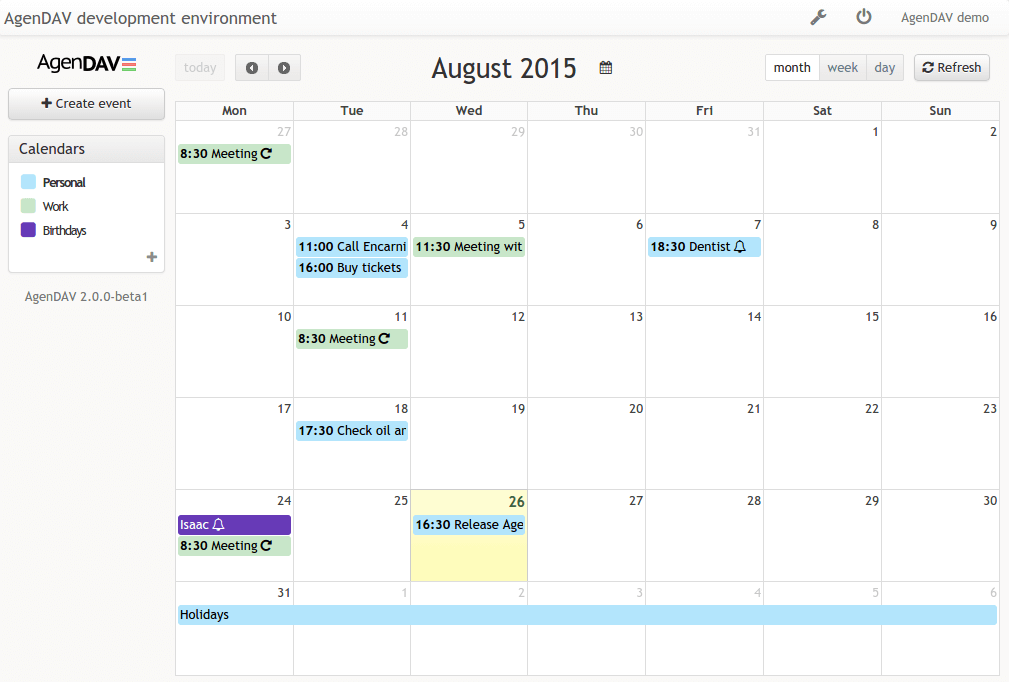
Features
- Calendar views - Month, Week, Day, and List
- Event management - create, edit, duplicate, and delete events
- Drag and drop - move events to a new time slot or day, resize to adjust duration
- Recurring events - create and edit repeating events with recurrence rules
- Reminders - per-event reminders with a configurable default for new events
- Calendar delegations - access calendars delegated by other users (read or read/write)
- iCal subscriptions - subscribe to external iCal feeds
- User preferences - each user may set language, timezone, week start, hide weekends and working hours
- Auto-refresh - calendar data refreshes automatically every 5 minutes
- Multi-language - localized UI with fallback to English
- Multiple CalDAV backends - works with Baikal, DAViCal, Radicale, Nextcloud, and others
- Multiple database backends - MySQL, PostgreSQL, SQLite
Requirements
AgenDAV requires:
- A web server
- PHP >= 8.5.0
- PHP ctype extension
- PHP mbstring extension
- PHP cURL extension
- A database supported by Doctrine-DBAL like MySQL, PostgreSQL, SQLite
- A CalDAV server like Baïkal, DAViCal, or Radicale
- Optional: nodejs & npm to build assets (releases include a build)
Documentation
https://agendav.readthedocs.io/
Installation
Docker Image
Agendav offers no official Docker image.
A docker-compose.yml is provided in this repository for local development.
It brings up AgenDAV (PHP-Apache, on port 8080), MariaDB, and a Baikal CalDAV
server (on port 8081). Run docker compose up from the repository root: a
one-shot web-builder service runs npm ci, composer install, and the
asset build the first time (allow 1-2 minutes), then exits. Subsequent starts
detect the existing build and skip it, so the stack comes up in a few seconds.
Source
https://github.com/agendav/agendav
License
GNU General Public License v3.0 or later https://spdx.org/licenses/GPL-3.0-or-later.html
Changelog
See CHANGELOG.md
Maintenance Mode
AgenDAV is in maintenance mode currently. This means that the maintainers choose to prioritize stability and compatibility over new features for now.
- There is no active development & new major features are not planned
- New features may be added by PRs however
- New features may be proposed in issues tickets, send as Pull Requests, and the maintainers will review and presumably merge them
- PRs for bugfixes are welcome and will be reviewed & merged
- PRs to keep the software compatible with new PHP versions or the like are welcome and will be reviewed & merged
- Critical security concerns will be addressed
Contribution
Contributions are welcome!
Categories
Download Statistics
Total Downloads Over Time
Related apps
Explore more like this
Explore allLinks
Details
vilhjalmr26/agendavRuntime arguments
- Web UI
http://[IP]:[PORT:80]- Network
bridge- Shell
sh- Privileged
- false
Template configuration
Http port for accessing calendar
- Target
- 80
- Default
- 80
Config path, where settings.php and timezone.ini must reside.
- Target
- /config
- Default
- /mnt/user/appdata/agendav/