
All apps · 0 apps

AdventureLog---Backend
Docker app from grtgbln's Repository
Overview
Readme
View on GitHub
AdventureLog
The ultimate travel companion — log where you've been, plan what's next, and see your whole world on one map.





Live Demo · Get Started · Quick Install · Documentation · Discord · Support the project
|
📍 Log travel experiences Locations, visits, photos, trails & activities |
✈️ Plan trips Itineraries, checklists, calendar & shared planning |
🌍 Track the world Countries, regions, cities & travel stats |
🔒 Own your data Open source, self-hosted, GPL-3.0 |
What is AdventureLog?
AdventureLog is a modern open-source travel companion. Pin every place you've visited, build multi-day trip itineraries, mark countries and regions on an interactive world map, and collaborate with the people you travel with. It integrates with your existing tools and services to help you plan your next unforgettable adventure.
Built for travelers who want to track, plan, and remember their travel experiences.
See it in action
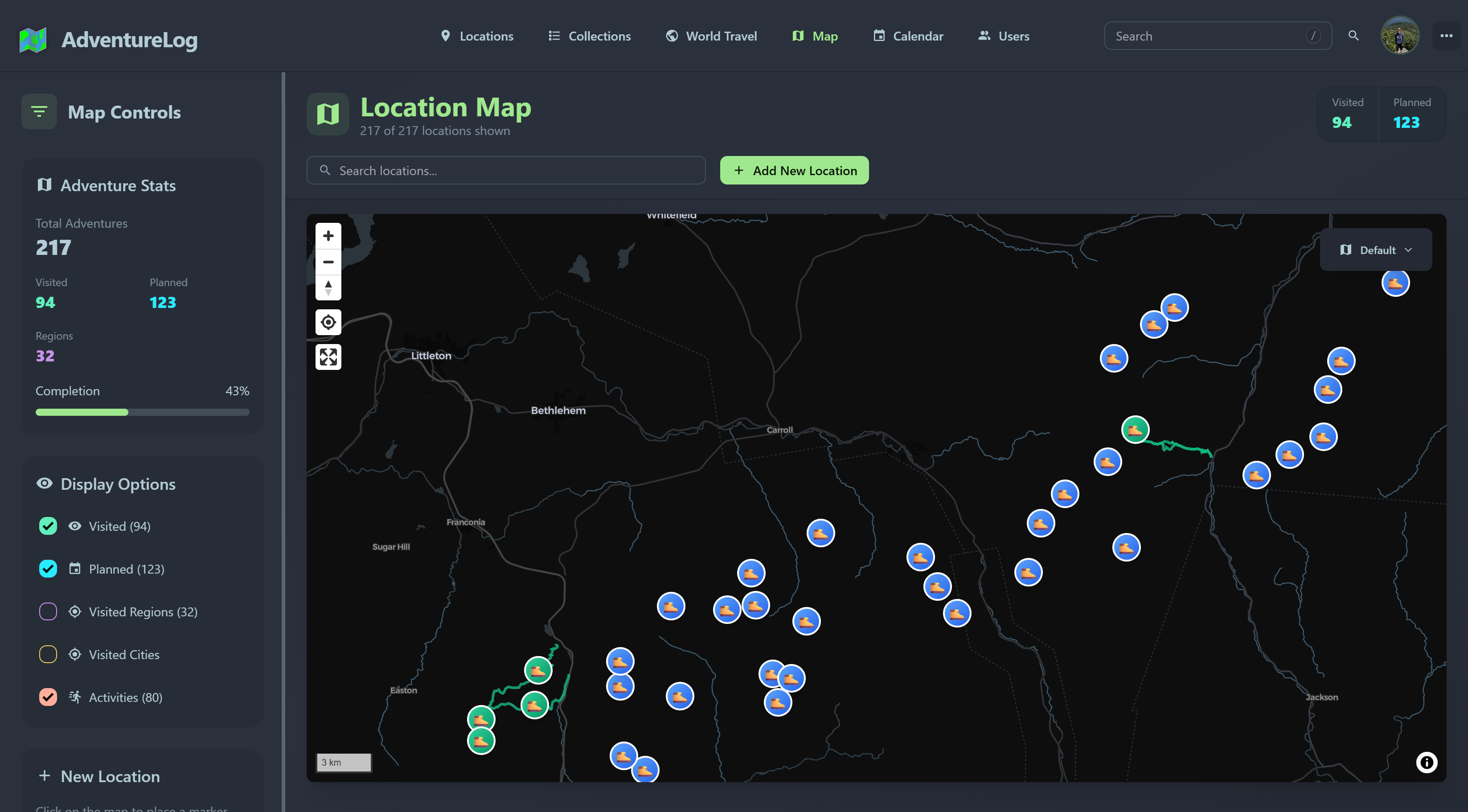
Interactive world map — every location, visit status, and filter at a glance
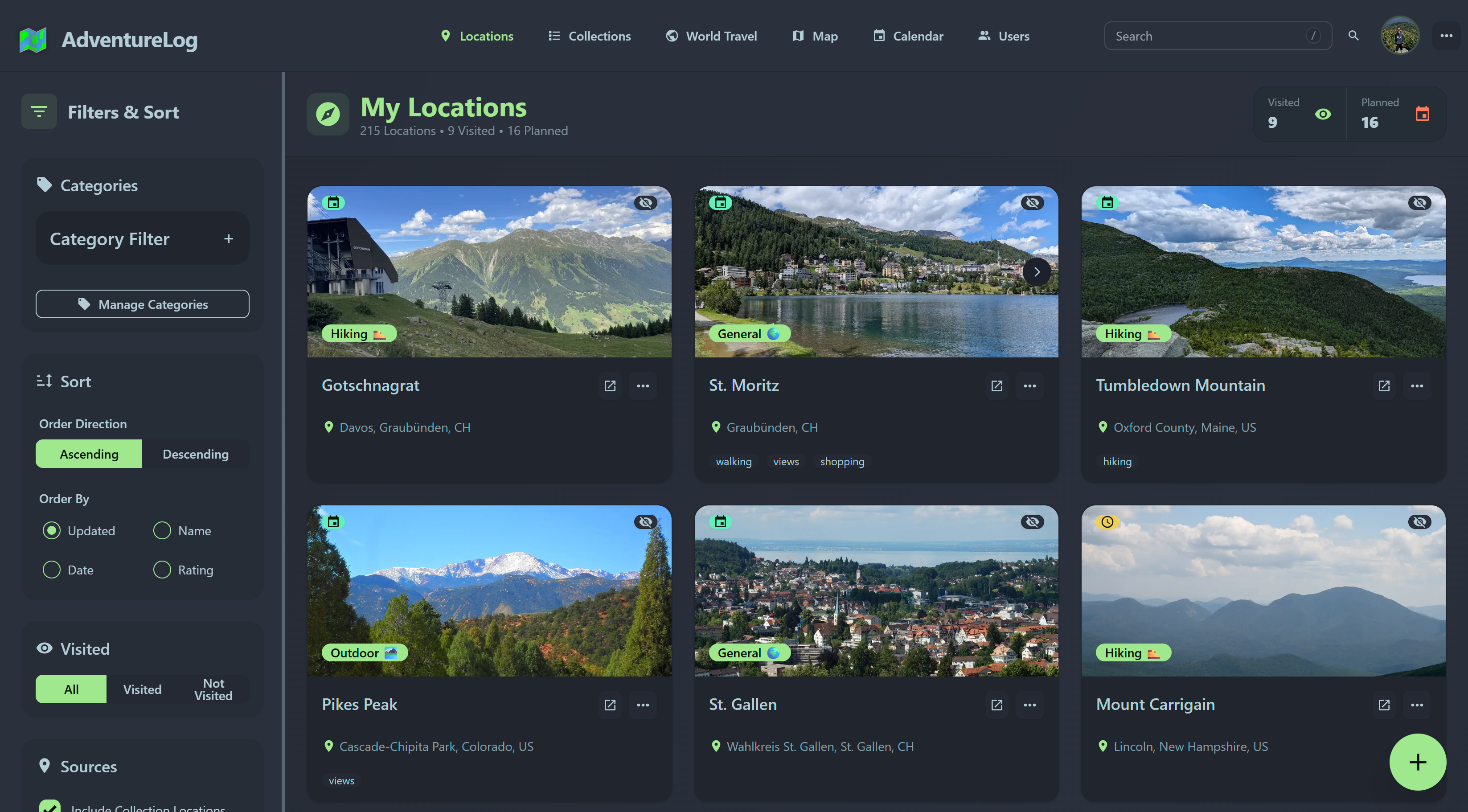
Locations — browse, filter, categorize & organize |
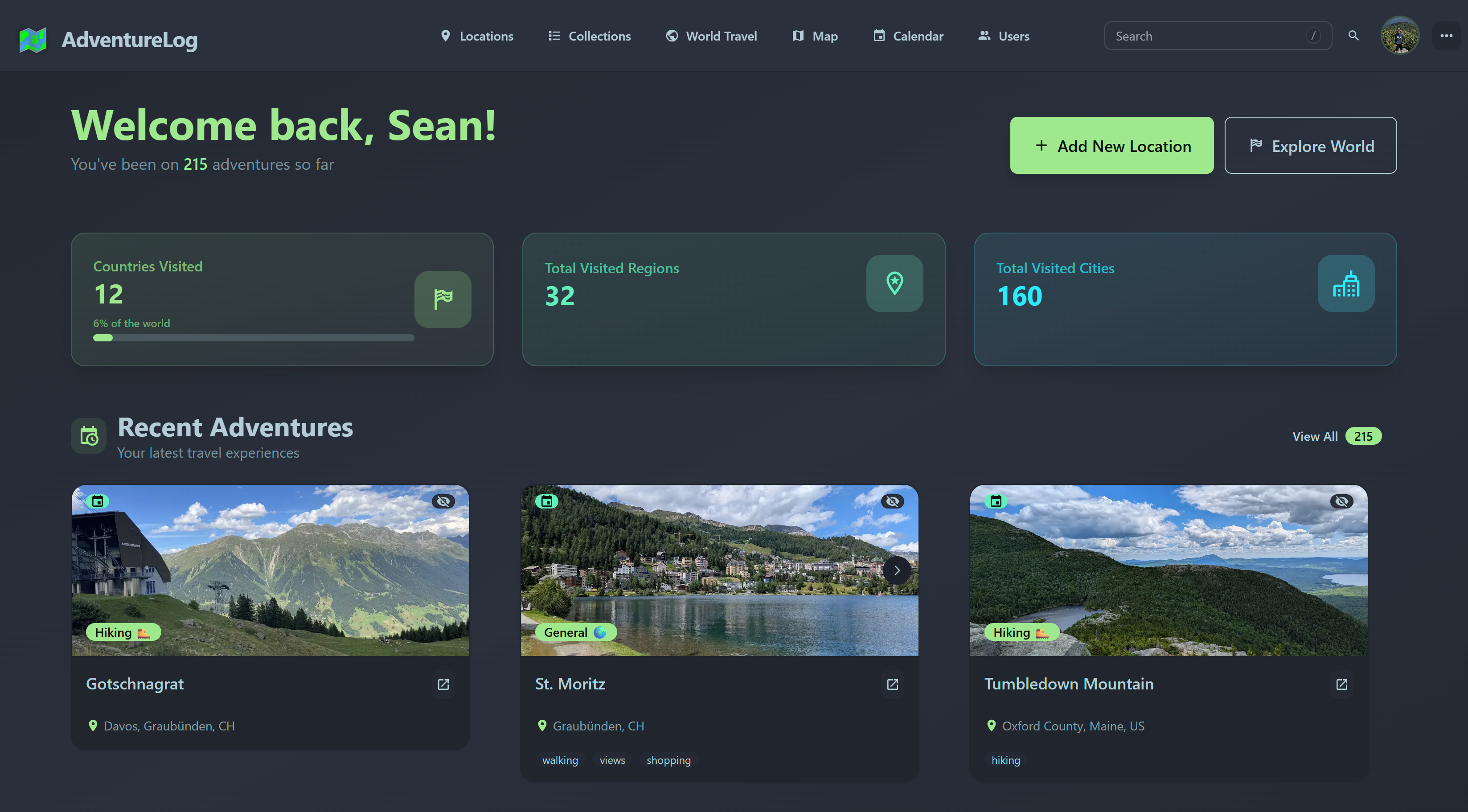
Dashboard — travel stats, progress & milestones |
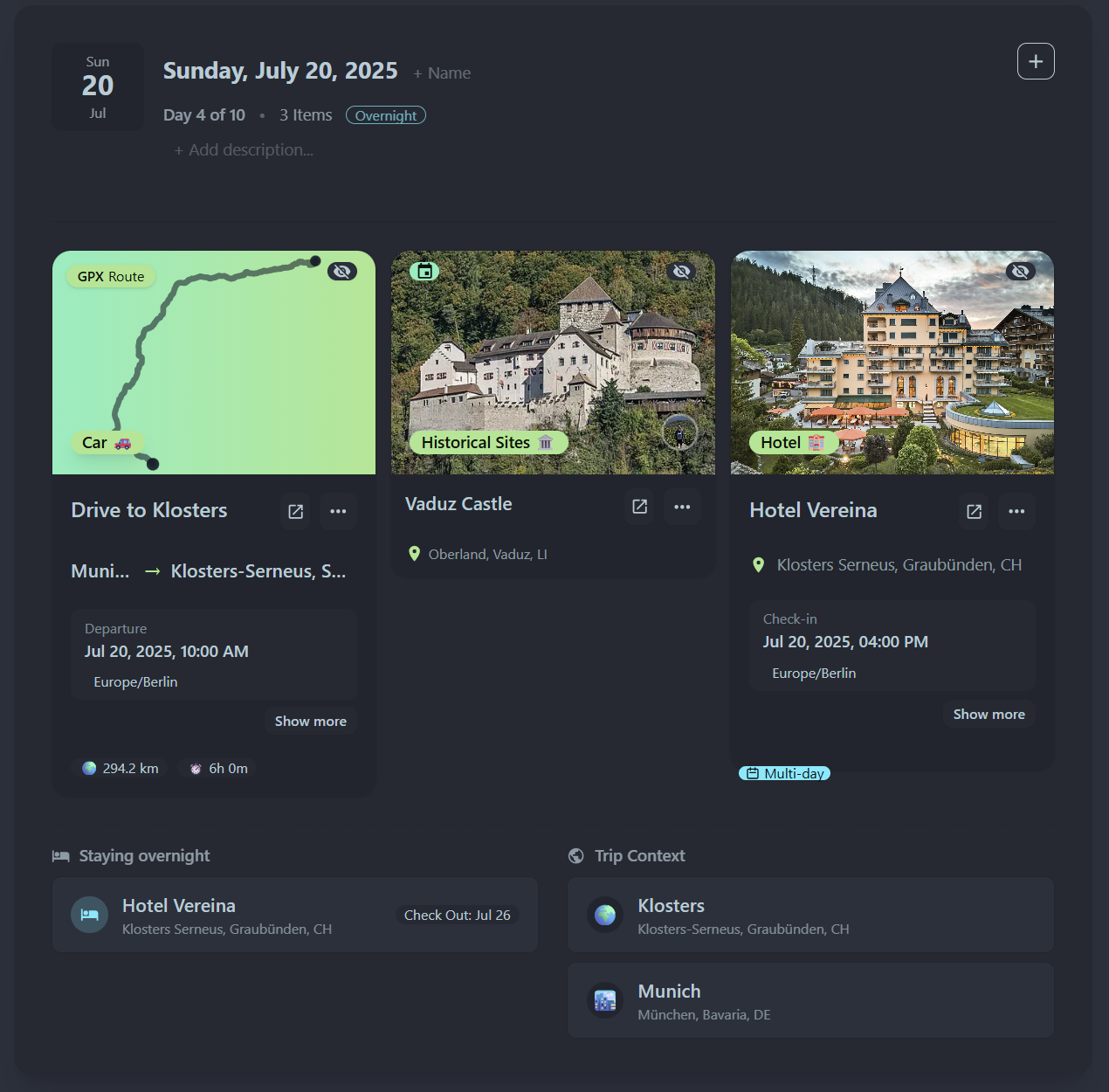
Trip planning — itineraries, notes & daily activities
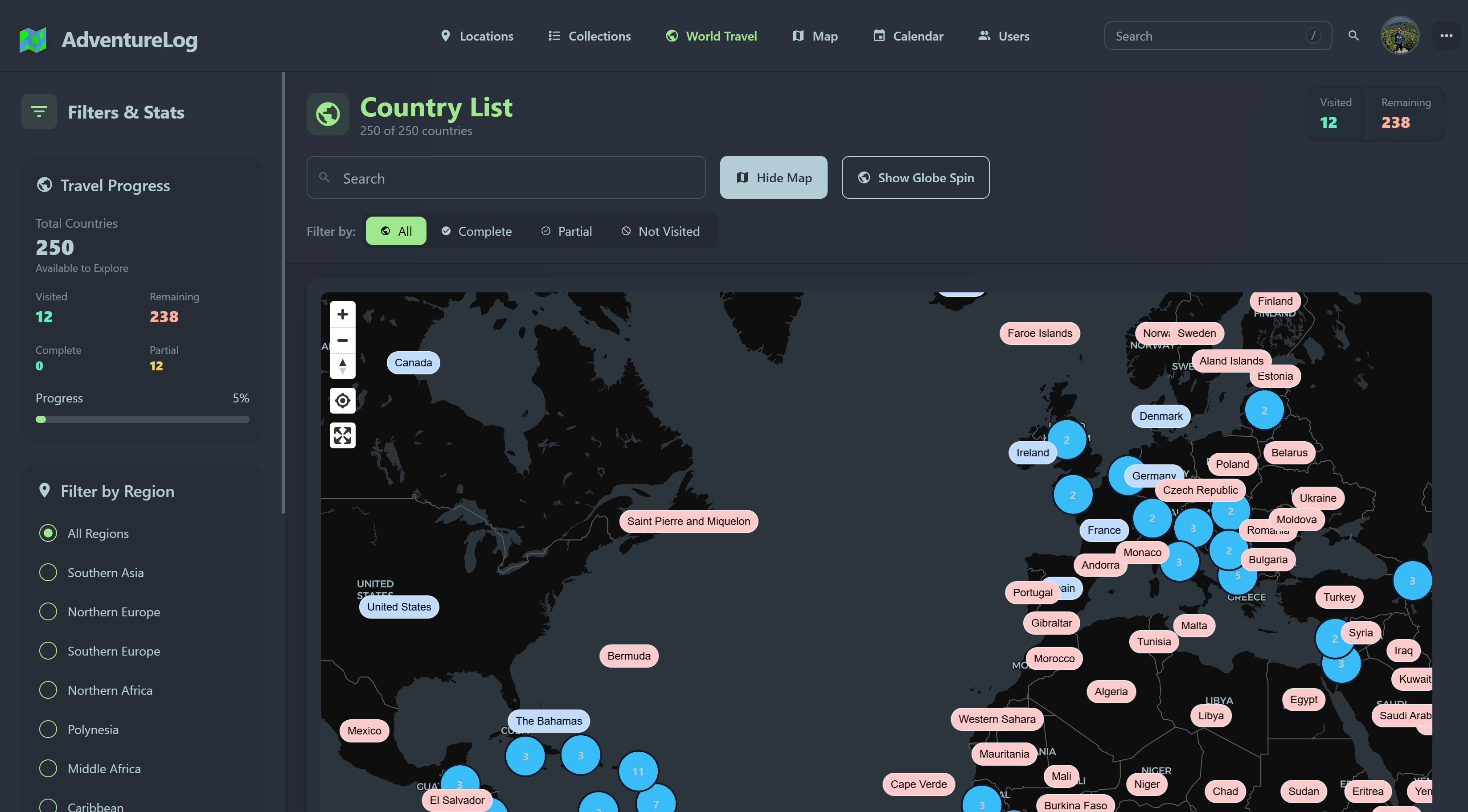
World travel — countries, regions & cities |
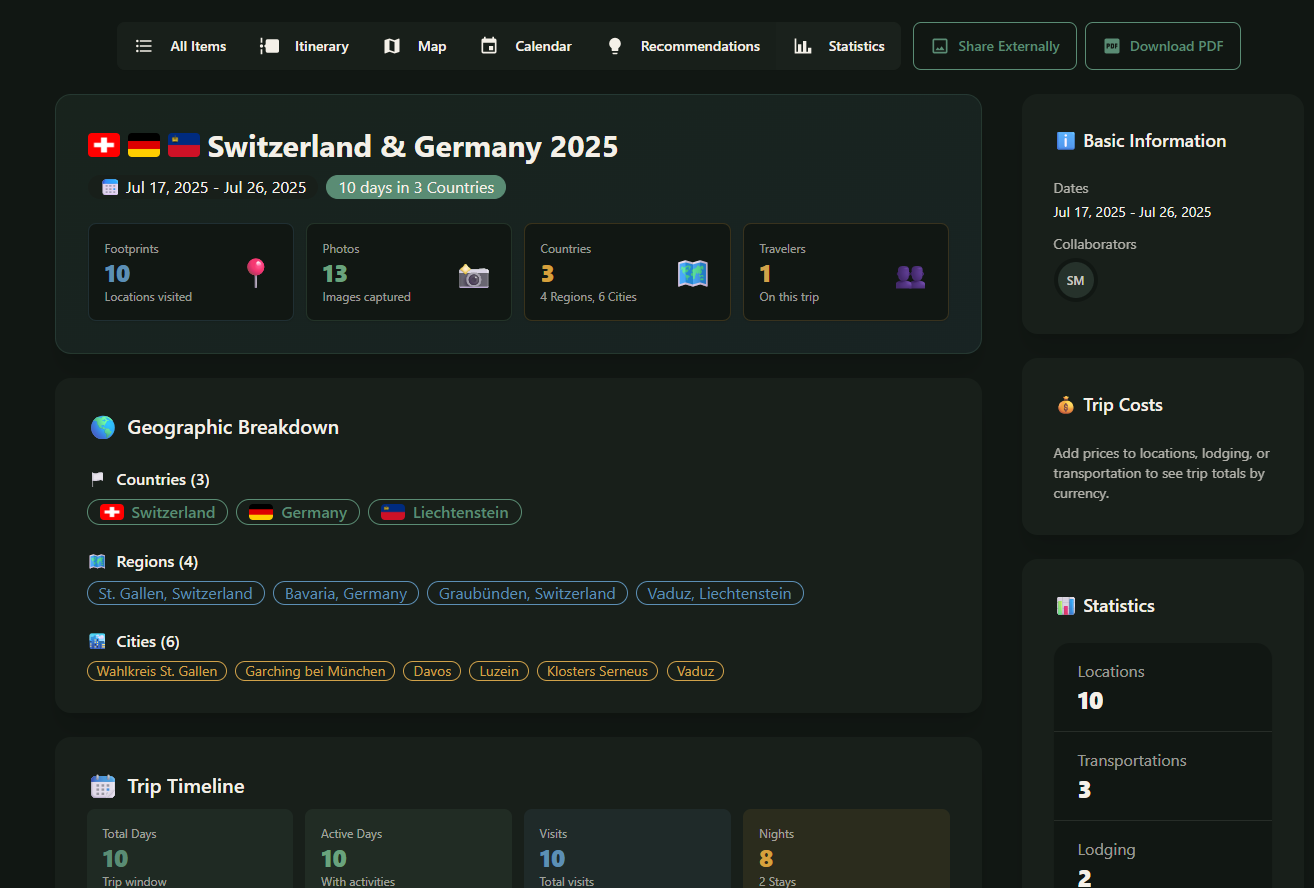
Trip stats — costs, geography & per-trip milestones |
More screenshots
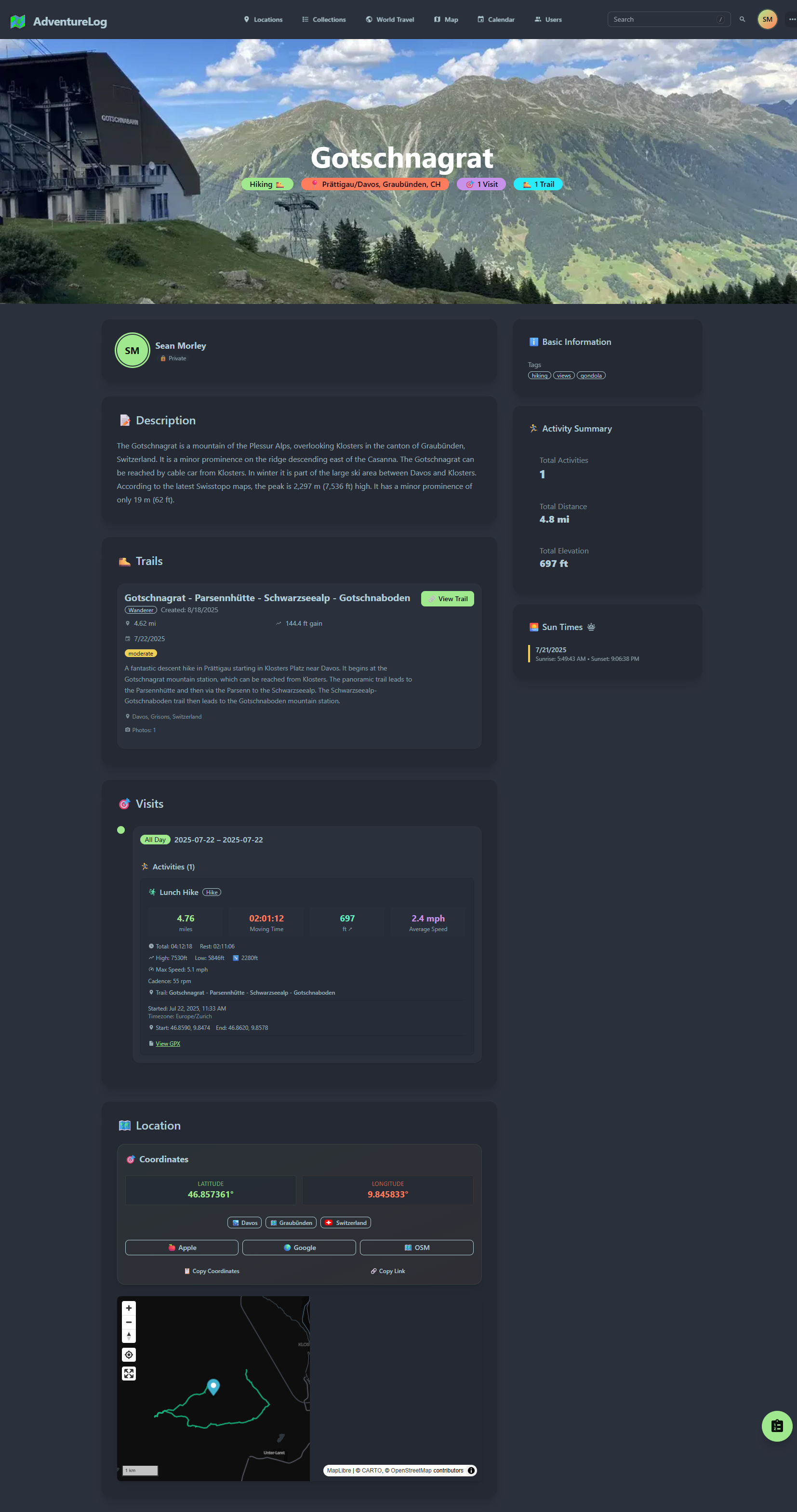
Rich location details — dates, notes, ratings & visit history
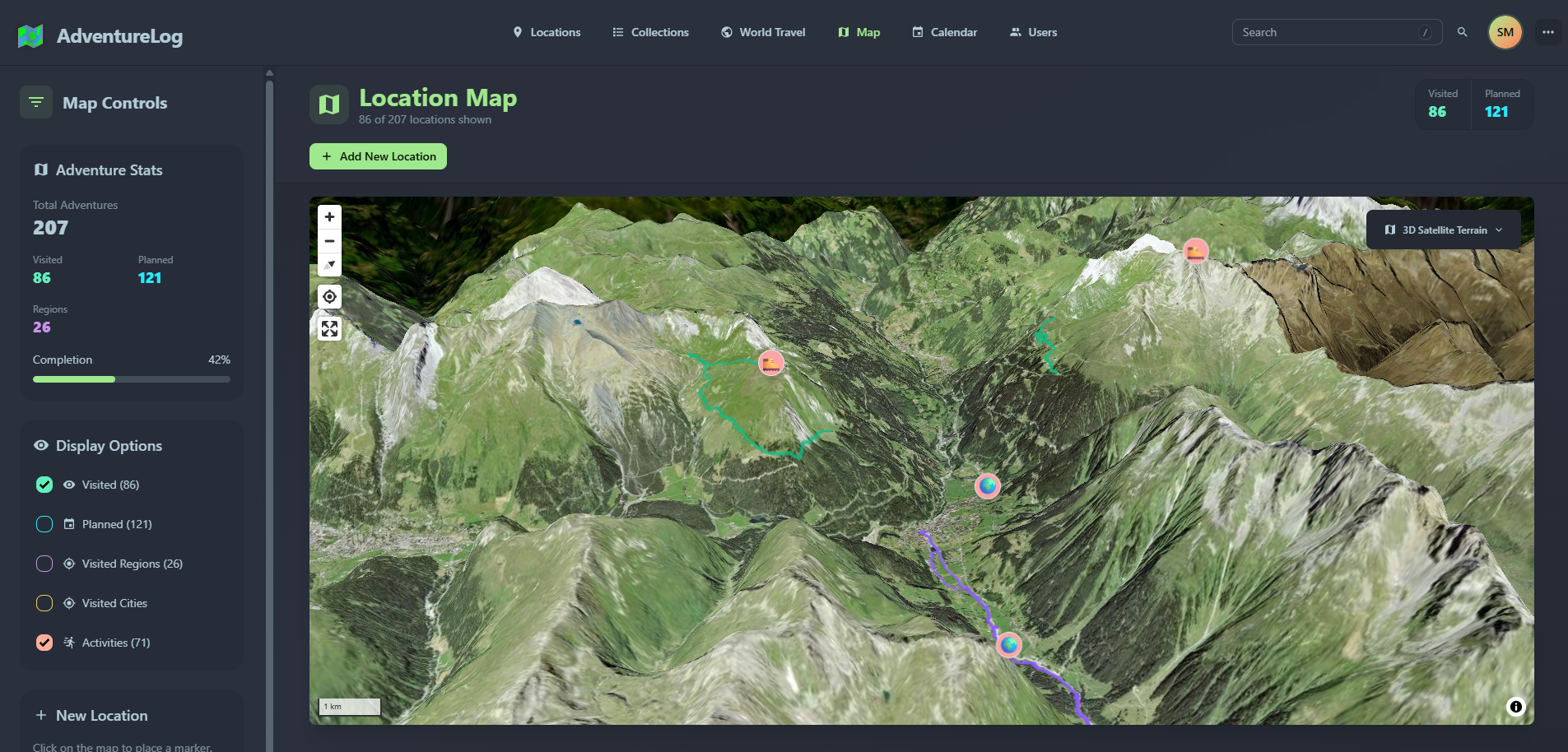
3D satellite view — explore your travel history immersively
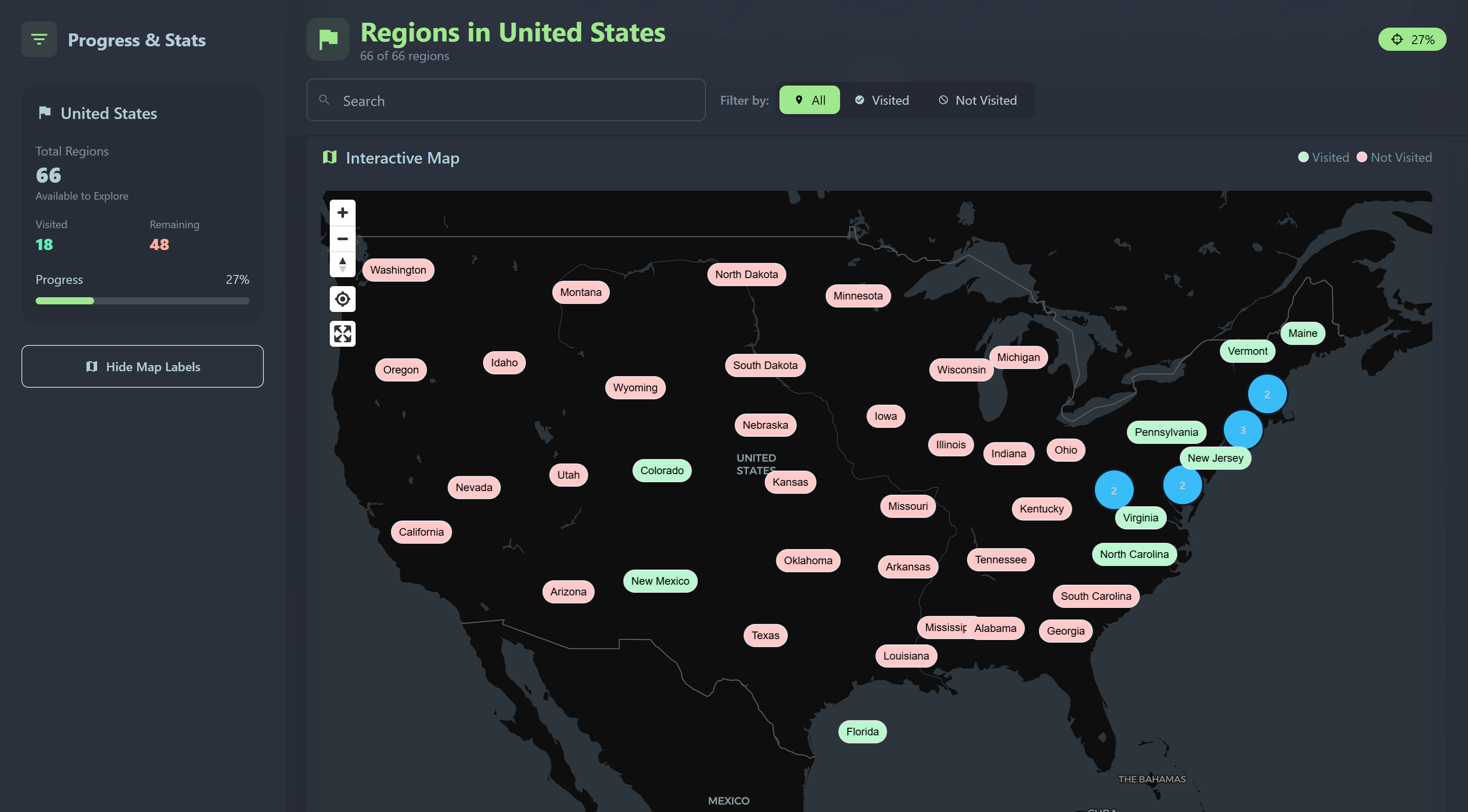
Regions — drill into states, provinces & territories
Features
| Feature | What you get | |
|---|---|---|
| 📍 | Locations & visits | Pin places on the map with dates, notes, photos, categories, tags, and multi-visit history |
| 🗺️ | Interactive map | Filter by visited / planned, add locations by click, 2D & 3D views |
| ✈️ | Trip itineraries | Multi-day collections with flights, lodging, checklists, links & calendar views |
| 🤝 | Collaboration | Share locations and itineraries via public links or invite other users to edit together |
| 🌍 | World travel book | Track countries, regions, and cities — with stats and progress milestones |
| 🥾 | Trails & activities | Attach hiking routes, GPX tracks, distance, elevation & outdoor activity logs |
| 🔍 | Search & organize | Full-text search, custom categories, public/private visibility |
| 🔐 | Security | MFA, API keys, social auth (Google, GitHub, Authelia & more) |
Integrations
Connect the tools you already use:
| Integration | Purpose |
|---|---|
| Immich | Link photos from your self-hosted media library |
| Strava | Import activities with GPX tracks & stats |
| Endurain | Import activities with GPX tracks & stats |
| Wanderer | Attach trails with distance & elevation data |
| Google Maps | Geocoding & location search |
Why AdventureLog?
| AdventureLog | Typical closed travel apps | |
|---|---|---|
| Ownership | Your data on your server | Locked in a vendor cloud |
| Cost | Free to self-host (GPL-3.0) | Subscriptions & upsells |
| Privacy | You control access & sharing | Opaque data policies |
| Customization | Open source — extend & integrate | Fixed feature set |
| Scope | Locations, itineraries & world travel in one app | Split across multiple tools |
Quick start
Not sure which setup fits you? The Getting Started guide covers every install path — Docker, homelab NAS, Kubernetes, reverse proxies, and more.
The fastest way to get running — one container, one port:
curl -sSL https://get.adventurelog.app | bash
Or follow the Standard Deployment guide for Docker Compose.
Requirements: Docker Engine + Compose v2 · 2 GB RAM on first boot · Linux, VPS, homelab, or macOS
| I want to… | Guide |
|---|---|
| See all install options | Getting Started |
| Try before installing | Live demo |
| One-command install | Quick Start Installer |
| Deploy on Proxmox / Synology / Unraid | Platform guides |
| Run on Kubernetes | Kustomize guide |
| Learn the app | Usage guide |
Default login is
admin/admin— it's recommended to change it immediately after first sign-in.
Tech stack
Frontend
- SvelteKit
- Tailwind CSS + DaisyUI
- Svelte MapLibre (MapLibre GL)
Backend
- Django + Django REST Framework
- PostGIS / PostgreSQL
- AllAuth
Deployment
Roadmap
Track what's coming next on the public roadmap →
Contributing
Contributions are welcome! See CONTRIBUTING.md to get started.
Translation
Help translate AdventureLog on Weblate:

License
Distributed under the GNU General Public License v3.0.
About the creator
Sean Morley — I'm an Electrical Engineering student at UConn, an open-source developer, and an avid traveler. AdventureLog started as my simple idea to track where I've been and grew into a full travel companion built for people who love exploring the world. I'm passionate about open-source software and building tools that solve real problems for real people. Feel free to reach out to me directly via the info on my website if you have any questions or feedback! :)
Want the full origin story? Read the Development Timeline.
Acknowledgements
- Logo design by nordtektiger
- World geography data from dr5hn/countries-states-cities-database
Supporters
AdventureLog is built and maintained as an open-source project. These supporters help make continued development possible.
Individual supporters
Huge thanks to Veymax, Mathias Ponnwitz, nebriv, Miguel Cruz, and Victor Butler.
Become a supporter
Your support funds new features, infrastructure, and continued open-source development.
Happy travels!
⭐ Star us on GitHub · Get Started · Report a bug · Join Discord
Media gallery
1 / 8Requirements
Requires a separate PostGIS database container.
Related apps
Explore more like this
Explore allLinks
Details
ghcr.io/seanmorley15/adventurelog-backend:latestRuntime arguments
- Network
bridge- Privileged
- false
Template configuration
Container Port: 80
- Target
- 80
- Default
- 8016
- Value
- 8016
PostGIS Host
- Target
- PGHOST
PostGIS Database Name
- Target
- PGDATABASE
PostGIS User
- Target
- PGUSER
PostGIS Password
- Target
- PGPASSWORD
- Target
- SECRET_KEY
Admin Username
- Target
- DJANGO_ADMIN_USERNAME
- Default
- admin
Admin Email
- Target
- DJANGO_ADMIN_EMAIL
Admin Password
- Target
- DJANGO_ADMIN_PASSWORD
Used for the creation of image URLs. Must match API Port.
- Target
- PUBLIC_URL
- Default
- http://IP_ADDRESS:8016
- Value
- http://IP_ADDRESS:8016
Used for email generation. Must match the frontend URL.
- Target
- FRONTEND_URL
- Default
- http://IP_ADDRESS:8015
- Value
- http://IP_ADDRESS:8015
Comma separated list of backend and frontend URLs
- Target
- CSRF_TRUSTED_ORIGINS
- Default
- http://localhost:8016,http://localhost:8015
- Value
- http://IP_ADDRESS:8016,http://IP_ADDRESS:8015
Path to the media folder
- Target
- /code/media
- Default
- /mnt/user/appdata/adventurelog/media
- Value
- /mnt/user/appdata/adventurelog/media
Enable Debug Mode
- Target
- DEBUG
- Default
- False|True